
The Enduring Gravity of the Arduino Mega 2560 Board
In the rapidly evolving microcontroller landscape of 2026, makers and engineers are constantly tempted by the raw clock speeds of dual-core 32-bit ARM Cortex-M0+ chips and the wireless capabilities of the ESP32-S3. Yet, the 8-bit ATmega2560-powered Arduino Mega 2560 board remains an absolute staple on workbenches worldwide. Why? The answer lies not in its 16 MHz clock speed or its 256KB of flash memory, but in the sheer gravity of its community and library support. When you choose the Mega 2560, you are not just buying a piece of fiberglass and silicon; you are buying into a 15-year-old ecosystem where nearly every hardware edge case has been documented, patched, and solved.
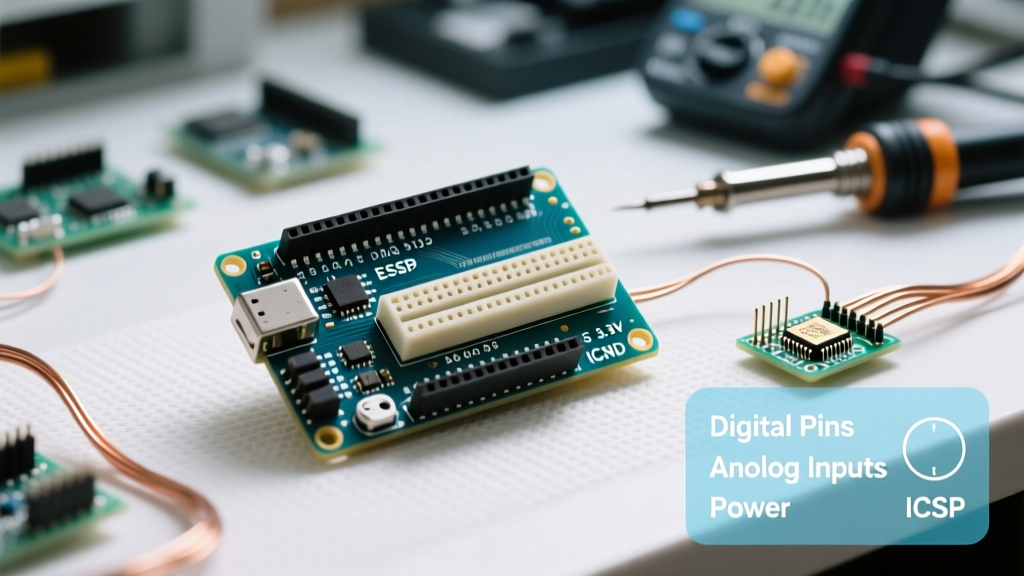
According to the official Arduino hardware documentation, the Mega 2560 Rev3 features 54 digital I/O pins (15 of which can be used as PWM outputs), 16 analog inputs, and 4 hardware UARTs. But hardware specs only tell half the story. The true value of this board is how seamlessly it integrates with massive, community-maintained software repositories that power everything from automated greenhouses to custom CNC routers.
Library Ecosystem: Depth Over Raw Processing Power
When developing complex electromechanical systems, library maturity often outweighs raw processing power. The Arduino Mega 2560 board benefits from the AVR-GCC toolchain and the massive Arduino Library Manager, which hosts thousands of packages explicitly tested on the ATmega2560 architecture.
The Marlin Firmware Monopoly in 3D Printing
Nowhere is the Mega’s community dominance more visible than in the 3D printing and CNC space. Marlin Firmware, the open-source powerhouse that drives millions of desktop 3D printers, was fundamentally built around the Arduino Mega 2560 paired with a RAMPS 1.4 or MKS Gen L shield. While newer 32-bit boards exist, the vast majority of community troubleshooting, custom LCD menus, and bed-leveling scripts (like UBL and ABL) are optimized for the Mega’s specific memory map and pinout. If you are building a custom kinetic sculpture or a multi-axis plotter in 2026, leveraging the Mega means you can drop in community-vetted Marlin forks without rewriting low-level stepper interrupt handlers.
AccelStepper and Multi-Axis Kinematics
For projects outside the Marlin ecosystem, Mike McCauley’s AccelStepper library remains the gold standard for non-blocking stepper motor control. Because the Mega 2560 features three 16-bit hardware timers (compared to the Uno’s single 16-bit timer), the community has developed highly optimized interrupt routines specifically for the Mega. This allows for smoother acceleration curves and higher step-rates when driving 4 or more axes simultaneously—a critical advantage for robotic arms and camera sliders.
The 'Direct Port Manipulation' Trap and Community Fixes
One of the most vital pieces of expert knowledge when working with the Arduino Mega 2560 board involves understanding how legacy libraries interact with hardware ports. Many high-performance libraries written for the Arduino Uno (ATmega328P) use 'direct port manipulation' to achieve microsecond-level timing. They do this by writing directly to registers like PORTD or PORTB.
Expert Warning: On the Uno, digital pins 0-7 map toPORTD. On the Mega 2560, pins 0-7 map toPORTEandPORTH. If you use an unpatched library that hardcodesPORTDfor high-speed data transmission (like certain older RF24 or WS2812 LED implementations), it will silently fail or corrupt data on the Mega. Always check the library's GitHub issues for 'Mega compatibility' patches before integrating.
Fortunately, the Mega’s massive user base means that almost every popular library has been forked, patched, and merged to support the Mega’s specific ATmega2560-16AU port mappings. The community has created abstraction layers like digitalWriteFast that automatically detect the board architecture at compile time, saving developers hours of debugging.
Hardware UARTs: Solving the Software Serial Bottleneck
A common failure mode for intermediate makers is attempting to run a GPS module, a Bluetooth transceiver, and a serial LCD simultaneously on an Arduino Uno. This forces the use of the SoftwareSerial library, which relies on CPU interrupts and inevitably drops bytes at baud rates above 38400. The Arduino Mega 2560 board eliminates this bottleneck with four dedicated hardware UARTs:
| UART Interface | RX Pin | TX Pin | Common Community Use Case |
|---|---|---|---|
| Serial (USB) | 0 | 1 | PC debugging, serial monitor, firmware flashing |
| Serial1 | 19 | 18 | GPS modules (NMEA parsing at 9600/115200 baud) |
| Serial2 | 17 | 16 | DMX512 lighting control, RS-485 industrial sensors |
| Serial3 | 15 | 14 | Bluetooth (HC-05/ESP-01), Nextion HMI displays |
This hardware-level redundancy is heavily documented in community forums, with thousands of copy-paste code snippets available for multi-serial routing, making the Mega the undisputed king of complex sensor aggregation.
Navigating Mega-Specific Hardware Quirks
Even with stellar software support, the physical design of the Mega 2560 introduces specific hardware quirks that the community has extensively documented. Understanding these is crucial for project reliability.
The I2C Pinout Shift
On the Arduino Uno, the I2C bus (SDA/SCL) is multiplexed on analog pins A4 and A5. Early versions of the Mega 2560 moved I2C to dedicated pins 20 (SDA) and 21 (SCL). This broke compatibility with older 'Uno-sized' shields that routed I2C through A4/A5. The community pushed for a hardware revision, resulting in the Mega 2560 R3, which duplicates the SDA/SCL pins on the new 6-pin header next to the AREF pin. When sourcing boards or designing custom PCBs in 2026, always ensure your I2C pull-up resistors are tied to the correct R3 header pins to avoid bus lockups.
Thermal Limits of the Onboard Voltage Regulator
A frequent topic on the Arduino forums is the overheating of the onboard NCP1117 5V linear regulator. When powering the Mega via the barrel jack at 12V, the regulator must drop 7V. If your project draws more than 400mA-500mA (common when stacking motor shields or powering servo arrays), the regulator will thermally throttle or fail. The community consensus is strict: Never rely on the onboard 5V rail for high-current loads. Instead, use an external LM2596 buck converter module wired directly to the 5V and GND header pins, bypassing the linear regulator entirely.
Sourcing and Pricing in 2026: Genuine vs. Clones
When procuring an Arduino Mega 2560 board, the community generally categorizes options into three tiers, each with distinct support implications:
- Genuine Arduino Mega 2560 Rev3 ($45 - $52): Features the ATmega16U2 USB-to-Serial chip. Offers flawless driver compatibility across Windows, macOS, and Linux without third-party installations. Best for commercial prototyping and educational labs.
- High-Quality Clones with ATmega16U2 ($16 - $22): Identical USB-Serial architecture to the genuine board. The community highly recommends these for hobbyists, as they support custom firmware flashing via the DFU mode on the 16U2 chip.
- Budget Clones with CH340G ($9 - $13): Replaces the 16U2 with a cheaper CH340G chip. While functional, these require specific driver installations and lack DFU mode, which can complicate advanced bootloader troubleshooting.
Conclusion: The Power of the Crowd
While newer microcontrollers offer Wi-Fi, BLE, and 32-bit processing out of the box, the Arduino Mega 2560 board remains a powerhouse for heavy I/O, multi-serial, and stepper-driven projects. Its true superpower is the thousands of engineers, makers, and educators who have spent over a decade refining its libraries, documenting its edge cases, and building shields that turn it into a modular industrial controller. In 2026, choosing the Mega isn't a step backward in technology; it is a strategic decision to leverage the most battle-tested community support network in the DIY electronics world.