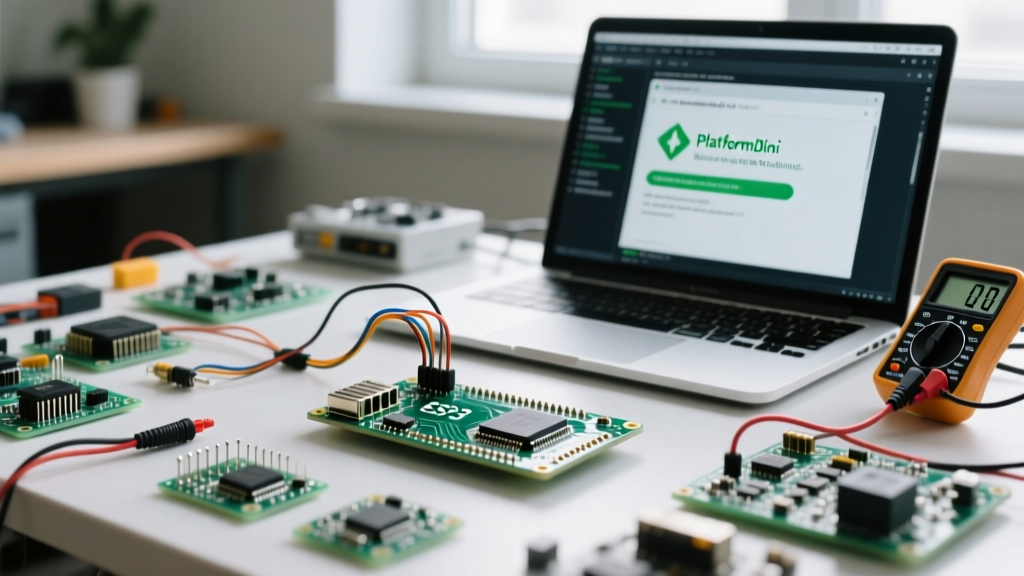

Transitioning from the legacy Arduino IDE to PlatformIO for ESP32 development is a rite of passage for serious IoT engineers and makers. PlatformIO offers vastly superior dependency management, faster incremental builds, and robust multi-board project handling. However, the shift introduces a new configuration paradigm centered around the platformio.ini file and the underlying esptool utility.
This FAQ and quick reference guide addresses the most common hurdles, configuration questions, and compilation failures encountered when working with the Espressif ESP32 family in the PlatformIO ecosystem.
The Core PlatformIO ESP32 Configuration
Every PlatformIO project relies on the platformio.ini file. Below is a production-grade baseline configuration for a standard ESP32-WROOM-32 module, annotated with essential parameters that prevent common development bottlenecks.
[env:esp32dev]
platform = espressif32
board = esp32dev
framework = arduino
monitor_speed = 115200
monitor_filters = esp32_exception_decoder, direct
upload_speed = 921600
board_build.partitions = huge_app.csv
board_build.filesystem = littlefs
Why the Exception Decoder is Non-Negotiable
Notice the monitor_filters = esp32_exception_decoder line. When an ESP32 encounters a fatal panic (e.g., a null pointer dereference or stack overflow), it dumps a raw hexadecimal stack trace to the serial monitor. The exception decoder intercepts this hex dump and translates it into readable file names and line numbers using the compiled .elf file. Without this filter, debugging hardware crashes is nearly impossible.
Frequently Asked Questions: Board & Framework Selection
Arduino vs. ESP-IDF: Which framework should I use?
PlatformIO allows you to toggle between the Arduino core and the native Espressif IoT Development Framework (ESP-IDF) simply by changing the framework parameter.
- Arduino Framework: Best for rapid prototyping, hobbyist projects, and leveraging the massive ecosystem of third-party libraries (like Adafruit or SparkFun sensors). It abstracts away FreeRTOS and hardware registers.
- ESP-IDF Framework: Mandatory for commercial production, ultra-low-power (ULP) coprocessor programming, custom Wi-Fi mesh networking, and precise FreeRTOS task pinning to specific cores. It has a steeper learning curve but offers complete hardware control.
How do I enable PSRAM on an ESP32-WROVER or S3?
If your board features external PSRAM (Pseudo-Static RAM), you must explicitly tell the compiler to map it. For the Arduino framework, add the following build flags to your platformio.ini:
build_flags =
    -DBOARD_HAS_PSRAM
    -mfix-esp32-psram-cache-issue
For ESP32-S3 boards with Octal SPI RAM, you will also need to configure the sdkconfig file to enable CONFIG_SPIRAM_MODE_OCT=y.
Quick Reference: ESP32 Variant Board IDs
The ESP32 family has expanded significantly. Selecting the correct board ID ensures PlatformIO applies the correct flash modes, memory maps, and USB configurations. Refer to the PlatformIO Espressif 32 Documentation for the exhaustive list.
| Chip Variant | PlatformIO Board ID | Architecture | Typical Use Case |
|---|---|---|---|
| ESP32 (WROOM) | esp32dev |
Xtensa Dual-Core | General IoT, Audio, Legacy projects |
| ESP32-S3 | esp32-s3-devkitc-1 |
Xtensa Dual-Core | AI/ML Edge, Vector instructions, Native USB |
| ESP32-C3 | esp32-c3-devkitm-1 |
RISC-V Single-Core | Low-cost Wi-Fi/BLE, Pin-compatible ESP8266 replacement |
| ESP32-S2 | esp32-s2-saola-1 |
Xtensa Single-Core | USB OTG, Low-power capacitive touch |
| ESP32-C6 | esp32-c6-devkitc-1 |
RISC-V | Wi-Fi 6, Zigbee, Thread/Matter border routers |
Troubleshooting Common Upload & Compilation Failures
Error: 'Timed out waiting for packet header'
This is the most frequent upload error. It means esptool.py cannot handshake with the ESP32 ROM bootloader.
Pro-Tip: Clone boards using the CH340 USB-to-UART chip often fail to auto-reset the ESP32 via the DTR/RTS handshake lines. If you encounter this timeout, physically press and hold the 'BOOT' button on the ESP32, click 'Upload' in PlatformIO, and release the button when the console says 'Connecting...'.
Advanced Fixes:
- Lower the upload speed. Change
upload_speed = 921600to460800or115200in your INI file. - Check your USB cable. Up to 30% of micro-USB cables are 'charge-only' and lack the D+/D- data lines required for serial communication.
- Ensure no other serial monitor (like the Arduino IDE or PuTTY) is currently hogging the COM port.
Error: 'Region iram0_0_seg overflowed' or Flash Full
The default ESP32 partition table (default.csv) allocates 1.5MB for the primary app and 1.5MB for an Over-The-Air (OTA) update partition. If your sketch includes heavy libraries (like TFT_eSPI or LVGL), you will exceed the 1.5MB limit.
The Fix: If you do not require OTA updates, switch to the huge_app.csv partition table, which allocates a single 3MB+ block for your application. Add board_build.partitions = huge_app.csv to your environment. For deeper customization, consult the Espressif Partition Tables Guide.
Error: 'Fatal Python error: initfsencoding'
This occurs when PlatformIO's bundled Python environment becomes corrupted or conflicts with a system-level Python installation. Delete the .platformio folder in your user directory and restart VS Code to force PlatformIO to rebuild its isolated Python virtual environment.
Managing Filesystems: LittleFS vs. SPIFFS
Historically, ESP32 developers used SPIFFS to store web assets (HTML/CSS/JS) or configuration JSON files in the flash memory. However, SPIFFS lacks proper wear-leveling and is highly susceptible to corruption during sudden power loss.
LittleFS is the modern standard. It is power-loss resilient and significantly faster at handling directory structures. To use LittleFS in PlatformIO:
- Set
board_build.filesystem = littlefsin yourplatformio.ini. - Create a
data/folder in the root of your project and place your files inside. - Use the 'PlatformIO: Upload Filesystem Image' task from the command palette to flash the
data/folder to the dedicated SPIFFS/LittleFS partition.
Ensure you are using the native LittleFS.h library included in modern ESP32 Arduino cores (v2.0.0+), rather than the deprecated third-party SPIFFS wrappers.
Essential CLI Commands for ESP32 Workflows
While the VS Code GUI is convenient, mastering the PlatformIO Core CLI accelerates CI/CD pipelines and remote server builds.
pio run -e esp32dev -t upload: Compiles and flashes the firmware to the specific environment.pio device monitor --filter esp32_exception_decoder: Opens the serial port with the panic-decoder active.pio pkg update: Fetches the latest ESP32 Arduino core and Espressif toolchains.pio run -t size: Generates a detailed memory map showing exactly how much IRAM, DRAM, and Flash your compiled binary is consuming.
By mastering these configurations and troubleshooting steps, you eliminate the friction between writing code and deploying it to silicon, allowing you to fully leverage the dual-core power of the ESP32 architecture.