
Quick Reference: ESP32 Memory Architecture Map
When makers and embedded engineers search for esp32 internal memory info, they are often overwhelmed by the chip's complex memory layout. Unlike simple 8-bit microcontrollers, the dual-core ESP32 uses a modified Harvard architecture with multiple distinct memory regions, each serving a specific hardware purpose. Understanding these boundaries is the difference between a rock-solid IoT device and one that randomly reboots via a Guru Meditation Error.
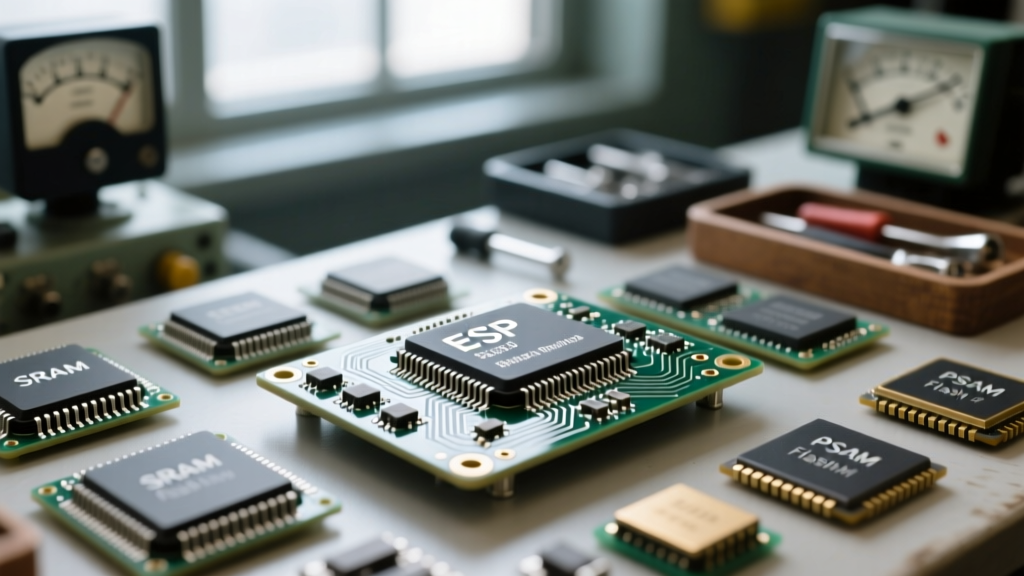
Below is a quick-reference breakdown of the internal memory map for the standard ESP32 (e.g., ESP32-WROOM-32 and ESP32-WROVER-B).
| Memory Type | Capacity | Volatile? | Primary Use Case |
|---|---|---|---|
| SRAM (DRAM) | ~320 KB | Yes | Global variables, heap, stack, standard data storage. |
| SRAM (IRAM) | ~128 KB | Yes | Interrupt Service Routines (ISRs), time-critical code execution. |
| Flash (SPI) | 4 MB - 16 MB | No | Sketch storage, OTA partitions, SPIFFS/LittleFS, constants. |
| PSRAM (SPI RAM) | 0 - 8 MB | Yes | Large buffers (audio, camera), web server payloads. (WROVER only). |
| RTC FAST Memory | 8 KB | Yes* | Data retention during Deep Sleep; accessible by main CPU. |
| RTC SLOW Memory | 8 KB | Yes* | ULP (Ultra-Low-Power) coprocessor code and data. |
*RTC memory is volatile regarding power loss, but retains state during ESP32 Deep Sleep cycles.
Core FAQ: ESP32 Internal Memory Info Explained
What is the difference between IRAM and DRAM?
The ESP32's internal SRAM is split into Instruction RAM (IRAM) and Data RAM (DRAM). DRAM is used for standard variable storage, the heap, and the stack. IRAM is a specialized, faster memory region reserved for executable code that must run with strict timing guarantees.
Why does this matter? When the ESP32 writes to its internal SPI Flash (for example, saving data to LittleFS or performing an OTA update), the Flash cache is temporarily disabled. If an Interrupt Service Routine (ISR) is stored in Flash or DRAM, the CPU cannot fetch the instruction during that millisecond, resulting in a fatal crash. Therefore, all ISRs must be placed in IRAM using the IRAM_ATTR macro.
How much usable SRAM do I actually get in the Arduino IDE?
While Espressif advertises "520 KB of SRAM," you will never see this full amount available in your Arduino sketch. The Wi-Fi and Bluetooth stacks, the FreeRTOS operating system, and system-level drivers consume a significant portion of DRAM and IRAM at boot. In a typical Arduino IDE environment with Wi-Fi enabled, expect roughly 110 KB to 160 KB of free heap DRAM available for your application logic. If you disable Wi-Fi and Bluetooth via the Arduino IDE tools menu, you can reclaim up to 80 KB of additional RAM.
What is PSRAM and which modules support it?
Pseudo-Static RAM (PSRAM) is an external SPI memory chip packaged alongside the ESP32 die on certain modules. It acts as an overflow heap for large data structures.
- ESP32-WROOM-32: Does not include PSRAM. Limited to internal SRAM.
- ESP32-WROVER-B / WROVER-IE: Includes 4MB or 8MB of PSRAM. Ideal for ESP32-CAM projects, audio streaming, or complex web servers.
To use PSRAM in the Arduino IDE, you must enable "PSRAM: Enabled" in the Tools menu. For deep technical configuration, refer to the Espressif Memory Types Guide.
Flash Memory & Partition Tables
External SPI Flash (usually 4MB on standard dev boards) stores your compiled code, file systems, and OTA (Over-The-Air) update slots. The ESP32 uses a CSV-based Partition Table to divide this Flash memory.
If your project uses large assets (web pages, fonts, audio files), you must adjust your partition scheme in the Arduino IDE (Tools > Partition Scheme).
- Default 4MB with spiffs (1.2MB APP/1.5MB SPIFFS): Good for basic IoT sensors with a small web interface.
- Minimal SPIFFS (1.9MB APP with OTA/190KB SPIFFS): Essential if you use OTA updates and heavy libraries (like TFT_eSPI or ESPAsyncWebServer), as OTA requires two identical app partitions.
- Huge APP (3MB No OTA/1MB SPIFFS): Best for M5Stack or heavy GUI applications where OTA is not required.
Pro-Tip: If you see the error "Sketch too big; try changing the partition scheme", your compiled binary has exceeded the allocated APP partition size. Switch to a "Huge APP" or "No OTA" scheme to reclaim space.
Troubleshooting Memory Crashes & Errors
Compilation Error: "IRAM segment is full" or "DRAM segment is full"
This occurs at compile time when your code exceeds the strict boundaries of the internal memory map.
- Fixing DRAM full: Move large constant arrays (like lookup tables or HTML strings) out of RAM and into Flash using the
PROGMEMorconstkeyword. The ESP32 Arduino core automatically mapsconstvariables to Flash, but explicitly verifying this saves precious DRAM. - Fixing IRAM full: You have too many functions tagged with
IRAM_ATTR. Only tag the actual ISR callback function, not the helper functions it calls (unless they are also triggered during Flash writes).
Runtime Error: Guru Meditation Error: Core 1 panic'ed (StoreProhibited)
This is the classic ESP32 Out-Of-Memory (OOM) or Stack Overflow crash. It usually means your code attempted to write to a null pointer or exhausted the heap/stack.
Common Causes:
- Local Variable Bloat: Declaring massive arrays (e.g.,
char buffer[50000];) inside a function consumes the task's Stack (which is limited to 8KB by default in FreeRTOS). Move large buffers to the global scope (Heap) or allocate them dynamically. - Heap Fragmentation: Repeatedly using
malloc()andfree()(orStringclass concatenations) fragments the DRAM. The ESP32 might have 50KB free, but not in a single contiguous block, causing allocation failure.
Pro-Tips: Monitoring and Optimizing Memory at Runtime
To build robust firmware, you must monitor your memory footprint dynamically. Use the ESP-IDF Memory Allocation API via Arduino to log your heap health.
void printMemoryInfo() {
  Serial.printf("Total Heap: %d\n", ESP.getHeapSize());
  Serial.printf("Free Heap: %d\n", ESP.getFreeHeap());
  Serial.printf("Min Free Heap (Low Watermark): %d\n", ESP.getMinFreeHeap());

  if(psramFound()) {
    Serial.printf("Total PSRAM: %d\n", ESP.getPsramSize());
    Serial.printf("Free PSRAM: %d\n", ESP.getFreePsram());
  }
}
For advanced memory routing on WROVER boards, use heap_caps_malloc() to force large allocations into PSRAM, reserving the fast internal DRAM for Wi-Fi buffers and RTOS operations. For instance, allocating a camera frame buffer directly into PSRAM prevents DRAM starvation:
// Allocate 100KB specifically in 8-bit capable PSRAM
uint8_t* camBuffer = (uint8_t*)heap_caps_malloc(102400, MALLOC_CAP_SPIRAM | MALLOC_CAP_8BIT);
if(camBuffer == NULL) {
  Serial.println("PSRAM Allocation Failed!");
}
By mastering these ESP32 internal memory boundaries, utilizing partition tables correctly, and leveraging PSRAM for heavy lifting, you can eliminate random reboots and push the ESP32 to its absolute limits. For more practical implementation details, check out this excellent Random Nerd Tutorials guide on ESP32 PSRAM.