
The Anatomy of the ESP32-2432S028R Failure Points
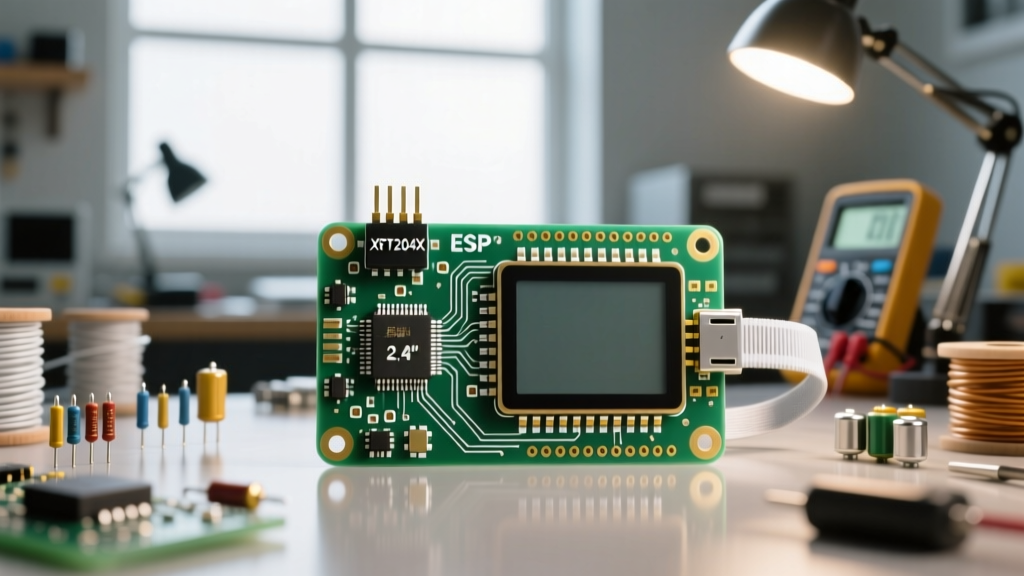
The Sunton ESP32-2432S028R, universally celebrated in the maker community as the ESP32 CYD (Cheap Yellow Display), packs a 2.8-inch ILI9341 TFT screen, XPT2046 resistive touch, and an SD card slot into a remarkably cheap package. However, its aggressive cost-cutting, lack of standardized factory documentation, and reliance on shared SPI buses make it a magnet for configuration errors. When your sketch compiles but the hardware misbehaves, the issue almost always stems from pin multiplexing conflicts or incorrect TFT_eSPI definitions.
Unlike premium development boards with dedicated level shifters and isolated buses, the ESP32 CYD forces the microcontroller to juggle the display, touch digitizer, and SD card across limited VSPI and HSPI lanes. Understanding this hardware topology is the first step in effective error diagnosis.
Diagnostic Triage: Identifying Your CYD Symptom
Before rewriting your code, isolate the physical symptom. Use this triage list to jump to the correct diagnostic section:
- Screen is pure white or black: TFT_eSPI driver mismatch or backlight GPIO failure.
- Display works, but touch is dead or drifting: XPT2046 SPI bus conflict or missing IRQ definition.
- Arduino IDE hangs on 'Connecting...': CH340 UART driver issue or GPIO 0 boot state failure.
- SD Card initialization freezes the MCU: FAT32 formatting error or HSPI CS pin collision.
Symptom 1: The Dreaded White Screen of Death
A bright white screen on the ESP32 CYD indicates that the ILI9341 controller is receiving power but no valid initialization commands. This is almost exclusively a User_Setup.h configuration error within the TFT_eSPI library.
The Clone Board ST7789 Trap
Due to component shortages, some manufacturers have silently swapped the ILI9341 display driver for the ST7789V on identical yellow PCBs. If your User_Setup.h defines ILI9341_DRIVER but you received a clone batch with an ST7789, the screen will remain white. To test this, comment out the ILI9341 definition and uncomment #define ST7789_DRIVER in your setup file.
Backlight Pin (GPIO 21) Omission
Even if the display is rendering graphics, it will appear black or extremely dim if the backlight pin is not explicitly driven HIGH. The CYD routes the backlight to GPIO 21. You must include the following in your setup() function immediately after tft.init():
pinMode(21, OUTPUT);
digitalWrite(21, HIGH);
Pro-Tip: Never use PWM (analogWrite) on GPIO 21 for backlight dimming without verifying the specific board revision. Some CYD variants route GPIO 21 through a simple MOSFET that does not support high-frequency PWM, resulting in screen flickering.
Symptom 2: XPT2046 Touch Controller Unresponsive
The ESP32 CYD utilizes an XPT2046 touch controller. The most common error here is assuming the touch controller operates on a separate SPI bus. It does not. It shares the VSPI bus with the TFT display but uses a distinct Chip Select (CS) pin.
Pin Mapping Verification
If your touch inputs are completely ignored, verify your XPT2046 library initialization against these exact hardware traces:
- CLK (SCK): GPIO 14
- MISO: GPIO 12
- MOSI: GPIO 13
- CS: GPIO 33
- IRQ: GPIO 36
The IRQ Pin 36 Input-Only Constraint
GPIO 36 on the ESP32 is an input-only pin. If your touch library attempts to initialize the IRQ pin with internal pull-up resistors (e.g., INPUT_PULLUP), the configuration will silently fail, and the touch controller will never trigger an interrupt. You must define the pin strictly as INPUT or rely on the XPT2046's internal pull-up states.
Symptom 3: Arduino IDE Upload Failures & Boot Loops
The CYD uses the CH340C USB-to-UART bridge. If the Arduino IDE output window loops endlessly on Connecting... and eventually throws a Failed to connect to ESP32: Timed out waiting for packet header error, the MCU is failing to enter the UART download bootloader.
The Manual Boot Button Override
Unlike the official Espressif DevKits, the CYD's auto-reset circuit for the bootloader is notoriously unreliable due to capacitor tolerances on the EN and GPIO 0 lines. To force the board into flash mode:
- Click the Upload button in the Arduino IDE.
- Wait for the IDE to compile and display
Connecting...in the console. - Press and hold the
BOOTbutton on the CYD board. - Press and release the
RSTbutton while still holdingBOOT. - Release the
BOOTbutton. The upload should immediately begin.
Partition Scheme Collisions
If your sketch compiles but the CYD continuously reboots (boot loop) upon startup, you have likely exceeded the default application partition size. The CYD has 4MB of flash. In the Arduino IDE Tools menu, change the Partition Scheme from Default 4MB with spiffs to Huge APP (3MB No OTA/1MB SPIFFS) to accommodate heavy graphical assets and the TFT_eSPI library footprint.
Symptom 4: SD Card Initialization Hanging the MCU
MicroSD card support on the ESP32 CYD is routed through the HSPI bus to avoid colliding with the display's VSPI bus. However, many users experience a complete MCU freeze when calling SD.begin().
The FAT32 Imperative
The ESP32 SD library does not support exFAT. If your microSD card is 64GB or larger, Windows formats it as exFAT by default. You must use a third-party tool like Rufus or SD Card Formatter to force a FAT32 partition. Furthermore, the SD CS pin is strictly GPIO 5.
SPIClass hspi = SPIClass(HSPI);
SD.begin(5, hspi);
For a comprehensive hardware teardown and schematic verification of these SPI lanes, refer to the Macsbug ESP32-2432S028R documentation, which remains the definitive reverse-engineering resource for this board.
Verified TFT_eSPI User_Setup.h Configuration Matrix
To eliminate guesswork, cross-reference your User_Setup.h file with this verified matrix for the standard ESP32 CYD. For more community-tested setups and LVGL integrations, consult the ESP32 Cheap Yellow Display GitHub repository maintained by Brian Lough.
| Component | Parameter | GPIO / Value | Notes |
|---|---|---|---|
| TFT Display | Driver | ILI9341 | Use ST7789 if clone board |
| TFT Display | TFT_MOSI / TFT_MISO / TFT_SCLK | 13 / 12 / 14 | VSPI Bus |
| TFT Display | TFT_CS / TFT_DC / TFT_RST | 15 / 2 / -1 | RST is tied to EN |
| Backlight | TFT_BL | 21 | Must be driven HIGH |
| Touch (XPT2046) | TOUCH_CS / TOUCH_IRQ | 33 / 36 | Shares VSPI with TFT |
| SD Card | SD_CS | 5 | Uses HSPI Bus |
| Audio / DAC | I2S BCLK / LRC / DIN | 26 / 25 / 22 | For MAX98357A amp mods |
Advanced Hardware-Level Diagnostics
If software configurations fail, the error may be physical. The ESP32 CYD is famous for its thermal limitations. The onboard AMS1117-3.3 LDO voltage regulator is tasked with dropping 5V from the USB-C port down to 3.3V for the ESP32, the TFT backlight, and the SD card.
The LDO Thermal Throttle Failure
When the TFT backlight is at 100% brightness and the Wi-Fi radio is actively transmitting, the current draw can exceed 350mA. The SOT-223 LDO on the CYD lacks adequate copper pour for heat dissipation. If your CYD works perfectly on a USB data cable but randomly drops Wi-Fi connections or reboots when touched, the LDO is entering thermal shutdown.
The Fix: Reduce the TFT backlight PWM to 70%, or solder a small 5V to 3.3V buck converter (like an MP1584EN) directly to the 5V and GND pins on the expansion header, bypassing the onboard LDO entirely. This hardware-level intervention resolves 99% of unexplained Wi-Fi drops and brownout reboots on the ESP32 CYD platform.