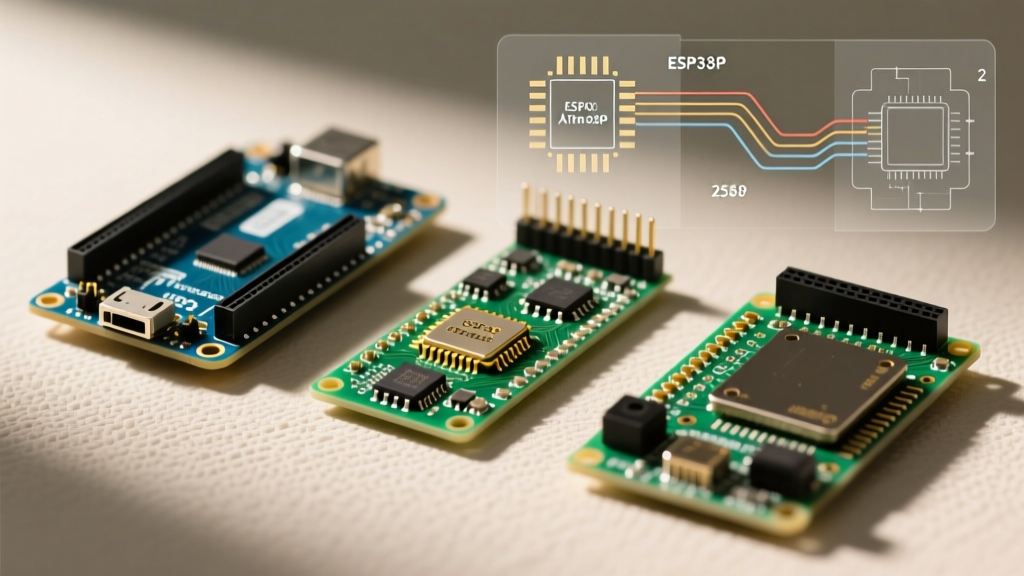

The Arduino ecosystem has evolved dramatically from its 8-bit AVR origins. As of 2026, the official lineup spans 32-bit ARM Cortex architectures, dual-core ESP32 integrations, and high-end industrial STM32 microcontrollers. When evaluating the different types of Arduino boards, makers must look beyond mere pin counts and consider logic levels, memory constraints, and library compatibility. This quick reference guide cuts through the marketing noise to provide exact specifications, real-world pricing, and critical edge-case warnings for the most prominent official Arduino boards available today.
Quick Reference Matrix: Official Arduino Lineup
The table below provides a high-level comparison of the most widely used boards in the current ecosystem. Prices reflect standard retail MSRP for genuine boards in 2026.
| Board Model | Core Architecture | Flash / SRAM | Approx. Price | Primary Use Case |
|---|---|---|---|---|
| Uno R4 WiFi | Renesas RA4M1 + ESP32-S3 | 256KB / 32KB | $28.00 | IoT prototyping, connected displays |
| Uno R4 Minima | Renesas RA4M1 (48MHz) | 256KB / 32KB | $20.00 | General purpose, ARM transition |
| Nano ESP32 | ESP32-S3 (Dual-Core 240MHz) | 384KB + 8MB PSRAM | $21.00 | Compact IoT, audio processing |
| Mega 2560 Rev3 | ATmega2560 (AVR 16MHz) | 256KB / 8KB | $45.00 | High I/O count, legacy shield support |
| GIGA R1 WiFi | STM32H747XI (Dual-Core) | 2MB / 1MB | $78.00 | Advanced robotics, edge computing |
The Uno Form Factor: The Maker Standard
The Uno footprint remains the most cloned and supported physical layout in electronics. However, the internal silicon has shifted from the classic 8-bit ATmega328P to modern 32-bit ARM processors.
Uno R4 Minima & WiFi (The ARM Shift)
The transition to the Renesas RA4M1 (ARM Cortex-M4 running at 48MHz) brought massive improvements in mathematical processing and memory. The Uno R4 introduces a 12-bit DAC, a hardware CAN bus interface, and an onboard OPAMP—features previously requiring external breakout boards.
- Uno R4 Minima ($20): Stripped down for cost-effective deployment. Lacks the Wi-Fi module and LED matrix, making it ideal for battery-powered sensor nodes where every milliamp counts.
- Uno R4 WiFi ($28): Integrates an ESP32-S3 module to handle wireless protocols (Wi-Fi/Bluetooth LE) while the RA4M1 handles real-time sensor polling. It also features a 12x8 red LED matrix for quick visual debugging without wiring external displays.
Critical Edge Case: Direct port manipulation (e.g.,PORTB = B10101010;) written for the classic AVR Uno will fail on the R4. The ARM architecture uses entirely different memory-mapped registers. You must refactor legacy code to use the standarddigitalWrite()API or adopt the Arduino Core for Renesas specific macros.
The Nano Form Factor: Compact & Connected
Designed for breadboarding and permanent embedded installations, the Nano footprint minimizes spatial overhead while maximizing connectivity.
Nano ESP32 (The IoT Powerhouse)
Replacing the aging 8-bit Nano, the Nano ESP32 packs a dual-core 240MHz ESP32-S3 into the classic 18-pin DIP layout. With 8MB of PSRAM, it is uniquely suited for edge-AI tasks, such as running lightweight TensorFlow Lite models or buffering audio streams.
- Logic Level Warning: Unlike the classic 5V Nano, the Nano ESP32 operates at 3.3V logic. Connecting standard 5V I2C sensors (like the classic HC-SR04 ultrasonic module) directly to the GPIO pins without a logic level shifter will permanently damage the ESP32-S3 silicon.
- Bootloader Recovery: If a sketch crashes the USB-CDC stack, the board may appear 'bricked'. You can recover it by shorting the B0 pad to GND while pressing the reset button, forcing the ROM bootloader into download mode via the Arduino IDE 2.x serial monitor.
Nano 33 BLE Sense (Edge AI & Sensors)
Built on the Nordic nRF52840, this board is strictly for low-power Bluetooth Low Energy (BLE) applications. It includes an integrated IMU, barometric sensor, and microphone. It is the de facto standard for TinyML courses and gesture-recognition wearables, though its 512KB Flash limit requires aggressive code optimization.
The Heavyweights: Mega & GIGA
When projects scale beyond standard I/O limits or require desktop-class processing power, the larger form factors take over.
Mega 2560 Rev3 (The Pinout King)
Despite its aging 16MHz ATmega2560 architecture, the Mega remains indispensable for projects requiring massive parallel I/O, such as 3D printer controller boards (like RAMPS 1.4) or complex relay matrices. It offers 54 digital I/O pins and 16 analog inputs.
- Clone Warning: Third-party Mega clones frequently omit the 4.7kΩ I2C pull-up resistors on SDA/SCL lines to save fractions of a cent. If your I2C LCDs or BME280 sensors fail to initialize on a clone, you must manually wire 4.7kΩ pull-up resistors to the 5V rail.
GIGA R1 WiFi (The Dual-Core Behemoth)
The GIGA R1 bridges the gap between hobbyist microcontrollers and industrial PLCs. Featuring an STM32H747XI (480MHz Cortex-M7 + 240MHz Cortex-M4), it includes high-speed USB, an audio DAC, and 76 GPIO pins. It is designed for complex robotics, multi-axis CNC control, and real-time computer vision integration via external camera modules.
Critical FAQ: Troubleshooting & Selection Edge Cases
1. Are third-party Arduino clones worth the cost savings?
For basic prototyping, clones (often $4 to $8) are perfectly viable. However, they typically substitute the ATmega16U2 USB-to-Serial chip with the CH340G. While CH340 drivers are natively supported in modern OS environments, clones often suffer from poor voltage regulation. A genuine Uno R4 uses a high-efficiency switching regulator, whereas cheap clones often use linear regulators that overheat when drawing more than 150mA from the 5V pin.
2. How do I choose between 5V and 3.3V logic boards?
Stick to 5V boards (Mega 2560, classic Uno clones) if you are integrating legacy automotive sensors, standard 5V relays, or older Adafruit/SparkFun shields. Choose 3.3V boards (Nano ESP32, Uno R4, Portenta) for modern IoT sensors, SD cards, and cellular modules, which strictly require 3.3V to avoid logic damage. The Uno R4 is uniquely forgiving, featuring a hardware switchable 5V/3.3V tolerance on specific pins, but always verify the schematic.
3. Why is my code compiling but failing to upload to the Uno R4?
The Uno R4 utilizes a custom Renesas bootloader and an ESP32-S3 bridge (on the WiFi model). If the upload hangs at 100% without verifying, it is usually a USB hub bandwidth issue or a conflicting virtual COM port. Bypass USB hubs, plug directly into the motherboard's rear I/O, and ensure no other serial monitors (like PuTTY or Cura) are holding the port hostage.
4. Can I run standard Arduino code on the Portenta H7?
Yes, but with caveats. The Portenta H7 is an industrial-grade board designed for the Arduino Pro ecosystem. While it supports the standard IDE, its true power is unlocked via the Mbed OS core and MicroPython. Attempting to run basic blocking delay() functions on the M7 core while expecting the M4 core to handle real-time interrupts will result in priority inversion and system lockups. Consult the Arduino Official Documentation for multi-core threading paradigms before deploying Portenta hardware in production.
Final Selection Advice
Selecting the right board requires matching the silicon to the environment. Use the Nano ESP32 for battery-operated, connected sensors. Deploy the Uno R4 WiFi for desktop prototyping and educational IoT projects. Rely on the Mega 2560 strictly when pin-count and 5V legacy shield compatibility are non-negotiable. For edge AI and high-speed data acquisition, invest in the GIGA R1. Always verify the logic voltage and memory architecture before porting legacy AVR code to the modern 32-bit ecosystem.