
The Anatomy of ESP32 Network Buffer Failures
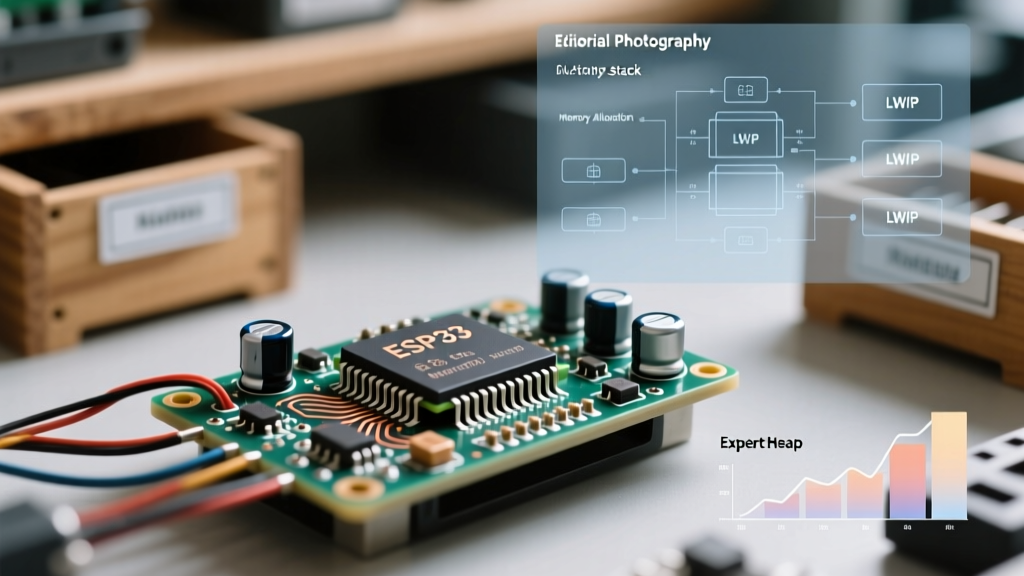
When developing IoT applications on the ESP32, encountering silent disconnects, stalled TCP streams, or sudden reboots is a rite of passage. At the core of these issues is often a misunderstanding of the ESP32 network buffer architecture. The ESP32 relies on the Lightweight IP (LWIP) stack to manage TCP/UDP connections. Every packet sent or received requires a packet buffer (pbuf) allocated in the ESP32's internal SRAM.
Unlike standard variables, network buffers have strict hardware requirements. They must be allocated in DMA-capable (Direct Memory Access) memory so the Wi-Fi MAC layer can read and write to them without CPU intervention. When your sketch fails to allocate these buffers, the network stack silently drops packets, leading to cascading connection failures.
Decoding Network Stack Error Signatures
Diagnosing buffer issues requires moving beyond the standard WiFi.status() checks. You must monitor the underlying LWIP and socket error codes. Below is a diagnostic matrix of common network buffer errors encountered in the ESP32 Arduino core.
| Error Code | LWIP Macro | Trigger Condition | Diagnostic Action |
|---|---|---|---|
| -1 | ERR_MEM | Out of memory for pbuf allocation | Check DMA-capable heap fragmentation |
| -2 | ERR_BUF | Buffer mismatch or invalid pbuf chain | Inspect custom packet crafting logic |
| -8 | ERR_CONN | Socket not connected during send attempt | Verify TCP keep-alive and router timeouts |
| -14 | ERR_RST | Connection reset by peer due to buffer overflow | Reduce TCP Window Size (TCP_WND) |
Heap Fragmentation: The Silent Buffer Killer
The most common diagnostic trap for makers is relying solely on ESP.getFreeHeap(). You might see 45,000 bytes of free memory and assume your ESP32 network buffer is healthy. However, if that memory is fragmented into small 50-byte chunks, a request for a standard 1,500-byte MTU (Maximum Transmission Unit) pbuf will fail with an ENOMEM error.
To accurately diagnose buffer starvation, you must query the largest available DMA-capable block. Use the ESP-IDF heap API in your debugging routine:
#include <esp_heap_caps.h>

void diagnoseNetworkMemory() {
  size_t free_dma = heap_caps_get_free_size(MALLOC_CAP_DMA);
  size_t largest_dma = heap_caps_get_largest_free_block(MALLOC_CAP_DMA);
  Serial.print("DMA Free: ");
  Serial.print(free_dma);
  Serial.print(" | Largest: ");
  Serial.println(largest_dma);
  if (largest_dma < 2048) {
    Serial.println("CRITICAL: Insufficient contiguous DMA memory!");
  }
}
If largest_dma drops below 2048 bytes, your ESP32 cannot allocate standard Ethernet/Wi-Fi frames, and network communication will halt.
Adjusting LWIP Parameters via Arduino IDE
If you confirm that absolute memory exhaustion (not just fragmentation) is the culprit, you can optimize the LWIP stack configuration. By default, the Arduino ESP32 core allocates resources for a high number of simultaneous sockets and large TCP windows, which consumes precious DRAM.
- Max Sockets: In the Arduino IDE, navigate to Tools > Core Debug Level and ensure you aren't running unnecessary debug logging, which consumes buffer memory. For advanced users editing
sdkconfig, reduceCONFIG_LWIP_MAX_SOCKETSfrom 10 to 4 if your application only uses MQTT and a single HTTP client. - TCP Window Size: The default TCP receive window (
TCP_WND) is often 5744 bytes. Lowering this to 2920 bytes halves the buffer requirement per active connection. - Power Save Modes: The Wi-Fi modem sleep feature buffers packets in RAM while the radio sleeps. If you are streaming data, disable this by calling
WiFi.setSleep(false);immediately afterWiFi.begin(). This forces the radio to stay awake, bypassing the need for large RAM buffers.
Code-Level Mitigations for Socket Starvation
Software architecture plays a massive role in ESP32 network buffer health. Poorly managed WiFiClient instances will hold onto pbufs indefinitely, leading to memory leaks.
The Danger of the String Class in Network Streams
Concatenating large JSON payloads using the Arduino String class before sending them over a socket is a primary cause of buffer fragmentation. Every concatenation allocates a new block of memory and abandons the old one. Instead, stream data directly to the client:
// BAD: Causes heap fragmentation and buffer leaks
String payload = "temp:" + String(dht.readTemperature());
client.print(payload);

// GOOD: Streams directly to the network buffer
client.print("temp:");
client.print(dht.readTemperature());
Aggressive Socket Flushing and Closure
When a transmission is complete, the ESP32 may keep the socket open and the buffers allocated, waiting for an acknowledgment (ACK) from the remote server. If the server is slow or drops the packet, the ESP32's buffer remains locked. Always implement explicit timeouts and closures:
client.setTimeout(5); // Set timeout to 5 seconds
client.print(data);
client.flush(); // Force buffer out to the network
client.stop();  // Immediately release the socket and pbufs
Advanced Wi-Fi TX/RX Buffer Tuning
Beyond the TCP/IP layer, the ESP32's underlying Wi-Fi driver maintains its own set of hardware buffers. These are distinct from LWIP pbufs but equally critical to overall network stability. By default, the ESP-IDF allocates 10 static TX buffers and 10 dynamic RX buffers. In high-throughput scenarios, such as streaming telemetry or serving large web assets, these buffers can easily bottleneck.
If you are compiling via PlatformIO or have access to the sdkconfig file, you can tune these parameters directly:
- CONFIG_ESP32_WIFI_STATIC_RX_BUFFER_NUM: Increasing this from 10 to 16 allows the hardware to queue more incoming packets before the CPU has time to process them into the LWIP stack. This is vital if your main loop has blocking delays.
- CONFIG_ESP32_WIFI_DYNAMIC_RX_BUFFER_NUM: Raising this to 64 provides a larger cushion for burst traffic, preventing the MAC layer from dropping frames before they ever reach the TCP stack.
- CONFIG_ESP32_WIFI_TX_BUFFER_TYPE: Ensure this is set to use dynamic buffers (1) rather than static (0) to allow the system to free up memory when the network is idle.
Monitoring the Wi-Fi driver's internal buffer statistics can be done using esp_wifi_get_statis() (available in newer ESP-IDF versions integrated into the Arduino core). This function returns a struct detailing exactly how many packets were dropped due to TX/RX buffer exhaustion, providing definitive proof of where your bottleneck lies. For more on Wi-Fi driver tuning, consult the Espressif Wi-Fi API Guide.
Leveraging PSRAM for Network Operations
Expert Insight: While adding PSRAM (SPIRAM) to your ESP32-WROVER module drastically increases total available memory, standard LWIP pbufs generally cannot be placed in PSRAM. The Wi-Fi MAC requires DMA-capable internal SRAM. Attempting to force network buffers into PSRAM via custom ESP-IDF configurations often results in severe throughput drops or kernel panics. Use PSRAM for TLS handshakes (mbedTLS) and large application payloads, but reserve internal DRAM strictly for the ESP32 network buffer stack.
For a deeper understanding of memory allocation constraints, refer to the official Espressif Memory Allocation Documentation. Additionally, reviewing the ESP-IDF LWIP API Guide provides critical insights into how the TCP/IP adapter manages packet queues under heavy load.
By shifting your diagnostic focus from simple connectivity checks to deep heap and LWIP analysis, you can eliminate network buffer errors and build highly resilient ESP32 IoT devices.