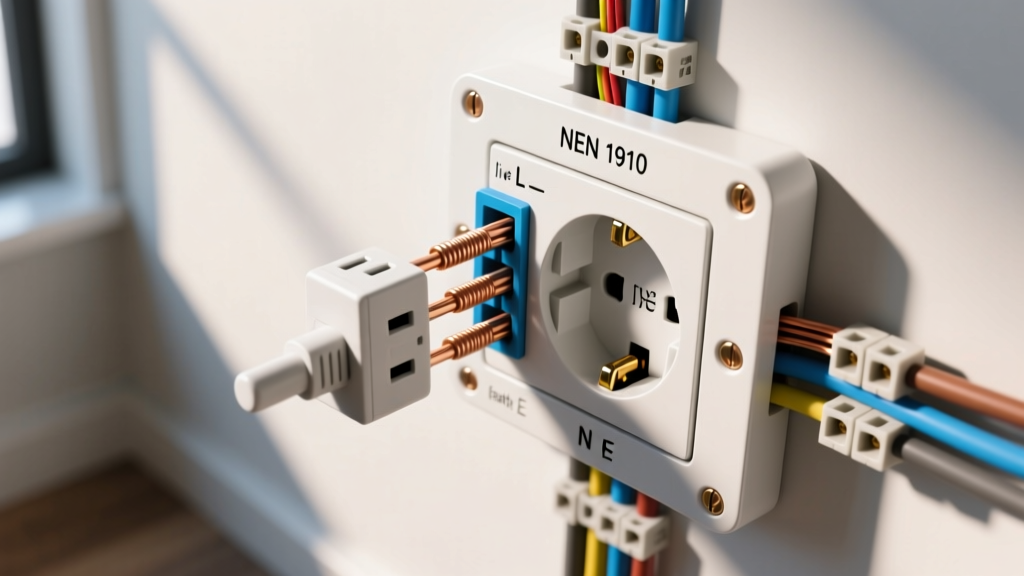
To wire an outlet switch (a combo switch/receptacle device like the Leviton 5243), you connect the bare copper ground to the green screw, the white neutral to the silver terminal, the always-hot black wire to the brass LINE terminal, and the switched-load black wire to the brass LOAD terminal. This configuration provides an always-hot receptacle and a switch that controls a separate lighting load. If your goal is to have the switch control the outlet itself, you will alter the brass terminal jumper configuration, which we detail below.
The Decision Path: Combo Device vs. Split-Wired Duplex
Before stripping any wires, you must determine which physical configuration solves your actual problem. The phrase "outlet switch" generally refers to one of two distinct wiring scenarios. Use this decision table to lock in your approach and select the exact part number.
| Your Goal | Box Wiring Requirements | Device Type | Concrete Pick (Part Number) |
|---|---|---|---|
| Add an always-hot outlet to an existing single-gang light switch box (e.g., to plug in a router or phone charger). | Requires Line, Load, Neutral, and Ground in the box. | Switch/Receptacle Combo | Leviton 5243-W (15A) or 5245-W (20A) |
| Control a floor lamp via a wall switch while keeping the top outlet always-hot (common in living rooms). | Requires Line, two Loads (or a 3-wire run to the receptacle), Neutral, and Ground. | Split-Wired Duplex Receptacle | Leviton 5262-W (Standard 15A Duplex, break the hot tab) |
| Switch controls the outlet itself (e.g., hard-resetting a smart home hub or controlling a workbench tool). | Requires Line, Neutral, and Ground in the box. | Switch/Receptacle Combo (Jumpered) | Leviton 5243-W (Remove brass fin, wire Line to switch) |
Tools, Materials, and Device Ratings
Matching your wire gauge to your breaker size and device rating is non-negotiable. A 20A breaker requires 12 AWG wire and a 20A-rated device (or a 15A device with a 20A pass-through rating, but matching the 20A device is best practice). A 15A breaker requires 14 AWG (or 12 AWG) wire and a 15A device.
Materials List
- Combo Device: Leviton 5243-W (15A, 125V) or Leviton 5245-W (20A, 125V).
- Wire Gauge: 14 AWG solid copper (for 15A circuits) or 12 AWG solid copper (for 20A circuits). NM-B or THHN.
- Wall Plate: 1-gang Decora mid-size or standard wall plate ( Leviton 80414-W).
- Pigtail Wire: 12 or 14 AWG stranded or solid copper (matching circuit) and a red or gray wire nut (Ideal 341 or 342) if pigtailing grounds or neutrals.
Tool List
- Non-contact voltage tester (NCVT) — Klein Tools NCVT-2 or equivalent.
- Digital multimeter (Fluke 117 or equivalent) for verifying dead and testing voltage.
- Wire strippers with 14 AWG and 12 AWG holes (Klein 11055).
- Lineman pliers for bending shepherd's hooks.
- #2 Phillips screwdriver and a 1/4" flathead screwdriver.
- Torque screwdriver (optional but recommended, set to 14 in-lbs for terminal screws).
Mains Safety: De-Energize and Verify
- Locate the correct breaker in your main panel and switch it to the OFF position.
- Use your NCVT to scan the outlet and switch faceplate. The tester should not beep or flash red.
- Remove the wall plate and unscrew the existing device from the single-gang box. Pull the device out gently without touching the bare terminal screws.
- Set your digital multimeter to AC Volts (V~). Insert the black probe into the neutral/ground bundle or touch it to the bare ground wire. Touch the red probe to the black (hot) wire. The reading must be exactly 0.0V.
- Test between the black wire and the white wire, and between the black wire and the ground wire. Both must read 0.0V.
Step-by-Step: Wiring the Leviton 5243 Switch/Outlet Combo
This procedure assumes the standard configuration: the outlet is always hot, and the switch controls a separate load (like an overhead light). We assume your box contains a line (hot from panel), a load (switched leg to light), a neutral, and a ground.
- Prep the Wires: Strip exactly 3/4 inch of insulation from the ends of your 14 AWG or 12 AWG wires using the gauge marker on the back of the Leviton device. If the wires are previously kinked, snip them and re-strip for a fresh, straight conductor.
- Terminate the Ground (Bare/Green): Form a shepherd's hook in the bare copper ground wire. Hook it clockwise around the green ground screw at the bottom of the device. Tighten until snug (approx. 14 in-lbs). If there are multiple ground wires in the box, pigtail them together with a wire nut and connect the single pigtail to the device.
- Terminate the Neutral (White): The receptacle half of the combo device requires a dedicated neutral to complete the 120V circuit. Connect the white neutral wire to the silver terminal screw on the side of the receptacle. Note: Do not use the back-wire push-in holes; use the side terminal screws for a secure, low-resistance connection.
- Terminate the Line/Hot (Black from Panel): Identify the always-hot black wire coming from the breaker panel. Connect this wire to the brass terminal screw marked "LINE" (usually located on the top half of the switch side). This provides power to both the switch mechanism and the receptacle.
- Terminate the Load (Black to Fixture): Connect the black wire leading to your light fixture or switched appliance to the brass terminal screw marked "LOAD" (usually located on the bottom half of the switch side).
- Alternative Configuration (Switch Controls Outlet): If your goal is for the switch to turn the outlet on and off (and there is no separate light fixture), you must alter the device. Use a pair of needle-nose pliers to snap off the brass connecting fin between the LINE and LOAD screws. Wire the always-hot black wire to the LINE screw on the switch, and run a short 14 AWG black pigtail from the LOAD screw on the switch to the brass LINE screw on the receptacle. Cap the unused load wire in the box.
- Seat the Device: Carefully fold the wires into the back of the single-gang box. Push the device in, ensuring no bare ground wire touches the brass or silver terminals. Drive the top and bottom mounting screws into the box ears, tightening them evenly so the yoke sits flush and plumb against the drywall.
Verify and Test: Expected Meter Readings
Before snapping on the Decora wall plate, you must verify the wiring integrity under load.
- Return to the panel and switch the breaker to the ON position.
- Set your multimeter to AC Volts. Insert the probes into the top and bottom slots of the newly wired receptacle (Hot to Neutral). Expected Reading: 120V nominal (anywhere from 114V to 126V is acceptable per ANSI C84.1 standards).
- Probe the Hot slot to the Ground hole. Expected Reading: 120V.
- Probe the Neutral slot to the Ground hole. Expected Reading: Less than 2.0V (ideally 0.0V to 0.5V). A reading higher than 2V indicates a loose neutral connection or a shared neutral overload elsewhere on the circuit.
- Toggle the switch. If wired for a separate load, the overhead light should turn on and off while the receptacle maintains a constant 120V. If wired to control the outlet, the receptacle voltage should drop to 0.0V when the switch is toggled off.
The Most Common Botch: The Missing Neutral and Ground-as-Neutral
The single most frequent and dangerous mistake DIYers make when installing a switch/outlet combo is attempting to wire it in an older home where the switch box lacks a dedicated neutral wire.
The Scenario
In homes built before the 2011 NEC update (NEC 404.2(C)), switch boxes often contained only a 2-wire "switch loop" (a black wire, a white wire used as a hot, and a bare ground). There is no actual neutral wire in the box. Because a combo device requires a neutral to power the receptacle half, the installer gets stuck.
The Botch and Symptom
The installer connects the bare copper ground wire to the silver neutral terminal on the device.
Symptom: In an older home with standard breakers, the outlet will appear to work, but you have just energized your home's entire equipment grounding system, creating a severe shock hazard. In any modern home with AFCI or GFCI branch circuit breakers, the breaker will trip instantly the moment you plug a load into the outlet, because the breaker will detect current returning on the ground path instead of the neutral path.
The Fix
You cannot safely use a standard switch/outlet combo device in a box without a neutral. You have two options:
- Option A (Proper Fix): Pull new 14/3 or 12/3 NM-B cable from the nearest junction box or fixture to bring a true neutral into the switch box.
- Option B (Alternative): Abandon the combo device. Install a standard single-pole switch for the light, and use a smart plug or a wireless outlet for your device needs.
For comprehensive safety standards regarding residential wiring and grounding, always refer to the CPSC Electrical Safety guidelines and consult your local Authority Having Jurisdiction (AHJ) for code compliance specific to your municipality. For exact device torque specifications and wiring diagrams, refer to the Leviton 5243 specification sheet.