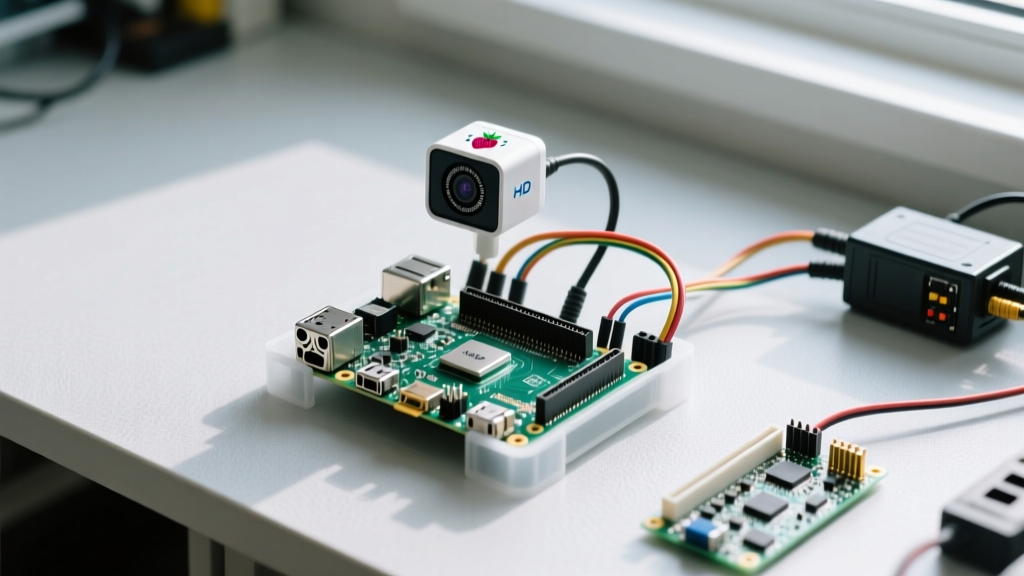

Building a raspberry pi intruder alarm requires moving past legacy tutorials that rely on deprecated software stacks. As of 2026, the Raspberry Pi ecosystem runs on Bookworm OS, meaning the old picamera library is dead and libcamera (via picamera2) is the mandatory standard. This guide targets the Raspberry Pi 5 (4GB) running Raspberry Pi OS Bookworm (64-bit), utilizing a passive infrared (PIR) sensor and the Camera Module 3 to capture evidence when motion is detected.
Hardware Selection: Choosing the Right Sensors
The most common point of failure in DIY security builds is selecting the wrong motion sensor for the environment. PIR sensors detect changes in infrared heat signatures, while microwave and mmWave sensors detect physical displacement. Use the decision tree below to select your primary trigger.
| Sensor Type | Model / Part Number | Detection Method | Blind Spots / Weaknesses | Best Use Case |
|---|---|---|---|---|
| Standard PIR | HC-SR501 | Infrared heat differentials | Fails if intruder moves very slowly or is heavily insulated; false triggers from HVAC vents. | Hallways, entryways with distinct traffic flow. |
| Microwave Radar | RCWL-0516 | Doppler shift (microwave) | Penetrates drywall; will trigger from movement in the next room or outside. | Hidden behind walls or inside plastic enclosures. |
| mmWave Presence | HLK-LD2410 | FMCW radar (millimeter wave) | Requires UART configuration; higher cost (~$6); complex data parsing. | Rooms where an intruder might stand perfectly still. |
gpiozero. We will use the HC-SR501 for this build.
Parts List & Wiring Pinout
This build specifically targets the Raspberry Pi 5 (4GB variant). The Pi 5 features dedicated I2C and improved CSI camera lanes, but its GPIO pins remain strictly 3.3V tolerant.
Bill of Materials (BOM)
- Compute: Raspberry Pi 5 (4GB) - ~$60
- Optics: Raspberry Pi Camera Module 3 (Standard or Wide) - ~$25
- Trigger: HC-SR501 PIR Motion Sensor - ~$2
- Alert: 5V Active Buzzer (KY-012 module or bare component) - ~$1
- Protection: 1kΩ and 2kΩ resistors (for voltage divider), 10kΩ resistor (pull-down)
- Power: Official Raspberry Pi 27W USB-C Power Supply (Crucial for Pi 5 + Camera)
Pin Mapping Table (BCM Numbering)
| Component | Component Pin | Pi 5 Physical Pin | Pi 5 BCM GPIO | Notes |
|---|---|---|---|---|
| HC-SR501 | VCC | 2 or 4 | 5V Power | Requires stable 5V; do not use 3.3V. |
| HC-SR501 | OUT (via Divider) | 16 | GPIO 23 | 1kΩ series, 2kΩ to GND. 10kΩ pull-down to GND. |
| HC-SR501 | GND | 6 | Ground | Common ground with Pi. |
| Active Buzzer | VCC / Signal | 18 | GPIO 24 | If using bare buzzer, add flyback diode. |
| Active Buzzer | GND | 9 | Ground | Common ground. |
| Camera Module 3 | CSI Ribbon | CAM 1 | MIPI CSI-2 | Metal contacts face inward toward SoC. |
Python Implementation with Picamera2 and GPIOZero
Legacy picamera scripts will fail on Bookworm. We use picamera2, which interfaces directly with libcamera. Ensure your environment is prepared by running sudo apt update && sudo apt install python3-picamera2 python3-gpiozero in your terminal.
Below is the complete, compilable Python script. It initializes the camera, arms the PIR sensor, and captures a timestamped JPEG upon detecting motion while sounding the buzzer. Error handling is included to ensure the camera pipeline releases properly on exit.
import time
import os
import sys
from datetime import datetime
from picamera2 import Picamera2
from gpiozero import MotionSensor, Buzzer
from signal import pause

# --- PIN DEFINITIONS (BCM) ---
PIR_PIN = 23
BUZZER_PIN = 24

# --- CONFIGURATION ---
SAVE_DIR = '/home/pi/intruder_captures/'
COOLDOWN_SECONDS = 10  # Prevents spamming captures from a single event

# Ensure save directory exists
os.makedirs(SAVE_DIR, exist_ok=True)

def initialize_hardware():
    """Sets up camera and GPIO components with error handling."""
    try:
        print('[INFO] Initializing Picamera2 pipeline...')
        cam = Picamera2()
        # Configure for fast still captures
        cam_config = cam.create_still_configuration()
        cam.configure(cam_config)
        cam.start()
        print('[INFO] Camera started successfully.')
    except RuntimeError as e:
        print(f'[FATAL] Camera initialization failed: {e}')
        sys.exit(1)
    except Exception as e:
        print(f'[FATAL] Unexpected camera error: {e}')
        sys.exit(1)

    try:
        pir = MotionSensor(PIR_PIN, queue_len=1, threshold=0.5)
        buzzer = Buzzer(BUZZER_PIN)
        print('[INFO] GPIO sensors armed.')
    except Exception as e:
        print(f'[FATAL] GPIO setup failed: {e}')
        cam.stop()
        sys.exit(1)

    return cam, pir, buzzer

def motion_triggered(cam, buzzer):
    """Callback function executed when PIR goes HIGH."""
    timestamp = datetime.now().strftime('%Y%m%d_%H%M%S')
    file_path = os.path.join(SAVE_DIR, f'intruder_{timestamp}.jpg')

    print(f'[ALERT] Motion detected! Capturing evidence to {file_path}')
    buzzer.on()

    try:
        # switch_mode_and_capture_file handles the mode switch to still capture safely
        cam.switch_mode_and_capture_file(file_path)
        print('[INFO] Image saved successfully.')
    except Exception as e:
        print(f'[ERROR] Failed to capture image: {e}')
    finally:
        time.sleep(1)  # Buzzer duration
        buzzer.off()
        print(f'[INFO] Cooldown active for {COOLDOWN_SECONDS}s...')
        time.sleep(COOLDOWN_SECONDS)

def main():
    cam, pir, buzzer = initialize_hardware()

    # Bind the motion event
    pir.when_motion = lambda: motion_triggered(cam, buzzer)

    print('[SYSTEM] Raspberry Pi Intruder Alarm is now ARMED.')
    print('[SYSTEM] Press Ctrl+C to disarm and exit.')

    try:
        pause()  # Keeps the script running efficiently
    except KeyboardInterrupt:
        print('\n[SYSTEM] Disarming...')
    finally:
        buzzer.off()
        cam.stop()
        print('[SYSTEM] Hardware released. Goodbye.')

if __name__ == '__main__':
    main()
Debugging: First Three Things to Check When It Fails
When your alarm fails to trigger or the script crashes on boot, do not rewrite the code. 90% of embedded failures are physical or environmental. Check these three things first, in order:
1. The Camera Ribbon Cable Orientation (Hardware)
Symptom: The script throws RuntimeError: Camera not available or libcamera pipeline allocation errors.
Cause: The Flexible Flat Cable (FFC) is inserted backward or not fully seated.
Fix: On the Raspberry Pi 5, the CSI connectors are keyed differently than older models. The metal contacts on the ribbon cable must face inward toward the SoC/components, not outward toward the edge of the board. Ensure the blue/black stiffener faces the outside edge. Push the cable in until it bottoms out before locking the collar.
2. The PIR Voltage Divider & Floating Pins (Hardware)
Symptom: The buzzer triggers randomly every few seconds, even in an empty room, or the script logs constant motion.
Cause: A floating GPIO pin or a missing pull-down resistor causing EMI (electromagnetic interference) to register as a HIGH signal.
Fix: Verify your voltage divider with a multimeter. Measure between the Pi's GPIO 23 and GND while the PIR is triggered; it must read between 3.2V and 3.3V. If it reads 5V, your 2kΩ ground resistor is missing or broken. Add a 10kΩ pull-down resistor between GPIO 23 and GND to bleed off static charge.
3. Legacy Software Stack Conflicts (Software)
Symptom: The terminal outputs ModuleNotFoundError: No module named 'picamera' or ImportError: libmmal.so.
Cause: You are trying to run legacy Raspberry Pi OS (Bullseye or Buster) code on Bookworm, or you manually installed the old picamera pip package.
Fix: The old stack is entirely deprecated. Uninstall the legacy package (pip3 uninstall picamera) and ensure the native Bookworm wrapper is installed via sudo apt install python3-picamera2. Do not use pip for picamera2 on Raspberry Pi OS; use the apt package manager to ensure libcamera dependencies are resolved correctly (Raspberry Pi Camera Docs).
Extending vs. Simplifying the Build
Once the base alarm is functional, you must decide whether to scale the system up for smart-home integration or strip it down for reliability.
How to Extend (Advanced)
- AI Object Detection: Integrate Frigate NVR or use the Raspberry Pi AI Kit (Hailo-8L NPU) to filter out pets and only trigger the buzzer when a human shape is confirmed. This eliminates the false positives inherent to raw PIR sensors.
- MQTT & Home Assistant: Replace the local buzzer logic with an MQTT publisher. Use the
paho-mqttPython library to send a payload to your Home Assistant broker, triggering your smart home's existing sirens and pushing a notification to your phone. - Multi-Zone Scaling: Utilize an I2C GPIO expander (like the MCP23017) to wire up to 16 PIR sensors across different rooms without running out of Pi 5 GPIO pins.
How to Simplify (Minimalist)
- Drop the Camera: If you only need an audible deterrent and don't care about forensic evidence, remove the
picamera2dependencies entirely. This reduces CPU load, eliminates ribbon cable headaches, and allows the Pi to run headless on a lower-wattage power supply. - Use a Microcontroller Instead: If your goal is purely a standalone buzzer alarm, a Raspberry Pi is overkill and vulnerable to SD card corruption from improper shutdowns. Migrate the logic to an ESP32 or Arduino Nano. They boot instantly, consume milliamps, and can run for months on a 18650 lithium cell.