
The Quick Answer: What Language is Arduino Written In?
If you are asking what language is Arduino written in, the answer requires splitting the ecosystem into two distinct parts: the code you write (sketches) and the software you use to write it (the IDE).
The Short Answer: Arduino sketches are written in a streamlined dialect of C and C++. The underlying compiler toolchain relies on GCC (GNU Compiler Collection). However, the Arduino IDE itself is built using a mix of Go, TypeScript, and Electron (in the modern 2.x releases).
Unlike proprietary embedded ecosystems that lock you into expensive, closed-source languages, the Arduino framework leverages open-source C/C++ standards. This allows makers to scale from a simple $5 ATmega328P clone to a $50 Portenta H7 running complex C++ classes, all using the same fundamental syntax.
The Core: C and C++ in Arduino Sketches
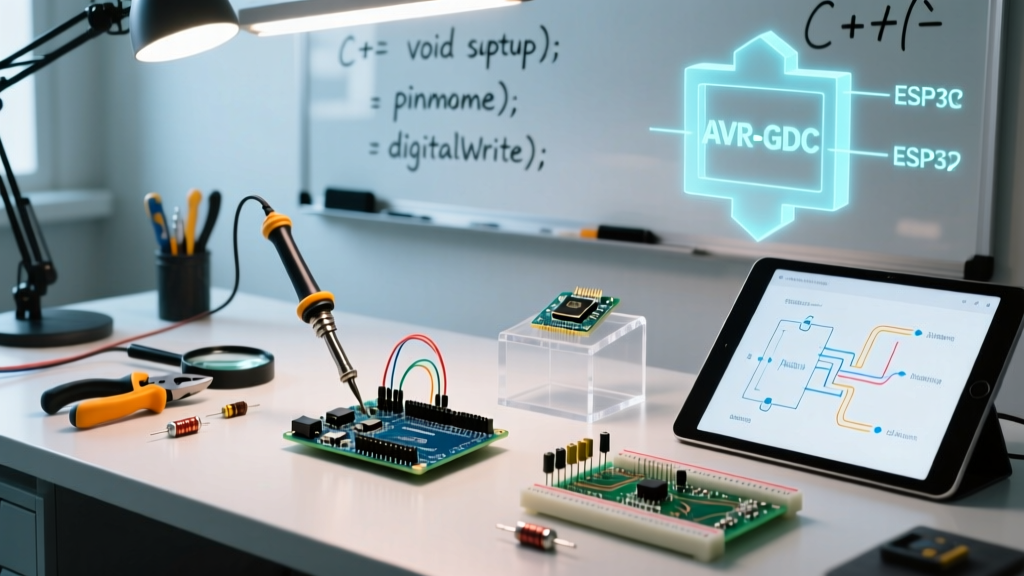
When you write an Arduino sketch (a .ino file), you are writing C++ code. The Arduino IDE acts as a preprocessor that automatically generates function prototypes and wraps your setup() and loop() functions inside a standard C++ main() function before compilation.
How C and C++ Coexist in the Framework
While the foundation is C++, the Arduino API heavily utilizes C-style conventions for hardware manipulation. Understanding the distinction is critical for memory-constrained 8-bit microcontrollers like the ATmega328P (Arduino Uno) versus 32-bit ARM Cortex-M boards (Arduino Nano 33 IoT).
| Feature | C Implementation in Arduino | C++ Implementation in Arduino |
|---|---|---|
| Hardware Registers | Direct bitwise manipulation (e.g., PORTB |= (1 << PB5);) |
Abstracted via classes (e.g., digitalWrite(13, HIGH);) |
| Memory Management | Manual allocation via malloc() and pointers |
Dynamic allocation via new / delete (often discouraged on 8-bit) |
| Data Structures | Standard arrays and struct definitions |
Object-Oriented classes, inheritance, and the String object |
| I/O Operations | printf() via UART (requires manual setup) |
The Serial object and Serial.println() methods |
A common pitfall for beginners in 2026 is overusing the C++ String class on 8-bit AVR boards. The String object relies on dynamic heap allocation, which leads to memory fragmentation and eventual crashes on chips with only 2KB of SRAM. Expert firmware engineers stick to standard C-style null-terminated character arrays (char[]) and functions like snprintf() for production-grade Arduino code.
What is the Arduino IDE Written In?
The software environment used to write, compile, and upload C/C++ code has undergone a massive architectural shift. If you are still using the legacy Arduino IDE 1.8.x, you are running a Java application built on the Processing framework. However, as of 2026, the industry standard is Arduino IDE 2.x, which represents a complete rewrite.
Arduino IDE 2.x Architecture Breakdown
- Frontend (UI): Built using Eclipse Theia, an open-source framework for building cloud and desktop IDEs using TypeScript and Electron (which itself is based on Node.js and Chromium).
- Backend (Core Logic): The heavy lifting—board management, compilation, and uploading—is handled by the Arduino CLI, a command-line tool written in Go (Golang).
This transition from Java to a Go/Electron architecture drastically improved compilation speeds. The Go-based backend handles dependency resolution and invokes the C/C++ compiler toolchain up to 40% faster on large projects compared to the legacy Java builder.
The Compiler Toolchain: AVR-GCC and ARM-GCC
Because Arduino is essentially a C/C++ wrapper, the actual translation of your code into machine-level hex files is handled by the GNU Compiler Collection (GCC). The specific flavor of GCC depends on your target microcontroller's architecture:
1. AVR-GCC (8-bit Microcontrollers)
For classic boards like the Uno, Nano, and Mega, the IDE uses avr-gcc. This is a specialized fork of GCC configured to target the 8-bit AVR instruction set. It includes standard C libraries optimized for low-memory environments (avr-libc). When you compile a sketch for an Uno, the IDE passes flags like -Os (optimize for size) to ensure the compiled binary fits within the 32KB flash limit.
2. ARM-GCC (32-bit Microcontrollers)
For modern 32-bit boards (Arduino Zero, Nano 33 BLE, Portenta H7, and ESP32 cores), the toolchain shifts to arm-none-eabi-gcc. This compiler targets ARM Cortex-M architectures and supports advanced C++14 and C++17 features, hardware floating-point operations (FPU), and complex RTOS (Real-Time Operating System) integrations.
Alternative Languages for Arduino Hardware
While C and C++ are the native languages of the Arduino ecosystem, the hardware itself is language-agnostic. In recent years, alternative interpreters and compilers have gained traction for specific use cases:
- MicroPython / CircuitPython: Python interpreters flashed onto the microcontroller. Ideal for rapid prototyping and data science integrations, though they consume significantly more flash memory and execute slower than compiled C++.
- Rust (avr-hal / embedded-hal): Memory-safe systems programming. Rust is gaining ground in the embedded space for mission-critical applications where C++ pointer errors and memory leaks are unacceptable.
- JavaScript (Johnny-Five / Espruino): Executes on the host PC (Node.js) communicating via serial, or runs directly on ESP32/STM32 boards via the Espruino firmware.
Quick Reference FAQ
Is Arduino coding Java or C++?
Arduino coding is strictly C++. The confusion arises because the legacy Arduino IDE (version 1.x) was written in Java. However, the code you type into the editor and compile to the board is always C/C++.
Can I use standard C++ libraries in Arduino?
Yes, but with caveats. Standard Template Library (STL) features like std::vector or std::string are supported on 32-bit ARM and ESP32 boards. On 8-bit AVR boards, standard STL is either unavailable or highly discouraged due to severe SRAM constraints and code bloat.
Does Arduino use Python?
Natively, no. The official Arduino framework and core libraries are C/C++. However, you can install third-party firmware like MicroPython on compatible boards (e.g., Arduino Nano RP2040 Connect) to write Python code instead of C++.
Why doesn't Arduino use a simpler language like Scratch?
Arduino was designed to bridge the gap between simple educational tools and professional embedded engineering. C and C++ provide direct, deterministic access to hardware registers, interrupt service routines (ISRs), and memory addresses—capabilities that higher-level, garbage-collected languages cannot reliably provide on microcontrollers with less than 4KB of RAM.
How do I view the actual C++ code the IDE generates?
In the Arduino IDE 2.x, you can verify the preprocessed output by navigating to Sketch > Export Compiled Binary or by enabling verbose output in the Preferences menu. This reveals the hidden main.cpp file where your .ino sketch is injected alongside the Arduino core C++ libraries.