
The Architecture of Velocity: Reframing the Hardware Debate
When engineers and makers ask whether to choose a Raspberry Pi or Arduino for a new project, the conversation usually devolves into a superficial comparison of clock speeds and RAM. However, in professional edge computing and advanced maker environments in 2026, the real bottleneck is rarely raw silicon—it is the development workflow. The hardware you select dictates your iteration speed, debugging pipeline, deployment strategy, and long-term fleet maintenance.
Optimizing your embedded workflow means minimizing the friction between writing code and deploying it to the field. This guide dissects the Raspberry Pi or Arduino decision through the lens of workflow optimization, continuous integration, and real-time system constraints, helping you build a pipeline that scales from a single prototype to a fleet of thousands.
Phase 1: The Local Development and Iteration Loop
The speed at which you can write, compile, and test code defines your prototyping velocity. The ecosystems for these two platforms offer vastly different local development experiences.
Arduino: Bare-Metal Velocity with PlatformIO
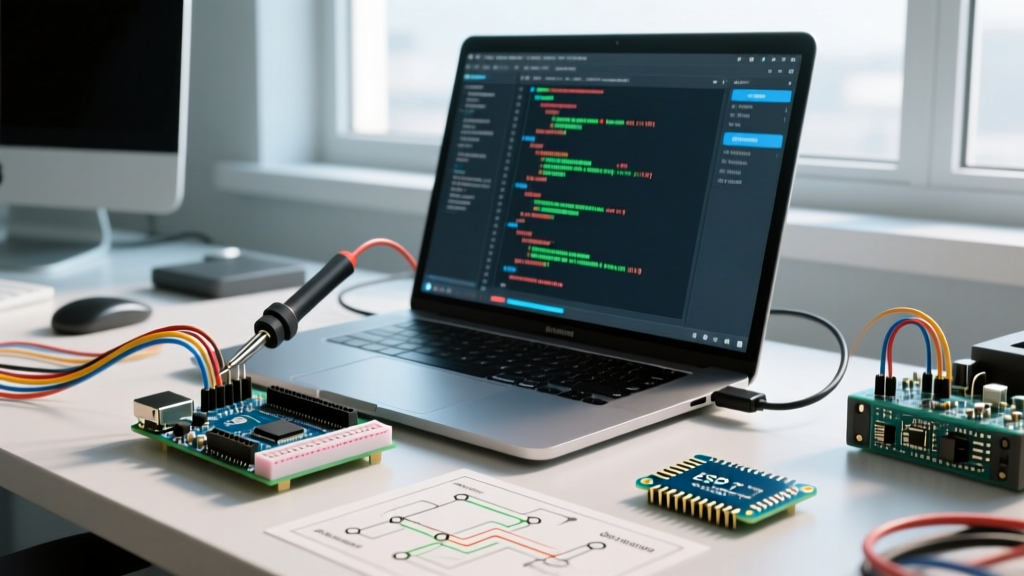
While the official Arduino IDE 2.x has improved significantly, professional workflow optimization demands PlatformIO integrated within VS Code. PlatformIO abstracts the toolchain management, allowing you to target an Arduino Nano ESP32 ($22) or an Arduino UNO R4 WiFi ($27.50) with a single click.
- Compile Times: A standard C++ sketch for the Renesas RA4M1 (UNO R4) compiles in under 2.5 seconds on a modern workstation.
- Debugging: Utilizing the SWD pins on the UNO R4 with a Segger J-Link allows for hardware-level breakpoints, a massive workflow upgrade over serial-print debugging.
- State Management: Because microcontrollers lack an OS, a reset button instantly flushes the state, providing a deterministic starting point for every test run.
Expert Insight: According to the PlatformIO documentation, utilizing their unified build system reduces cross-platform toolchain configuration time by up to 80%, allowing developers to switch between AVR, ESP32, and ARM Cortex-M targets without leaving the IDE.
Raspberry Pi: The Linux Advantage and Remote SSH
The Raspberry Pi 5 ($60 for 4GB) operates as a full Linux workstation. The optimal workflow here abandons local desktop IDEs in favor of VS Code Remote-SSH. You write code on your host machine, but execution, compilation, and hardware access happen natively on the Pi.
- Environment Parity: Your development environment perfectly matches production. You can install Docker, run local databases, and test network stacks natively.
- Language Flexibility: Python allows for zero-compile iteration loops, ideal for computer vision or API integration. For performance, C++ with CMake is standard, though initial build times for large libraries (like OpenCV) can take 15+ minutes on the Pi itself, necessitating cross-compilation workflows.
Phase 2: Real-Time Constraints and Hardware Interfacing
Workflow optimization isn't just about writing code faster; it's about avoiding architectural dead-ends. If your project requires strict microsecond timing, choosing a Raspberry Pi will introduce severe workflow friction as you attempt to force a general-purpose OS to behave deterministically.
Interrupt Latency and Jitter
Standard Raspberry Pi OS (Debian-based) uses a preemptive kernel. A GPIO interrupt routine can be delayed by milliseconds if the kernel is handling network stacks or USB polling. While applying the PREEMPT_RT patch mitigates this, it introduces a complex kernel-compilation workflow that most teams want to avoid.
Conversely, an Arduino (or ESP32-based equivalent) handles hardware interrupts in microseconds with zero OS-level jitter. If your workflow involves reading high-speed rotary encoders, bit-banging custom protocols, or managing precise PWM motor control, the microcontroller is the only logical choice.
Phase 3: CI/CD, Deployment, and Fleet Management
Pushing code to one device on your desk is trivial. Pushing an update to 500 devices deployed globally is where the Raspberry Pi or Arduino decision heavily impacts your DevOps workflow.
Raspberry Pi: Containerized Fleet Deployment
The Pi ecosystem excels in modern DevOps. By wrapping your application in a Docker container and utilizing a platform like BalenaCloud or Mender.io, you can establish a robust CI/CD pipeline.
- Push code to a GitHub repository.
- GitHub Actions builds the ARM64 Docker image.
- balenaCloud automatically pushes the delta-update to your entire fleet of Raspberry Pi Zero 2 W ($15) or Pi 5 devices.
- Rollbacks are handled automatically if the new container fails its health check.
As noted in the Balena introduction docs, containerization on edge Linux devices eliminates the "it works on my machine" syndrome, standardizing dependencies across thousands of nodes.
Arduino: The OTA Challenge
Microcontroller Over-The-Air (OTA) updates are inherently riskier. A failed flash bricked the device unless a dual-partition bootloader (like the one on the ESP32) is properly configured. While platforms like Arduino Cloud offer OTA capabilities, they often lock you into proprietary ecosystems. For a customized workflow, engineers often build bespoke MQTT-based update servers, which adds significant backend development overhead to the project timeline.
Workflow Comparison Matrix
| Metric | Arduino / ESP32 Ecosystem | Raspberry Pi (Linux) |
|---|---|---|
| Iteration Speed | Extremely Fast (Seconds to flash) | Moderate (Requires SSH/SCP or Docker build) |
| Debugging Tools | Serial Monitor, SWD/JTAG Hardware Debuggers | GDB, Valgrind, Standard Linux Profilers |
| Fleet Deployment | Complex (Custom OTA or proprietary clouds) | Streamlined (Docker, Balena, Mender) |
| Real-Time Jitter | Microsecond deterministic execution | Millisecond variance (unless RT patched) |
| Recovery from Crash | Hardware Watchdog Timer (WDT) auto-reset | Systemd service restart or Kernel Panic reboot |
Phase 4: The Hybrid Architecture (Optimizing for Both)
The most optimized professional workflow in 2026 rarely chooses strictly one or the other. Instead, it leverages a Gateway-Node architecture.
In this paradigm, the Raspberry Pi acts as the Edge Gateway. It handles heavy workloads: TLS encryption, local database caching (SQLite/InfluxDB), AI inference, and cloud API synchronization. The Arduino (or a raw ESP32/STM32 chip) acts as the Sensor Node, handling dirty hardware tasks: reading analog sensors, driving motors, and managing sleep states.
Optimizing the Communication Pipeline
To prevent bottlenecks between the two, establish a rigid communication protocol:
- Local MQTT: Run Mosquitto on the Pi. The Arduino publishes sensor telemetry to local topics. This decouples the hardware, allowing you to simulate the Arduino node using a Python script on your PC during Pi development.
- UART/Serial with Framing: If using direct serial wiring, implement a packet-framing protocol like COBS (Consistent Overhead Byte Stuffing) to prevent data corruption and ensure the Pi's Linux serial buffer doesn't drop bytes under high load.
Edge Cases and Failure Mode Workflows
A truly optimized workflow anticipates failure. How your system recovers from a crash dictates maintenance costs.
On an Arduino, you must implement a hardware Watchdog Timer (WDT). If the main loop hangs due to an I2C bus lockup, the WDT triggers a hard reset in milliseconds. On a Raspberry Pi, software crashes are handled by systemd restart policies. However, kernel panics require the hardware watchdog (bcm2835_wdt) to physically reboot the board. Configuring the Pi's hardware watchdog via the /boot/firmware/config.txt and systemd is a mandatory step for unattended deployments, a detail frequently missed in standard Raspberry Pi OS documentation.
Conclusion: Aligning Hardware with Your Pipeline
The decision between a Raspberry Pi or Arduino should not be based solely on the spec sheet. If your workflow prioritizes rapid hardware interfacing, microsecond timing, and low-power sleep states, the Arduino ecosystem is unmatched. If your workflow demands containerized deployments, complex networking, and seamless CI/CD integration, the Raspberry Pi is the undisputed leader. By understanding the DevOps and debugging implications of each, you can architect a system that not only functions correctly but is a joy to maintain and scale.