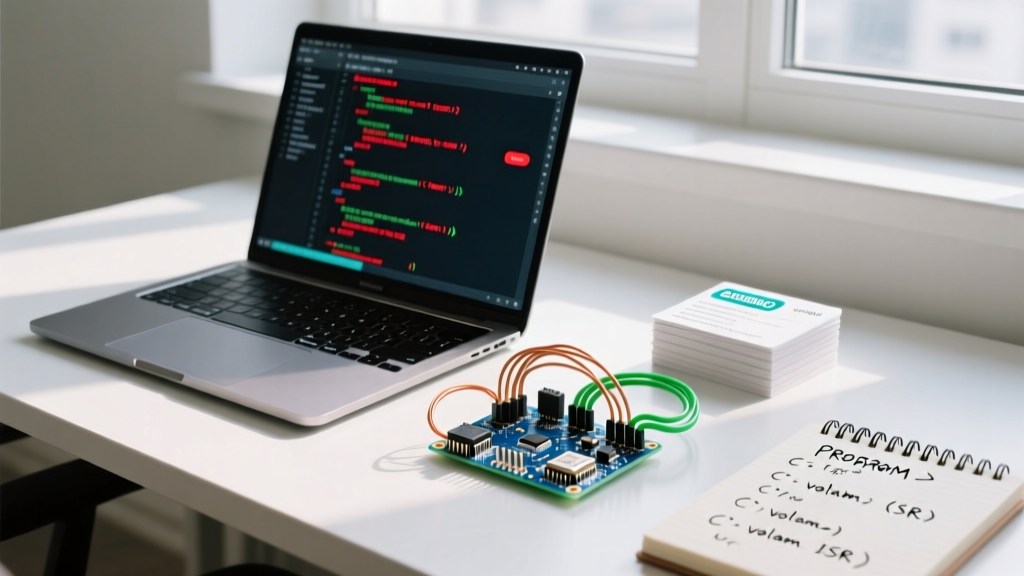

Demystifying the Language of Arduino: It is C++
A pervasive myth in the maker community is that the language of Arduino is a unique, simplified coding dialect. In reality, Arduino sketches are compiled as standard C++ (specifically C++14 or C++17, depending on the core architecture). The Arduino environment simply wraps your .ino file, automatically generates function prototypes, and links it against a hardware abstraction layer (HAL) known as the Wiring framework.
Whether you are targeting the classic 8-bit AVR architecture (like the ATmega328P on the Uno R3) or the 32-bit ARM Cortex-M4 (like the Renesas RA4M1 on the Uno R4 Minima), understanding the underlying C++ toolchain is critical for writing efficient, non-blocking firmware. This community resource roundup curates the most authoritative hubs, open-source libraries, and toolchains to help you master MCU programming in 2026.
The Core Architecture: Toolchains and Standards
Before diving into forums, you must understand what compiles your code. The classic AVR boards rely on avr-gcc and avr-libc, while modern ARM-based boards utilize the arm-none-eabi-gcc toolchain. The Arduino IDE applies aggressive compiler optimization flags by default, notably -Os (optimize for size) and -ffunction-sections paired with the linker flag -Wl,--gc-sections to strip unused dead code.
Expert Insight: Never use the standard C++std::stringor ArduinoStringclass in tight loops on 8-bit MCUs. The ATmega328P has only 2KB of SRAM. Dynamic memory allocation causes heap fragmentation, leading to unpredictable crashes. Always prefer statically allocatedchararrays or theStringReserve()method if absolute string manipulation is required.
Top Community Hubs for Arduino Language Mastery
When you hit a compiler error or need to optimize an Interrupt Service Routine (ISR), knowing where to ask is half the battle. Here is a comparison of the best community resources for troubleshooting and learning.
| Platform | Best Use Case | Typical Response Time | Expertise Level |
|---|---|---|---|
| Arduino Forum (Programming) | Core API, Wiring issues, IDE bugs | 2 - 12 Hours | Beginner to Advanced |
| Reddit (r/arduino, r/esp32) | Project feedback, library recommendations | 1 - 6 Hours | Intermediate |
| Stack Overflow ([arduino]) | Strict C++ syntax, toolchain bugs, memory leaks | 12 - 48 Hours | Advanced to Expert |
| AVR Freaks | Bare-metal register manipulation, datasheet decoding | 24+ Hours | Expert / Silicon Level |
For deep-dive C++ template metaprogramming applied to microcontrollers, the Stack Overflow [arduino] and [embedded] tags are unmatched. Conversely, if you are struggling with I2C pull-up resistor calculations or basic millis() rollover logic, the official Arduino Forum remains the most welcoming environment.
Essential Open-Source Libraries to Study
Reading production-grade code is the fastest way to internalize the language of Arduino. Instead of just importing libraries, clone their GitHub repositories and study their architecture.
1. ArduinoJson by Benoit Blanchon
Widely considered a masterclass in embedded C++, ArduinoJson demonstrates advanced memory management. Version 6 and later utilize a zero-allocation memory pool design, entirely avoiding heap fragmentation. Studying its source code will teach you how to use C++ templates to serialize and deserialize data without bloating your flash footprint.
2. FastLED by Daniel Garcia
If you want to understand how to manipulate hardware timers and use inline assembly for cycle-perfect bit-banging (like driving WS2812B LEDs), FastLED is the gold standard. It heavily utilizes C++ template metaprogramming to evaluate pin mappings at compile-time rather than runtime, saving precious CPU cycles.
3. Adafruit BusIO
Modern sensor libraries rely on Adafruit's BusIO to abstract I2C and SPI transactions. Reading this repository will teach you how to write hardware-agnostic code that gracefully handles different clock speeds, chip selects, and SPI modes across both AVR and ARM architectures.
Advanced Tooling: Moving Beyond the Arduino IDE
While the Arduino IDE 2.x has improved significantly with IntelliSense and debugging support, professional firmware engineers rely on external toolchains to manage complex C++ dependencies.
- PlatformIO (VS Code Extension): The industry standard for embedded development. It manages
platform.iniconfigurations, handles custom build flags, and integrates seamlessly with CMake. It is entirely free and open-source, making it accessible for all makers. - Wokwi Simulator: An invaluable browser-based tool for testing logic and timing diagrams without wiring physical hardware. Excellent for testing RTOS (Real-Time Operating Systems) implementations on ESP32 chips. Wokwi offers a robust free tier, with a Club membership (around $12/month) for private projects and advanced WiFi simulation.
- CppReference: Keep the C++ reference bookmarked. Remember that while Arduino supports most C++17 features, standard libraries like
<iostream>or<thread>are absent or heavily modified in embedded toolchains.
Memory Profiling and Debugging Techniques
Understanding the language of Arduino also means understanding how your code maps to physical silicon. When your sketch compiles, the IDE outputs a summary of Flash and SRAM usage. However, this static analysis does not account for stack depth or heap fragmentation.
To measure available SRAM at runtime, community experts frequently use a recursive stack-painting function or the AvrMemInfo library. For ARM Cortex-M0+ boards like the Arduino Nano 33 IoT, you can leverage the malloc_info structures provided by the Newlib C library to inspect heap health. Furthermore, utilizing hardware debuggers like the Atmel-ICE or the Segger J-Link via SWD (Serial Wire Debug) allows you to set hardware breakpoints and inspect CPU registers in real-time, bypassing the limitations of serial Serial.println() debugging.
Frequently Asked Questions (FAQ)
Can I use the Standard Template Library (STL) in Arduino?
Yes, but with caveats. On ARM-based boards (like the Nano 33 BLE or ESP32), you can safely use std::vector and std::array. On 8-bit AVR boards, the STL is available via avr-libc, but dynamic containers like std::vector will quickly exhaust the 2KB SRAM limit. Prefer std::array for fixed-size, stack-allocated collections.
Why do my variables change randomly inside an Interrupt Service Routine (ISR)?
This is a classic compiler optimization issue. If a variable is modified inside an ISR and read in the main loop(), you must declare it with the volatile keyword. This instructs the avr-gcc compiler to fetch the variable from SRAM on every access, rather than caching it in a CPU register.
How do I store large strings without using up SRAM?
Use the F() macro. Wrapping your string literals in F("Your text here") forces the compiler to store the string in Flash memory (PROGMEM) and fetch it byte-by-byte at runtime, preserving your limited SRAM for dynamic operations.