
Decoding the Search: What Does "Download Arduino Program" Mean?
When makers and students search for how to download Arduino program, they are usually trying to solve one of three distinct technical challenges. The phrasing is notoriously ambiguous in the microcontroller community. Are you trying to download the Arduino IDE (the software environment) to your computer? Are you trying to download (upload) a compiled sketch to your microcontroller board? Or, in more advanced reverse-engineering scenarios, are you trying to download (extract) an existing compiled program from an Arduino board back to your PC?
In this community resource roundup, we tackle all three interpretations. We have aggregated the most reliable workflows, troubleshooting steps, and third-party tools recommended by the electrical engineering and maker communities to ensure your firmware management is flawless.
1. How to Download the Arduino IDE (The Software)
The foundation of any Arduino project is the Integrated Development Environment (IDE). As of 2026, the community is largely split between the modern IDE 2.x branch and the legacy 1.8.x branch, alongside the browser-based Arduino Cloud. You can always find the official downloads on the Arduino Software Page, but choosing the right version depends on your hardware constraints and workflow preferences.
Community Comparison: IDE Versions
| Feature | Arduino IDE 2.3.x (Modern) | Arduino IDE 1.8.19 (Legacy) | Arduino Cloud IDE |
|---|---|---|---|
| Architecture | Electron-based (Theia) | Java-based (Processing) | Browser-based (WebAssembly) |
| RAM Usage (Idle) | ~350 MB | ~120 MB | N/A (Relies on Browser) |
| Autocomplete | Real-time IntelliSense | None | Basic syntax highlighting |
| Offline Support | Full offline capability | Full offline capability | Requires active internet |
| Best For | Complex C++ projects, ESP32 | Older PCs, Raspberry Pi (ARM) | Chromebooks, quick classroom setups |
Pro-Tip from the Community: If you are working with memory-constrained boards like the ATtiny85 or older laptops with less than 8GB of RAM, many veteran makers still recommend downloading the legacy 1.8.19 version. It lacks modern debugging but compiles significantly faster on low-end hardware and avoids the heavy background indexing processes of the 2.x branch.
2. How to Download a Sketch *to* Your Microcontroller
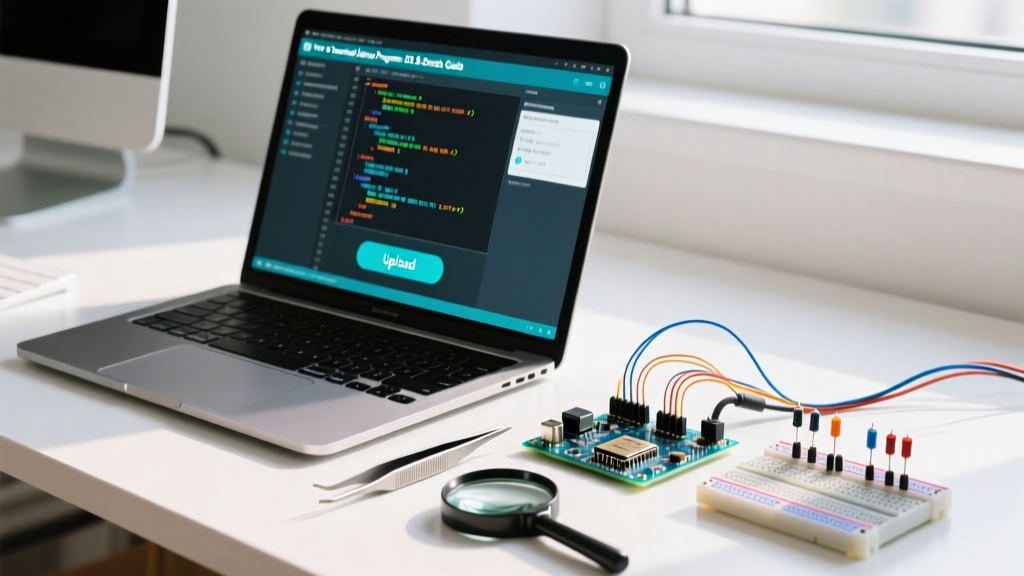
In Arduino terminology, moving a program from your computer to the board is technically called uploading, though beginners universally search for how to "download it to the board." The standard method relies on the USB-to-Serial converter chip on the board. However, this is where 80% of community forum questions originate.
The Clone Board Dilemma: CH340 vs. ATmega16U2
If you purchased an official Arduino Uno R4 WiFi (typically around $27.50), it uses a native USB bridge that is recognized instantly by Windows 11 and macOS Sequoia. However, if you bought a $4.50 to $6.00 clone board from Amazon or AliExpress, it almost certainly uses the WCH CH340G or CH341A USB-to-serial chip instead of the official Microchip ATmega16U2.
⚠️ Troubleshooting Callout: "Port Greyed Out" Error
If your IDE shows "Port" greyed out in the Tools menu when trying to download your program to a clone board, follow these exact steps:
- Identify the Chip: Look at the silver rectangular chip near the USB port. If it says "WCH CH340G", you need a custom driver.
- Download the Driver: Do not use random third-party driver sites. Download the official WCH CH340 driver directly from the manufacturer's repository or trusted community mirrors like SparkFun's CH340 driver page.
- macOS Specifics: On macOS, the CH340 driver often conflicts with older kernel extensions. Ensure you are using the latest V3.8+ driver signed for Apple Silicon (M1/M2/M3) to avoid the "System Extension Blocked" security error.
- Cable Check: Ensure you are using a data-sync micro-USB or USB-C cable. Over 40% of "dead on arrival" clone boards are actually just being plugged in with charge-only cables scavenged from old electronics bins.
3. How to Download a Program *from* an Arduino (Extracting Firmware)
This is an advanced, highly sought-after community technique. Suppose you have an Arduino Uno R3 running a proprietary sketch, the original source code is lost, and you need to back up the compiled binary or clone the chip. You can download the program directly from the microcontroller's flash memory using avrdude.
According to the AVRDUDE Official Documentation, the tool natively supports reading the flash memory of AVR chips via standard ICSP or serial bootloaders.
Step-by-Step Firmware Extraction
To download the hex file from an ATmega328P (Arduino Uno) via the serial port, open your terminal or command prompt and execute the following command:
avrdude -c arduino -p m328p -P COM3 -b 115200 -U flash:r:backup_firmware.hex:iCommand Breakdown:
-c arduino: Specifies the programmer type (the Arduino serial bootloader).-p m328p: Targets the ATmega328P microcontroller.-P COM3: Specifies your serial port (use/dev/ttyUSB0on Linux or/dev/cu.usbmodem14201on macOS).-b 115200: Sets the baud rate for the Uno's bootloader.-U flash:r:backup_firmware.hex:i: The critical flag.rmeans read, saving the flash memory tobackup_firmware.hexin Intel Hex format.
Note: This downloads the compiled machine code, not the original human-readable C++ .ino file. You can re-upload this hex file to a replacement chip, but reverse-engineering it back into editable C++ requires advanced disassemblers like Ghidra.
4. Community Resource Roundup: Advanced Program Management Tools
While the official IDE is great for beginners, the professional maker community relies on alternative ecosystems to download, manage, and version-control Arduino programs. Here are the top three tools endorsed by embedded engineers in 2026.
A. PlatformIO (The Industry Standard)
PlatformIO is an open-source ecosystem for IoT development, primarily used as an extension for Visual Studio Code. It completely bypasses the Arduino IDE's board manager quirks. By defining a simple platformio.ini file, you can download specific board packages, manage C++ libraries via semantic versioning, and push programs to your MCU with a single click. It supports over 1,000 development boards, making it the undisputed king for makers juggling Arduinos, ESP32s, and STM32s in the same workspace. Learn more at PlatformIO.org.
B. Arduino CLI (Command Line Interface)
For headless servers, Raspberry Pi automated testing rigs, or CI/CD pipelines, the Arduino CLI is indispensable. It allows you to download board cores, compile sketches, and upload programs entirely via terminal commands. A typical workflow looks like this:
arduino-cli core update-index
arduino-cli core install arduino:avr
arduino-cli compile --fqbn arduino:avr:uno /path/to/sketch
arduino-cli upload -p /dev/ttyACM0 --fqbn arduino:avr:uno /path/to/sketch
C. Sloeber (Eclipse Plugin)
Sloeber brings the Arduino framework into the Eclipse IDE. It is heavily favored in academic and enterprise environments where engineers are already accustomed to Eclipse's robust debugging perspectives, memory analyzers, and deep CDT (C/C++ Development Tooling) integration. It allows for hardware-level debugging using JTAG/SWD probes, which the standard Arduino IDE does not support natively.
Frequently Asked Questions
Can I download an Arduino program to multiple boards simultaneously?
Not natively through the standard IDE GUI. However, using the Arduino CLI or PlatformIO, you can write a simple Bash or Python script to iterate through an array of active COM ports and push the compiled .hex binary to multiple ATmega328P or ESP32 boards in sequence. For mass production, the community recommends using a dedicated hardware programmer like the USBasp or an automated bed-of-nails test fixture.
Why does my ESP32 fail to download the program and show "Connecting..." forever?
The ESP32 requires the GPIO0 pin to be pulled LOW during the exact moment the bootloader initiates to enter flash mode. On many early ESP32 DevKit V1 clones, the auto-reset circuit (using the DTR and RTS lines) is poorly implemented or missing. The Fix: Hold down the "BOOT" button on the ESP32 board, click "Upload" in the IDE, and release the BOOT button exactly when the console output displays "Connecting...".
Is it safe to download Arduino programs from community forums like GitHub or Reddit?
Arduino sketches (.ino files) are plain text C++ code, meaning they cannot harbor traditional executable malware that infects your PC. However, malicious code can be written to damage connected hardware (e.g., overriding I2C safety limits or causing thermal runaway in motor drivers). Always review the setup() and loop() functions for rogue pin states before compiling and uploading code sourced from unverified community repositories.