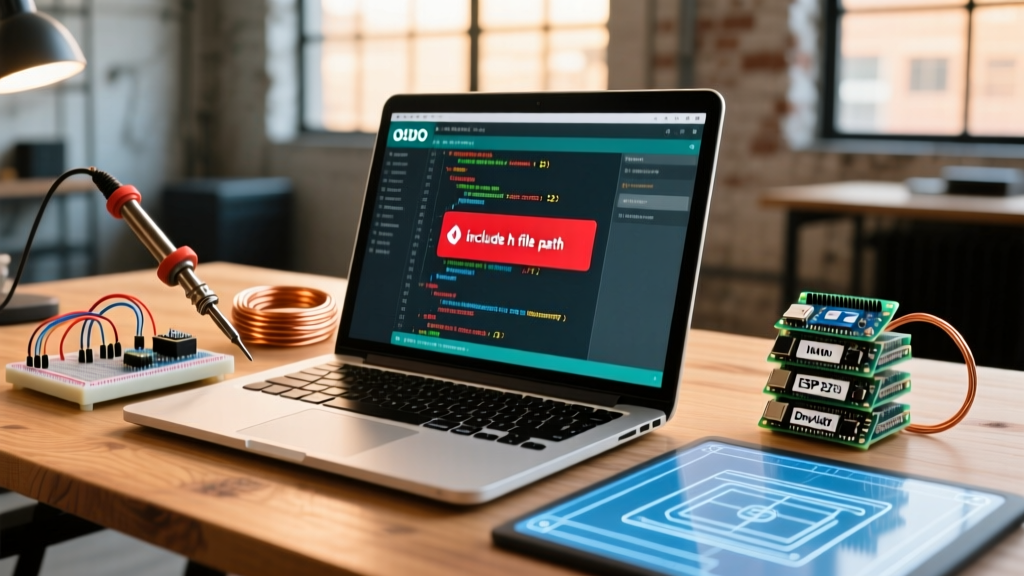

The transition from the legacy Java-based Arduino IDE 1.8.x to the modern, Eclipse Theia-powered Arduino IDE 2.3.x (and its underlying arduino-cli engine) has fundamentally altered how the compiler resolves local and library dependencies. For makers and embedded engineers migrating older projects, this shift frequently triggers the dreaded fatal error: [filename].h: No such file or directory. When you encounter an arduino include h file error during compilation, it is rarely a missing file; rather, it is a path resolution mismatch between the legacy Arduino Builder and the modern recursive scanner.
In 2026, with the ESP32 Arduino Core 3.0.x and AVR Core 1.8.x enforcing stricter C++17 standards, understanding the mechanics of the GCC preprocessor is no longer optional. This migration guide provides a definitive, step-by-step framework to audit, restructure, and upgrade your sketch directories, ensuring your local header files compile flawlessly in modern environments.
The Core Problem: Legacy Builder vs. arduino-cli
In Arduino IDE 1.8.x, the legacy Arduino Builder was notoriously forgiving—and occasionally unpredictable—when handling local sketch files. If you placed a custom .h and .cpp file in the root of your sketch folder, the builder would blindly copy them to a temporary build directory and compile them, regardless of how your #include directives were formatted.
The modern arduino-cli, which powers Arduino IDE 2.x, adheres strictly to standard GCC compilation rules. It utilizes specific -I (include) flags to tell the compiler exactly where to look for header files. If your #include syntax does not match the physical directory structure or the designated search paths, the compilation halts immediately. According to the official Arduino Include Reference, the distinction between angle brackets and double quotes dictates the search order, a behavior that becomes highly rigid in the new IDE.
Understanding Include Resolution: Angle Brackets vs. Double Quotes
Before restructuring your project, you must understand how the C++ preprocessor interprets your include directives. The C++ Preprocessor Standard defines two distinct search behaviors based on the syntax used:
| Directive Syntax | IDE 1.8.x Behavior | IDE 2.x (arduino-cli) Behavior | Best Use Case |
|---|---|---|---|
#include <file.h> |
Searches global libraries, sometimes accidentally catching local files if names collide. | Strictly searches global /libraries folder and core SDK paths. Ignores local sketch folder. |
Installed third-party libraries (e.g., <Wire.h>, <Adafruit_Sensor.h>). |
#include "file.h" |
Searches local sketch folder first, then falls back to global libraries. | Searches the current file directory, the sketch root, and the src/ subfolder recursively. |
Custom local modules, project-specific configs, and private libraries. |
Migration Rule of Thumb: If the file lives inside your project folder, always use double quotes (" "). If it is installed via the Library Manager or Board Manager, use angle brackets (< >). Mixing these up is the root cause of 90% of migration errors.
Step-by-Step Migration: Fixing Local Include Errors
Migrating a complex, multi-file legacy project typically takes 2 to 3 hours. Follow this structured approach to upgrade your sketch architecture to the 2026 standard.
Phase 1: Restructuring the Sketch Directory
Legacy projects often dumped all .h and .cpp files directly into the root sketch folder alongside the main .ino file. While arduino-cli still compiles root-level C++ files, it is highly recommended to adopt the src/ directory paradigm for better organization and recursive compilation.
- Create a new folder named
srcinside your main sketch directory. - Move all custom
.h,.cpp, and.cfiles into thissrcfolder. - Leave only your primary
.inofile (and optionally a root-levelconfig.h) in the main directory. - If your project uses external assets or data arrays, create a separate
data/orassets/folder to keep the compilation tree clean.
Phase 2: Updating the Include Syntax
Once your files are relocated, you must update the #include statements in your main .ino file and any cross-referencing .cpp files.
- From the Main .ino File: Use
#include "src/my_custom_sensor.h"or simply#include "my_custom_sensor.h"(sincearduino-cliautomatically adds thesrc/folder to the GCC-Iinclude path). - Inside the src/ Folder: If
sensor_A.cppneeds to includesensor_A.h, use#include "sensor_A.h". Because they share the same directory, the preprocessor will find it instantly without needing thesrc/prefix. - Nested Folders: If you create subdirectories inside
src/(e.g.,src/drivers/), you must explicitly declare the path:#include "drivers/motor_controller.h".
Phase 3: Handling Legacy 'src' Folder Quirks
In older IDE versions, the src folder was only compiled if it contained a specific dummy file or if the builder was forced via preferences. In Arduino IDE 2.3.x, the src folder is scanned recursively by default. However, if you are migrating a project that previously used a folder named lib or modules, the compiler will not automatically add those to the include path. You must either rename the folder to src or manually manage your relative paths using ../ (which is highly discouraged in embedded C++ due to build cache invalidation issues).
Advanced Edge Cases in Modern MCU Development
Even with correct syntax and folder structures, advanced migrations often hit specific compiler edge cases. Here is how to resolve the most common friction points encountered in 2026.
1. Case Sensitivity and Cross-Platform Builds
Windows file systems (NTFS) are case-insensitive, while Linux and macOS (APFS/ext4) are case-sensitive. If your legacy code contains #include "MySensor.h" but the actual file is named mysensor.h, it will compile perfectly on a Windows PC but fail instantly when you migrate to a Linux-based CI/CD pipeline or a Raspberry Pi running Arduino CLI. Fix: Enforce strict lowercase naming conventions for all local header files (e.g., my_sensor.h) and update all include directives to match exactly.
2. Circular Dependencies
When module_A.h includes module_B.h, and module_B.h includes module_A.h, the GCC preprocessor enters an infinite loop, resulting in a 'recursive inclusion' or 'redefinition' error. The legacy builder sometimes masked this through aggressive temporary file caching.
Fix: Implement modern header guards. While legacy code used #ifndef macros, modern GCC (shipped with Arduino IDE 2.x) fully supports and optimizes #pragma once. Place #pragma once at the very top of every single .h file. This instructs the compiler to physically skip the file on subsequent reads, reducing compilation time by up to 15% on large sketches and preventing circular dependency crashes.
3. Missing 'library.properties' in Local Libraries
If your local include files are actually a fully-fledged private library stored in your sketchbook's /libraries folder, arduino-cli requires a valid library.properties file to index it. If this file is missing or malformed, the IDE 2.x library indexer will silently ignore the folder, leading to 'file not found' errors when you use #include <my_private_lib.h>. Ensure your properties file includes at least the name, version, and includes fields.
Conclusion: Future-Proofing Your Codebase
Migrating to Arduino IDE 2.x and arduino-cli requires a shift from 'drag-and-drop' coding to structured embedded software engineering. By understanding the strict separation between global libraries (< >) and local modules (" "), adopting the src/ directory standard, and utilizing #pragma once, you eliminate the vast majority of arduino include h file errors. Taking the time to properly restructure your legacy sketches not only resolves immediate compilation failures but also prepares your codebase for seamless integration with modern CI/CD tools, GitHub Actions, and professional embedded workflows.