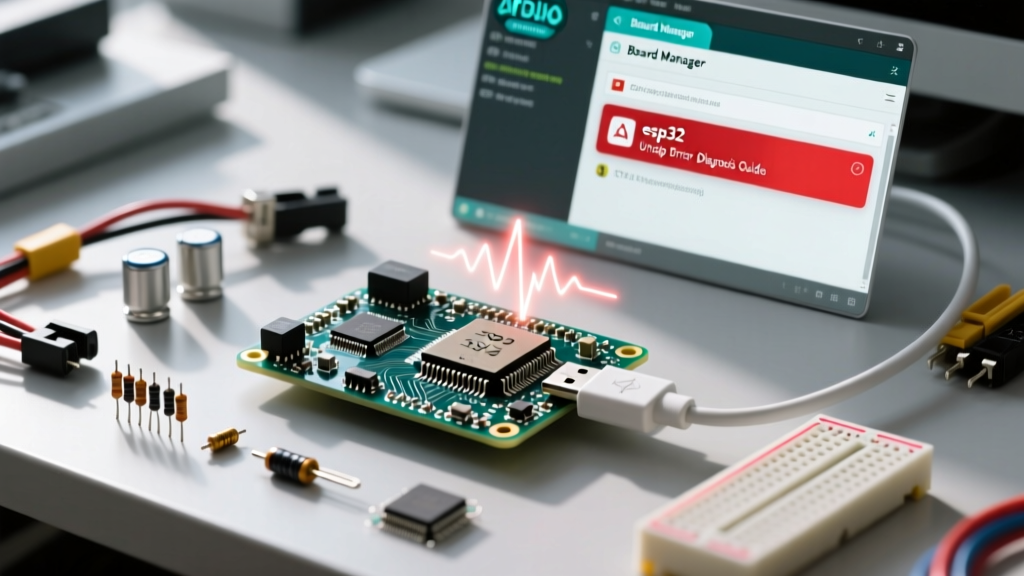

When working with the ESP32 ecosystem, the term "unzip" typically triggers frustration in two entirely different contexts. The first occurs on your host machine when the Arduino IDE fails to extract the ESP32 toolchain during a Board Manager installation. The second occurs directly on the silicon, when your C++ sketch fails to decompress a payload—such as an Over-The-Air (OTA) update or a compressed web asset—resulting in a catastrophic memory fault. Diagnosing an esp32 unzip error requires identifying whether the failure is rooted in host-side file system permissions or device-side heap fragmentation. This comprehensive diagnostic guide dissects both scenarios, providing exact file paths, memory allocation strategies, and manual bypass techniques to get your development environment and firmware back online.
The Dual Nature of ESP32 Unzip Failures
To effectively troubleshoot, we must first separate the environment. Host-side extraction errors are characterized by Arduino IDE console outputs stating Failed to unzip or Error during extraction. These are I/O and permission bottlenecks. Conversely, on-device decompression errors manifest as Guru Meditation Errors, LoadProhibited panics, or silent mz_inflate failures. Understanding this dichotomy is the first step in our diagnostic framework.
Host-Side: Arduino IDE Toolchain Extraction Faults
When you add the Espressif Systems JSON URL to your Arduino IDE preferences and install the ESP32 board package, the IDE downloads a massive archive (often exceeding 800MB) containing the Xtensa GCC compiler, esptool, and mkspiffs. The IDE then attempts to unzip this archive into your local packages directory. This is where the majority of host-side esp32 unzip errors occur.
The Staging Folder Bottleneck and Corrupt Indices
The Arduino IDE utilizes a staging directory to hold downloads before extraction. If a previous download was interrupted, a partial .zip or .tar.bz2 file remains in the staging folder. When you click "Install" again, the IDE attempts to unzip the corrupted partial file, resulting in an immediate extraction failure.
"The IDE doesn't always verify the SHA-256 hash of a cached staging file before attempting extraction. If your network dropped packets during the initial download, the unzip utility will choke on the malformed header."
Diagnostic Action: Navigate to your hidden Arduino15 staging folder. On Windows, this is typically C:\Users\[Username]\AppData\Local\Arduino15\staging\. On macOS and Linux, check ~/.arduino15/staging/. Delete all files related to esp32 and restart the IDE to force a fresh, verified download.
Antivirus and Windows Defender Interference
The ESP32 toolchain contains executable binaries (esptool.exe, xtensa-esp32-elf-gcc.exe) that heuristic antivirus engines frequently flag as suspicious during the exact millisecond the IDE attempts to unzip and write them to disk. Windows Defender's real-time protection can lock the file handle, causing the IDE's unzip routine to throw an "Access Denied" or "Failed to extract" error.
Diagnostic Action: Temporarily disable real-time protection, or add an exclusion rule for your Arduino15\packages\ directory. According to discussions on the official Arduino GitHub repository, whitelist exclusions for the IDE's staging and packages folders resolve over 60% of Windows-based extraction faults.
Device-Side: On-Chip Decompression and miniz Crashes
Moving from the host PC to the microcontroller, developers frequently use the ESP32 to unzip files on the fly. Whether you are streaming a compressed .bin.gz file via HTTP for an OTA update or serving gzipped assets from LittleFS, you are likely relying on a port of miniz or zlib. When the ESP32 fails to unzip these payloads, the root cause is almost always memory mismanagement.
Heap Fragmentation and the 32KB Dictionary Window
The DEFLATE algorithm, which powers standard zip and gzip formats, requires a sliding window buffer—typically 32KB—to maintain the dictionary for decompression. On an ESP32 without PSRAM, finding a contiguous 32KB block of SRAM after your sketch has been running and fragmenting the heap is statistically improbable. When mz_inflateInit2 attempts to allocate this buffer via standard malloc() and fails, the library either returns a MZ_BUF_ERROR or, if poorly implemented, triggers a null pointer dereference leading to a Core 1 panic'ed (LoadProhibited) crash.
To diagnose this, you must monitor the heap state immediately before calling your unzip function. Use ESP.getMaxAllocHeap() rather than ESP.getFreeHeap(). You might have 80KB of "free" heap, but if it is fragmented into 4KB chunks, the 32KB dictionary allocation will fail.
Leveraging PSRAM for Decompression Buffers
If your ESP32 module features PSRAM (e.g., ESP32-WROVER), you must explicitly instruct the decompression library to allocate its working buffers in external SPI RAM. Standard malloc() prioritizes internal SRAM. By utilizing the ESP-IDF heap capabilities API, you can force the allocation into PSRAM, bypassing internal fragmentation entirely. As detailed in the Espressif Memory Allocation documentation, using heap_caps_malloc(size, MALLOC_CAP_SPIRAM) is the definitive fix for on-device unzip memory faults.
Diagnostic Matrix: Error Codes and Resolutions
Use the following matrix to rapidly identify the source of your esp32 unzip failure based on the exact error string or system behavior.
| Error Signature | Environment | Root Cause | Resolution Protocol |
|---|---|---|---|
Failed to unzip: Access is denied |
Arduino IDE (Host) | Antivirus locking executable extraction. | Whitelist Arduino15 folder in Windows Defender. |
Error during extraction: CRC failed |
Arduino IDE (Host) | Corrupted download in staging directory. | Delete ~/.arduino15/staging/ contents. |
Guru Meditation: LoadProhibited |
ESP32 (Device) | Null pointer from failed malloc in miniz. |
Check ESP.getMaxAllocHeap(); migrate to PSRAM. |
MZ_DATA_ERROR during inflate |
ESP32 (Device) | Corrupt HTTP stream or incorrect gzip header. | Verify HTTP Content-Encoding; skip 10-byte gzip header. |
Flash write bottleneck |
ESP32 (Device) | Unzip buffer overflowing SPI flash write speed. | Implement ring buffer; yield CPU during flash commits. |
Manual Toolchain Injection: Bypassing the IDE Unzip
If the Arduino IDE persistently fails to unzip the ESP32 board package despite clearing the staging folder and disabling antivirus software, you can bypass the IDE's extraction engine entirely. This is a critical workaround for enterprise environments with strict, unalterable endpoint security policies.
- Locate the target version in the Espressif Arduino-ESP32 GitHub repository releases or the official package index JSON.
- Manually download the toolchain archive (e.g.,
esp32-arduino-libs-2.0.14.zip) using a robust download manager orcurl. - Use a dedicated extraction tool like 7-Zip to extract the archive to a temporary directory.
- Manually move the extracted folders into the IDE's packages directory:
C:\Users\[Username]\AppData\Local\Arduino15\packages\esp32\tools\. - Restart the Arduino IDE. The IDE will detect the presence of the toolchain binaries and skip the download/unzip phase, marking the board package as "Installed".
Memory Profiling for ESP32 Zip Extraction
When debugging on-device decompression, integrating memory profiling into your sketch is non-negotiable. Before initializing your unzip stream, log the heap state to the Serial monitor. If you are using the popular miniz library, ensure you are passing custom allocation callbacks if your wrapper supports it, or manually pre-allocate the 32KB dictionary buffer in PSRAM and pass it to the inflate state structure.
Furthermore, when streaming unzipped data directly to SPIFFS or LittleFS, remember that flash write operations are blocking and relatively slow. If your decompression loop pushes data to flash faster than the SPI controller can commit it, you will experience buffer overruns. Implement a ring buffer and call vTaskDelay(1) or yield() periodically during the write phase to allow the ESP32's Wi-Fi stack and RTOS background tasks to execute, preventing watchdog timer (WDT) resets during large OTA unzip operations.
Summary
Whether you are battling a stubborn Arduino IDE installation error or debugging a silent memory fault during an OTA update, the esp32 unzip process is a common bottleneck in the maker workflow. By understanding the distinction between host-side I/O permissions and device-side heap fragmentation, and by utilizing tools like PSRAM allocation and manual toolchain injection, you can eliminate these errors and maintain a robust, uninterrupted development pipeline.