
Understanding the 'Powered by Arduino' Ecosystem
When makers and engineers refer to hardware 'powered by Arduino,' they are rarely talking about an official Arduino-branded PCB. Instead, this phrase defines a massive ecosystem of third-party development boards—such as the Adafruit Metro series, SparkFun RedBoards, and PJRC Teensy modules—that leverage the Arduino core architecture, bootloader protocols, and IDE integration. In 2026, with the Arduino IDE 2.3.x and the upcoming 3.x branches fully stabilizing, configuring these third-party boards requires a deeper understanding of Board Support Packages (BSPs), custom toolchains, and compiler flag management than simply plugging in an official Uno R4.
This configuration guide dives deep into the technical mechanics of integrating, compiling, and uploading code to third-party boards powered by Arduino. We will cover Board Manager URL resolution, low-level boards.txt modifications, and advanced bootloader recovery techniques.
The Mechanics of Board Manager URL Resolution
The Arduino IDE does not natively ship with the core definitions for every microcontroller on the market. Instead, it relies on a decentralized JSON-based package index system. When you configure a board powered by Arduino, you are essentially instructing the IDE to fetch a specific package_index.json file from the vendor's server.
Step-by-Step Core Installation
- Open the Arduino IDE and navigate to File > Preferences (or Arduino IDE > Settings on macOS).
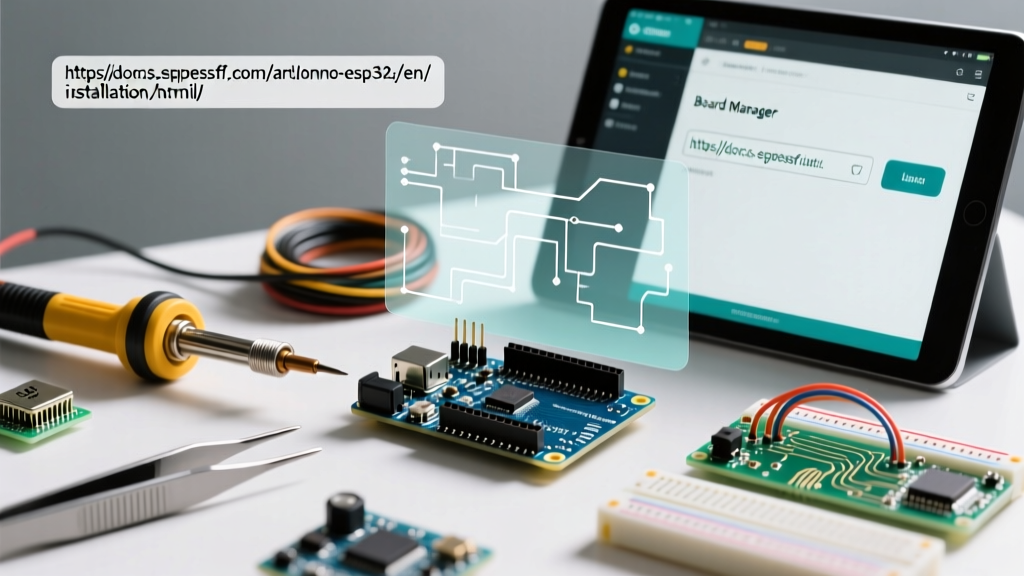
- Locate the Additional boards manager URLs field. This field accepts comma-separated URLs pointing to vendor-hosted JSON indexes.
- Paste the specific URL for your target hardware. For example, the ESP32-S3 boards powered by Arduino cores require the Espressif JSON URL, while Adafruit SAMD boards require the Adafruit BSP URL.
- Open the Board Manager tab on the left sidebar, search for the vendor's core package, and click Install.
According to the official Arduino documentation on cores, the IDE parses these JSON files to download the specific GCC ARM toolchain, avrdude or bossac upload utilities, and the C/C++ hardware abstraction layer (HAL) required for that specific silicon.
Configuring Specific Third-Party Ecosystems
Different vendors implement the Arduino API in fundamentally different ways. Understanding these nuances is critical for avoiding compilation errors and optimizing memory usage.
Adafruit (SAMD and ESP32 Architectures)
Adafruit's boards, such as the Metro M4 Express (approx. $24.95) or the Metro ESP32-S3 ($17.50), rely on the Adafruit SAMD and ESP32 BSPs. A common configuration error occurs when users install the generic Arduino SAMD core alongside the Adafruit core. This causes namespace collisions in the Wire and SPI libraries. Always ensure you are selecting the specific board variant (e.g., 'Adafruit Metro M4 Express') from the Tools menu, which triggers the IDE to use Adafruit's customized variant.cpp pinmapping file rather than the generic Arduino zero definitions.
SparkFun and the RP2040/RP2350 Core Conflict
SparkFun's Pro Micro RP2040 ($9.95) and newer RP2350-based boards can be programmed using two distinct cores powered by Arduino: the official Arduino mbed-based core and the community-maintained Earle Philhower core. For production firmware, we strongly recommend configuring the Earle Philhower core. It bypasses the heavy mbed OS abstraction layer, resulting in a 30-40% reduction in compiled binary size and significantly lower latency for GPIO toggling.
PJRC Teensy: The External Toolchain Approach
Unlike most modern boards, the highly optimized Teensy 4.1 ($32.95) does not rely on the standard Board Manager. As detailed in the PJRC Teensy download documentation, Teensy requires the Teensyduino installer (or the modern Arduino IDE 2.x integration plugin). This is because PJRC maintains a heavily modified, custom-built ARM GCC toolchain optimized specifically for the NXP i.MX RT1062 crossover MCU, featuring custom math libraries and DMA configurations that the standard Arduino ARM toolchain cannot support.
Advanced Toolchain and boards.txt Tweaks
For engineers pushing the limits of boards powered by Arduino, the default IDE configuration is often too conservative. By editing the boards.txt and platform.txt files located in your local Arduino15 packages directory, you can drastically alter compiler behavior.
Overriding Optimization Flags
By default, the Arduino IDE compiles sketches using the -Os flag, which optimizes for binary size. If you are processing audio via I2S on an ESP32-S3 or running DSP algorithms on a Teensy, you should reconfigure the core to use -O3 (optimize for speed) or -Ofast.
- Navigate to your Arduino packages folder (e.g.,
~/.arduino15/packages/esp32/hardware/esp32/3.0.x/). - Open
platform.txtin a text editor. - Locate the
compiler.c.flagsandcompiler.cpp.flagsdefinitions. - Replace
-Oswith-O3and append-ffast-mathif floating-point performance is critical.
Warning: This will increase your compiled binary size and may cause unexpected behavior in edge-case floating-point rounding. Always profile your memory usage after making this change.
Bootloader Protocols and Upload Troubleshooting
One of the most frequent pain points when configuring third-party boards is upload failure. Boards powered by Arduino typically use one of three bootloader protocols: AVR109 (Caterpillar), STK500 (Optiboot), or the BOSSA protocol for SAMD chips.
Pro-Tip: The 1200bps Reset Trick
If your SAMD21 or SAMD51 board (like the Adafruit ItsyBitsy M4) becomes 'bricked' and the IDE reports 'No device found on COM port,' the bootloader has likely crashed. You can force the MCU back into bootloader mode by opening the Serial Monitor, setting the baud rate to exactly 1200 bps, and opening the connection. The SAMD bootloaders are hardcoded to interpret a 1200bps serial connection as a command to halt the user sketch, reset the chip, and expose the ROM bootloader for flashing.
CH340 and CP2102 Driver Signing on Modern OS
Many budget-friendly boards powered by Arduino utilize the WCH CH340 or Silicon Labs CP2102 USB-to-UART bridges instead of the more expensive Atmega16U2 found on official boards. On Windows 11 and modern macOS environments, unsigned or outdated drivers for these chips will silently fail to bind to the USB PID/VID. Always download the latest signed drivers directly from the silicon manufacturer's repository rather than relying on third-party driver aggregators, which often bundle outdated 2014-era binaries that fail Windows Core Isolation memory integrity checks.
Comparison Matrix: Popular Third-Party Cores
To help you select the right configuration for your next project, here is a technical comparison of the most prominent ecosystems powering third-party Arduino-compatible hardware in 2026.
| Vendor / Core | Target Silicon | IDE Integration Method | Upload Tool | Best Use Case |
|---|---|---|---|---|
| Adafruit SAMD BSP | SAMD21 / SAMD51 | Board Manager URL | bossac | Low-power wearables, audio processing |
| Espressif ESP32 Core | ESP32-S3 / C6 | Board Manager URL | esptool.py | IoT, Wi-Fi/BLE, camera interfaces |
| Earle Philhower RP2040 | RP2040 / RP2350 | Board Manager URL | picotool / uf2conv | PIO state machines, high-speed I/O |
| PJRC Teensyduino | i.MX RT1062 | External Installer / Plugin | teensy_loader_cli | Heavy DSP, MIDI, high-pin-count logic |
Final Configuration Best Practices
Successfully managing a fleet of boards powered by Arduino requires strict version control of your Board Support Packages. In professional and advanced maker environments, blindly clicking 'Update All' in the Board Manager is a recipe for broken builds. Cores are frequently updated with breaking changes to the HAL (Hardware Abstraction Layer), particularly regarding I2C buffer sizes and SPI interrupt handling.
For reproducible builds, utilize the arduino-cli command-line tool to lock your core versions in a CI/CD pipeline or local build script. By explicitly defining the core version (e.g., arduino-cli core install esp32:esp32@3.0.2), you ensure that your custom compiler flags, pin configurations, and memory allocations remain stable across different development machines and operating systems. For further reading on managing complex environments, consult the Adafruit Arduino IDE setup guide, which provides excellent visual references for tracking BSP versions and resolving dependency conflicts.