
The Maker Community's Definitive Guide to Arduino Buzzer Audio
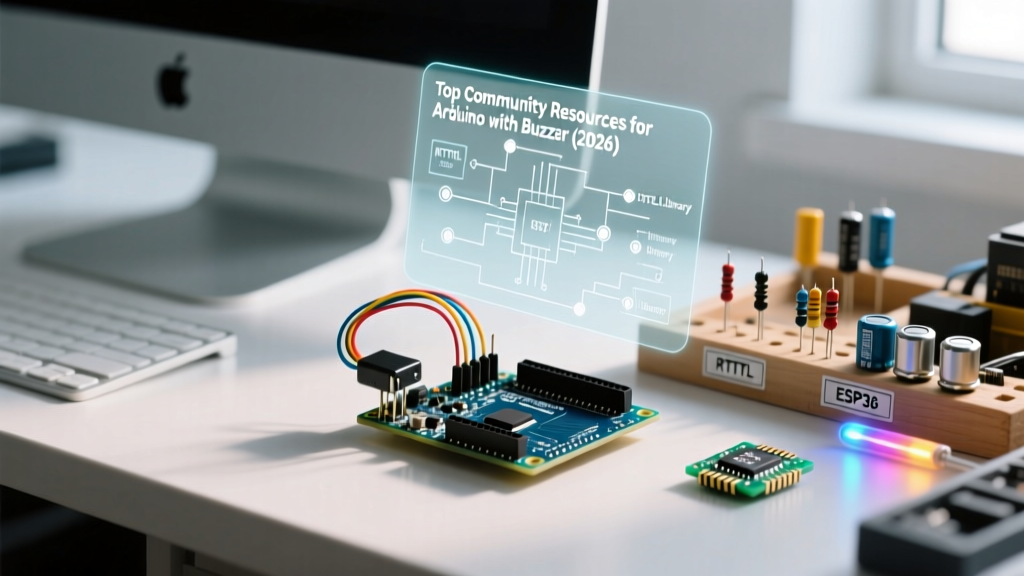
When makers first start experimenting with audio feedback, the humble piezo buzzer is almost always the first component they wire to a breadboard. However, moving from a simple tone() beep to complex 8-bit melodies, proximity alarms, or synthesized audio requires navigating a maze of hardware limitations, timer conflicts, and acoustic physics. In this 2026 community resource roundup, we curate the most valuable open-source libraries, hardware hacks, and troubleshooting frameworks developed by the global maker community for anyone building an arduino with buzzer setup.
Hardware Deep Dive: Active vs. Passive Modules
The most common point of confusion for beginners is the difference between active and passive buzzers. The community has standardized around the KY-series sensor modules, but understanding the bare components is crucial for custom PCB design.
| Component Type | Model / Module | Internal Oscillator? | Resonant Frequency | Drive Mechanism |
|---|---|---|---|---|
| Active Buzzer | KY-012 / CMT-8504 | Yes (Built-in) | Fixed (usually 2.7kHz) | DC Voltage (HIGH/LOW) |
| Passive Buzzer | KY-006 / CMT-8530S | No | Variable (2kHz - 5kHz sweet spot) | PWM Square Wave |
| Bare Piezo Disc | 27mm CMT-1205 | No | Depends on cavity enclosure | PWM + Transistor Driver |
The Reactance Problem: Why Your ATmega328P Might Overheat
A frequent failure mode discussed on the Arduino forums involves driving large 30mm bare piezo discs directly from an Arduino digital pin. A standard 27mm piezo disc has a capacitance of roughly 200nF. If you drive it at its resonant frequency of 4kHz, the capacitive reactance (Xc) drops significantly.
Community Math: Xc = 1 / (2 * π * f * C). At 4kHz and 200nF, Xc ≈ 198Ω. Using Ohm's Law (I = V/R), a 5V pin will attempt to source 25.2mA. This exceeds the recommended 20mA continuous limit per I/O pin on the ATmega328P, leading to silicon degradation over time.
The Fix: Veteran makers recommend driving any piezo larger than 12mm using a 2N2222 NPN transistor. Connect the Arduino PWM pin to the base via a 1kΩ resistor, the emitter to GND, and the collector to the piezo's negative terminal. This shifts the current burden to the transistor, protecting your microcontroller.
Top 3 Community Libraries for Buzzer Audio
The native Arduino Official tone() Reference is excellent for single-frequency alerts, but it falls short for polyphony or complex music. Here are the top community-maintained alternatives in 2026.
1. RTTTL Parsers (The 8-Bit Nostalgia Standard)
RTTTL (Ring Tone Text Transfer Language) was originally developed by Nokia for monophonic ringtones. The maker community has repurposed this text-based format to store complex melodies in Arduino PROGMEM, saving precious SRAM. The undisputed champion in this space is Robson Couto's Arduino Songs Repository. It includes optimized RTTTL parsing scripts and a massive library of pre-transcribed video game themes (from Super Mario to Doom) that compile directly into standard Arduino sketches.
2. Mozzi (For Advanced Audio Synthesis)
If you want to move beyond square waves and generate actual synthesized waveforms (sine, triangle, sawtooth) or FM synthesis, the Mozzi Audio Synthesis Library is the gold standard. Originally developed by Tim Barrass, Mozzi hacks the Arduino's PWM timers to output audio at a 16,384 Hz sample rate. Note: Mozzi requires a passive buzzer or an amplifier circuit, as it relies on rapid PWM modulation that active buzzers cannot interpret.
3. TonePlayer (Non-Blocking Melodies)
The native tone() function can be blocking when using the duration parameter, which freezes your main loop. The community-developed TonePlayer library utilizes timer interrupts to play RTTTL melodies entirely in the background, allowing your Arduino to simultaneously read sensors, drive motors, and manage Wi-Fi connections without audio stuttering.
Troubleshooting: The Infamous Timer2 Conflict
If you have ever tried to build an arduino with buzzer robot that also uses PWM motor control or servos, you likely encountered the Timer2 conflict. This is the most documented edge case in the MCU community.
- The Root Cause: On the ATmega328P (Arduino Uno/Nano), the
tone()function hijacks Timer2 to generate the square wave frequency. - The Symptom: Pins 3 and 11 share Timer2 for hardware PWM. If you call
tone(),analogWrite()on pins 3 and 11 will instantly fail or output a static DC voltage, breaking motor speed control or LED fading. - The Community Workaround: Shift your motor PWM outputs to Pins 5 and 6 (Timer0) or Pins 9 and 10 (Timer1). Alternatively, use the
toneAClibrary, which drives the buzzer differentially across two pins using Timer1, freeing up Timer2 and doubling the perceived volume.
Curated Community Project Blueprints
Looking for inspiration? Here are two highly-rated project architectures currently trending in maker spaces.
Blueprint A: The Ultrasonic Proximity Alarm
Combining an HC-SR04 ultrasonic sensor with a KY-006 passive buzzer creates a dynamic parking sensor. The community consensus for the best user experience is to map distance to both frequency and tempo.
- Distance > 100cm: 200Hz tone, 1000ms interval (Low, slow heartbeat).
- Distance 50cm - 100cm: 800Hz tone, 400ms interval (Mid-pitch, urgent).
- Distance < 20cm: 2500Hz tone, 0ms interval (Continuous high-pitch warning).
Pro-Tip: Use the map() function to create smooth logarithmic transitions between these states, preventing jarring audio jumps.
Blueprint B: 3D Printed Helmholtz Resonator
A bare piezo disc moves very little air, resulting in thin, harsh audio. Acoustic engineers in the maker community have popularized 3D-printing sealed PLA enclosures with a precise front-facing port. By treating the buzzer cavity as a Helmholtz resonator, you can amplify the 2.7kHz resonant frequency by up to 12dB. The optimal community-tested dimensions for a 27mm piezo are a 35mm internal diameter cavity, 8mm depth, and a 4mm front port.
2026 Sourcing and Pricing Snapshot
Supply chain stabilization has made audio components incredibly cheap for hobbyists. Here is what you should expect to pay in 2026:
- KY-012 Active Modules (10-pack): $2.50 - $3.50 via AliExpress or Amazon.
- KY-006 Passive Modules (10-pack): $2.00 - $3.00.
- Bare CMT-8530S Transducers (50-pack): $6.00 via Mouser or DigiKey (ideal for custom PCB manufacturing).
- 2N2222 Transistors (100-pack): $4.50 (Essential for safe high-current piezo driving).
Frequently Asked Questions
Can I play audio through a buzzer and an I2S DAC simultaneously?
Yes. Because I2S audio modules (like the MAX98357A) use dedicated hardware SPI/I2S pins and DMA (Direct Memory Access) on advanced boards like the ESP32, they do not interfere with the internal timers used by standard Arduino buzzers. You can use the ESP32's LEDC PWM channels for the buzzer while streaming high-fidelity audio via I2S.
Why does my passive buzzer sound distorted when playing high notes?
Piezo ceramics have physical resonance limits. Most standard 12mm and 27mm buzzers are tuned for 2.7kHz to 4.0kHz. Pushing frequencies above 6kHz causes mechanical damping and severe harmonic distortion. Stick to the MIDI range of C6 (1046Hz) to C8 (4186Hz) for the cleanest output.