
The Simulator Reality Gap: Why Virtual Circuits Fail
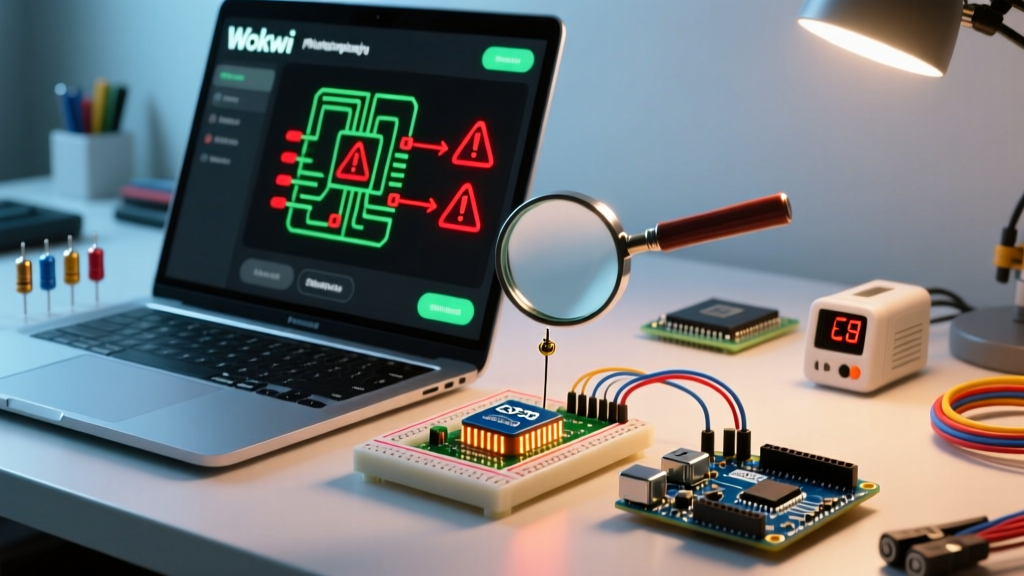
In 2026, arduino simulation has evolved from basic LED blinking to complex, multi-core ESP32 and STM32 virtualization. Platforms like Wokwi, Autodesk Tinkercad, and Proteus VSM allow makers to validate firmware before committing to physical PCBs. However, a persistent trap for both beginners and seasoned engineers is the "Simulator Reality Gap." Virtual environments assume ideal conditions: zero-resistance wires, infinite current sourcing, perfect clock synchronization, and no parasitic capacitance. When your code works perfectly in the simulator but fails on the physical breadboard—or conversely, when physical code crashes the simulator—the root cause almost always lies in how the simulation engine handles edge-case timing, memory allocation, and hardware abstraction layers (HAL).
This guide focuses strictly on error diagnosis within Arduino simulation environments. We will dissect the most common virtual MCU failures, compiler backend mismatches, and SPICE convergence errors, providing actionable diagnostic frameworks to get your virtual prototypes running flawlessly.
Diagnostic Matrix: Common Arduino Simulation Errors & Fixes
Before diving into platform-specific quirks, review this diagnostic matrix. These are the most frequent failure modes encountered when running Arduino sketches in virtual environments.
| Error Message / Symptom | Platform | Root Cause | Diagnostic Fix |
|---|---|---|---|
Guru Meditation Error: Core 1 panic'ed (Interrupt wdt timeout) |
Wokwi (ESP32) | Browser tab throttling causes the host CPU to starve the virtual FreeRTOS watchdog timer. | Switch to Wokwi CLI for native execution, or inject yield() / vTaskDelay(1) in tight while() loops. |
| I2C Bus Hang (Serial Monitor prints 0xFF or stops entirely) | Tinkercad / Proteus | Simulator fails to accurately model internal MCU pull-up resistors on open-drain I2C buses. | Place explicit virtual 4.7kΩ pull-up resistors on both SDA and SCL lines to VCC. |
Timestep too small or GMIN stepping failed |
Proteus VSM | SPICE engine encounters math convergence errors due to ideal zero-resistance voltage sources or switches. | Add a 0.1Ω to 1Ω series resistor to virtual power rails and inductive loads to dampen infinite di/dt spikes. |
Compilation Error: expected unqualified-id before numeric constant |
Tinkercad Circuits | Tinkercad utilizes an outdated AVR-GCC backend that lacks full C++17 support required by modern libraries. | Downgrade library versions (e.g., use FastLED 3.4.0 instead of 3.5+) or refactor macros conflicting with older preprocessor rules. |
| Virtual WS2812B LEDs flicker or show incorrect colors | Wokwi / Tinkercad | Strict timing requirements of the NeoPixel protocol are violated by simulator background task interrupts. | Disable virtual serial prints inside the LED update loop; ensure interrupts() are managed correctly before calling show(). |
Deep Dive: Troubleshooting Wokwi ESP32 & Wi-Fi Simulations
Wokwi has become the undisputed leader for ESP32 and STM32 simulation due to its robust handling of RTOS and Wi-Fi stack virtualization. However, network-dependent Arduino sketches frequently trigger obscure errors if the virtual gateway is misconfigured.
The Wi-Fi Gateway Timeout Error
When running an ESP32 sketch that attempts to connect to an MQTT broker or HTTP API, you may encounter a WiFi.status() == WL_DISCONNECTED loop or a fatal exception in the tcpip_adapter task. According to the Wokwi Official Documentation, the browser-based simulator cannot directly bridge to your local host network due to browser sandboxing security models.
The Fix: You must configure the virtual Wi-Fi gateway. Create a wokwi.toml file in your project root and define the guest network:
[wifi]
ssid = "Wokwi-GUEST"
password = ""
If you require access to local LAN devices (like a home automation server), you must install the Wokwi Club gateway agent on your host machine, which creates a secure WebSocket bridge between the virtual ESP32 and your physical router. Failing to do this results in DNS resolution timeouts that mimic hardware antenna failures.
Memory Allocation Panics in Virtual RAM
The ESP32 has a complex memory architecture (IRAM, DRAM, PSRAM). Wokwi simulates this accurately. If your Arduino sketch crashes with a psramInit() failed error, it is often because the virtual board definition in your diagram.json does not explicitly enable PSRAM. Ensure your board definition includes "psram": true in the JSON configuration, otherwise, the virtual silicon physically lacks the external RAM chip.
Tinkercad Circuits: Overcoming Component & Library Limitations
Autodesk Tinkercad remains a staple for ATmega328P education, but its underlying architecture is fundamentally different from modern simulators. As noted in the Autodesk Tinkercad Circuits Learning Hub, the platform is optimized for visual learning rather than strict electrical accuracy, leading to specific diagnostic headaches.
The ADC (Analog-to-Digital) Floating Pin Bug
A classic Tinkercad error involves the analogRead() function returning erratic, bouncing values (e.g., jumping between 12 and 800) even when a virtual potentiometer is set to a fixed position. This occurs because Tinkercad's simulation engine does not automatically simulate the parasitic capacitance of a physical breadboard. If an analog pin is left "floating" in the virtual space before initialization, the virtual ADC sample-and-hold capacitor retains ghost charges.
Actionable Fix: Always explicitly initialize analog pins. If you are multiplexing sensors, add a 10nF virtual ceramic capacitor between the analog input pin and GND to stabilize the virtual sample-and-hold circuit.
Timer1 and PWM Interrupt Collisions
If your sketch uses the Servo.h library alongside analogWrite() on pins 9 or 10, the virtual servos will jitter violently, or the PWM output will flatline. Tinkercad's virtual ATmega328P strictly enforces hardware timer conflicts. Servo.h hijacks Timer1, which governs PWM on pins 9 and 10. While physical hardware sometimes masks this with residual capacitance on the LED, the simulator shows the raw, brutal truth of the timer conflict. Move your PWM outputs to pins 3, 5, 6, or 11 (Timer2 and Timer0) to resolve the collision.
Step-by-Step Diagnostic Flow for Unresponsive Virtual MCUs
When your simulated Arduino simply refuses to boot, outputs nothing to the Serial Monitor, and throws no explicit compilation errors, follow this strict diagnostic sequence recommended by the Arduino Troubleshooting Guide for edge-case environments:
- Verify Virtual Power Rails: In Tinkercad and Proteus, VCC and GND are not implicitly connected to the MCU pins unless wired. Check that the virtual 5V/3.3V source is explicitly wired to the VCC pin and GND to the GND pin. Simulators do not assume USB power routing like a physical dev board.
- Inject a Boot Beacon: Place
Serial.println("BOOT");as the absolute first line insidesetup(), before any sensor initialization. If "BOOT" does not appear, the failure is in the virtual bootloader or clock configuration, not your peripheral logic. - Check the Reset Pin State: Some SPICE-based simulators require the RESET pin to be explicitly pulled HIGH via a 10kΩ resistor. If left floating, the virtual MCU may remain in a perpetual reset state due to simulated thermal noise.
- Disable Virtual Serial Throttling: If the Serial Monitor prints garbage characters (e.g.,
?????), the virtual baud rate generator is drifting. Ensure your browser tab is in the foreground. Background tabs are aggressively throttled by modern browsers, destroying the microsecond timing required for software-serial or high-baud UART emulation.
Advanced Debugging: Virtual Logic Analyzers and VCD Files
When dealing with high-speed protocols like SPI, I2C, or custom bit-banged RF signals, Serial.print() is too slow and alters the timing of the simulation. This is where advanced Arduino simulation error diagnosis requires virtual logic analyzers.
Wokwi allows you to attach a virtual logic analyzer to any digital pin. By defining the pins in your diagram.json, the simulator generates a VCD (Value Change Dump) file upon execution.
Pro Tip: Export the VCD file from Wokwi and open it in PulseView (the open-source sigrok GUI). This allows you to decode virtual I2C and SPI packets frame-by-frame. If your Arduino is sending the wrong I2C address, PulseView will instantly highlight the hex mismatch, saving hours of blind code tweaking.
For Proteus VSM users, the built-in I2C/SPI debuggers serve a similar function, but be warned: attaching a virtual oscilloscope probe to a high-impedance node in Proteus can introduce virtual probe capacitance (typically 15pF), which may inadvertently collapse high-frequency RF oscillators in your simulation. Always use a virtual 10x probe attenuation setting to minimize circuit loading.
Summary: Bridging the Virtual-to-Physical Divide
Arduino simulation is an immensely powerful tool, but it demands a different diagnostic mindset than physical hardware debugging. By understanding the mathematical limitations of SPICE engines, the browser-throttling realities of web-based emulators, and the strict timer architectures of virtual AVRs, you can transform cryptic simulator crashes into predictable, solvable engineering problems. Always verify your virtual pull-ups, respect the RTOS watchdog, and leverage VCD exports for protocol-level diagnosis.