
The Hidden Bottleneck: Why Default Serial Workflows Fail
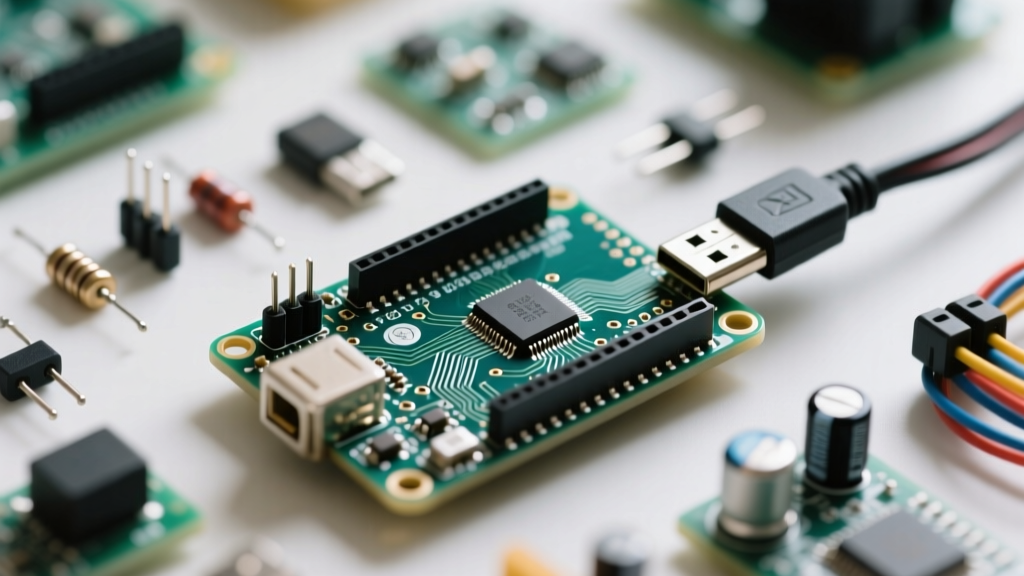
When makers first connect an Arduino with serial port capabilities to their PC, the Serial.println() function feels like magic. It provides instant feedback, making it the cornerstone of embedded debugging. However, as projects scale from simple sensor reads to complex, multi-threaded state machines, this naive approach to UART communication becomes a severe workflow bottleneck. Relying on default serial behaviors often leads to silent data loss, main-loop blocking, and timing jitter that can derail weeks of development.
The core issue lies in how developers interact with the microcontroller's UART buffers. The ATmega328P (found in the Uno and Nano) features a single hardware UART with a fixed 64-byte receive (RX) buffer. If your main loop takes 50ms to execute—perhaps due to a blocking sensor read or a poorly placed delay()—and data arrives at 115200 baud, the buffer will overflow in roughly 5.5 milliseconds. When the 64-byte limit is breached, incoming bytes are silently discarded. Optimizing your serial workflow begins with acknowledging this hardware limitation and designing non-blocking, interrupt-driven data pipelines.
HardwareSerial vs. SoftwareSerial: The Interrupt Tax
A common workaround for needing multiple serial ports on an ATmega328P is the SoftwareSerial library. While it allows you to map UART RX/TX to any digital pins, it introduces a massive, often overlooked penalty to your development workflow: the interrupt tax. According to the official Arduino SoftwareSerial documentation, the library relies on Pin Change Interrupts and disables global interrupts while receiving a byte to maintain precise timing.
At 9600 baud, receiving a single 10-bit frame (1 start bit, 8 data bits, 1 stop bit) takes approximately 1.04 milliseconds. During this entire millisecond, global interrupts are disabled. This means:
millis()andmicros()stop incrementing, destroying your time-tracking logic.- PWM signals may jitter or drop out entirely.
- I2C and SPI transactions can fail or timeout, as they rely on interrupts for completion flags.
- WS2812B (NeoPixel) timing sequences will be corrupted.
Workflow Optimization Rule: Never use SoftwareSerial for high-throughput or mission-critical data streams. If your project requires multiple serial ports, upgrade your hardware workflow to an ATmega2560 (Arduino Mega), which offers four dedicated HardwareSerial ports, or an ARM-based SAMD21 (Arduino Zero), which separates the USB-CDC serial console from the hardware UART pins.
Calculating True Transmission Times and Baud Rates
Optimizing your serial workflow requires a firm grasp of transmission mathematics. Many developers blindly set their baud rate to 115200, assuming faster is always better. While true for local USB-CDC debugging, pushing high baud rates over long RS-485 or raw UART wires introduces signal degradation and noise susceptibility. Furthermore, understanding the exact byte transmission time allows you to size your custom ring buffers accurately.
Every standard UART byte requires 10 bits of physical wire time. Therefore, the true throughput is the baud rate divided by 10, yielding bytes per second.
| Baud Rate | Bits per Second | Bytes per Second | Time per Byte | Best Use Case |
|---|---|---|---|---|
| 9600 | 9,600 | 960 B/s | 1.04 ms | Long-distance RS-485, noisy environments |
| 38400 | 38,400 | 3,840 B/s | 0.26 ms | GPS Modules (NMEA standard) |
| 57600 | 57,600 | 5,760 B/s | 0.17 ms | Bluetooth HC-05 modules |
| 115200 | 115,200 | 11,520 B/s | 0.086 ms | Local USB debugging, high-speed logging |
By mapping your baud rate to your specific hardware interface, you eliminate dropped packets and reduce the time spent debugging phantom communication errors.
Advanced Parsing: Moving Beyond Blocking Functions
The most destructive function in the Arduino Serial Reference is Serial.readString(). By default, this function blocks the main loop until it receives data or hits its timeout threshold, which defaults to 1000 milliseconds. If you are sending commands from a PC to your Arduino, a single missed character or slight timing mismatch will cause your microcontroller to freeze for a full second per transaction. In a 60Hz control loop, a 1-second block is catastrophic.
To optimize your parsing workflow, abandon String objects and blocking timeouts in favor of non-blocking, delimiter-based byte reading. Using Serial.readBytesUntil() into a pre-allocated character array prevents heap fragmentation and keeps the main loop responsive.
Expert Workflow Tip: For complex, multi-byte payloads (like sending structs or arrays from Python to Arduino), do not write custom state-machine parsers from scratch. Use the SerialTransfer Library. It automatically handles packetization, CRC verification, and escaping, turning a week-long debugging nightmare into a plug-and-play workflow.
Automating Hardware-in-the-Loop (HIL) Testing via UART
The ultimate workflow optimization for serial communication is removing the human from the debugging loop. Manual serial monitor testing is unscalable and prone to oversight. Professional firmware engineers utilize Hardware-in-the-Loop (HIL) testing, where a host PC script automatically sends serial commands, reads the UART responses, and asserts the expected outcomes.
By integrating Python's pyserial library into your development environment, you can write automated test suites that run every time you compile your sketch. For example, a Python script can open the COM port, send a calibrated sensor command, wait for the Arduino's JSON-formatted serial response, and verify that the parsed value falls within an acceptable tolerance range. This transforms the serial port from a simple debugging window into a robust, automated QA pipeline, ensuring that new code commits never break existing UART protocols.
Summary: Building a Resilient Serial Pipeline
Mastering your Arduino with serial port workflows requires shifting your perspective from simple text printing to robust data pipeline management. By respecting hardware buffer limits, avoiding the SoftwareSerial interrupt tax, calculating precise baud timings, and implementing non-blocking parsing libraries, you drastically reduce development friction. Elevate your serial port from a basic debugging tool to an automated, high-throughput communication bus, and watch your overall firmware reliability soar.