
The Physics of the Bottleneck: ADC vs. Serial Baud Rates
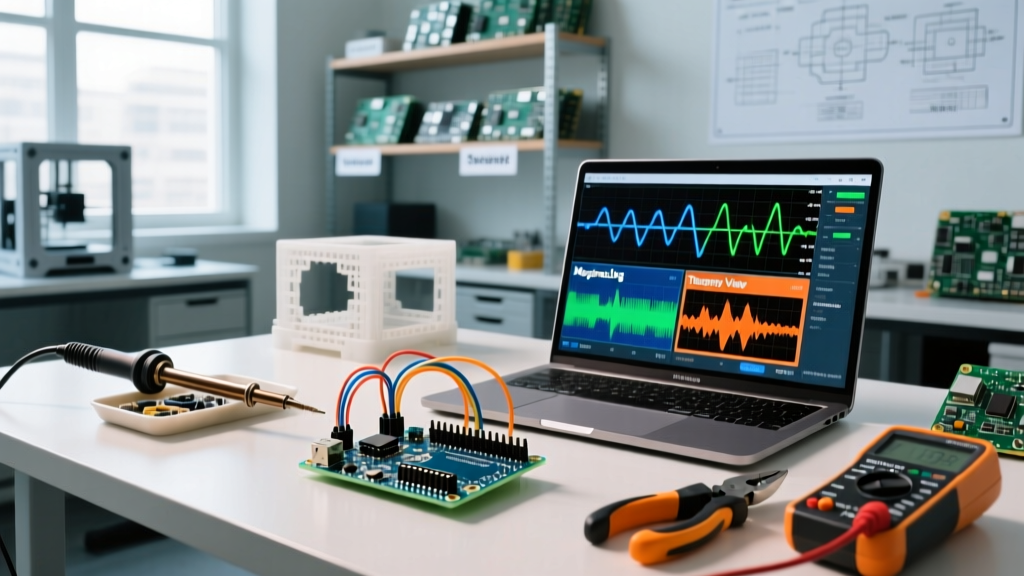
Using an Arduino as a serial oscilloscope is a staple technique in the maker community. By streaming analog-to-digital converter (ADC) readings over a UART or USB-CDC connection, you can visualize voltage changes, sensor noise, and PID control loops without investing in a dedicated benchtop oscilloscope. However, as we navigate the hardware landscape of 2026, treating a microcontroller like a generic data pipe often leads to severe bottlenecks.
Before diving into the software, we must address the physical limits of the classic ATmega328P (found in the Uno and Nano). According to the official Arduino Analog Pins documentation, the default ADC prescaler is 128. On a 16MHz board, this yields an ADC clock of 125kHz. Since a standard 10-bit conversion takes 13 cycles, your maximum theoretical sampling rate is roughly 9,615 Hz.
But sampling is only half the battle; transmission is the real chokepoint. At a standard 115,200 baud rate, you can push roughly 11,520 characters per second. If you send an ASCII formatted string like "1023\r\n" (6 characters), your maximum transmission rate drops to just 1,920 samples per second. To build a functional Arduino serial oscilloscope, your software and firmware must be optimized to bypass these limits.
2026 Community Roundup: Top Serial Oscilloscope Software
The open-source community has developed several powerful desktop applications to parse, plot, and log serial data. Here is our curated roundup of the best tools available for MCU data visualization.
1. SerialPlot (The Open-Source Workhorse)
SerialPlot remains the gold standard for cross-platform, lightweight data visualization. Available for Windows, macOS, and Linux, it excels in its ability to parse multiple data formats. Unlike basic plotters, SerialPlot supports custom binary frame parsing, which is essential for high-speed data acquisition.
- Best Feature: Binary frame synchronization. You can define a header, payload size, and checksum, allowing the software to seamlessly recover from dropped bytes in noisy serial environments.
- Limitation: The UI is highly utilitarian and lacks advanced mathematical post-processing (like FFT or moving averages) natively.
- Cost: Free and open-source (GPLv3).
2. Meguno (The Control Systems Specialist)
For makers working on robotics, motor control, or temperature regulation, Meguno is an indispensable Windows-based tool. It bridges the gap between a simple serial plotter and a full SCADA system. Meguno includes dedicated interfaces for PID tuning, allowing you to adjust proportional, integral, and derivative gains in real-time via custom Arduino libraries.
- Best Feature: Integrated PID tuning interface and robust CSV data logging with automatic file splitting.
- Limitation: Windows-only natively; requires Wine or a VM for Linux/macOS users.
- Cost: Free tier available; Pro licenses start around $45 for advanced logging features.
3. Telemetry Viewer (The Modern UI Powerhouse)
Telemetry Viewer represents the modern wave of serial oscilloscopes. It features a highly customizable, drag-and-drop dashboard where you can mix line charts, spectrograms, and numerical readouts. Crucially, it supports Lua scripting, allowing users to write custom data-decoding logic on the fly without recompiling the desktop application.
- Best Feature: Lua scripting engine for custom protocol decoding and multi-port simultaneous monitoring.
- Limitation: Steeper learning curve due to the sheer volume of configuration options and widget parameters.
- Cost: Free community edition; $30 for the premium tier.
4. Arduino IDE Built-in Serial Plotter (The Baseline)
Worth mentioning purely for its ubiquity, the built-in Serial Plotter in the Arduino IDE (both 1.8.x and 2.x) is the entry point for most beginners. It automatically scales the Y-axis and supports multi-channel plotting by separating values with commas.
Expert Verdict: While convenient for quick sanity checks, the IDE plotter lacks data logging, custom baud rate optimization, and binary parsing. For any serious debugging in 2026, transition to one of the dedicated tools above.
Feature Comparison Matrix
| Software Tool | Binary Parsing | Data Logging (CSV) | Cross-Platform | Best Use Case |
|---|---|---|---|---|
| SerialPlot | Yes (Advanced) | Yes | Win/Mac/Linux | High-speed raw ADC streaming |
| Meguno | Yes (Basic) | Yes (Robust) | Windows Only | PID tuning and motor control |
| Telemetry Viewer | Yes (via Lua) | Yes | Win/Mac/Linux | Complex dashboards & multi-sensor |
| Arduino IDE Plotter | No | No | Win/Mac/Linux | Quick sanity checks |
Advanced Technique: Bypassing ASCII Overhead
To push your Arduino serial oscilloscope beyond the 1,920 Hz ASCII bottleneck, you must transmit raw binary data. Instead of using Serial.println(sensorValue), cast your 16-bit integer to a byte array and write it directly to the serial buffer.
By sending a 2-byte payload (plus a 2-byte sync header like 0xAA 0xBB), your total packet size is 4 bytes. At 115,200 baud, this increases your throughput to roughly 2,880 samples per second. If you upgrade to a native USB board capable of 1,000,000+ baud rates, binary transmission allows you to saturate the ADC's maximum 9.6kHz sampling limit without dropping packets.
Hardware Limits: When to Upgrade Your MCU
If your project requires capturing high-frequency audio signals, ultrasonic transducer echoes, or fast-switching PWM ripple, the ATmega328P will fail you. The community has largely standardized on two alternative architectures for high-speed serial oscilloscope tasks:
The ESP32-S3 Architecture
The ESP32-S3 features a 12-bit SAR ADC and native USB OTG. According to the Espressif ESP-IDF ADC Oneshot Documentation, the SAR ADC can be pushed to much higher sampling rates when utilizing direct memory access (DMA) and continuous read modes. Combined with its native USB-CDC speeds, the ESP32-S3 can stream tens of thousands of samples per second directly to Telemetry Viewer or SerialPlot without UART bottlenecks.
The Teensy 4.1 (The Ultimate Data Logger)
For lab-grade data acquisition, the Teensy 4.1 (powered by the 600MHz NXP i.MX RT1062) is unmatched. Utilizing the PJRC Teensy ADC Library, developers can configure the ADC for high-speed 8-bit or 10-bit resolutions, achieving sampling rates well over 1 MSPS (Million Samples Per Second). When paired with SerialPlot's binary frame parsing and the Teensy's 480 Mbps USB interface, you effectively build a 1MS/s digital storage oscilloscope for under $35.
Final Recommendations for Makers
Building a reliable Arduino serial oscilloscope requires matching the right software to your specific hardware constraints. For quick PID tuning on standard AVRs, Meguno is unbeatable. For raw, high-speed binary data streaming from modern ARM or Xtensa LX7 microcontrollers, SerialPlot provides the necessary low-level frame synchronization. Always remember: your oscilloscope is only as fast as your slowest bottleneck, whether that is the ADC prescaler, the serial baud rate, or the ASCII string formatting in your firmware.