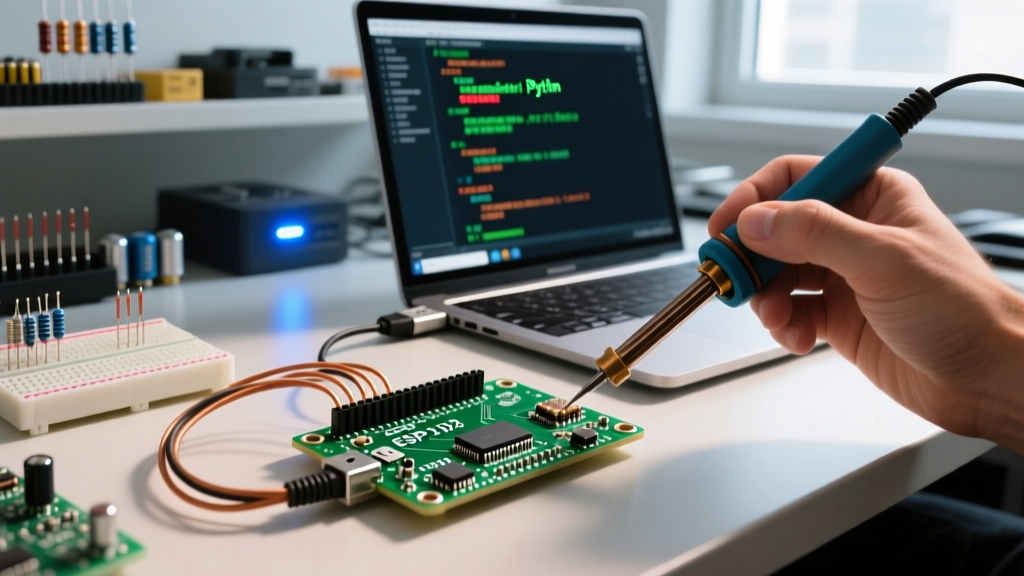

The Reality of Arduino to Python Serial Communication
You have written the perfect Python script to log sensor data or control actuators, but the moment you call serial.read(), your console floods with SerialException errors, garbage characters, or silent failures. Bridging the gap between microcontroller firmware and desktop software is a foundational maker skill, yet the Arduino to Python serial pipeline is notoriously fragile if edge cases are ignored.
This guide bypasses generic 'check your cable' advice. We will dissect the exact hardware and software failure modes that break serial communication in 2026, covering native USB boards like the Uno R4 Minima, ESP32-S3 architectures, and classic ATmega328P clones. Whether you are using raw PySerial or higher-level abstractions, these are the definitive fixes.
Diagnostic Matrix: Symptom to Root Cause
Before diving into terminal commands and soldering capacitors, identify your exact failure signature using the matrix below.
| Symptom / Error Code | Root Cause | Immediate Fix |
|---|---|---|
PermissionError(13, 'Access is denied.') | COM port locked by Arduino IDE, Jupyter kernel, or background OS service. | Kill the blocking process via Task Manager, lsof, or fuser. |
| Arduino reboots when Python connects | DTR (Data Terminal Ready) line toggling low triggers the hardware auto-reset circuit. | Insert time.sleep(2) after opening port, or disable DTR in PySerial. |
Intermittent UnicodeDecodeError or garbage bytes | Baud rate drift (ceramic resonator tolerance) or reading mid-byte stream. | Lower baud to 38400/57600; implement start/end delimiter framing. |
SerialException: could not open port (Device not found) | Charge-only USB-C cable, missing CH340 drivers, or native USB enumeration failure. | Verify D+/D- data lines; install official board manager drivers. |
Fix 1: Breaking the Port Lock (Access Denied Errors)
The most common roadblock when transitioning from the Arduino IDE to a Python environment is the PermissionError. The Arduino IDE (especially versions 2.x and later) utilizes a background daemon (arduino-cli or lsagent) that silently polls serial ports for board detection. If your Python script attempts to open the port while this daemon holds it, the OS blocks access.
Platform-Specific Port Eviction
- Windows: Open Device Manager, note the COM port number. Open Resource Monitor (resmon.exe), navigate to the CPU tab, and search the 'Associated Handles' box for 'COMX'. Right-click and kill the offending process (often
arduino-cli.exeor a stale Python kernel). - Linux: Use the
fusercommand to identify and kill the process holding the tty device. Runsudo fuser -k /dev/ttyACM0(orttyUSB0for clones). Ensure your user is in thedialoutgroup viasudo usermod -a -G dialout $USER. - macOS: Use
lsofto find the lock. Runlsof /dev/cu.usbmodem*to find the PID, thenkill -9 [PID].
Fix 2: The DTR Auto-Reset Trap
When you open a serial connection in Python using PySerial, the library asserts the DTR (Data Terminal Ready) and RTS (Request to Send) control lines by default. On classic boards like the Uno R3 or Nano, the DTR line is routed through a 0.1µF capacitor to the ATmega328P's RESET pin. This is the 'auto-reset' feature that allows the Arduino IDE to flash code without manual button presses.
However, when Python opens the port, DTR drops low, resetting your Arduino. Your script immediately tries to read data before the bootloader timeout (usually 1-2 seconds) finishes, resulting in missed data or bootloader garbage.
Software and Hardware Solutions
- The Software Delay: Add
time.sleep(2.5)immediately afterser = serial.Serial(...)to allow the Arduino to boot and runsetup(). - PySerial DTR Override: In some OS environments, you can prevent the DTR toggle by manipulating the port settings before opening, though this is OS-dependent. A more reliable method in modern PySerial is to disable hardware flow control flags if your board supports it.
- The Hardware Bypass (Pro Fix): If you are building a dedicated Python-controlled rig, solder a 10µF electrolytic capacitor between the RESET and GND pins on the Arduino. This absorbs the DTR voltage spike, completely disabling the auto-reset feature and ensuring the board stays alive when Python connects. (Note: You must manually press the reset button when uploading new firmware via the IDE).
Fix 3: Baud Rate Drift and Ceramic Resonators
If you are using budget-friendly Arduino clones, you are likely dealing with a ceramic resonator instead of a precision quartz crystal for the ATmega16U2 and ATmega328P clocks. Ceramic resonators can have a frequency tolerance of ±2% to ±5%.
At standard speeds like 9600 baud, a 5% drift is easily tolerated by the UART receiver's framing logic. However, if you push your Arduino to Python pipeline to 115200 baud to stream high-frequency IMU data, that 5% drift causes the stop bit to be sampled incorrectly, resulting in UnicodeDecodeError or silent frame drops.
Expert Rule of Thumb: When utilizing CH340G-based clones or boards with ceramic resonators, cap your serial baud rate at 57600 or 38400. If you require 115200+ baud rates, upgrade to a board with native USB (like the Nano ESP32 or Uno R4 Minima) which relies on crystal oscillators and direct USB PHY enumeration, bypassing the UART bottleneck entirely.
Fix 4: Data Framing and Buffer Overflows
A frequent mistake is reading raw bytes without a handshake or delimiter, leading to fragmented strings. The Arduino's Serial.print() function pushes to a 64-byte TX buffer. If Python reads slower than the Arduino writes, the buffer overflows, and the Arduino's Serial.print() will block execution or drop bytes.
Implementing a Robust Handshake
Do not use blind Serial.println() loops. Implement a request-response protocol or use strict delimiters. According to SparkFun's serial communication guidelines, packetized data prevents buffer desyncs.
Arduino Side (C++):
void loop() {
  if (Serial.available() > 0) {
    char cmd = Serial.read();
    if (cmd == 'R') { // 'R' for Request
      Serial.print(analogRead(A0));
      Serial.println('|'); // Use '|' as an end-of-packet delimiter
    }
  }
}
Python Side (PySerial):
import serial

# Use readline() which blocks until it finds the newline character
ser = serial.Serial('COM3', 57600, timeout=1)
ser.write(b'R')
raw_data = ser.readline().decode('utf-8', errors='replace').strip()
if raw_data.endswith('|'):
    sensor_val = int(raw_data[:-1])
    print(f'Validated Data: {sensor_val}')
Building a Resilient Python Serial Wrapper
Relying on bare PySerial calls in a production or long-running data-logging script is a recipe for unhandled exceptions. USB connections can momentarily drop due to EMI or physical vibration. Below is a resilient Python class designed to handle transient disconnects and encoding errors gracefully.
import serial
import time

class ResilientArduino:
    def __init__(self, port, baud=57600):
        self.port = port
        self.baud = baud
        self.ser = None
        self._connect()

    def _connect(self):
        try:
            self.ser = serial.Serial(self.port, self.baud, timeout=2)
            time.sleep(2) # Wait for DTR reset to finish
            self.ser.reset_input_buffer()
        except serial.SerialException as e:
            print(f'Connection failed: {e}')
            self.ser = None

    def read_packet(self):
        if not self.ser or not self.ser.is_open:
            self._connect()
            return None
        try:
            line = self.ser.readline().decode('ascii', errors='ignore').strip()
            return line if line else None
        except (OSError, serial.SerialException):
            print('Port lost. Reconnecting...')
            self.ser.close()
            self.ser = None
            return None
Frequently Asked Questions
Why does my Nano ESP32 show a different COM port after a crash?
The ESP32-S3 utilizes native USB. If the firmware crashes or enters a bootloader loop (often caused by a bad GPIO pin assignment in setup()), the board will enumerate as a different USB device class (e.g., 'USB JTAG/serial debug unit' instead of a standard COM port). You must manually trigger the ROM bootloader by holding the 'BOOT' button while tapping the 'RESET' button to restore the standard COM port mapping.
Is PyFirmata or Telemetrix better than raw PySerial?
For simple sensor polling, raw PySerial is faster and lighter. However, if you are controlling multiple servos, reading encoders, and managing PWM simultaneously without writing custom C++ state machines, Telemetrix (the modern successor to PyFirmata) is vastly superior. It handles the packet framing, error checking, and non-blocking I/O under the hood, though it requires flashing a specific sketch to the Arduino first.
Can I use Python to flash the Arduino automatically?
Yes. You can bypass the Arduino IDE entirely by using arduino-cli via Python's subprocess module, or by invoking avrdude (for AVR boards) and esptool.py (for ESP32 boards) directly from your Python script. This is the standard approach for automated manufacturing and testing rigs in 2026.