
The Role of Offline Arduino PDFs in a 2026 Maker's Workshop
In an era where cloud-based IDEs and AI-assisted coding dominate the development landscape, the humble Arduino PDF remains an indispensable asset for serious hardware hackers. When your hands are covered in soldering flux, or you are debugging a noisy I2C bus on a workbench without reliable Wi-Fi, having immediate, offline access to syntax cheat sheets, pinout matrices, and communication protocol flowcharts is critical. This community resource roundup curates the most vital, high-signal PDF documents available to makers in 2026, filtering out the outdated legacy guides and focusing on modern architectures like the Uno R4 and Nano ESP32.
'A laminated pinout diagram on your workbench wall saves more debugging time than any AI code generator ever could.' — Community consensus from the 2025 Maker Faire hardware village.
Top 3 Essential Arduino PDF Resources
1. The Official Arduino Language Reference (Syntax & Functions)
The foundational Arduino Documentation portal offers comprehensive web-based guides, but the community-compiled PDF versions of the Language Reference remain the gold standard for quick offline lookup. The 2026 community-maintained PDF edition spans roughly 85 pages and includes critical modern functions that older guides miss.
- Key Inclusions: Deep dives into
analogReadResolution()for the 14-bit ADC on the Renesas RA4M1 (Uno R4 Minima), and advancedWire.setClock()configurations for 400kHz and 1MHz Fast-mode Plus I2C. - File Specs: Typically ~3.2 MB, vector-based graphics ensuring crisp text even when zoomed in 400% on a tablet.
- Best Use Case: Keeping open on a secondary monitor or tablet during intense coding sprints to avoid breaking flow state by switching to a browser.
2. High-Resolution Pinout Matrices (Uno R4, Nano ESP32, Mega 2560)
While the classic Uno R3 pinout is memorized by most veterans, the introduction of the Arduino Nano ESP32 and the Uno R4 WiFi (featuring the ESP32-S3 coprocessor) necessitated new, highly detailed visual maps. The best community PDFs color-code pins by function: PWM, SPI, I2C, UART, and analog inputs.
- Visual Clarity: Look for PDFs that include the physical underside trace routing for the Nano ESP32, which is crucial when designing custom PCBs or using pogo-pin test jigs.
- Edge Cases Covered: The PDFs highlight the strapping pin warnings on the ESP32-S3 (e.g., GPIO0 and GPIO3), which can prevent the board from entering download mode if pulled low during boot.
3. I2C and SPI Bus Troubleshooting Flowcharts
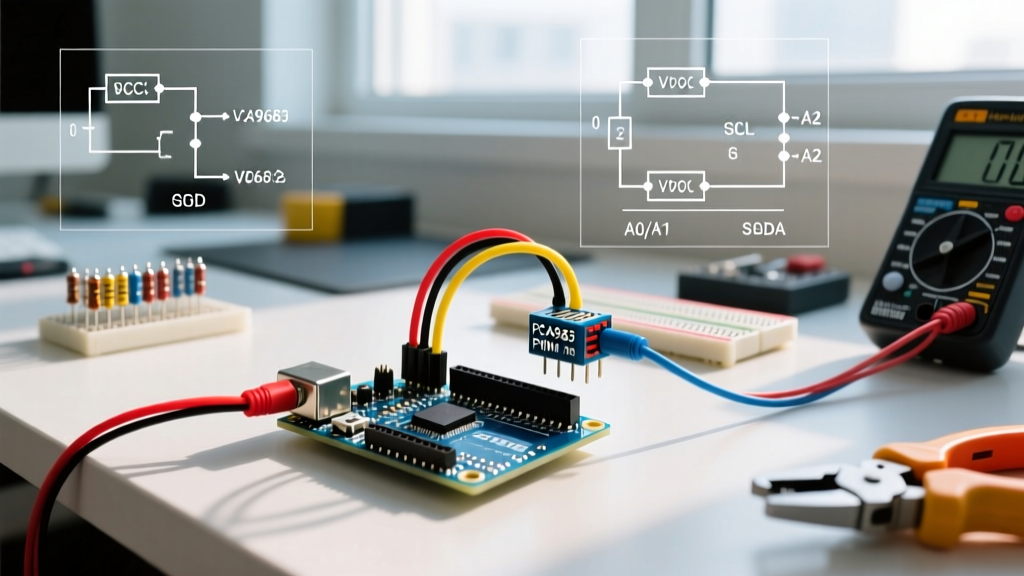
Communication protocol failures account for nearly 60% of beginner and intermediate MCU project stalls. The community-driven 'Protocol Troubleshooting Flowchart' PDF is a masterclass in systematic debugging. It integrates hardware checks (pull-up resistor calculations, logic level shifting) with software verification (address scanning, clock polarity).
For a deep dive into the hardware side of these protocols, the SparkFun I2C Tutorial remains a legendary resource, and many makers print its core diagrams directly from their PDF exports to keep in their binders.
Comparison Matrix: Digital vs. Printed PDF Workflows
How you consume your Arduino PDFs depends heavily on your workspace environment. Below is a decision matrix to help you choose the right workflow.
| Feature | Digital Tablet (iPad/Galaxy Tab) | Laminated Physical Printout |
|---|---|---|
| Searchability | Excellent (Ctrl+F / CMD+F equivalent) | None (Requires index tabs) |
| Durability | Low (Screens scratch, electronics hate flux) | High (Impervious to solder splatter and water) |
| Update Frequency | Instant (Cloud sync) | Low (Requires reprinting and re-laminating) |
| Cost (Initial) | $300 - $800+ | $15 - $30 (Binder, paper, pouches) |
| Annotation | Stylus support, infinite undo | Wet-erase markers, permanent physical notes |
How to Build a Physical 'Arduino PDF' Binder
If you opt for the physical route, do not just print on standard copy paper and shove it in a folder. A proper workbench binder requires specific materials to survive the harsh environment of an electronics lab.
- Paper Selection: Use 24 lb (90 gsm) paper. Standard 20 lb paper allows ink to bleed through when printing double-sided pinouts, making them unreadable. The heavier stock also resists tearing when flipping pages with soldering tweezers.
- Printing Strategy: Print pinouts and flowcharts in high-quality color. Print syntax cheat sheets and code snippets in black-and-white draft mode to save ink and reduce glare under harsh overhead workbench LEDs.
- Lamination: Use 3 mil thermal lamination pouches. Thicker 5 mil pouches make the binder too rigid and bulky. Crucially, leave a 1/8-inch sealed border around the edge of the paper to prevent moisture and flux fumes from degrading the paper over time.
- Binding: Use a 1.5-inch D-ring binder, not an O-ring. D-rings allow the pages to lay perfectly flat on your workbench when opened to the middle, whereas O-rings force the pages to tent upward, taking up valuable workspace.
Sourcing Niche MCU Datasheets in PDF Format
Beyond standard Arduino cheat sheets, advanced makers frequently need the raw silicon datasheets for the microcontrollers powering their boards. Finding the correct, unredacted PDF can be frustrating due to broken links and version control issues on manufacturer sites.
- ATmega328P / ATmega4809: Always download directly from Microchip's official documentation portal. Ensure you are grabbing the 'Complete Datasheet' and not the 'Summary' PDF, as the summary omits the critical register-level timing diagrams required for bare-metal programming.
- ESP32-S3 / ESP32-C6: Espressif maintains excellent documentation. You can find the most up-to-date hardware design guidelines and pin definitions on the Espressif Documents Portal. Pay special attention to the 'Hardware Design Guidelines' PDF, which details the exact RF antenna keep-out zones required if you are designing a custom carrier board for an Arduino Nano ESP32.
Frequently Asked Questions (FAQ)
Are there official Arduino PDF certificates or course materials?
Yes, the Arduino Education team provides comprehensive PDF workbooks for their CTC (Creative Technologies in the Classroom) programs. However, these are generally gated behind educational institution licenses. For independent makers, the community-compiled wikis exported to PDF via browser extensions remain the most accessible and up-to-date alternative.
How do I convert an Arduino web tutorial into a clean PDF?
Standard browser 'Print to PDF' functions often ruin code block formatting, cutting off long lines of C++ code. Instead, use browser extensions like 'PrintFriendly & PDF' or 'SingleFile'. These tools strip away navigation bars, ads, and sidebars, reflowing the code blocks so they fit perfectly on an A4 or Letter page without truncation.
What is the best way to organize a digital library of Arduino PDFs?
Use a hierarchical tagging system rather than deep folders. Tag files by architecture (e.g., AVR, ARM-Cortex, Xtensa), protocol (I2C, SPI, CAN), and format (Pinout, Code, Datasheet). Tools like Obsidian or Notion, which allow local PDF embedding and annotation, are highly recommended for 2026 digital workbench setups.
Final Thoughts
While the ecosystem of microcontroller development continues to evolve with AI and cloud compilation, the fundamental need for quick, reliable, and offline reference material remains unchanged. By curating a high-quality collection of Arduino PDFs—whether displayed on a ruggedized tablet or bound in a flux-resistant physical binder—you drastically reduce your time-to-resolution when hardware and software inevitably collide on the workbench.