
The 2026 Arduino Music Player Landscape
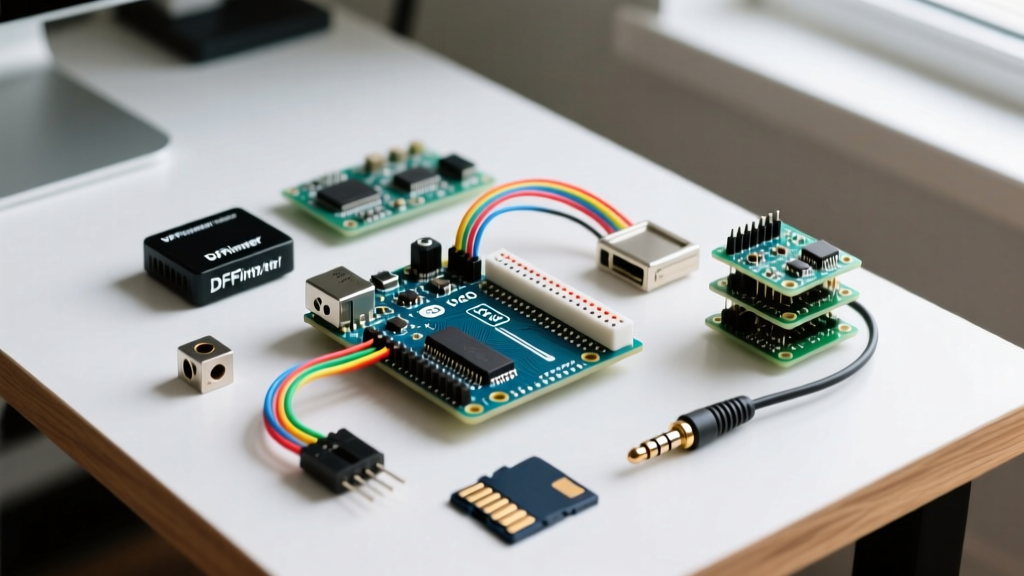
Building a custom Arduino music player remains one of the most rewarding projects in the maker community, bridging the gap between basic microcontroller logic and real-world multimedia output. However, the hardware ecosystem has shifted dramatically. While legacy UART-based MP3 modules are still prevalent for simple projects, modern 32-bit architectures and native I2S (Inter-IC Sound) peripherals now offer CD-quality audio at a fraction of the historical cost. This quick-reference guide and FAQ addresses the most common hardware bottlenecks, SD card formatting failures, and wiring edge cases encountered when building audio projects today.
Hardware Selection Matrix: DFPlayer vs. VS1053 vs. I2S
Choosing the right audio decoding hardware dictates your microcontroller requirements, audio fidelity, and budget. Below is a comparison of the three dominant architectures used in DIY audio players.
| Module / Architecture | Interface | Audio Quality | MCU Requirements | Avg. Cost (2026) | Best Use Case |
|---|---|---|---|---|---|
| DFPlayer Mini (YX5200 Chip) | UART (Serial) | Low-Fi (MP3/WMA) | Any (Uno, Nano, ATtiny) | $2.50 - $4.00 | Toys, basic alarms, retro props |
| VS1053b Breakout | SPI | Mid-Fi (MP3/OGG/MIDI) | Any with SPI & decent RAM | $14.00 - $18.00 | MIDI synthesis, multi-format players |
| MAX98357A I2S DAC | I2S (Digital Audio) | Hi-Fi (16/24-bit WAV/FLAC) | 32-bit (ESP32, SAMD21, RP2040) | $5.00 - $8.00 | High-fidelity streaming, synth engines |
Arduino Music Player FAQ: Troubleshooting & Setup
Q: Why does my DFPlayer Mini emit a loud hum, static, or fail to read the SD card?
This is the most frequently reported issue with UART-based MP3 modules. There are three primary culprits:
- Logic Level Overvoltage: The DFPlayer Mini operates at 3.3V logic. If you connect a 5V Arduino Uno TX pin directly to the module's RX pin, you risk damaging the internal logic or causing erratic behavior. Fix: Always place a 1kΩ resistor in series between the Arduino TX and the DFPlayer RX pin.
- Chip Variant Incompatibility: The market is flooded with DFPlayer clones. Modules utilizing the original YX5200-24SS chip are highly stable. Cheaper clones using the JL (Jieli) chip often crash when reading SD cards larger than 8GB or fail to execute continuous play commands. Fix: Inspect the IC silkscreen before purchasing, or buy from reputable vendors like DFRobot rather than generic bulk marketplaces.
- USB Ground Loops: If you hear a 50Hz/60Hz hum while programming via USB, it is a ground loop issue between your PC and the amplifier. Fix: Power the Arduino and audio module via a battery or an isolated DC-DC buck converter when testing audio output.
Q: My SD card is completely ignored by the audio module. What is the exact formatting requirement?
Microcontroller SD libraries and dedicated MP3 decoder chips are notoriously strict about file system structures. Windows and macOS native formatting tools often create hidden EFI partitions or use incompatible allocation unit sizes.
Expert Rule of Thumb: Never use the native OS formatter. Download the official SD Memory Card Formatter from the SD Association. Format the card as FAT32 with a 32KB Allocation Unit Size. For cards larger than 32GB (SDXC), you may need a third-party tool like Rufus to force a FAT32 partition, as native tools default to exFAT, which the DFPlayer and VS1053 cannot read.
Furthermore, the DFPlayer Mini requires a specific folder and naming hierarchy if you are not using the library's index-based addressing. Create folders named 01, 02, etc., and name files 001.mp3, 002.mp3. The Official Arduino SD Library Documentation provides deeper insights into FAT32 cluster limitations on 8-bit AVR boards.
Q: Can I achieve high-fidelity, stutter-free audio using an ESP32 instead of an Arduino Uno?
Absolutely. In fact, for any project requiring WAV, FLAC, or internet-radio streaming, migrating from an 8-bit AVR (Uno/Nano) to an ESP32-S3 is mandatory. The original ESP32 (Rev 1) suffered from I2S peripheral bugs that caused audio stuttering when Wi-Fi was active. The modern ESP32-S3 and ESP32-C3 feature robust, dedicated I2S hardware buses.
By pairing an ESP32-S3 with a MAX98357A I2S amplifier breakout, you bypass software-based PWM audio decoding entirely. The microcontroller sends raw digital audio streams directly to the DAC over three wires (BCLK, LRC, DIN), resulting in zero CPU overhead and pristine 24-bit audio. The Adafruit MAX98357A I2S Amp Guide offers an excellent primer on wiring this specific DAC to 32-bit development boards.
Q: How do I eliminate the high-pitched whine from my switching power supply?
Audio circuits are highly susceptible to switching noise from DC-DC buck converters and USB power regulators. If you are using a step-down module to power your Arduino music player from a 12V source, the switching frequency (usually 100kHz - 1MHz) will bleed into your audio signal.
The Decoupling Protocol:
- Place a 100µF electrolytic capacitor directly across the VCC and GND pins of the audio module to handle low-frequency transient current demands (like heavy bass notes).
- Place a 0.1µF (100nF) ceramic capacitor as close to the IC power pins as possible to shunt high-frequency switching noise to ground.
- Use an LDO (Low Dropout Regulator) like the AMS1117-3.3 for the audio module's power rail instead of a switching buck converter, provided your thermal budget allows for the heat dissipation.
Quick-Reference Wiring Guides
DFPlayer Mini to Arduino Uno (UART)
Use the SoftwareSerial library to free up the hardware serial port for debugging. Note the mandatory current-limiting resistor.
- VCC: 5V (or 3.3V if using a 3.3V Pro Mini)
- GND: GND
- TX (Module): Arduino Pin 10 (SoftwareSerial RX)
- RX (Module): 1kΩ Resistor → Arduino Pin 11 (SoftwareSerial TX)
- Speaker_1 & Speaker_2: Directly to a 3W-8Ω speaker (Do NOT connect to GND, this is a bridged mono output).
VS1053b to Arduino Mega (SPI)
The VS1053 requires high-speed SPI and specific interrupt handling for real-time MIDI synthesis. For comprehensive wiring and shield integration, refer to the SparkFun MP3 Player Shield Hookup Guide.
- MOSI: Pin 51
- MISO: Pin 50
- SCK: Pin 52
- CS (XDCS): Pin 8
- DCS (XCS): Pin 7
- DREQ: Pin 2 (Must be an interrupt-capable pin)
- RST: Pin 9
Advanced Edge Cases: Multi-Track Mixing
A common limitation of the DFPlayer Mini is its inability to mix audio; it can only play one track at a time. If your project (e.g., a haunted house prop or interactive museum exhibit) requires a continuous background ambient track while triggering one-off sound effects, a single DFPlayer will fail.
The Workaround: Utilize dual I2S DACs on an ESP32, or combine a DFPlayer Mini (for background music via UART) with a dedicated WAV trigger board or a secondary I2S DAC (for sound effects). Alternatively, use the ESP8266Audio library on an ESP32, which supports software-based mixing of multiple I2S streams directly in RAM before outputting to a single MAX98357A DAC.
Summary Checklist for First-Power-On
- Verify SD card is FAT32 with 32KB clusters.
- Confirm file naming conventions (e.g.,
01/001.mp3). - Check for the 1kΩ resistor on UART RX lines (if using 5V logic).
- Ensure speaker wires are not shorted to system ground (for bridged amp modules).
- Measure the VCC rail with a multimeter; ensure it is not dipping below 3.8V during bass-heavy audio peaks.