
The Anatomy of the Map Function in Arduino
When transitioning from basic digital logic to reading real-world analog sensors, every maker eventually encounters the need to scale data. Whether you are converting a 10-bit analog-to-digital converter (ADC) reading into a PWM duty cycle, or translating a thermistor voltage into a readable temperature, the map() function is your primary tool. But treating it as a magical black box often leads to subtle bugs, jittery servos, and inaccurate sensor readings.
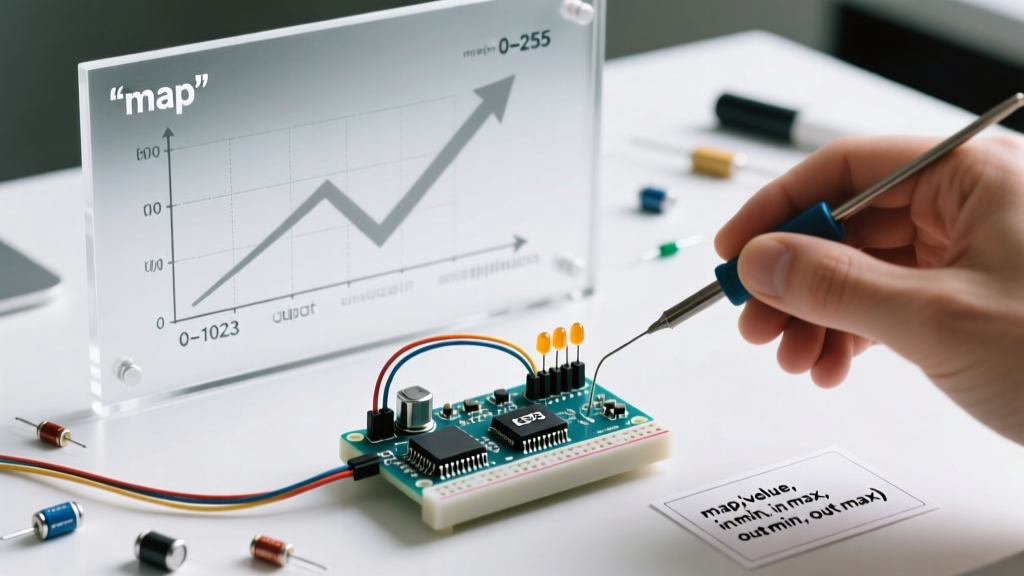
At its core, the map function in Arduino performs linear interpolation. It takes a value from one numerical range and proportionally translates it into another. According to the official Arduino language reference, the function re-associates a number from a source range to a target range, but it does so using strict integer math, which introduces specific edge cases that trip up both beginners and advanced developers.
Under the Hood: Integer Math and the Truncation Trap
To truly master this function, you must look at the source code. In the modern ArduinoCore-API Common.h file, the function is defined as a 32-bit signed integer operation:
long map(long x, long in_min, long in_max, long out_min, long out_max) {
  return (x - in_min) * (out_max - out_min) / (in_max - in_min) + out_min;
}
Notice the use of the long data type. This is a critical design choice. If the Arduino core used standard 16-bit integers (int on AVR boards like the Uno R3), the intermediate multiplication step (x - in_min) * (out_max - out_min) would easily overflow the maximum value of 32,767, resulting in wildly negative or incorrect outputs. By casting to a 32-bit long, the function safely handles intermediate values up to 2,147,483,647.
The Truncation Reality
Because the map() function relies entirely on integer math, it truncates decimal remainders rather than rounding them.
Example: Mapping an ADC value of 512 from a 0-1023 range to a 0-255 PWM range.
Math:(512 * 255) / 1023 = 130560 / 1023 = 127.62
Result: The function returns127, dropping the0.62entirely. Over a full sweep, this truncation creates a slight asymmetry in your output scale.
Parameter Breakdown
| Parameter | Data Type | Description |
|---|---|---|
value |
long | The input number to map (e.g., raw analogRead() data). |
fromLow |
long | The lower bound of the input range (typically 0 for ADC). |
fromHigh |
long | The upper bound of the input range (1023 for 10-bit, 4095 for 12-bit). |
toLow |
long | The lower bound of the target output range. |
toHigh |
long | The upper bound of the target output range. |
Real-World Application 1: KY-023 Joystick to SG90 Servo
A classic maker project involves reading a KY-023 dual-axis analog joystick and mapping it to control an SG90 micro servo. The joystick outputs raw ADC values from 0 to 1023 (on a 5V Uno), while the servo expects degree commands from 0 to 180.
#include <Servo.h>

Servo myServo;
const int joystickX = A0;

void setup() {
  myServo.attach(9);
  Serial.begin(115200);
}

void loop() {
  int rawX = analogRead(joystickX);
  // Map 0-1023 to 0-180 degrees
  int servoAngle = map(rawX, 0, 1023, 0, 180);

  myServo.write(servoAngle);
  delay(15); // Allow servo to reach position
}
Pro-Tip: Joysticks rarely hit perfect 0 or 1023 limits due to internal potentiometer tolerances. You may need to calibrate your fromLow and fromHigh parameters to something like 15 and 1010 to achieve the full physical sweep of the servo without dead zones.
Real-World Application 2: TMP36 Temperature Sensor Calibration
The TMP36 is a ubiquitous analog temperature sensor. According to the Analog Devices TMP36 datasheet, it outputs 10mV per degree Celsius with a 500mV offset (allowing for negative temperature readings).
While you can use the map function to scale the 0-1023 ADC reading directly to a temperature range, doing so obscures the actual physics of the sensor. However, if you are mapping a 5V Arduino's ADC reading to a scaled 0-150°C display output for a simple bar graph, it looks like this:
int rawADC = analogRead(A1);
// Map 0-1023 to a display scale of 0-150 (representing °C)
int tempScale = map(rawADC, 0, 1023, 0, 150);
Note: For actual precise temperature calculation, use floating-point voltage math rather than map(), as integer truncation will result in 1-2°C errors at specific thresholds.
Three Critical Edge Cases You Must Handle
The map() function is not a safeguard; it is a pure mathematical translator. Failing to account for its limitations will break your project.
1. Out-of-Bounds Inputs
The function does not constrain values. If your input range is 0-1023, and a noisy sensor spike feeds 1050 into the function, it will extrapolate linearly and output a value beyond your toHigh limit. If you are feeding this into an 8-bit PWM pin (max 255), an over-mapped value will cause integer rollover or hardware faults.
Solution: Always pair it with the constrain function:
int val = constrain(map(raw, 0, 1023, 0, 255), 0, 255);
2. Division by Zero Crashes
If you accidentally set in_min and in_max to the exact same number, the denominator (in_max - in_min) becomes zero. The Arduino core does not include a guard against this. On an AVR chip, dividing by zero will result in a hardware exception, causing the microcontroller to reset or freeze indefinitely.
3. The ESP32 ADC Non-Linearity Trap
If you are using a modern board like the Arduino Nano ESP32 or a standalone ESP32-DevKitC, you are working with a 12-bit ADC (0-4095). However, the ESP32's internal ADC is notoriously non-linear at the extreme low (near 0V) and high (near 3.3V) ends of the spectrum. Using the map() function directly on raw analogRead() values for precision voltage measurement on an ESP32 will yield errors up to 10-15%.
Solution: For ESP32 boards in 2026, always use analogReadMilliVolts() to leverage the factory-stored eFuse calibration curves, and then map the resulting millivolt integer instead of the raw ADC count.
Advanced Alternative: The Floating-Point floatMap()
When integer truncation is unacceptable—such as when driving a 12-bit DAC (Digital-to-Analog Converter) for audio synthesis or precise laboratory power supplies—you need floating-point mapping. Since the standard library lacks this, you must implement a custom inline function:
float floatMap(float x, float in_min, float in_max, float out_min, float out_max) {
  return (x - in_min) * (out_max - out_min) / (in_max - in_min) + out_min;
}

void loop() {
  float preciseVoltage = floatMap(analogRead(A0), 0.0, 1023.0, 0.0, 5.0);
  // Returns 2.501 instead of truncating to 2
}
Keep in mind that floating-point operations on 8-bit AVR microcontrollers (like the ATmega328P on the Uno) are emulated in software and consume significantly more CPU cycles and flash memory. Only use floatMap() when precision strictly dictates it, or when working with 32-bit ARM Cortex-M0/M4 architectures (like the Nano 33 IoT or ESP32) where hardware FPU (Floating Point Unit) handles the math natively.
Summary
The map() function is an elegant, computationally cheap method for linear interpolation in embedded systems. By understanding its reliance on 32-bit integer math, its truncation behavior, and its lack of boundary constraints, you can write robust, bug-free firmware. Always validate your sensor boundaries, guard against division by zero, and switch to floating-point math when your application demands sub-integer precision.