
The Apple Silicon Paradigm Shift for Makers
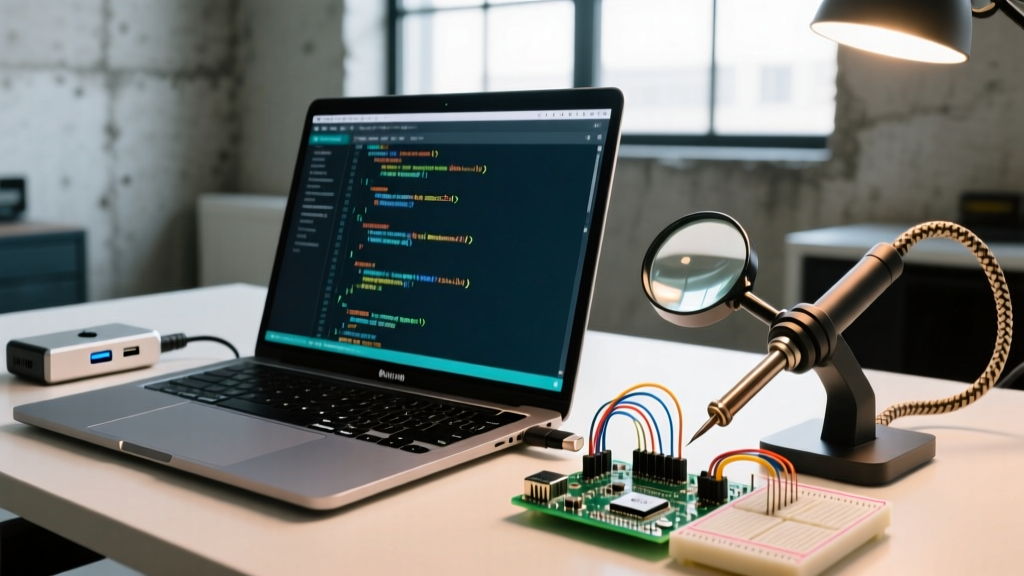
Transitioning to a modern MacBook equipped with Apple Silicon (M1, M2, M3, or M4) fundamentally changes how you interact with microcontrollers. The complete removal of USB-A ports, combined with the stringent security architectures of macOS Sonoma and Sequoia, means the old plug-and-play Arduino workflow is dead. For electrical engineers and DIY makers, understanding the physical and software layers of Arduino MacBook compatibility is no longer optional—it is a prerequisite for successful firmware deployment.
This guide bypasses generic advice and dives deep into the hardware realities, driver workarounds, and IDE permission matrices required to flash code reliably from a modern Mac in 2026.
Physical Connectivity: USB-C Hubs and EMI Dropouts
Modern MacBooks rely exclusively on USB-C/Thunderbolt ports. Since legacy boards like the Arduino Uno R3 utilize USB-B or Mini-USB connectors, a hub or dongle is mandatory. However, not all hubs are created equal in the context of serial communication.
The Hidden Danger of Unshielded Hubs
When pushing baud rates of 115200 or higher (common for ESP32 and SAMD21 bootloaders), signal integrity is critical. Budget USB-C hubs (often priced under $15) frequently omit ferrite beads and shielded twisted-pair wiring on their internal D+/D- data lines. This lack of shielding turns the hub into an antenna, picking up electromagnetic interference (EMI) from the MacBook's internal Wi-Fi module or external displays.
The result? Intermittent UART packet loss manifesting as the dreaded stk500_recv(): programmer is not responding error in the Arduino IDE. To eliminate this hardware-level failure mode, invest in a hub with verified data shielding, such as the Anker 341 USB-C Hub or the CalDigit TS4 Thunderbolt 4 Dock, both of which maintain clean signal integrity during high-speed serial handshakes.
Pro-Tip: The Cable Trap
Apple's included woven USB-C charge cables are charge-only. They physically lack the D+ and D- pins required for data transfer. Always use a certified data-sync cable, like the Anker PowerLine III Flow, to ensure the serial port enumerates correctly in macOS.
The CH340 Driver Dilemma on macOS
If you are using genuine Arduino boards (which utilize the Atmel 16U2 or native USB-C controllers), macOS will enumerate them natively via the built-in CDC-ACM drivers. However, the maker market is flooded with clone boards utilizing the WCH CH340G or CH340C USB-to-serial chips.
Historically, makers downloaded the official CH34xVCPDriver.pkg from WCH. In modern macOS environments, this is a massive point of failure. Apple's System Integrity Protection (SIP) and strict kernel extension policies in macOS Sequoia block these unsigned, outdated kernel extensions from loading.
The Open-Source Workaround
To get CH340 clones working on an Apple Silicon MacBook without disabling SIP (which compromises your machine's security), you must use the community-maintained open-source driver. The adrianmihalko CH34x macOS driver repository provides a signed, SIP-compliant kernel extension specifically compiled for ARM64 Apple Silicon architectures.
- Download the latest
.pkgfrom the repository's releases page. - Run the installer. macOS will prompt you to approve the extension in System Settings > Privacy & Security.
- Reboot your MacBook. The CH340 will now enumerate cleanly as
/dev/cu.wchusbserial*.
2026 Board Compatibility Matrix
When building a lab setup around a MacBook, choosing the right board eliminates adapter fatigue. Below is a compatibility breakdown of popular development boards when paired with Apple Silicon.
| Board Model | Connector | Native Mac Support | Hub Required? | Approx. Cost |
|---|---|---|---|---|
| Arduino Uno R4 WiFi | USB-C | Yes (Native CDC) | No | $27.50 |
| Arduino Nano ESP32 | USB-C | Yes (Native CDC) | No | $21.00 |
| Genuine Uno R3 | USB-B | Yes (16U2 Chip) | Yes (USB-A) | $27.00 |
| Clone Uno R3 (CH340) | USB-B / Micro | No (Requires Driver) | Yes (USB-A) | $12.00 |
| Raspberry Pi Pico | Micro-USB | Yes (Native UF2) | Yes (USB-A) | $4.00 |
Arduino IDE 2.x Permissions and Security
The shift to Arduino IDE 2.3+ introduced a modernized Electron-based interface, but it also changed how the underlying compilation tools (avrdude, esptool, bossac) interact with macOS security boundaries. According to Arduino's official software documentation, the IDE requires specific entitlements to write to serial ports.
If your code compiles but hangs on "Uploading..." or throws a Permission denied error, follow this exact permission matrix:
- App Management: Navigate to System Settings > Privacy & Security > App Management. Ensure Arduino IDE is toggled ON. This allows the IDE to spawn and manage child processes like
avrdude. - Full Disk Access: In some edge cases involving custom board manager URLs stored in hidden directories, granting Full Disk Access to the IDE resolves silent compilation failures.
- USB Accessory Prompts: As detailed in Apple's USB accessory security guide, macOS will actively block new USB serial devices from drawing power or transferring data until explicitly approved by the user via a system dialog. Always click "Allow" when plugging in a new microcontroller.
Advanced Troubleshooting Edge Cases
Even with the correct hardware and drivers, edge cases occur. Here is how to resolve the most stubborn Apple Silicon upload failures.
1. The 'Port Grayed Out' Anomaly
Symptom: The Tools > Port menu is entirely grayed out, despite the board being plugged in and the cable supporting data.
Root Cause: The macOS usbmuxd daemon has crashed or hung, failing to pass the device tree to the user space.
Fix: Open the Terminal and force-restart the USB daemon without rebooting your Mac:
sudo killall -9 usbmuxd
The daemon will instantly respawn, and the serial port will appear in the IDE.
2. ESP32 Bootloader Sync Failures
Symptom: Flashing an ESP32 via a USB-C hub results in a timeout waiting for packet header.
Root Cause: The ESP32 requires the GPIO0 pin to be pulled LOW during the exact millisecond the chip resets to enter the UART bootloader. MacBooks running on battery power sometimes throttle USB port voltage, causing the auto-reset circuit (which relies on the DTR/RTS handshake lines) to fail.
Fix: Plug your MacBook into AC power to ensure full 5V/3A delivery to the USB-C bus. Alternatively, manually hold the 'BOOT' button on the ESP32, tap 'RESET', and release 'BOOT' exactly when the IDE console reads Connecting....
3. Avrdude Device Lock Errors
Symptom: avrdude: ser_open(): can't open device "/dev/cu.usbmodem14201": Resource busy
Root Cause: Another background process (often Cura, PrusaSlicer, or a lingering Python serial monitor script) has claimed an exclusive lock on the serial port.
Fix: Identify and kill the offending process via Terminal:
lsof | grep /dev/cu.usbmodem14201
Use the returned PID to terminate the process: kill -9 [PID].
Conclusion
Achieving seamless Arduino MacBook compatibility in 2026 requires moving past legacy assumptions. By investing in properly shielded USB-C hubs, migrating to native USB-C boards like the Uno R4 or Nano ESP32, and correctly navigating macOS SIP restrictions for clone drivers, you can build a highly reliable, frictionless firmware development environment on Apple Silicon.