
The Hidden Goldmine of MCU Documentation
For embedded systems engineers and advanced makers, the greatest bottleneck in hardware development is not writing C++ code; it is sifting through low-quality, SEO-optimized blog posts to find accurate electrical specifications. When you are debugging an I2C bus lockup or calculating the exact deep-sleep current draw of an ESP32-S3, generic web searches often lead to outdated forum threads or superficial tutorials. The actual truth resides in silicon vendor datasheets, application notes, and official reference manuals.
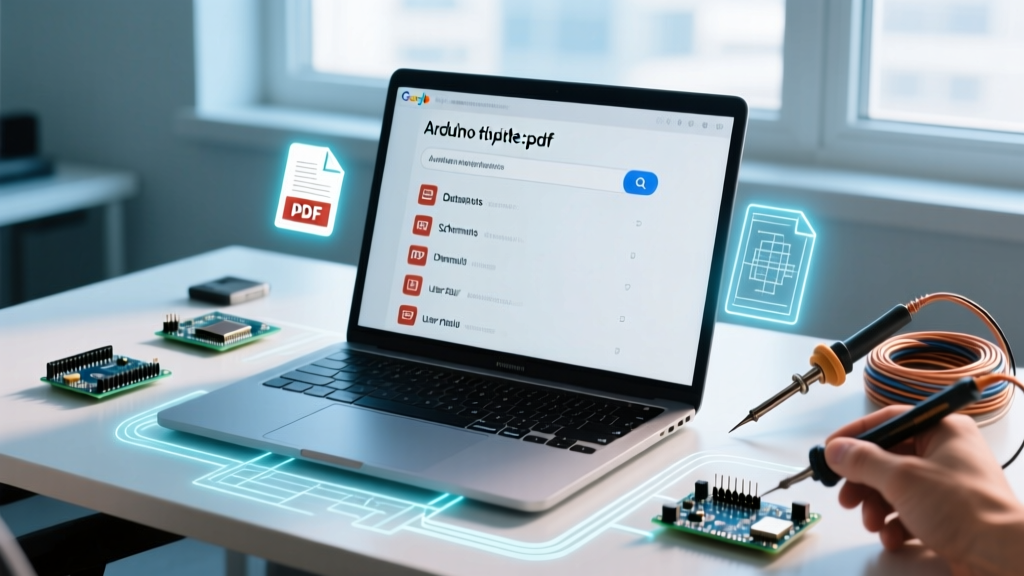
This is where mastering the arduino filetype:pdf search operator becomes a critical workflow optimization tool. By forcing search engines to index only Portable Document Format files, you bypass the content marketing fluff and tap directly into primary source engineering documentation. In 2026, with the proliferation of complex System-on-Chip (SoC) architectures and advanced sensor arrays, relying on primary PDF documentation is no longer optional—it is a mandatory practice for professional-grade prototyping.
Why Generic Searches Fail Microcontroller Developers
When a developer searches for 'ESP32 deep sleep current consumption', the first page of results is typically dominated by third-party tutorial sites. These sites often copy-paste outdated figures from early 2018 development boards, failing to account for the quiescent current of onboard voltage regulators or USB-to-UART bridge chips (like the CP2102 or CH340).
Conversely, searching for ESP32 deep sleep current filetype:pdf immediately surfaces the official Espressif Technical Reference Manual and peer-reviewed academic papers measuring exact microamp (µA) draws on custom PCBs. PDFs are the native format of engineering truth. They contain silicon errata, timing diagrams, register maps, and absolute maximum ratings that bloggers routinely overlook or misinterpret.
Mastering the Core Search Syntax
The syntax is straightforward, but its application requires strategic thinking. The filetype:pdf operator (sometimes written conceptually as an 'arduino filetype pdf' search) instructs the search engine to return only URLs ending in .pdf. However, to optimize your workflow, you must combine this with precise microcontroller part numbers and peripheral protocols.
Pro-Tip: Always use the exact silicon part number rather than the development board name. Searching for 'Arduino Nano sleep mode' yields poor results. Searching for ATmega328P 'power-down' sleep mode filetype:pdf yields the official Microchip datasheet detailing the exact ADC noise reduction states and wake-up interrupt vectors.The Developer's PDF Search Matrix
Below is a structured matrix of high-value search queries designed to bypass noise and retrieve authoritative engineering documents for common maker workflows.
| Target Objective | Optimized Search Query | Expected Document Type |
|---|---|---|
| I2C Bus Timing & Pull-up Sizing | PCF8574 I2C bus capacitance filetype:pdf | NXP / TI Datasheet & App Notes |
| Op-Amp Analog Sensor Interfacing | LM358 'single supply' sensor arduino filetype:pdf | Texas Instruments Datasheet |
| Wireless Coexistence Issues | ESP32 'Wi-Fi' 'Bluetooth' coexistence errata filetype:pdf | Espressif Silicon Errata Sheets |
| Bootloader & Fuse Configuration | ATmega2560 'optiboot' fuse settings filetype:pdf | University Lab Manuals / GitHub PDFs |
| Stepper Motor Microstepping | TMC2209 'stealthChop' UART configuration filetype:pdf | Trinamic Application Notes |
Building a Local PDF Knowledge Base
Finding the PDF is only the first step. True workflow optimization involves capturing, organizing, and annotating these documents so they are instantly retrievable during active firmware development. Relying on browser bookmarks for datasheets is a fragile system that breaks down when vendor websites restructure their URLs.
Step-by-Step Zotero Integration
We recommend using Zotero, a free, open-source reference management tool, adapted specifically for embedded systems engineering.
- Install the Zotero Connector: Add the browser extension to Chrome or Firefox. When you execute your
arduino filetype:pdfsearch and find a relevant datasheet, click the Zotero icon to automatically scrape the metadata (Title, Author, Vendor, Date) and download the PDF to your local vault. - Implement a Tagging Taxonomy: Do not rely on folders. Use a strict hierarchical tagging system. Examples:
#mcu/avr,#mcu/esp32,#peripheral/i2c,#power/regulators,#analog/op-amp. - Use the Built-in PDF Reader: Zotero 7 features a robust PDF reader. Highlight register maps and timing diagrams in yellow, and add margin notes detailing how specific bits map to your Arduino C++ bitwise operations (e.g.,
PORTB |= (1 << PB5);). - Extract Annotations to Markdown: Use Zotero's 'Extract Annotations' feature to generate a markdown note containing all your highlights. You can copy this directly into your project's
README.mdor Obsidian knowledge base, creating a permanent link between the silicon datasheet and your custom firmware logic.
Advanced Operator Stacking for Deep Research
To further refine your workflow, stack the filetype:pdf operator with other advanced search directives. This is particularly useful when hunting for university courseware, open-source hardware schematics, or specific GitHub repository documentation.
- The Site Restriction:
site:github.com arduino 'pinout' filetype:pdf
This forces the search engine to look only within GitHub repositories, which is invaluable for finding PDF schematics of custom open-source hardware shields or carrier boards that haven't been indexed on standard search engines. - The Title Restriction:
intitle:'errata' SAMD21 filetype:pdf
Silicon errata documents are crucial. They detail hardware bugs that cannot be fixed in software. By forcing the word 'errata' into the document title, you bypass general reference manuals and go straight to the known hardware anomalies of the ATSAMD21G18A chip used in the Arduino Zero. - The Academic Route:
site:.edu 'microcontroller' 'interrupt latency' arduino filetype:pdf
This surfaces peer-reviewed academic papers and university lab manuals. These documents often contain rigorous oscilloscope captures and logic analyzer traces that commercial tutorials completely omit, providing exact timing measurements for interrupt service routines (ISRs).
Real-World Troubleshooting: Resolving I2C Bus Lockups
To demonstrate the power of this workflow, consider a common and frustrating scenario: an I2C bus lockup when using a PCF8574 I/O expander with an Arduino Mega.
The Symptom: Upon power-up, the Arduino fails to detect the PCF8574 via Wire.beginTransmission(). The bus hangs indefinitely. Generic blog posts will tell you to 'add 4.7kΩ pull-up resistors' or 'check your wiring.' You have already done this, and the issue persists intermittently.
The PDF Workflow Solution: You execute the search: PCF8574 'power-on reset' I2C bus lockup filetype:pdf.
This query leads you directly to the official NXP PCF8574 Datasheet and a specific Philips application note on I2C bus clearing. The PDF reveals a critical hardware edge case: if the VCC voltage ramps up too slowly during power-on, the internal Power-On Reset (POR) circuit of the PCF8574 may fail to initialize the I2C state machine correctly. The chip's SDA line gets stuck pulling LOW, effectively holding the entire I2C bus hostage.
The Actionable Fix: The PDF documentation outlines the exact bus recovery sequence. You must program the Arduino master to toggle the SCL (clock) line manually via GPIO up to 9 times while monitoring the SDA line, until the slave releases it. You also learn from the datasheet that the VCC slew rate must be faster than 1ms. By relying on the primary PDF source rather than a generic forum post, you transition from blindly swapping pull-up resistors to implementing a robust, software-defined I2C bus recovery routine in your C++ initialization code.
Conclusion: Shifting to Primary Sources
Optimizing your microcontroller development workflow requires a fundamental shift in how you consume information. By integrating the arduino filetype:pdf search operator into your daily troubleshooting and design routines, you eliminate the noise of secondary content. You gain direct access to the electrical truths, timing constraints, and silicon realities defined by the engineers who actually designed the chips. Combine this with a rigorous local knowledge base like Zotero, and you transform scattered datasheets into a powerful, searchable engineering asset that accelerates every project you touch.