
Diagnosing the Arduino Ethernet 2 Shield: A Field Guide
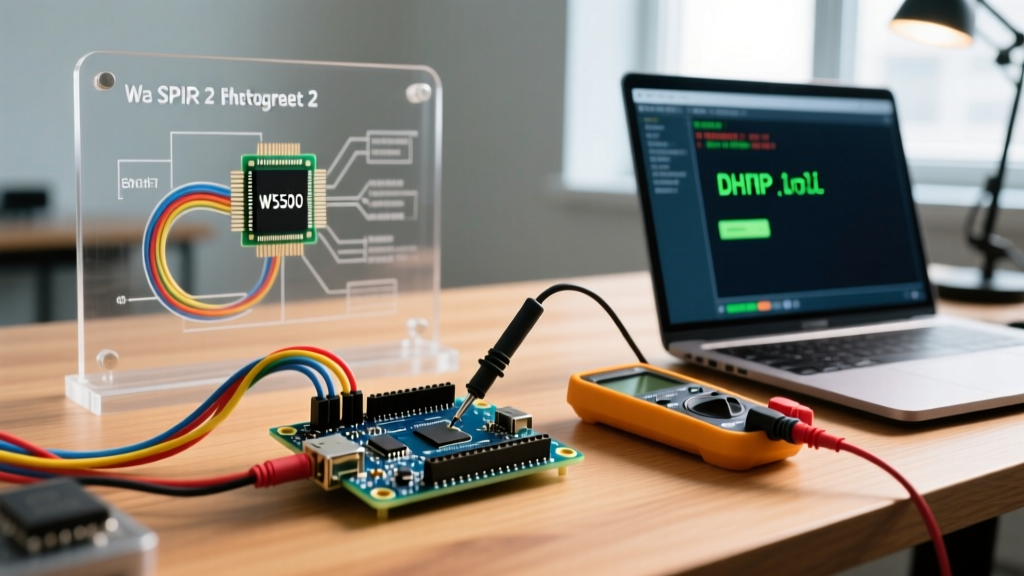
The official Arduino Ethernet Shield 2 (model A000072) remains a staple for hardwired IoT and industrial logging projects in 2026, primarily due to its robust Wiznet W5500 TCP/IP embedded Ethernet controller. Priced around $48 to $55 from authorized distributors, it offers hardware-level network offloading that saves the host microcontroller from heavy TCP stack processing. However, the transition from the older W5100-based R3 shield to the W5500 architecture introduced new hardware and software paradigms. When your sketch compiles but the shield fails to pull an IP address, or when it hangs indefinitely during initialization, the root cause almost always traces back to SPI bus contention, library deprecation, or power delivery flaws.
This guide bypasses basic wiring checks and dives straight into the advanced failure modes of the Arduino Ethernet 2 shield, providing actionable diagnostics for embedded systems engineers and advanced makers.
The Most Common Fatal Error: Library Mismatches
The single most frequent reason for compilation failures or silent runtime hangs on the Ethernet Shield 2 is using the wrong library. Between 2015 and 2018, the community relied on a forked library named Ethernet2 to support the W5500 chip. This library is now entirely deprecated.
The Modern Standard
Since version 2.0.0 of the official Arduino Ethernet Library, native support for the W5500 chip has been fully integrated. If you are using Arduino IDE 2.3+ or the Arduino Cloud CLI in 2026, you must use the standard Ethernet library.
Expert Diagnostic: If your serial monitor outputsFailed to configure Ethernet using DHCPimmediately upon boot, and you are using theEthernet2.hheader, the W5500 chip is not being addressed correctly. The older library attempts to write to W5100 memory registers, which the W5500 ignores.
The Fix: Open the Arduino Library Manager, uninstall any library named 'Ethernet2', and ensure the official 'Ethernet' library by Arduino is updated to the latest 2.x release. Change your sketch header to #include <Ethernet.h>.
SPI Bus Collisions: The MicroSD Card Trap
The Arduino Ethernet 2 shield features a built-in microSD card slot for local data logging. Crucially, the W5500 Ethernet controller and the SD card slot share the exact same hardware SPI bus (MOSI, MISO, SCK). They are separated only by their Chip Select (CS) pins.
- W5500 Ethernet CS: Pin 10 (on Uno/Nano) or Pin 53 (on Mega 2560)
- MicroSD CS: Pin 4
The 'Hanging on Ethernet.begin()' Symptom
If your sketch freezes completely when calling Ethernet.begin(mac), you are likely experiencing SPI bus contention. If an SD card is inserted into the shield, and Pin 4 is not explicitly driven HIGH before initializing the Ethernet controller, the SD card's internal controller will attempt to respond to SPI traffic meant for the W5500. This corrupts the data line, causing the W5500 initialization routine to wait indefinitely for a valid register response.
Actionable Code Solution
You must explicitly disable the SD card's SPI interface before calling the Ethernet library. Insert this exact block into your setup() function before Ethernet.begin():
pinMode(4, OUTPUT);
digitalWrite(4, HIGH); // Deselect SD Card to prevent SPI interference
pinMode(10, OUTPUT);
digitalWrite(10, HIGH); // Deselect Ethernet initially
According to the Arduino SPI Communication Guide, failing to manage Chip Select lines on shared buses is the leading cause of peripheral lockups in multi-shield stacks.
Mega 2560 Pin Routing and SS Pin Failures
When stacking the Ethernet Shield 2 onto an Arduino Mega 2560, a unique hardware trap occurs. The shield is designed to route the SPI bus through the 6-pin ICSP header, which correctly aligns the MOSI, MISO, and SCK lines between the Uno and Mega form factors. However, the Chip Select (CS) logic differs.
On the Mega 2560, the hardware Slave Select (SS) pin is Pin 53, not Pin 10. The ATmega2560 microcontroller requires Pin 53 to be configured as an OUTPUT to remain in SPI Master mode. If Pin 53 is left as an INPUT and is pulled LOW by external circuitry or floating noise, the Mega will silently switch into SPI Slave mode. The Ethernet shield will fail to initialize, and no compiler warnings will be generated.
// Mandatory for Mega 2560 users
pinMode(53, OUTPUT);
digitalWrite(53, HIGH);

// Ethernet Shield 2 still uses Pin 10 for its internal CS routing
pinMode(10, OUTPUT);
digitalWrite(10, HIGH);
Hardware and Power Delivery Failures
If your software configuration is flawless but the shield still drops connections or fails to link, the issue is likely analog: power delivery to the Wiznet W5500 chip.
The AMS1117-3.3 LDO Thermal Throttling
The W5500 operates strictly at 3.3V. Because the Arduino Uno operates at 5V, the official Ethernet Shield 2 includes an onboard AMS1117-3.3 linear voltage regulator to step down the 5V rail to 3.3V. The W5500 can draw up to 150mA during active transmission bursts.
If you power your Arduino via the barrel jack using a 12V power supply, the Arduino's onboard LDO drops 12V to 5V. The shield's LDO then drops 5V to 3.3V. Under heavy network load, the shield's LDO will overheat and trigger its internal thermal shutdown. The W5500 will brownout and reset mid-packet, resulting in severe packet loss and DHCP lease failures.
Diagnostic Rule: For heavy network traffic applications, power the Arduino via the USB port (which feeds 5V directly to the 5V rail, bypassing the Uno's LDO) or use a regulated 7V to 7.5V wall adapter to minimize the voltage drop across the shield's 3.3V regulator.
Diagnostic Matrix: Symptoms and Solutions
| Serial Monitor Symptom | Hardware / Network State | Root Cause | Required Action |
|---|---|---|---|
Failed to configure Ethernet using DHCP |
Link LEDs ON, Activity LED blinking | Router blocking unknown MAC addresses or DHCP pool exhausted. | Assign a static IP outside the router's DHCP range using Ethernet.begin(mac, ip). |
| Sketch freezes entirely on boot | Link LEDs OFF or solid | SD Card inserted, Pin 4 not driven HIGH, causing SPI bus lockup. | Add pinMode(4, OUTPUT); digitalWrite(4, HIGH); before Ethernet init. |
| Connects, but drops TCP packets randomly | W5500 chip feels hot to the touch | 3.3V LDO thermal throttling due to high Vin (e.g., 12V barrel jack). | Switch to USB 5V power or a 7.5V barrel adapter to reduce LDO thermal load. |
Ethernet.hardwareStatus() == EthernetNoHardware |
Link LEDs OFF | Using deprecated Ethernet2 library, or SPI CS pin misconfigured on Mega. | Update to official Ethernet library; ensure Pin 53 is OUTPUT on Mega 2560. |
Advanced Network Debugging: MAC Address Collisions
Every network interface requires a globally unique MAC address. The official Arduino documentation often provides a sample MAC address (0xDE, 0xAD, 0xBE, 0xEF, 0xFE, 0xED). If you deploy multiple Arduino Ethernet 2 shields on the same local subnet using this default MAC, the network switch's ARP table will become corrupted. The router will rapidly flip-flop the IP assignment between the two physical boards, causing both to experience intermittent DHCP timeouts.
Best Practice: Always generate a unique MAC address for every physical board you deploy. You can use a locally administered MAC address by setting the second least significant bit of the first byte to 1 (e.g., 0x02, 0x00, 0x00, 0x00, 0x00, 0x01). This guarantees you will not collide with any commercially manufactured network interface cards while maintaining network stability.
Summary
Diagnosing the Arduino Ethernet 2 shield requires looking past the code and understanding the physical realities of the SPI bus and onboard power regulation. By enforcing strict Chip Select management, utilizing the modern unified Ethernet library, and respecting the thermal limits of the 3.3V LDO, you can transform the W5500 shield from a source of frustration into a highly reliable backbone for your wired IoT infrastructure.