
The 2026 Landscape: Beyond the Classic Uno
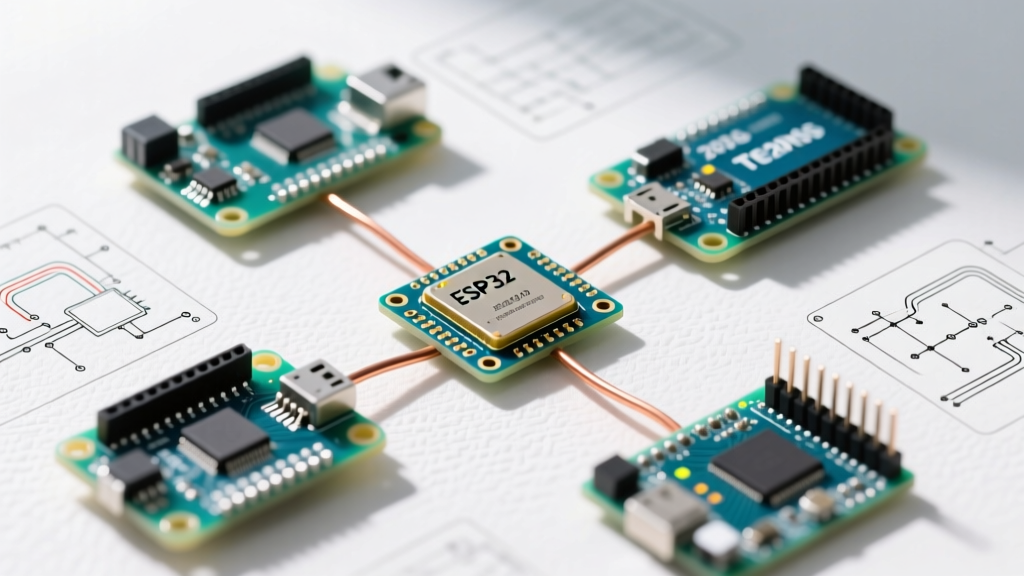
If you are still defaulting to the 8-bit ATmega328P for every new project, you are missing out on the massive performance and connectivity leaps the maker community has standardized over the last few years. Today, the term arduino-compatible microcontroller board encompasses a vast ecosystem of 32-bit ARM and RISC-V architectures that seamlessly integrate with the Arduino IDE, PlatformIO, and modern CI/CD toolchains.
For this community resource roundup, we have aggregated feedback from active open-source hardware forums, GitHub repository maintainers, and university robotics labs to identify the most reliable, cost-effective, and powerful boards available in 2026. We are skipping the basic clones and focusing on boards that offer genuine architectural advantages, robust community core support, and specific edge-case solutions you will not find in standard getting-started guides.
Community-Voted Comparison Matrix
Before diving into the architectural deep dives, here is the quick-reference matrix of the most highly recommended boards across different maker disciplines.
| Board Model | Core Architecture | Flash / SRAM | Approx. Price (2026) | Best Use Case |
|---|---|---|---|---|
| Seeed XIAO ESP32S3 Sense | Xtensa LX7 Dual-Core (240MHz) | 8MB Flash / 512KB SRAM + 8MB PSRAM | $13.99 | Edge AI / TinyML / IoT |
| Raspberry Pi Pico W | RP2040 Dual-Core M0+ (133MHz) | 2MB Flash / 264KB SRAM | $6.00 | PIO Timing / Low-Cost IoT |
| PJRC Teensy 4.1 | Cortex-M7 (600MHz) | 8MB Flash / 1MB SRAM | $32.95 | DSP / High-Speed Audio |
| Adafruit Feather RP2040 | RP2040 Dual-Core M0+ (133MHz) | 8MB Flash / 264KB SRAM | $11.95 | LiPo Wearables / Space-Constrained |
Deep Dive: Seeed Studio XIAO ESP32S3 Sense
The ESP32-S3 has become the undisputed king of community IoT projects, and the XIAO form factor (21x17.5mm) is the preferred footprint for wearable and embedded vision applications. The "Sense" variant includes a detachable OV2640 camera module and a digital microphone, making it a turnkey solution for ESP-WHO and TinyML image classification.
Architectural Advantages
Unlike the older ESP32-WROOM modules, the S3 features vector instructions specifically designed to accelerate neural network computing. When paired with the 8MB PSRAM (Octal SPI), you can comfortably load TensorFlow Lite for Microcontrollers models directly into memory without thrashing the internal SRAM.
Community Edge Cases & Strapping Pins
The most frequent failure mode reported on the Espressif ESP32-S3 Documentation forums involves boot loops caused by strapping pins. The ESP32-S3 relies on GPIO0, GPIO3, GPIO45, and GPIO46 to determine boot modes and log output.
Maker Warning: If you wire a sensor that pulls GPIO0 LOW during power-on, the XIAO will enter download mode and fail to execute your sketch. Always use 10kΩ pull-up resistors on GPIO0 if your peripheral circuitry might float or pull low during the 300ms boot window.
Deep Dive: Raspberry Pi Pico W & The PIO Revolution
At $6.00, the Pico W remains the most accessible Wi-Fi-enabled microcontroller on the market. However, the community does not choose the RP2040 for its raw clock speed; they choose it for the Programmable I/O (PIO) state machines. The Raspberry Pi Pico Datasheet details how the two PIO blocks (each with four state machines) can execute custom hardware-level protocols independently of the main CPU cores.
The Earl Philhower Core vs. Official Mbed
In 2026, the community consensus is to avoid the official Arduino Mbed OS RP2040 core for advanced projects. Instead, makers overwhelmingly use the community-maintained Earl Philhower RP2040 Board Package. It offers significantly lower memory overhead, native PIO support via the pioasm toolchain, and better integration with the Pico W's Infineon CYW43439 Wi-Fi chip.
Flash Brownout Corruption
A notorious edge case with RP2040 boards involves flash memory corruption. If your project uses a high-current peripheral (like a motor driver) powered from the same 5V rail, a sudden voltage sag below 2.7V while the Pico is writing to its external QSPI flash chip will corrupt the bootloader. Solution: Always use a dedicated LDO with adequate decoupling capacitors (minimum 100µF low-ESR) on the 3.3V rail, and isolate inductive loads.
Deep Dive: PJRC Teensy 4.1 (The DSP Heavyweight)
When your project requires real-time audio processing, FFTs, or high-speed data logging, 133MHz or 240MHz dual-cores are insufficient. The Teensy 4.1, powered by an NXP i.MX RT1062 Cortex-M7 running at a staggering 600MHz, remains the gold standard. Priced at $32.95, it is an investment, but the PJRC Teensy 4.1 Technical Specs reveal hardware features that justify the cost.
SDIO and External RAM
Unlike standard microcontrollers that interface with SD cards via the slow SPI bus (capping out around 2-4 MB/s in real-world Arduino libraries), the Teensy 4.1 routes its micro-SD socket directly to a dedicated 4-bit SDIO bus. This allows sustained write speeds exceeding 15 MB/s, which is mandatory for multi-channel 24-bit audio recording.
Furthermore, the bottom of the PCB features SOIC-8 pads for adding PSRAM chips. Community members frequently solder 16MB PSRAM chips (like the ISSI IS66WVS4M8) to handle massive audio sample buffers or complex synthesis lookup tables.
Hardware Gotchas: The USB-C CC Resistor Omission
As the maker market has flooded with budget-friendly, third-party arduino-compatible microcontroller board variants featuring USB-C connectors, a critical hardware omission has caused endless headaches: missing CC (Configuration Channel) pull-down resistors.
- The Problem: Modern USB-C Power Delivery (PD) chargers and power banks will not output 5V unless they detect a 5.1kΩ pull-down resistor on both the CC1 and CC2 lines of the connector.
- The Symptom: Your board works perfectly when plugged into a legacy USB-A port on a PC, but appears completely dead when plugged into a modern Anker or Apple USB-C wall brick.
- The Fix: If you are designing a custom carrier board or repairing a cheap clone, solder 5.1kΩ 0603 resistors between the USB-C CC1/GND and CC2/GND pads. Alternatively, for field debugging, always carry a USB-A to USB-C cable, as USB-A ports do not require PD negotiation to supply 5V.
Modern Toolchain Recommendations
The days of manually copying ZIP files into the hardware folder are over. For 2026, the community strongly recommends migrating to PlatformIO within VS Code for any project exceeding 2,000 lines of code. PlatformIO handles the complex dependency trees of ESP-IDF and Zephyr RTOS automatically, and its unified serial monitor resolves the port-locking issues that still occasionally plague the Arduino IDE 2.x on Linux environments.
If you must stick to the Arduino IDE, ensure you are using the Board Manager to install cores, and always check the GitHub Issues tab of the specific core repository (e.g., espressif/arduino-esp32) before updating, as major version bumps (like v2.x to v3.x) frequently deprecate older Wi-Fi provisioning APIs.
Final Verdict
Choosing the right arduino-compatible microcontroller board in 2026 is no longer about finding a generic clone of a 2012 reference design. It is about matching the specific peripheral architecture to your project constraints. Use the XIAO ESP32S3 for battery-powered vision tasks, the Pico W when you need deterministic timing via PIO on a budget, and the Teensy 4.1 when raw DSP horsepower and SDIO speeds are non-negotiable. By understanding the edge cases—from strapping pins to USB-C PD negotiation—you can bypass the most common hardware pitfalls and focus on writing robust firmware.