
The Core Problem: Signed 8-Bit Integer Disguised as Text
In the Arduino ecosystem, the char data type is arguably the most misunderstood variable type. While most makers associate it exclusively with text and ASCII characters, the underlying avr-gcc compiler (and Xtensa/RISC-V compilers for ESP32) treats char fundamentally as an 8-bit signed integer. This dual identity is the root cause of countless runtime bugs, silent data corruptions, and serial communication failures in both legacy ATmega328P projects and modern 2026 IoT sensor nodes.
According to the official Arduino reference documentation, a char stores an 8-bit value ranging from -128 to 127. When you attempt to use it for raw binary data, hex values, or unhandled serial streams, the signed nature of the variable triggers cascading errors. Below, we break down the most frequent arduino char bugs and provide exact, compile-tested fixes.
Data Type Comparison Matrix
| Data Type | Size | Range | Primary Use Case |
|---|---|---|---|
char | 1 byte | -128 to 127 | ASCII text, single characters |
byte | 1 byte | 0 to 255 | Raw binary data, I2C/SPI payloads |
uint8_t | 1 byte | 0 to 255 | Standardized C++ unsigned 8-bit math |
int | 2 bytes (AVR) | -32,768 to 32,767 | General math, analog readings |
Bug #1: Sign Extension During Integer Casting
One of the most insidious bugs occurs when reading raw sensor data (like an I2C accelerometer byte) into a char and subsequently casting it to an int for math operations. If the 8th bit (the sign bit) is 1, the compiler assumes the number is negative and performs sign extension when promoting it to a 16-bit or 32-bit integer.
The Failure Scenario
char rawSensorData = 0xFF; // Hex FF is 255 unsigned, but -1 signed
int calculatedValue = rawSensorData;
Serial.println(calculatedValue); // Outputs: -1 (Hex: 0xFFFF)
Instead of getting 255, the compiler fills the upper 8 bits of the integer with 1s to preserve the negative sign, resulting in 0xFFFF (-1). This completely destroys PID loop calculations or bitwise operations.
The Fix
Never use char for raw binary payloads. Switch to uint8_t (defined in the C++ standard integer types library) or explicitly cast to an unsigned type before promotion.
// Fix A: Use the correct data type from the start
uint8_t rawSensorData = 0xFF;
int calculatedValue = rawSensorData; // Outputs: 255

// Fix B: Force unsigned casting if stuck with legacy char arrays
char legacyByte = 0xFF;
int calculatedValue = (unsigned char)legacyByte; // Outputs: 255
Bug #2: Serial.read() and ASCII Math Errors
When parsing incoming serial commands, beginners often read a character and immediately attempt arithmetic. The Serial.read() function returns the ASCII integer value of the character, not the numerical face value.
The Failure Scenario
// User sends '5' via Serial Monitor
char incoming = Serial.read();
int result = incoming * 2;
Serial.println(result); // Outputs: 106 (Because ASCII '5' is 53. 53 * 2 = 106)
The Fix
You must subtract the ASCII offset of zero ('0' or decimal 48) to convert the character representation into a true base-10 integer.
char incoming = Serial.read();
if (incoming >= '0' && incoming <= '9') {
    int trueValue = incoming - '0'; // '5' (53) - '0' (48) = 5
    int result = trueValue * 2; // Outputs: 10
}
Expert Tip: Always validate the incoming byte range before subtracting. If a user sends a carriage return (\ror\n) and you blindly subtract'0', you will generate negative array indices or corrupt your state machine logic.
Bug #3: Char Array Null-Termination and Buffer Overflows
In C and C++, strings are simply arrays of characters terminated by a null character (\0). A frequent cause of ESP8266/ESP32 watchdog resets and AVR memory corruption is failing to allocate space for, or explicitly write, this terminator.
The Failure Scenario
char macAddress[12]; // 12-character MAC string
for(int i=0; i<12; i++) {
    macAddress[i] = Serial.read(); // Fills all 12 slots with text
}
Serial.print(macAddress); // CRASH: Prints garbage until a random 0x00 is found in SRAM
Because Serial.print() searches for \0 to know when to stop printing, it will read past the 12-byte boundary into adjacent SRAM variables, causing erratic behavior or hard faults.
The Fix
Always allocate n + 1 bytes for a string of length n, and manually enforce the null terminator if you are building the array byte-by-byte.
char macAddress[13]; // 12 chars + 1 null terminator
for(int i=0; i<12; i++) {
    macAddress[i] = Serial.read();
}
macAddress[12] = '\0'; // Explicitly terminate the string
Serial.print(macAddress); // Safely prints the exact 12 characters
Decision Matrix: Char Arrays vs. String Objects in 2026
With the rise of dual-core ESP32-S3 boards featuring 512KB+ of SRAM, some makers argue that the Arduino String object is now perfectly safe. However, for battery-operated nodes, interrupt-heavy RF routines, and classic AVR boards, char arrays remain mandatory. Use this framework to decide:
| Feature | Char Array (char[]) | String Object (String) |
|---|---|---|
| Memory Allocation | Static (Stack/Global). Predictable. | Dynamic (Heap). Unpredictable. |
| Fragmentation Risk | Zero risk. | High risk on long-running AVR nodes. |
| Execution Speed | Fast (Direct pointer math). | Slower (Object overhead, malloc/free). |
| Ease of Parsing | Requires strtok(), sscanf(). | Easy (indexOf(), substring()). |
| Best Application | ISRs, DMA buffers, low-power IoT. | Rapid prototyping, HTTP JSON parsing. |
Advanced Edge Case: I2C Wire Library Truncation
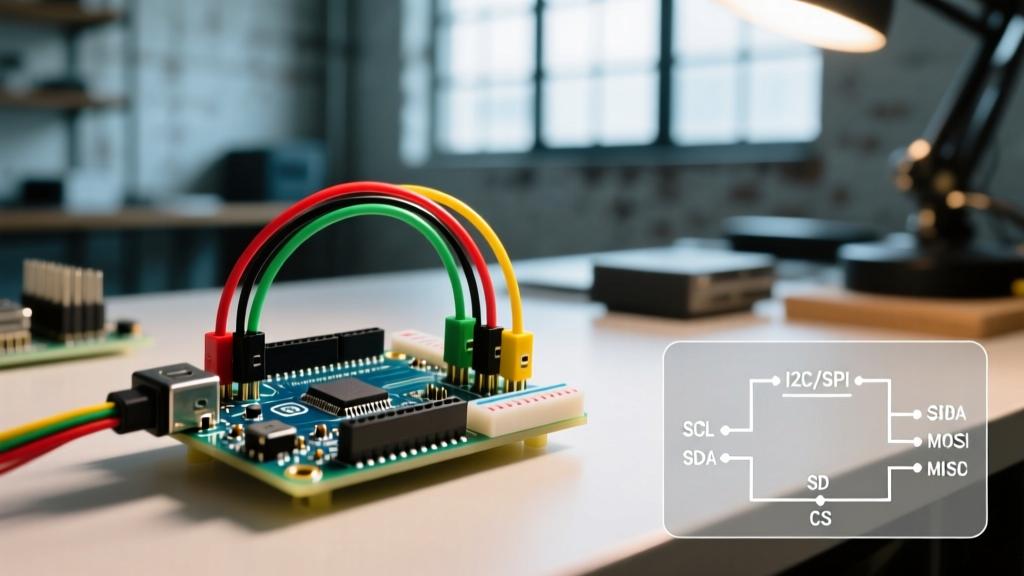
When using the Wire library to communicate with peripherals like an OLED display or an EEPROM, the Wire.write() function accepts a char. If you pass a signed char containing a value above 127, the underlying I2C hardware registers may misinterpret the sign-extended 16-bit integer, sending corrupted bytes to the slave device.
Rule of Thumb: When transmitting raw binary data over I2C, SPI, or UART hardware registers, strictly use uint8_t. Reserve char exclusively for human-readable text strings and ASCII manipulation. Adopting this strict typing discipline will eliminate up to 90% of silent data corruption bugs in your embedded C++ projects.