
Understanding the Arduino AREF Pin and ADC Resolution
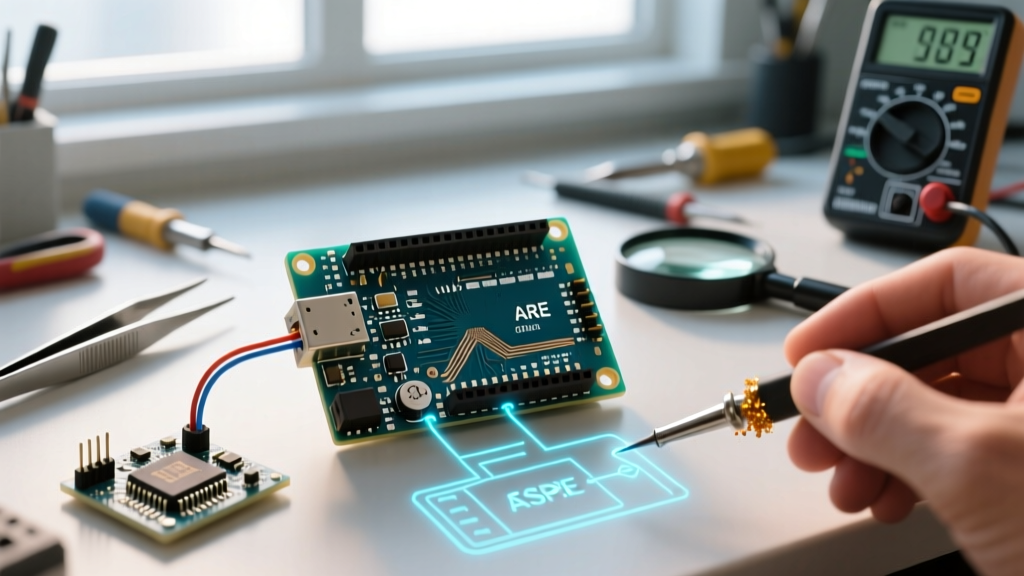
The Analog Reference (AREF) pin is one of the most misunderstood interfaces on Arduino-compatible microcontrollers. It dictates the upper voltage limit for the Analog-to-Digital Converter (ADC). When you read an analog pin using analogRead(), the microcontroller maps the input voltage (from 0V to the AREF voltage) to a digital integer. For a standard 10-bit ADC, the formula is: Resolution = AREF Voltage / 1024.
If you are using a 5V reference, each step represents ~4.88mV. If you drop the AREF to 1.1V, each step shrinks to ~1.07mV, drastically increasing your measurement precision for low-voltage sensors like thermocouples or raw strain gauges. However, misconfiguring the AREF pin across different board architectures—from the legacy ATmega328P to modern Renesas RA4M1 (Uno R4) and ESP32 chips—can lead to catastrophic hardware failure or wildly inaccurate data. This 2026 compatibility guide breaks down exact voltage limits, internal reference options, and wiring protocols across the most popular maker boards.
⚠️ The Golden Rule of AREF: Never apply a voltage to the AREF pin that is higher than the board's VCC (operating voltage) or lower than 0V (GND). Doing so will forward-bias internal ESD protection diodes, potentially destroying the ADC multiplexer instantly.
Board-by-Board AREF Compatibility Matrix
Different microcontrollers handle analog references differently. The table below outlines the hardware limits and software commands for the most common development boards used in modern electronics prototyping.
| Board Model (MCU) | VCC / Max AREF | ADC Resolution | Internal VREF Options | Software Command |
|---|---|---|---|---|
| Uno R3 / Nano (ATmega328P) | 5.0V | 10-bit | 1.1V | analogReference(INTERNAL) |
| Mega 2560 (ATmega2560) | 5.0V | 10-bit | 1.1V, 2.56V | analogReference(INTERNAL2V56) |
| Nano Every (ATmega4809) | 5.0V | 10-bit | 0.55V, 1.1V, 1.5V, 2.5V, 4.3V | analogReference(INTERNAL1V1) etc. |
| Uno R4 Minima (Renesas RA4M1) | 5.0V | 14-bit (12-bit default) | 1.45V, 2.0V | analogReference(AR_INTERNAL1V45) |
| ESP32 DevKit V1 | 3.3V | 12-bit | ~1.1V (Non-linear) | analogSetAttenuation(ADC_11db) |
| STM32F103C8T6 (Blue Pill) | 3.3V | 12-bit | 1.2V (Internal) | HAL_ADC_ConfigChannel (VREFINT) |
Internal vs. External References: Deep Dive
Using Internal References
Internal references are generated by a dedicated bandgap circuit inside the silicon. They are immune to VCC fluctuations, making them ideal for battery-powered projects where the 5V or 3.3V rail might sag as the battery depletes. According to the Microchip ATmega328P Datasheet, the internal 1.1V reference has a typical accuracy of ±10%, meaning you should calibrate it in software using a known multimeter reading if you require laboratory-grade precision.
Using External References (The AREF Pin)
When you need a highly precise, low-noise reference (e.g., using a dedicated LM4040 4.096V shunt regulator), you wire it to the physical AREF pin and call analogReference(EXTERNAL) in your setup function.
Critical Edge Case: The ATmega328P features an internal 32kΩ series resistor connected to the AREF pin. If you use an external reference, you are driving through this resistor. While this protects the chip if you accidentally switch to an internal reference in code, it also forms a low-pass filter with the internal sampling capacitor. Always place a 100nF X7R ceramic capacitor between the AREF pin and GND to stabilize the voltage during the ADC's sample-and-hold phase.
The ESP32 Anomaly: Attenuation vs. AREF
If you are migrating from AVR-based Arduinos to the ESP32 ecosystem, you must abandon the traditional analogReference() function. The ESP32's ADC does not use an external AREF pin for scaling. Instead, it relies on internal programmable attenuation pads. As detailed in the Espressif ESP-IDF ADC Documentation, the ESP32 ADC is inherently non-linear at the extremes of its range.
- 0dB attenuation: Reads up to ~1.1V (Highly linear)
- 2.5dB attenuation: Reads up to ~1.5V
- 6dB attenuation: Reads up to ~2.2V
- 11dB attenuation: Reads up to ~3.3V (Noticeable non-linearity above 2.8V)
Pro Tip for 2026 ESP32-S3 Designs: If you are measuring a 0-3.3V signal on an ESP32-S3 and need high accuracy, do not rely on the 11dB attenuation mode. Instead, use a precision op-amp voltage divider to scale your 3.3V signal down to 1.1V, and use the 0dB attenuation mode where the ADC's Integral Non-Linearity (INL) is minimal.
Hardware Wiring Best Practices & Noise Filtering
A floating or noisy AREF pin will inject jitter directly into your ADC readings. To achieve stable, repeatable measurements, implement the following hardware filtering stage before the signal reaches the microcontroller.
- The Decoupling Capacitor: Solder a 100nF (0.1µF) MLCC capacitor as close to the AREF pin and GND as physically possible. This provides the instantaneous charge required by the ADC's internal sample-and-hold capacitor (typically 14pF on AVR chips).
- External RC Low-Pass Filter: If your external reference comes from a noisy source or a DAC, pass it through an RC filter. Using a 10kΩ resistor and a 100nF capacitor yields a cutoff frequency of roughly 159Hz ($f_c = 1 / (2 \pi R C)$). This eliminates high-frequency switching noise from nearby DC-DC buck converters.
- Kelvin Connection (4-Wire): For ultra-precision external references (like the LTZ1000), route the AREF ground return directly to the analog ground (AGND) plane, keeping it completely isolated from the digital ground return paths of motors or relays.
Troubleshooting Common AREF Failures
Symptom: Random, Jumpy ADC Readings
Cause: You selected analogReference(EXTERNAL) in your code, but left the physical AREF pin unconnected. The ADC is referencing against a floating pin acting as an antenna for ambient EMI.
Fix: Either wire a stable voltage to AREF, or change your code to analogReference(DEFAULT) to use the VCC rail.
Symptom: ADC Reads Maximum Value (1023 or 4095) Constantly
Cause: Your input signal exceeds the AREF voltage. If AREF is set to INTERNAL (1.1V) and you feed 3.3V into A0, the ADC saturates.
Fix: Implement a hardware voltage divider on the analog input pin, or switch to DEFAULT if your board VCC is 5V and your signal is under 5V.
Symptom: Board Resets or Voltage Regulator Overheats
Cause: You wired an external 5V reference to the AREF pin of a 3.3V board (like a 3.3V Arduino Pro Mini or ESP32), and then called analogReference(INTERNAL) in software. This shorts the internal 1.1V bandgap reference to your external 5V source through the internal multiplexer, causing massive current draw.
Fix: Never mix external voltages higher than VCC. Ensure your code explicitly matches your hardware wiring before powering on the board.
Summary
Mastering the Arduino AREF pin requires matching your software commands to the specific silicon architecture of your board. While the official Arduino analogReference() documentation covers the basic AVR syntax, modern makers must account for the multi-tier internal references of the ATmega4809 and the attenuation-based ADC scaling of the ESP32. By respecting voltage limits, implementing proper 100nF decoupling, and understanding the internal 32kΩ series resistor quirks, you can unlock the full, noise-free resolution of your microcontroller's analog peripherals.