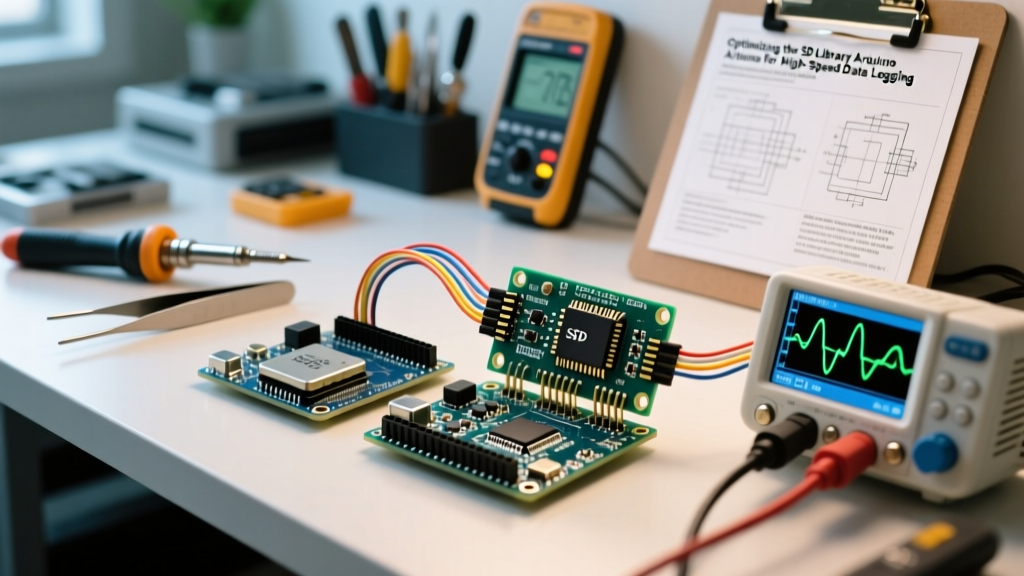

The Bottleneck: Why Standard SD Library Arduino Setups Lag
When engineers and hobbyists first integrate secure digital storage into their microcontroller projects, the default SD.h library seems like a plug-and-play solution. However, as sampling rates increase beyond 10Hz or when dealing with high-resolution sensor arrays, the standard SD library Arduino implementation quickly reveals severe performance bottlenecks. Write speeds stall, latency spikes disrupt real-time interrupt service routines (ISRs), and data buffers overflow.
The root cause is not the SD card itself. Modern UHS-I microSD cards are capable of sequential write speeds exceeding 30 MB/s. The bottleneck lies in the legacy software wrapper and suboptimal hardware interfacing. The default Arduino SD library is essentially a frozen, simplified fork of an early version of the SdFat library. It relies on dynamic memory allocation, small 512-byte sector buffers, and lacks support for advanced SPI clock tuning or modern file systems like exFAT.
Expert Insight: If your data logging project experiences a 250-millisecond stall every few seconds, you are witnessing FAT32 cluster allocation latency. The standard library requests new clusters dynamically, forcing the MCU to read, modify, and write the File Allocation Table mid-stream.
Upgrading to SdFat: The Core of Performance Optimization
To achieve true high-speed throughput, migrating from the legacy wrapper to Bill Greiman’s actively maintained SdFat library is mandatory. SdFat provides direct access to low-level SPI configurations, DMA (Direct Memory Access) support on compatible 32-bit MCUs, and optimized buffer management.
Migration Checklist
- Remove the legacy library: Ensure
SD.his not included in your sketch to prevent namespace collisions. - Install SdFat v2: Use the Arduino Library Manager to install the latest SdFat release, which includes critical exFAT support for modern 64GB+ SDXC cards.
- Update Object Instantiation: Replace
SD.begin()withSdFs sd;andsd.begin(SdSpiConfig(CS_PIN, DEDICATED_SPI)).
By enabling DEDICATED_SPI, the library keeps the SPI chip select line asserted across multiple sector writes, eliminating the overhead of re-arbitrating the SPI bus for every single 512-byte block.
SPI Clock Speed Tuning and Hardware Signal Integrity
Software optimization cannot overcome poor hardware signal integrity. The SPI bus is highly susceptible to parasitic capacitance, which rounds off the sharp edges of digital square waves at higher frequencies. This leads to Cyclic Redundancy Check (CRC) errors, forcing the SD card controller to request retransmissions and tanking your effective write speed.
The Level-Shifter Fallacy
Many off-the-shelf microSD breakout boards use simple 10k/15k resistor voltage dividers to step down 5V logic to the 3.3V required by SD cards. While this works at the default 4 MHz SPI clock, it acts as an RC low-pass filter. At 12 MHz or higher, the signal degrades entirely. For high-speed SD library Arduino optimization, you must use a breakout board featuring a dedicated level-shifting IC, such as the TI SN74LVCH8T245 or NXP NXB0106, which can cleanly drive the bus up to 24 MHz or 48 MHz depending on the MCU.
| MCU Platform | Max Stable SPI Clock | Resistor Divider Limit | Active Level Shifter Limit | Real-World Sequential Write |
|---|---|---|---|---|
| Arduino Uno R3 (AVR) | 8 MHz | 2 MHz | 8 MHz | ~35 KB/s |
| Arduino Uno R4 Minima | 24 MHz | 4 MHz | 24 MHz | ~180 KB/s |
| ESP32-S3 | 40 MHz | 8 MHz | 40 MHz | ~450 KB/s |
| Teensy 4.1 (SDIO) | N/A (SDIO Bus) | N/A | N/A | ~12,000 KB/s |
As documented in the official Arduino SD library reference, pushing the SPI clock beyond the hardware's clean signal threshold will result in silent initialization failures or corrupted file directories. Always verify your SPI clock with an oscilloscope if you are pushing past 12 MHz.
Buffer Management and Pre-Allocation Techniques
Even with a pristine SPI signal and an optimized library, the FAT32 file system architecture introduces inherent latency. When a file grows beyond its current allocated cluster (typically 32KB or 64KB on standard formatted cards), the MCU must pause data writing to update the FAT table. In high-speed data acquisition, this pause causes FIFO buffer overruns.
Step-by-Step: Pre-Allocating a Contiguous File
SdFat allows you to pre-allocate a contiguous block of memory on the SD card before logging begins. This completely bypasses the cluster allocation latency during the write process.
- Open the file with write and create flags:
file.open('log.bin', O_CREAT | O_WRITE). - Call the pre-allocation method with your desired size in bytes:
file.preAllocate(10485760)(allocates 10MB). - Write your data continuously using
file.write(buffer, size). - Upon completion, truncate the file to the actual used size to reclaim unused space:
file.truncate(). - Close the file:
file.close().
This technique is heavily utilized in professional automotive data loggers and is thoroughly detailed in advanced microcontroller guides, such as the PJRC Teensy SdFat documentation, where DMA and pre-allocation are combined to achieve multi-megabyte per second write speeds without dropping a single sample.
Real-World Failure Modes and Edge Cases in 2026
When optimizing your SD library Arduino code, be aware of these modern edge cases that frequently trap developers relying on outdated tutorials:
- The SDXC exFAT Trap: In 2026, 64GB and 128GB microSD cards are the most cost-effective options (often under $12). However, the SD Association mandates that cards 64GB and larger be formatted as exFAT, not FAT32. The legacy
SD.hlibrary will fail to mount these cards, returning a generic 'initialization failed' error. SdFat v2 natively supports exFAT, resolving this issue instantly. - Wear-Leveling Exhaustion: Consumer microSD cards lack the sophisticated wear-leveling algorithms found in industrial SLC (Single-Level Cell) drives. If your code repeatedly opens, appends a few bytes, and closes a file (a common mistake when trying to 'save data safely' against power loss), you will burn through the card's program/erase (P/E) cycles in weeks. Instead, keep the file open, buffer data in the MCU's RAM, and flush in 4KB blocks.
- CS Pin Floating States: If your SPI bus is shared with other peripherals (like an SPI display or an Ethernet module), failing to set the SD card's Chip Select (CS) pin to
OUTPUTandHIGHin thesetup()function before initializing the other devices can cause the SD card to interfere with bus traffic, corrupting the initialization sequence.
Conclusion
Optimizing the SD library Arduino ecosystem requires a holistic approach that bridges software configuration and hardware physics. By abandoning the legacy wrapper in favor of SdFat, utilizing active level-shifting hardware, maximizing SPI clock speeds, and implementing file pre-allocation, you can transform a sluggish, unreliable data logger into a high-speed, deterministic acquisition system capable of handling rigorous 2026 sensor payloads.