
The Modern Arduino IDE Install Landscape (2026 Edition)
The transition from the legacy Java-based 1.8.x environment to the modern Eclipse Theia-based Arduino IDE 2.x series has revolutionized microcontroller coding, offering native autocomplete, real-time debugging, and a vastly improved serial monitor. However, this architectural shift has introduced a new landscape of deployment hurdles. If your arduino ide install is failing, stalling at 99%, or throwing obscure security warnings, you are likely encountering OS-level permission blocks, missing FUSE dependencies, or corrupted index caches rather than a flawed installer.
This comprehensive error-fix guide dissects the exact failure modes across Windows 11, macOS Sequoia, and Ubuntu 24.04. We bypass generic advice and provide terminal-level fixes, exact file paths, and registry workarounds to get your toolchain operational immediately.
1. Windows 11: SmartScreen Blocks & Silent Installer Failures
The most common point of failure for Windows users occurs before the installation wizard even launches. Because the modern IDE utilizes an NSIS (Nullsoft Scriptable Install System) wrapper that bundles multiple Node.js and Go binaries (including the arduino-cli backend), Windows Defender SmartScreen frequently flags the executable as an unrecognized risk.
The 'Windows Protected Your PC' Block
When executing arduino-ide_2.3.2_Windows_64bit.exe, you may see a blue SmartScreen modal. This is a false positive triggered by heuristic analysis of the bundled CLI tools.
- The Fix: Do not close the window. Click the subtle 'More info' text link on the left side of the modal, then select 'Run anyway' at the bottom.
Silent Failures & Controlled Folder Access
If the installer launches but abruptly closes or fails to create desktop shortcuts, Windows Ransomware Protection (Controlled Folder Access) is likely blocking the installer from writing to the default AppData directory.
Expert Path Fix: Navigate to Windows Security > Virus & threat protection > Ransomware protection > Allow an app through Controlled folder access. Add the Arduino installer executable to the whitelist, or temporarily disable the feature during the 2-minute installation window. The default installation target is C:\Users\[YourUser]\AppData\Local\Programs\arduino-ide.
2. macOS Sequoia: Gatekeeper Quarantine & 'App is Damaged' Errors
Apple Silicon (M1/M2/M3/M4) Mac users frequently encounter a fatal error immediately after dragging the Arduino IDE to the Applications folder. Upon launching, macOS displays: “Arduino IDE” is damaged and can’t be opened. You should move it to the Trash.
This is not a corrupted download. It is Apple’s Gatekeeper applying a strict quarantine attribute to the bundled arduino-cli binary because the outer application signature does not perfectly encapsulate the nested Go-compiled CLI tool in the eyes of the notarization server.
The Terminal Quarantine Strip Fix
To resolve this, you must manually strip the quarantine extended attribute using the macOS Terminal. This is a safe, standard procedure for developer tools utilizing nested binaries.
- Open the Terminal application (Cmd + Space, type 'Terminal').
- Paste the following command exactly as written and press Enter:
sudo xattr -rd com.apple.quarantine '/Applications/Arduino IDE.app'- Enter your Mac administrator password (note: the cursor will not move while typing) and press Enter.
- Launch the Arduino IDE normally. The security block will be permanently removed.
3. Linux (Ubuntu/Debian): AppImage Execution & FUSE Dependencies
Linux users typically bypass package managers in favor of the official AppImage. A frequent error occurs when a user downloads arduino-ide_2.3.2_Linux_64bit.AppImage, double-clicks it, and absolutely nothing happens. No error message, no UI.
Missing Execute Permissions
Unlike Windows or macOS, Linux requires explicit execution flags. Open your terminal, navigate to your Downloads folder, and run:
chmod a+x arduino-ide_2.3.2_Linux_64bit.AppImageThe Missing libfuse2 Dependency (Ubuntu 22.04+)
Modern Ubuntu distributions (22.04, 24.04) have deprecated FUSE 2 in favor of FUSE 3, but the AppImage runtime standard still heavily relies on libfuse2 to mount the virtual filesystem. If the AppImage silently fails after setting permissions, install the legacy library:
sudo apt update
sudo apt install libfuse2
4. The Phantom Install: Board Manager Index Stalls
Sometimes the arduino ide install completes perfectly, but upon the first launch, the software hangs indefinitely on the splash screen displaying 'Downloading package index...' or throws a 'Network Error' when opening the Boards Manager.
This occurs when the IDE's internal Node.js engine fails the SSL handshake with downloads.arduino.cc, often due to aggressive corporate firewalls, local DNS filtering (like Pi-hole), or a corrupted cached JSON file from a previous aborted launch.
Clearing the Hidden Cache Directory
You must manually delete the corrupted index file to force a fresh handshake.
| Operating System | Hidden Cache Path | File to Delete |
|---|---|---|
| Windows 11 | %USERPROFILE%\.arduinoIDE |
package_index.json |
| macOS | ~/.arduinoIDE |
package_index.json |
| Linux | ~/.arduinoIDE |
package_index.json |
Note: Ensure you have 'Show Hidden Files' enabled in your OS file explorer, or access these directories directly via the terminal or run dialog.
5. The Driver Masquerade: When the Board Won't Connect
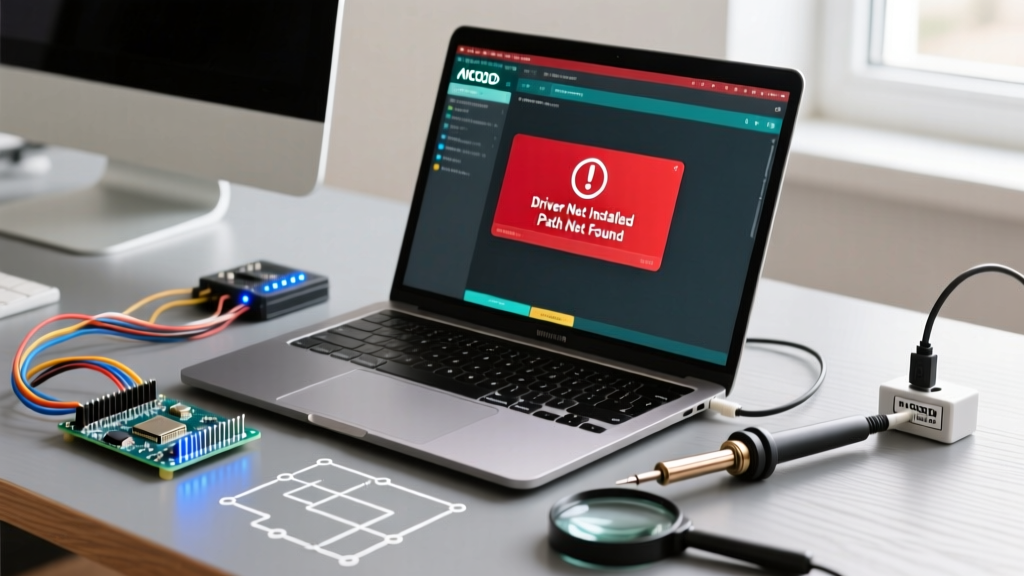
Many users mistakenly believe their IDE installation failed because their newly plugged-in Arduino clone does not appear in the 'Select Board' dropdown. The IDE is installed correctly, but the OS lacks the USB-to-Serial bridge driver.
- Genuine Arduino Boards: Utilize the ATmega16U2 chip. Windows 11 and macOS natively recognize these via CDC/ACM class drivers. No manual installation is required.
- Clone Boards (Elegoo, HiLetgo, generic): Utilize the WCH CH340G or CP2102 chips to cut costs. These require manual driver installation.
If your clone board is unrecognized, download the official CH340 driver directly from the WCH Official CH340 Driver Repository. Avoid third-party driver aggregator sites, which often bundle adware. After installing the WCH driver, a hard reboot of your PC is mandatory to flush the USB host controller cache.
Advanced Alternative: Bypassing the GUI via Arduino CLI
For senior engineers, CI/CD pipelines, or Raspberry Pi headless setups where the GUI installer consistently fails due to lack of a display server, the Arduino CLI Official Documentation provides a robust alternative. The CLI is the exact same backend that powers the IDE 2.x, but distributed as a standalone, dependency-free binary.
By utilizing the CLI, you bypass Node.js, Electron/Theia rendering errors, and GUI permission blocks entirely, allowing for streamlined automated testing and deployment of firmware to microcontrollers via shell scripts.
Frequently Asked Questions (FAQ)
Can I install the Arduino IDE on a Chromebook?
Yes, but not via the standard Linux AppImage without enabling the Linux Development Environment (Crostini). Once Crostini is enabled, download the AppImage, apply the chmod +x permissions, and install libfuse2 within the Linux terminal container. Alternatively, use the web-based Arduino Cloud Editor for zero-install coding.
Why does my antivirus flag the arduino-cli.exe file post-install?
Because arduino-cli.exe is capable of compiling code and writing directly to hardware serial ports, heuristic antivirus engines sometimes misclassify it as a potential trojan dropper. Add the entire C:\Users\[User]\AppData\Local\Programs\arduino-ide directory to your AV exclusion list to prevent silent quarantining of the backend compiler.
Is the legacy 1.8.19 IDE still supported?
As of 2026, the legacy Java-based 1.8.x branch is officially deprecated and receives no security or board-definition updates. While it remains available for legacy OS compatibility (like Windows 7), it is highly recommended to resolve your arduino ide install issues on the 2.x branch to maintain access to modern ESP32 and STM32 core definitions. For deeper architectural insights, refer to the Arduino IDE Software Documentation.