
Decoding the Arduino Compiler Symbol Undefine Error
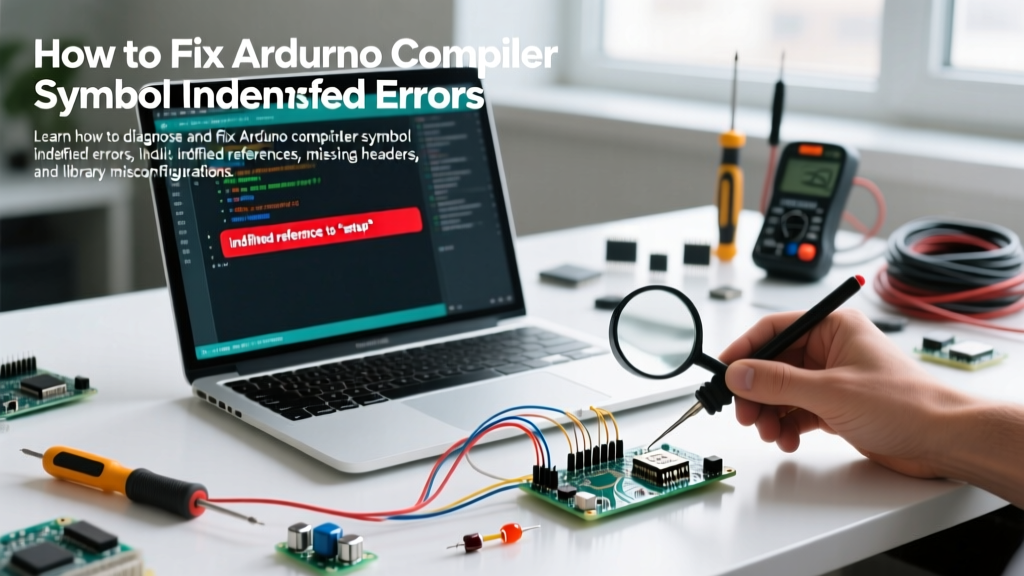
Encountering an Arduino compiler symbol undefine error is one of the most frustrating roadblocks in embedded development. Whether you are compiling a simple sensor sketch for an Uno R4 or deploying a complex LoRaWAN node on an ESP32-S3, the GCC-based toolchain underlying the Arduino IDE is unforgiving when it cannot resolve a function, variable, or class.
When users search for an arduino compiler symbol undefine fix, they are usually conflating two distinct phases of the build pipeline: the compilation phase and the linking phase. Modern Arduino IDE versions (2.3.x and newer) utilize arduino-cli under the hood, which surfaces these errors with specific, albeit cryptic, terminal outputs. Understanding the exact syntax of the error is the first step toward a permanent resolution.
Diagnostic Matrix: Compiler vs. Linker Errors
Before modifying your code or reinstalling libraries, you must identify which stage of the build process is failing. The table below breaks down the exact error strings generated by the GCC AVR/ARM toolchains and their root causes.
| Error String in IDE Console | Build Stage | Primary Root Cause | Common Fix Strategy |
|---|---|---|---|
'XYZ' was not declared in this scope |
Compilation | Missing #include, typo, or incorrect namespace. |
Add header, fix spelling, or add using namespace. |
undefined reference to 'XYZ' |
Linking | Header included, but implementation (.cpp) is missing or unlinked. | Install missing library, fix C/C++ mangling, or add source files. |
multiple definition of 'XYZ' |
Linking | Variable defined in a header file without extern or include guards. |
Move definition to .cpp, use extern in .h. |
Top 4 Causes of Symbol Undefine Errors (and How to Fix Them)
1. The Case-Sensitivity Trap (Linux and macOS)
If you are developing on Windows but deploying via a CI/CD pipeline or sharing code with macOS/Linux users, case sensitivity is a frequent culprit. The Windows NTFS file system is case-insensitive by default, meaning #include <wire.h> and #include <Wire.h> will both compile successfully on a PC. However, on Linux or macOS, the compiler will throw a not declared in this scope error because the actual file is named Wire.h.
Pro-Tip: Always use the exact casing found in the library's source code. For standard Arduino libraries, I2C isWire.h, SPI isSPI.h, and the SD card library isSD.h(all caps for SD).
2. C++ Name Mangling and Legacy C Libraries
This is the most common cause of the undefined reference to linker error when integrating legacy C code or third-party vendor SDKs (like certain Bosch sensor drivers or custom lwIP implementations) into an Arduino C++ sketch.
C++ supports function overloading, so the compiler 'mangles' function names by appending type information to the symbol (e.g., Wire.begin() might become _ZN4Wire5beginEv). C compilers do not do this. If you include a C header in your Arduino sketch without telling the C++ compiler to treat it as C, the linker will look for the mangled C++ symbol, fail to find it in the compiled C object file, and throw an undefined symbol error.
The Fix: Wrap your C headers in an extern "C" block. According to the C++ Language Linkage documentation, this prevents name mangling for the enclosed declarations.
#ifdef __cplusplus
extern "C" {
#endif

#include "legacy_c_sensor_driver.h"

#ifdef __cplusplus
}
#endif
3. The 'library.properties' Dependency Gap
In modern Arduino development, libraries often rely on other libraries. For example, the Adafruit BME280 library depends on the Adafruit Unified Sensor library. If you manually download a ZIP file of a library and place it in your Documents/Arduino/libraries folder, the IDE might not automatically pull in the dependencies.
When you compile, the primary library's header is found, but the underlying dependency's implementation is missing, resulting in a cascade of undefined reference errors for the secondary library's functions.
The Fix: Always install libraries via the Arduino IDE Library Manager (Sketch > Include Library > Manage Libraries). The Library Manager parses the depends= field in the library's library.properties file and automatically installs all required sub-dependencies. If you must use a local ZIP, open the library's library.properties file, check the depends list, and manually install those dependencies via the Library Manager.
4. Board Core Version Mismatches (ESP32 and RP2040)
Unlike the stable AVR core used by the Uno and Mega, third-party cores like the ESP32 Arduino Core and the Raspberry Pi Pico RP2040 Core undergo massive API shifts between major versions. For instance, the transition from ESP32 Core 2.0.x to 3.0.x in 2024/2025 deprecated several legacy Wi-Fi and Bluetooth provisioning functions.
If you copy a sketch from an older tutorial written for ESP32 Core 2.0.14 and compile it on a fresh 2026 installation running Core 3.0.7, you will encounter undefined reference errors for functions like esp_wifi_set_mode() or specific Bluetooth LE GATT server callbacks that have been moved to the ESP-IDF native API layer.
The Fix: Check the Board Manager for your installed core version. If maintaining legacy code, downgrade the core version in the Boards Manager to match the tutorial. If writing new code, consult the Arduino CLI documentation and the specific silicon vendor's migration guides to update the API calls to the modern equivalents.
Step-by-Step Troubleshooting Workflow
When the standard fixes fail, follow this systematic workflow to isolate the broken link in the toolchain.
- Enable Verbose Compilation: Go to File > Preferences and check 'Show verbose output during: compilation'. This forces
arduino-clito print the exact GCC commands being executed. - Locate the Failing Command: Scroll to the bottom of the black console window. Look for the line starting with
collect2.exe: error: ld returned 1 exit status. The lines immediately preceding this will list the exact missing symbols. - Verify Include Paths: In the verbose output, search for the
-Iflags. These dictate where the compiler looks for headers. Ensure the path to your target library is present. If it is missing, the IDE has failed to index the library. - Purge the Cache: Corrupted build caches frequently cause phantom undefined symbol errors. Close the IDE and delete the build cache folders:
- Windows:
C:\Users\<YourUser>\AppData\Local\Temp\arduino - macOS:
/var/folders/(search for arduino cache directories) or use the 'Clean' command in the IDE. - Linux:
/tmp/arduino
- Windows:
- Check for Rogue Libraries: If you have multiple versions of the same library installed (e.g., one in the default
Arduino/librariesfolder and one in thelibraries15or custom sketchbook path), the compiler may include the header from one version but link the object file from another. Delete duplicate library folders.
Advanced Edge Case: Custom Board Definitions
If you are designing a custom PCB and using a bespoke boards.txt and platform.txt configuration, an undefined symbol error might stem from missing linker flags. For example, if your code uses the standard C math library (math.h) on a custom ARM Cortex-M0+ board, the linker might fail to find sqrt() or sin().
This occurs because the math library (libm) is not linked by default in some minimal GCC ARM embedded configurations. You must manually append -lm to the linker flags in your platform.txt file:
recipe.c.combine.pattern="{compiler.path}{compiler.c.elf.cmd}" {compiler.c.elf.flags} -T{build.ldscript} -Wl,-Map,{build.path}/{build.project_name}.map -o {build.path}/{build.project_name}.elf {object_files} -lm -Wl,--start-group -lstdc++ -lsupc++ -lm -lc -lgcc -lnosys -Wl,--end-groupFor deeper insights into how the underlying AVR and ARM toolchains handle library linking and symbol resolution, the AVR Libc FAQ remains the definitive technical reference for embedded C/C++ developers.
Frequently Asked Questions
Why does my code compile on the Arduino Web Editor but fail locally?
The Arduino Web Editor (Arduino Cloud) maintains a strictly curated, centralized repository of libraries. It automatically resolves dependencies and uses standardized core versions. Your local IDE might be using an outdated board core, a modified local library, or suffering from a corrupted library_index.json cache. Updating your local cores and clearing the cache usually aligns the local environment with the cloud environment.
Can a missing 'const' keyword cause an undefined symbol error?
Indirectly, yes. If you declare a global variable in a header file without const or extern, and include that header in multiple .cpp files, the compiler will generate multiple definitions. While this usually throws a 'multiple definition' error, aggressive compiler optimizations or specific inline configurations can sometimes mask the initial error, leading to cascading linker failures that manifest as undefined references to related class constructors.
How do I fix 'undefined reference to `setup`' or `loop`'?
This specific error means the Arduino build system cannot find your main sketch file. This usually happens if your sketch folder name does not exactly match the .ino file name inside it, or if you have accidentally placed the .ino file inside a subfolder or the src directory. Ensure the root folder and the primary .ino file share the exact same name.