
The Reality of Library Management in Arduino IDE 2.x
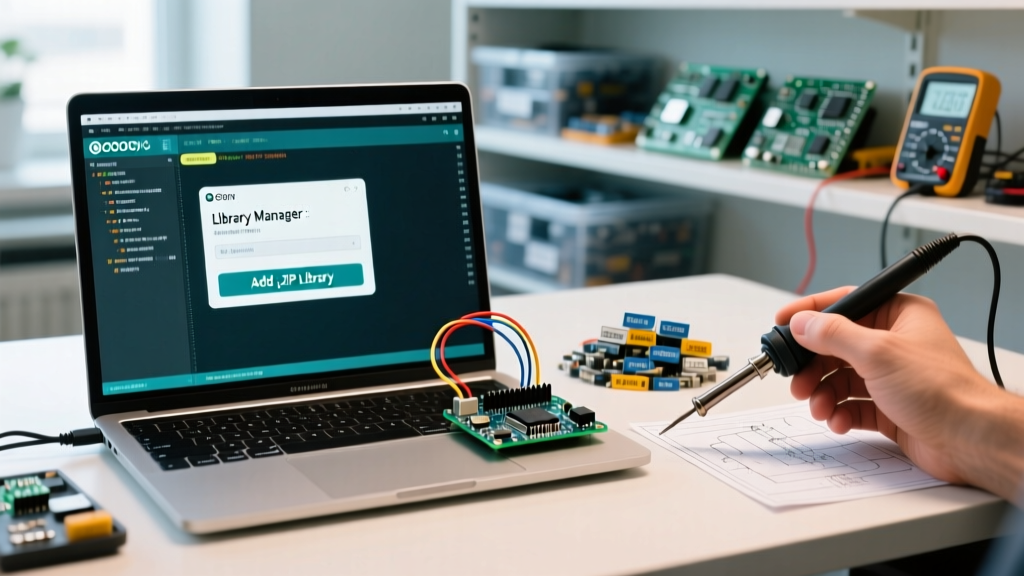
As of 2026, the Arduino ecosystem has largely standardized around the Arduino IDE 2.3.x branch and the underlying arduino-cli architecture. While this shift brought massive improvements to code completion and board management, it also fundamentally changed how the IDE indexes, validates, and compiles external libraries. When you attempt to add library to Arduino projects via ZIP import or manual directory placement, the IDE’s strict validation engine frequently rejects files that the older 1.8.x IDE would have silently accepted.
This guide bypasses basic tutorials and dives straight into the debug console. We will dissect the exact failure modes of library imports, trace hidden dependency conflicts, and resolve OS-level file permission blocks that prevent successful compilation.
Debugging the "Zip Doesn't Contain a Library" Error
The most ubiquitous error encountered when attempting a ZIP import is the vague "Zip doesn't contain a library" or "Missing library.properties" alert. This is rarely a corrupted file; it is almost always a structural nesting issue stemming from GitHub repository downloads.
The GitHub Nesting Trap
When you click "Download ZIP" on a GitHub repository, the archive is generated with a root folder named repository-name-branch (e.g., Adafruit_Sensor-master). Inside this folder, the actual library files reside. However, if the developer has structured the repository to include a separate examples or extras directory at the root level alongside a src folder, the Arduino IDE’s ZIP parser often fails to locate the library.properties manifest at the exact depth it expects.
The Fix:
- Extract the ZIP file manually to your desktop.
- Rename the root folder to remove the
-masteror-mainsuffix (e.g., changeAdafruit_Sensor-mastertoAdafruit_Sensor). - Ensure
library.propertiesis sitting at the absolute root of this newly renamed folder, not buried inside a secondarysrcdirectory. - Re-zip the folder (ensure you zip the folder itself, not just the highlighted contents inside it) and use Sketch > Include Library > Add .ZIP Library.
Validating the library.properties Manifest
If the structural nesting is correct but the IDE still rejects the import, the issue lies within the library.properties file. The Arduino Library Specification mandates strict formatting. A single missing required field or an invalid architecture tag will cause the IDE 2.x indexer to silently drop the library from the compilation path.
According to the official Arduino Library Specification, the following fields are mandatory and case-sensitive:
- name: Must be unique, alphanumeric, and contain no spaces (use underscores).
- version: Must follow semantic versioning (e.g.,
1.0.4). A trailing 'v' (likev1.0.4) will trigger a parse failure. - author: Name and email format.
- maintainer: Name and email format.
- sentence: Short description (max 120 characters).
- paragraph: Longer description.
- category: Must match one of the predefined categories (e.g.,
Sensors,Communication,Signal Input/Output). An unrecognized category will flag a warning in the IDE console. - architectures: Use
*for universal compatibility, or specify exact cores likeavr,samd,esp32. If you are targeting an ESP32-S3 but the library specifiesavr, the IDE will hide the library from the include menu.
Debug Tip: Open the Arduino IDE 2.x, navigate to File > Preferences, and check "Show verbose output during compilation". When you compile, scan the black console window for lines starting with WARNING: library. This will output the exact manifest parsing error the IDE is suppressing in the GUI.
Tracing Dependency Hell and Version Conflicts
Modern IoT projects often require chaining multiple libraries (e.g., a custom LoRaWAN library that depends on a specific fork of the ArduinoJson library). When you add library to Arduino environments, the IDE 2.x attempts to resolve these dependencies automatically. However, it frequently fails if the dependency tree requires a legacy version.
The depends Field Limitation
If Library A lists depends=ArduinoJson in its manifest, the IDE will attempt to download the latest version of ArduinoJson. If Library A was written for ArduinoJson v5, but the IDE installs v7, your code will fail to compile with dozens of "class not found" errors. The IDE’s GUI lacks a native downgrade matrix for these nested dependencies.
The Workaround:
You must manually intercept the dependency chain. Open the library.properties file of the primary library you just imported and locate the depends line. Note the exact library required. Then, open the Arduino Library Manager, search for the dependency, and use the version dropdown to explicitly install the legacy version required by your primary library before you run your first compile.
OS-Level File System Blocks
When the IDE claims a library is installed, but the compiler throws a "fatal error: MyLibrary.h: No such file or directory", you are likely facing an Operating System permission or quarantine block.
macOS Quarantine Attributes
macOS Gatekeeper applies a hidden com.apple.quarantine extended attribute to files downloaded via browsers or transferred via AirDrop. The Arduino IDE’s sandboxed compilation process often lacks the permissions to read quarantined headers in the ~/Documents/Arduino/libraries directory.
The Fix: Open the macOS Terminal and strip the quarantine attribute recursively from your libraries folder:
xattr -cr ~/Documents/Arduino/libraries/Linux Ownership and Hidden Directories
On Ubuntu and Debian-based systems, the Arduino IDE 2.x stores its core index and library cache in ~/.arduino15, while user libraries reside in ~/Arduino/libraries. If you previously used sudo to install a library via a bash script or extracted a ZIP as root, the folder ownership will be tied to the root user. The IDE, running under your standard user profile, will silently ignore the folder during the indexing phase.
The Fix: Reclaim ownership of the library directory:
sudo chown -R $USER:$USER ~/Arduino/libraries/Master Error Code & Resolution Matrix
Use this diagnostic table to quickly map your specific IDE error message to the underlying root cause and apply the targeted fix.
| IDE Error Message | Root Cause | Exact Resolution |
|---|---|---|
| Zip doesn't contain a library | GitHub branch suffix or nested root folder. | Extract, rename root folder to remove '-master', re-zip the folder itself. |
| Missing library.properties | Manifest file missing, misspelled, or placed inside /src. |
Move library.properties to the absolute root of the library folder. |
| Invalid version format | Version string includes a 'v' prefix or non-semantic format. | Edit manifest: change version=v1.2 to version=1.2.0. |
| Library not found in Include Menu | Architecture mismatch or invalid category tag. | Verify architectures=* and check category against official spec. |
| Fatal error: .h No such file | OS permission block, macOS quarantine, or root ownership. | Run xattr -cr (macOS) or chown -R (Linux) on the libraries folder. |
Bypassing the GUI: Deep Debugging with Arduino-CLI
When the graphical IDE completely fails to provide actionable error logs, the most authoritative troubleshooting method is to bypass the GUI and use the arduino-cli. As documented in the Arduino CLI Command Reference, the command-line interface exposes the raw dependency resolution engine.
Open your system terminal and run the installation command with the verbose flag:
arduino-cli lib install "YourLibraryName" -vThis command will output the exact HTTP requests, index parsing steps, and dependency tree evaluations in real-time. If a library is failing to install due to a network timeout from the Arduino CDN, or if a dependency conflict is causing a silent rollback, the CLI verbose output will reveal the exact point of failure. Furthermore, if you are managing headless Raspberry Pi deployments or Docker containers for automated hardware-in-the-loop (HIL) testing in 2026, relying on the CLI for library injection is significantly more stable than scripting the GUI.
Summary: A Methodical Approach
Successfully managing external code requires moving beyond the "Sketch > Include Library" button. By understanding the strict structural requirements of the ZIP parser, validating the semantic versioning in the manifest, and resolving OS-level file system blocks, you can eliminate 99% of library import failures. Always leverage the verbose compilation logs and the arduino-cli when the GUI obscures the underlying dependency conflicts.