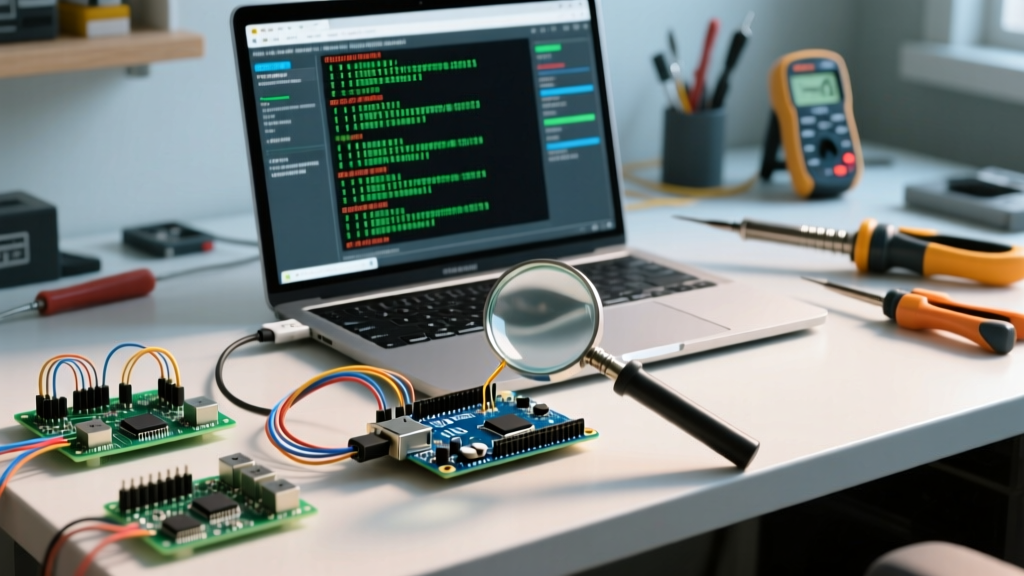

Beyond Serial.println(): The Evolution of Arduino Telemetry
For most hobbyists, the serial monitor for Arduino is simply a debugging console used to print human-readable text via Serial.println(). However, as we move through 2026, the landscape of microcontroller development has shifted dramatically. With the widespread adoption of high-speed native USB CDC on boards like the ESP32-S3 and Raspberry Pi RP2040, theoretical serial throughput now exceeds 12 Mbps. At these speeds, and when dealing with high-frequency sensor fusion (e.g., 1 kHz IMU polling), relying on ASCII text formatting introduces severe bottlenecks, parsing ambiguities, and CPU-blocking delays.
Mastering advanced serial communication requires abandoning human-readable text in favor of binary structs, robust packet framing, and non-blocking ring buffers. This guide explores the advanced techniques required to turn the standard serial monitor into a high-bandwidth, zero-loss telemetry pipeline.
The ASCII Tax: Why Text-Based Telemetry Fails at Scale
When you send a 32-bit floating-point number over serial using Serial.print(floatVal, 4), the microcontroller must perform computationally expensive base-10 string conversions. Furthermore, the payload size balloons. A standard 4-byte IEEE 754 float representing -123.456 requires 4 bytes in raw binary. When transmitted as ASCII with a carriage return and newline (-123.456\r\n), it consumes 10 bytes. This represents a 150% overhead penalty.
At a standard 115,200 baud rate, the maximum theoretical throughput is roughly 11,520 bytes per second. If your application requires streaming 10 floats (40 bytes raw) at 1 kHz, you need 40,000 bytes/sec. ASCII encoding pushes this requirement to over 100,000 bytes/sec, guaranteeing buffer overruns and dropped packets. According to the official Arduino Serial Reference, the hardware serial buffer is typically limited to 64 bytes on AVR architectures; once full, Serial.print() becomes a blocking function, stalling your main loop and causing catastrophic timing failures in PID controllers or motor drivers.
Binary Structs and the Memory Alignment Trap
The first step in optimizing your serial monitor workflow is transmitting raw memory blocks. By casting a C++ struct to a byte array, you bypass string conversion entirely.
struct __attribute__((packed)) TelemetryPacket {
  uint32_t timestamp;
  float accelerometer_x;
  float accelerometer_y;
  float accelerometer_z;
  uint8_t checksum;
};
The __attribute__((packed)) directive is critical. Modern compilers (like ARM GCC used for RP2040 and ESP32) align struct members to 4-byte boundaries for faster memory access. Without packing, the compiler may insert invisible padding bytes between variables, corrupting the data stream when parsed by a host PC.
The Endianness Edge Case
Both AVR and ARM Cortex-M microcontrollers are Little-Endian, meaning the least significant byte is stored at the lowest memory address. If your host PC is parsing this data using Python's struct module or a Big-Endian network protocol, the bytes will be reversed. Always explicitly define your byte order in your communication protocol documentation, and use bitwise shifting or union overlays if cross-platform endianness translation is required.
Packet Framing: Solving Delimiter Collisions with COBS
When sending raw binary data, you immediately encounter the delimiter collision problem. If you use a newline character (0x0A) to mark the end of a packet, what happens if one of your binary float values naturally contains the byte 0x0A? The host parser will prematurely truncate the packet, resulting in corrupted telemetry.
The industry-standard solution for this in embedded systems is Consistent Overhead Byte Stuffing (COBS). COBS encodes the data payload to eliminate all zero bytes (0x00) from the message. This allows you to safely use 0x00 as a guaranteed, collision-free packet boundary marker.
Implementing COBS in Your Workflow
- Encode: The MCU packages the binary struct, runs it through a COBS encoding algorithm, and appends a
0x00byte. - Transmit: The encoded byte stream is sent over the serial port.
- Buffer: The host PC reads incoming bytes into a buffer until it detects the
0x00boundary. - Decode: The host strips the COBS encoding, restoring the original binary struct, and validates the checksum.
While you can write a custom COBS implementation, utilizing battle-tested libraries like SerialTransfer handles the packetization, COBS-style framing, and CRC checksums automatically, saving hours of debugging.
Hardware vs. Native USB: UART Bridge ICs in the Modern Era
The physical layer of your serial connection dictates your maximum reliable baud rate. Cheap clone boards often suffer from severe baud-rate drift at speeds above 1 Mbps due to inferior USB-UART bridge ICs. When designing custom PCBs or selecting development boards for high-speed serial monitoring, the choice of bridge silicon is paramount.
| IC Model | Typical Cost (USD) | Max Baud Rate | Hardware FIFO Buffer | Driver Stability |
|---|---|---|---|---|
| WCH CH340G | $0.50 - $0.80 | 2 Mbps | None (Relies on MCU) | Prone to dropout at >1 Mbps |
| Silicon Labs CP2102N | $1.80 - $2.20 | 3 Mbps | 512 Bytes | Excellent, native OS support |
| FTDI FT232RL | $4.50 - $6.00 | 3 Mbps (up to 12 Mbps in FT232H) | 256 Bytes (RX/TX) | Industry Standard, highly robust |
| Native USB CDC (RP2040/ESP32-S3) | $0.00 (Integrated) | 12+ Mbps (USB Full Speed) | MCU Dependent (Often >4KB) | Requires proper USB enumeration handling |
Note: If you are pushing 2 Mbps+ on a CH340G-based clone board, expect a 2-5% packet loss rate due to the lack of a hardware FIFO buffer and internal clock drift. Upgrade to a CP2102N or native USB CDC board for mission-critical logging.
Non-Blocking Ring Buffers: Never Stall the Main Loop
A common anti-pattern in advanced Arduino coding is using while(Serial.available()) to parse incoming commands from the serial monitor. If the host PC sends a large configuration payload, this while-loop will block the main execution thread until the entire buffer is read. In a system controlling a high-speed BLDC motor or reading a LiDAR sensor, a 2-millisecond blocking delay can cause physical failure.
The FIFO Ring Buffer Solution
Instead of parsing data synchronously, implement a First-In-First-Out (FIFO) ring buffer.
- Interrupt/Background Level: The hardware serial interrupt (or a high-priority RTOS task on ESP32) simply reads one byte at a time and pushes it into a circular byte array.
- Main Loop Level: The main loop checks the ring buffer's
headandtailpointers. If a complete packet boundary (e.g., a COBS0x00byte) is detected, it extracts the packet and processes it.
This ensures that serial ingestion takes less than 5 microseconds per byte, completely eliminating main-loop stutter. Libraries like SafeString or custom ring-buffer implementations using bitwise masking (e.g., index & (BUFFER_SIZE - 1) where BUFFER_SIZE is a power of 2) provide highly optimized, branchless pointer wrapping.
Troubleshooting Edge Cases in High-Speed Serial
"The fastest serial data is the data you don't have to parse. Move computation to the edge, and only transmit state changes or anomalies."
Even with perfect binary framing and non-blocking buffers, physical layer anomalies can corrupt your serial monitor output. Watch for these specific failure modes:
- Ground Loops: When connecting an Arduino to a PC and a separate high-current power supply (e.g., for steppers), differing ground potentials can induce noise on the USB shield, causing the UART bridge to reset. Always use an isolated USB hub or ensure a star-ground topology.
- USB Cable Capacitance: At baud rates exceeding 2 Mbps, the physical capacitance of long, unshielded USB cables acts as a low-pass filter, rounding off the sharp square waves of the serial data stream. Keep high-speed serial USB cables under 1.5 meters and use double-shielded variants.
- Host-Side Buffer Overruns: If your Python or C# host application performs heavy GUI rendering on the main thread, it may fail to read the OS-level COM port buffer fast enough. Always decouple serial reading into a dedicated background thread with a large software buffer (e.g., 64KB) to prevent the OS from dropping bytes before your application can process them.
Summary
Treating the serial monitor for Arduino as a simple text console is a relic of the 8-bit AVR era. By adopting binary packed structs, COBS framing, and asynchronous ring buffers, you transform the serial port into a robust, high-speed telemetry bus capable of supporting the demanding sensor and control requirements of modern embedded systems.


