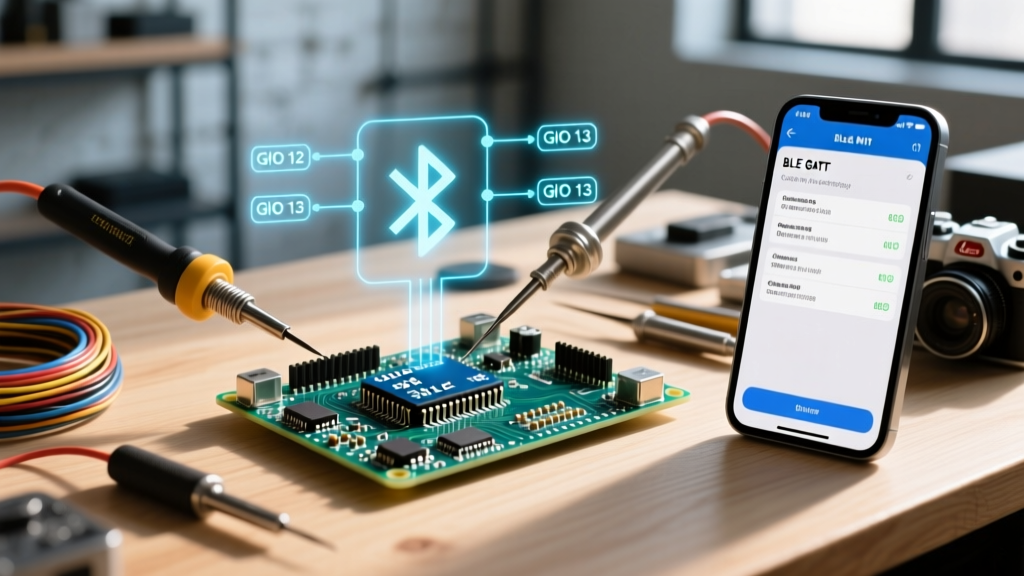

Beyond the HC-05: Engineering Modern BLE Architectures
When embedded systems engineers search for how to connect Bluetooth to Arduino, the results are overwhelmingly dominated by legacy tutorials featuring the HC-05 or HC-06 modules. While these modules utilize Bluetooth Classic Serial Port Profile (SPP) and are trivial to implement via hardware UART, they are fundamentally unsuited for modern, low-power IoT deployments. They lack iOS compatibility (Apple restricts SPP), consume excessive current, and offer no native security layer.
In 2026, the professional standard for Arduino-compatible wireless design relies on Bluetooth Low Energy (BLE) 5.0+ and the Generic Attribute Profile (GATT). This guide bypasses basic serial passthrough and details an advanced technique: architecting a custom GATT service using the Arduino Nano 33 BLE Sense Rev2, leveraging its onboard u-blox NINA-B306 module (based on the Nordic nRF52840 SoC).
Protocol Topology: Classic SPP vs. BLE GATT
To understand why we must abandon virtual serial ports for advanced telemetry, review the architectural differences between legacy modules and modern nRF52840-based Arduino boards.
| Parameter | HC-05 (Classic SPP) | Nano 33 BLE (nRF52840 GATT) |
|---|---|---|
| Topology | Point-to-Point Virtual Serial | Client/Server Attribute Database |
| iOS Compatibility | Blocked by CoreBluetooth | Fully Supported |
| Connected Power Draw | ~35 mA (Continuous) | ~4.5 mA (Pulsed at 7.5ms intervals) |
| Max Practical Throughput | ~115 kbps (UART bottleneck) | ~1.2 Mbps (PHY layer, BLE 5.0) |
| Security | Basic PIN (e.g., '1234') | AES-CCM LE Secure Connections |
Hardware Prerequisites and 2026 Pricing
Executing this advanced technique requires hardware with native BLE 5.0 support and an ARM Cortex-M4F processor to handle the stack overhead without blocking your primary application loop.
- Arduino Nano 33 BLE Sense Rev2 (SKU: ABX00069): Retailing at approximately $43.00 USD in 2026. It integrates the u-blox NINA-B306, an nRF52840 with 1MB Flash and 256KB RAM, alongside an IMU, pressure, and audio sensor suite.
- Central Device (Client): An Android 14+ smartphone, iOS 17+ device, or a secondary nRF52840 acting as a Central/Observer node.
- Software Stack: Arduino IDE 2.3+ with the official
ArduinoBLElibrary (version 1.3.6 or newer) installed via the Library Manager.
Architecting the Custom GATT Database
The core of advanced BLE implementation is understanding that you are not sending 'strings' over a wire; you are updating attributes in a structured database. The GATT protocol organizes data into Services (logical groupings) and Characteristics (the actual data points).
Generating 128-bit UUIDs
Never use the reserved 16-bit UUIDs assigned by the Bluetooth SIG for custom telemetry, as this will cause mobile OS caching conflicts. Generate a custom 128-bit UUID for your service. For example: 19B10000-E8F2-537E-4F6C-D104768A1214. You will append unique bytes to the end of this base UUID to create distinct characteristics for each sensor or data stream.
Properties: Read, Write, Notify, Indicate
For high-frequency sensor data (e.g., 100Hz accelerometer streams), do not use the Read property, which requires the Central device to poll the Arduino. Instead, utilize the Notify property. Notify allows the Arduino (Peripheral) to push data to the Central device immediately upon value changes, minimizing latency and eliminating polling overhead.
Implementation: High-Throughput Data Streaming
Below is the architectural logic for establishing a high-throughput, low-latency BLE connection using the ArduinoBLE library.
Expert Note: Always initialize the BLE stack before configuring your I/O pins or sensor peripherals. The nRF52840 softdevice requires strict memory allocation during the BLE.begin() handshake.Your setup routine must define the local name, advertise the specific custom service UUID, and bind the characteristics. Crucially, you must define the connection interval to dictate the latency and power profile of the link.
Tuning Connection Intervals for Latency
By default, the ArduinoBLE library may negotiate a relaxed connection interval (e.g., 30ms to 50ms) to save power. For real-time robotics control or high-speed data logging, you must force a tighter interval. Using the underlying Nordic SoftDevice parameters, an interval of 6 to 12 translates to 7.5ms to 15ms. This guarantees a packet transmission opportunity every 7.5 milliseconds, effectively yielding a 133Hz update rate.
The MTU Bottleneck and How to Bypass It
The most common failure point for engineers transitioning from UART to BLE is the Maximum Transmission Unit (MTU). By default, the BLE specification mandates an MTU of 23 bytes. After a 3-byte header, you are left with a payload of only 20 bytes per packet. If you attempt to send a 64-byte JSON string via characteristic.writeValue(), the stack will either silently truncate the data or drop the packet entirely.
MTU Negotiation Strategy
To solve this, you must implement MTU negotiation. The nRF52840 supports an MTU of up to 247 bytes. In your Arduino firmware, you do not hardcode the MTU; rather, you wait for the Central device (the smartphone) to request an MTU exchange during the connection handshake.
When writing your payload logic, always query the active MTU dynamically:
int activeMtu = BLE.maxTxLength();
Segment your data arrays into chunks of activeMtu - 3 bytes before pushing them to the characteristic. This ensures zero packet fragmentation at the application layer and prevents stack-level buffer overflows.
Advanced Troubleshooting and Edge Cases
Deploying BLE in the field introduces OS-specific quirks that basic tutorials fail to address. Here is how to handle the most prevalent edge cases encountered in 2026 mobile ecosystems.
1. Android GATT Caching (The 'Ghost Service' Bug)
Android aggressively caches the GATT table of connected peripherals to speed up subsequent reconnections. If you update your Arduino firmware to add a new Characteristic or alter a UUID, Android will often ignore the new structure and attempt to read the old, cached attributes, resulting in 133 or 22 GATT errors.
Solution: During development, always change the base 128-bit Service UUID slightly every time you modify the GATT structure. In production, implement the BLE Generic Attribute Profile Service (GAP) with the Service Changed characteristic to force the Android OS to invalidate its cache upon reconnection.
2. iOS CoreBluetooth Dropping Advertising Packets
Apple's CoreBluetooth framework is notoriously strict regarding advertising payloads. If your Arduino advertises a payload that lacks a TX Power Level field, or if the local name exceeds 20 bytes (pushing the payload over the 31-byte legacy advertising limit), iOS devices may intermittently ignore the peripheral.
Solution: Keep your BLE.setLocalName() string under 15 characters. Use BLE.setAdvertisedService() to include only the 16-bit or 128-bit UUID, and rely on the scan response packet for secondary data. Ensure the ArduinoBLE library is configured to append the TX power level automatically.
3. Android 14+ Background Scanning Permissions
If you are building a companion app to connect to your Arduino, be aware that modern Android versions require explicit runtime permissions. Beyond BLUETOOTH_CONNECT, you must declare BLUETOOTH_SCAN with the neverForLocation flag in your manifest, or the OS will throttle background scan rates to preserve battery, making your Arduino appear 'offline' when the app is minimized.
Power Profiling the nRF52840 Connection
Understanding the Nordic nRF52840 power states is critical for battery-operated Arduino deployments. When utilizing the Nano 33 BLE Sense Rev2 powered via a 3.7V LiPo cell on the VIN pin, expect the following current draw profiles:
- Deep Sleep (System OFF): ~1.2 µA
- Advertising (100ms interval): ~1.8 mA (pulsed average)
- Connected (30ms interval, idle): ~3.2 mA
- Connected (7.5ms interval, max throughput): ~12.5 mA
By leveraging the BLE.advertise() state and utilizing the nRF52840's interrupt capabilities, you can keep the Arduino in a micro-amp sleep state, waking only when a Central device writes to a specific 'Wake' characteristic, extending a 500mAh battery's life from hours to several months.
Summary
Mastering how to connect Bluetooth to Arduino at an advanced level requires abandoning the serial port paradigm. By leveraging the Nano 33 BLE Sense Rev2, architecting custom 128-bit GATT services, dynamically negotiating MTU payloads, and tuning connection intervals, you transform the Arduino from a simple hobbyist microcontroller into a robust, production-grade IoT edge node. For comprehensive hardware schematics and pinout limitations, always refer to the official Arduino Nano 33 BLE Sense Rev2 Documentation before finalizing your PCB layout.