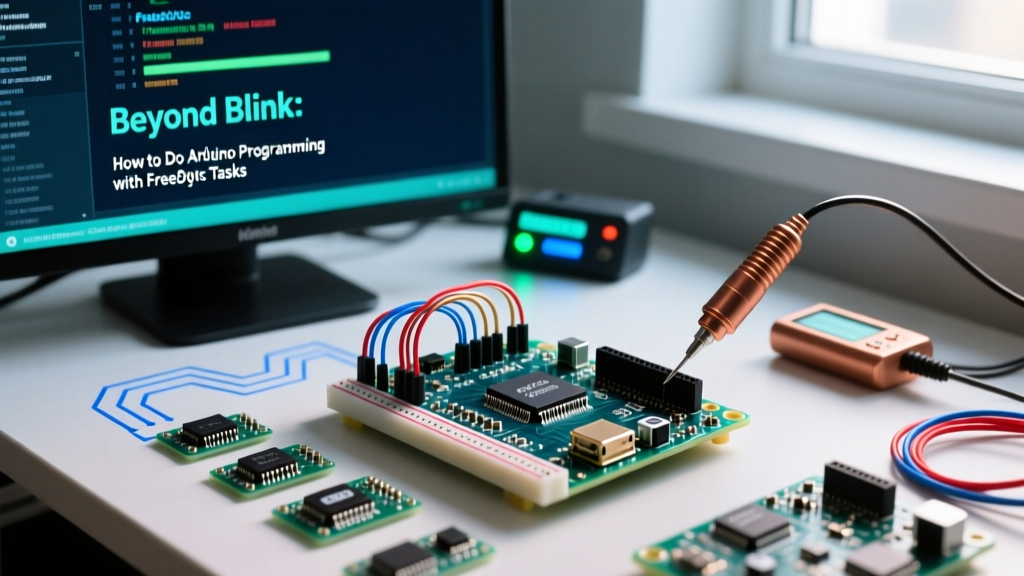

The Limits of the Bare-Metal Paradigm
When embedded engineers ask how to do Arduino programming for commercial-grade IoT deployments, the conversation must eventually pivot away from the simplistic setup() and loop() paradigm. While the bare-metal approach suffices for blinking LEDs or reading a single potentiometer, it catastrophically fails when managing concurrent sensor polling, wireless telemetry, and real-time actuator control. Relying on delay() blocks the CPU, starving the Wi-Fi stack and triggering Watchdog Timer (WDT) resets. Even using millis() for non-blocking code results in severe timing jitter and unmaintainable state-machine spaghetti as project complexity scales.
In 2026, the industry standard for advanced Arduino development relies on the ESP32-S3 (specifically the ESP32-S3-WROOM-1 N8R8 module, priced around $13.50 on Mouser) leveraging its dual-core 240 MHz Xtensa LX7 architecture and native FreeRTOS integration. By adopting a Real-Time Operating System (RTOS) within the Arduino IDE, developers can achieve deterministic timing, robust memory management, and true parallel execution.
Architecting Multitasking on the ESP32-S3
The ESP32-S3 features two distinct processing cores. By default, the Arduino core framework pins the Wi-Fi and Bluetooth stacks to Core 0, while the standard loop() function executes on Core 1. To maximize throughput and prevent network stack starvation, advanced Arduino programming requires explicitly pinning custom tasks to specific cores using xTaskCreatePinnedToCore().
Hardware Note: When designing custom PCBs around the ESP32-S3-WROOM-1, ensure you route the SPI PSRAM pins (GPIO 33-37) with strict 50-ohm impedance matching. Running multiple RTOS tasks that heavily utilize heap memory requires the 8MB PSRAM to prevent internal SRAM exhaustion.
Implementing Pinned Core Tasks
Below is the architectural pattern for spawning a dedicated sensor-polling task on Core 0, isolated from the main telemetry transmission on Core 1. Notice the stack depth allocation: 4096 words equates to 16,384 bytes (16 KB) of dedicated RAM per task.
#include <Arduino.h>

void sensorPollingTask(void *pvParameters) {
    TickType_t xLastWakeTime = xTaskGetTickCount();
    const TickType_t xFrequency = pdMS_TO_TICKS(50); // 50Hz polling

    for (;;) {
        // Read BME280 via I2C
        vTaskDelayUntil(&xLastWakeTime, xFrequency);
    }
}

void setup() {
    Serial.begin(115200);
    xTaskCreatePinnedToCore(
        sensorPollingTask,
        "SensorPoll",
        4096,        // Stack depth in words
        NULL,
        2,           // Priority (higher number = higher priority)
        NULL,
        0            // Pin to Core 0
    );
}

void loop() {
    // Core 1 handles MQTT / Wi-Fi telemetry here
    vTaskDelay(pdMS_TO_TICKS(1000));
}
Performance Matrix: Bare-Metal vs. RTOS Execution
Understanding the overhead and benefits of FreeRTOS is critical when deciding how to do Arduino programming for latency-sensitive applications. The following matrix compares a standard millis() polling loop against a dedicated FreeRTOS task running at a 50Hz target frequency on an ESP32-S3 clocked at 240 MHz.
| Metric | Bare-Metal (millis loop) | FreeRTOS (vTaskDelayUntil) |
|---|---|---|
| Timing Jitter | +/- 4.5 ms (varies with loop load) | +/- 0.02 ms (deterministic) |
| CPU Overhead | High (constant while-loop checking) | Low (core sleeps between ticks) |
| Memory Overhead | Minimal (shared stack) | ~16 KB per task (dedicated TCB & stack) |
| Wi-Fi Stack Starvation | Frequent (causes WDT resets) | None (yield handled by scheduler) |
Advanced Synchronization: Mutexes and I2C Collisions
A common failure mode in advanced Arduino projects occurs when multiple tasks attempt to access a shared hardware peripheral simultaneously. Consider a scenario where Task A reads a BME280 environmental sensor (I2C address 0x76) while Task B updates an SSD1306 OLED display (I2C address 0x3C) on the same I2C bus. Without synchronization, the I2C clock (SCL) and data (SDA) lines will interleave, causing bus corruption. The BME280 may trigger clock stretching, holding the SDA line low indefinitely, which results in a hard lock and an eventual Task Watchdog reset.
To resolve this, you must implement a Mutex (Mutual Exclusion) semaphore. The Espressif Arduino Core Documentation highly recommends wrapping all shared I2C transactions in a Mutex lock.
SemaphoreHandle_t i2cMutex;

void setup() {
    i2cMutex = xSemaphoreCreateMutex();
}

void taskA(void *pvParameters) {
    for (;;) {
        if (xSemaphoreTake(i2cMutex, pdMS_TO_TICKS(100)) == pdTRUE) {
            Wire.beginTransmission(0x76);
            // ... I2C read operations ...
            Wire.endTransmission();
            xSemaphoreGive(i2cMutex); // Release the bus
        }
        vTaskDelay(10);
    }
}
The 'FromISR' Trap
Interrupt Service Routines (ISRs) execute outside the context of the RTOS scheduler. If an ISR attempts to use standard FreeRTOS API calls like xQueueSend() or xSemaphoreGive(), the system will trigger an assertion failure and panic. When passing data from a hardware interrupt (e.g., a rotary encoder or an anemometer reed switch) to a processing task, you must exclusively use the FromISR API variants. Furthermore, you must evaluate whether the ISR unblocked a higher-priority task, yielding the CPU immediately via portYIELD_FROM_ISR().
For deeper kernel mechanics, refer to the FreeRTOS Kernel Documentation regarding interrupt-safe API mappings.
Debugging Stack Overflows and Heap Fragmentation
When transitioning to RTOS-based Arduino programming, stack overflow is the most elusive bug. Unlike standard desktop environments, an embedded stack overflow silently corrupts adjacent memory, leading to erratic variable changes or random reboots hours into deployment.
Watermarking and Heap Caps
Never guess your stack size. Implement the FreeRTOS high-water mark function in your debugging routine to measure the exact unused stack space during peak operation:
UBaseType_t highWaterMark = uxTaskGetStackHighWaterMark(NULL);
Serial.printf("Stack Watermark: %u words free\n", highWaterMark);
If the watermark drops below 10% of your allocated depth, increase the stack size in xTaskCreate. Additionally, monitor heap fragmentation. The ESP32-S3 allocates task stacks from internal SRAM. If your device runs for weeks, continuous allocation and deallocation can fragment the heap. Use heap_caps_get_free_size(MALLOC_CAP_8BIT) to monitor available contiguous RAM. For large buffers (e.g., audio processing or camera frame arrays), always allocate from the external PSRAM using heap_caps_malloc(size, MALLOC_CAP_SPIRAM) to preserve the precious 512 KB of internal SRAM for RTOS Task Control Blocks (TCBs).
FAQ: Advanced Arduino RTOS Troubleshooting
Q: Why does my ESP32-S3 reboot with a 'Task Watchdog Timeout' when using FreeRTOS?
A: This usually happens if a high-priority task enters an infinite loop without yielding to the Idle task. The RTOS Idle task is responsible for feeding the hardware watchdog. Ensure every task contains a vTaskDelay() or blocks on a queue/semaphore to yield CPU time.
Q: Can I use standard Arduino libraries like 'Adafruit_BME280' inside a FreeRTOS task?
A: Yes, but you must initialize the sensor (begin()) inside the task itself, or ensure the I2C bus is fully initialized before the scheduler starts. Calling hardware initialization inside setup() is generally safe, but the I2C mutex must be created before any task attempts to use the bus.
Q: How do I handle Wi-Fi disconnections without blocking my sensor tasks?
A: Register the Wi-Fi event handler using WiFi.onEvent(). When the ARDUINO_EVENT_WIFI_STA_DISCONNECTED event fires, push a message to an RTOS queue. Your telemetry task should block on this queue, pausing transmission attempts until a reconnection event is received, thus saving CPU cycles and battery life.


