
The Real Arduino Uno Cost: What Beginners Need to Know in 2026
If you are starting your electronics journey, the Arduino Uno is inevitably your first stop. However, navigating the market can be confusing. A quick search reveals prices ranging from $4.50 to over $30.00. Why is there such a massive discrepancy? The answer lies in the transition from the legacy 8-bit R3 generation to the modern 32-bit R4 generation, alongside a sprawling ecosystem of third-party clone boards.
Understanding the true Arduino Uno cost requires looking beyond the sticker price. You must factor in the USB-UART chipsets, voltage regulator quality, required cables, and driver compatibility. This guide breaks down the exact pricing, technical trade-offs, and hidden costs of official boards versus clones to help you make an informed purchasing decision.
Beginner Tip: If you need jumper wires, a breadboard, LEDs, and resistors, do not buy a standalone board. A comprehensive starter kit (typically $35 to $45) offers a significantly lower cost-per-component than buying a genuine board and sourcing parts individually.
Genuine Arduino Boards: The R4 Generation Pricing
As of 2026, Arduino has largely shifted its flagship lineup to the Arduino Uno R4 series. The legacy Uno R3 (based on the 8-bit ATmega328P) is mostly discontinued, though legacy stock still circulates. The R4 series utilizes a 32-bit Renesas RA4M1 ARM Cortex-M4 microcontroller clocked at 48 MHz, offering vastly superior processing power, a native 12-bit DAC, and a hardware I2C port.
1. Arduino Uno R4 Minima ($20.00)
The R4 Minima is the direct, bare-bones successor to the Uno R3. Priced at exactly $20.00 on the official store, it strips away unnecessary features to keep the Arduino Uno cost accessible for students and hobbyists. It features a USB Type-C port (finally retiring the bulky Type-B printer cable) and a 16-pin header for future CAN bus expansions. It is the best choice for beginners who want genuine build quality and official support without paying for wireless features they might not use.
2. Arduino Uno R4 WiFi ($27.50)
For IoT projects, the Arduino Uno R4 WiFi retails for $27.50. The extra $7.50 over the Minima buys you an ESP32-S3 coprocessor for Wi-Fi and Bluetooth LE connectivity, a built-in 12x8 LED matrix for visual debugging, and a Qwiic I2C connector. If your project roadmap includes smart home sensors or cloud data logging, the WiFi variant justifies its premium.
The Clone Ecosystem: How Cheap is Too Cheap?
Because Arduino publishes its hardware schematics under the Open Source Hardware Association (OSHWA) guidelines, third-party manufacturers can legally produce exact hardware replicas. These are known as 'clones.' They are not counterfeits, provided they do not use the trademarked 'Arduino' logo.
A typical ATmega328P-based Uno R3 clone costs between $4.50 and $9.00. While the core microcontroller is usually genuine (sourced from Microchip), manufacturers cut costs on peripheral components to achieve this price point.
The USB-UART Bottleneck: 16U2 vs. CH340G
The most significant technical difference affecting the Arduino Uno cost is the USB-to-Serial converter chip. This chip translates your computer's USB signals into serial data the microcontroller can understand.
- ATmega16U2 (Genuine & Premium Clones): Used on official boards and high-end clones ($12-$15). It acts as a native USB device, requiring zero custom drivers on Windows, macOS, or Linux. It also allows the board to be reprogrammed as a native USB HID device (like a custom keyboard or mouse).
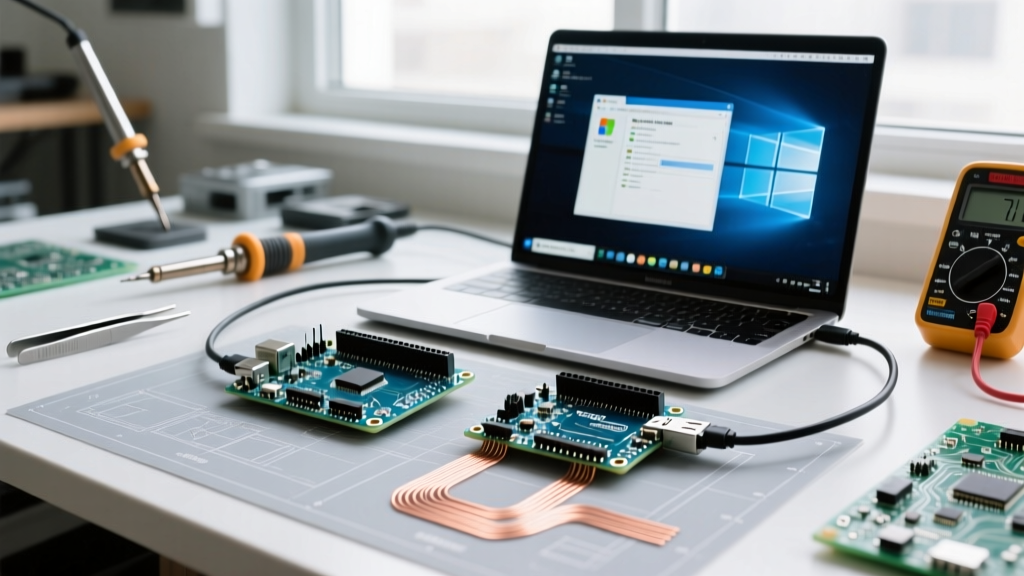
- CH340G / CH340C (Budget Clones): Found on $5 clones. This is a cheaper, dedicated UART transceiver. While it works perfectly for standard uploading, it requires manual driver installation on older Windows systems and can occasionally cause handshake timeouts on macOS Sonoma and newer if the driver is not correctly signed.
2026 Arduino Uno Cost Comparison Matrix
| Board Variant | Microcontroller | USB Chip | Avg. Price (2026) | Best Use Case |
|---|---|---|---|---|
| Official Uno R4 Minima | Renesas RA4M1 (32-bit) | Native USB-C | $20.00 | Modern learning, DSP, DAC projects |
| Official Uno R4 WiFi | RA4M1 + ESP32-S3 | Native USB-C | $27.50 | IoT, Cloud logging, Visual feedback |
| Premium Clone (e.g., Elegoo) | ATmega328P (8-bit) | CH340G or 16U2 | $11.00 - $14.00 | Classrooms, bulk robotics kits |
| Generic Budget Clone | ATmega328P (8-bit) | CH340G | $4.50 - $7.00 | Disposable prototypes, tight budgets |
Hidden Costs That Inflate Your Budget
When calculating the total Arduino Uno cost, beginners often overlook the accessories required to actually get the board running. Here is where budget clones can end up costing you more in time and frustration.
- Cabling Incompatibilities: Legacy R3 clones require a USB Type-A to Type-B cable (often called a printer cable). Most modern households only have USB-C or Micro-USB cables. Buying a quality Type-B cable adds $6 to $8 to your cart, instantly erasing the savings of a $5 clone. The R4 series uses standard USB-C, solving this issue.
- Voltage Regulator Failures: Genuine boards use the NCP1117 voltage regulator, which can safely handle input voltages up to 20V (though 7-12V is recommended). Ultra-cheap clones often use counterfeit or generic AMS1117 regulators that overheat and fail catastrophically if you power the board via the barrel jack with anything over 9V. If you plan to power your Uno via a 12V wall adapter or battery pack, avoid the cheapest clones.
- Cold Solder Joints & Missing Headers: Budget clones are wave-soldered with minimal quality control. It is common to receive a board with a cold solder joint on the ICSP header or the power LED. Furthermore, some $4 clones ship without female headers soldered onto the main pins, requiring you to own a soldering iron just to use a breadboard shield.
Where to Buy: Authorized vs. Marketplace
Where you buy is just as important as what you buy. To guarantee you receive a genuine board with a properly flashed bootloader and tested components, purchase from authorized global distributors. DigiKey, Mouser, Adafruit, and SparkFun are the gold standards for authentic Arduino products.
If you are deliberately buying clones to save money, Amazon is generally safer than AliExpress for beginners. While Amazon clones cost $2 to $3 more, they offer Prime shipping (meaning you get it in days, not weeks) and hassle-free returns if you receive a board with a bricked bootloader or a faulty USB port. AliExpress is only recommended for experienced makers buying in bulk (10+ units) who have the tools to troubleshoot and re-flash bootloaders via ICSP.
Frequently Asked Questions (FAQ)
Is it legal to buy and use an Arduino clone?
Yes. The hardware design of the Arduino Uno is open-source. Any manufacturer can legally produce the exact circuit board. It only becomes illegal (counterfeiting) if they print the trademarked Arduino infinity logo on the PCB or packaging.
Can I use an Uno R3 clone for a commercial product?
It is not recommended. While the hardware is legal, cheap clones lack electromagnetic interference (EMI) shielding, use uncertified USB chips, and have no FCC/CE compliance testing. For commercial prototyping, always use genuine boards or design your own custom PCB based on the open-source schematics.
Why does my cheap clone show up as 'USB2.0-Serial' in the IDE?
This indicates your clone uses the CH340G USB-UART chip instead of the official ATmega16U2. You simply need to download and install the official CH340 drivers for your operating system, restart the Arduino IDE, and select the correct COM port to begin uploading code.
Final Verdict: Which Should You Choose?
If you are an absolute beginner who wants a frictionless experience, native USB-C connectivity, and access to modern 32-bit processing power, the $20.00 Genuine Arduino Uno R4 Minima is the undisputed best value. It future-proofs your learning and eliminates driver headaches.
However, if you are a teacher outfitting a lab of 30 students, or a hobbyist building a simple LED cube where the board will be permanently embedded and hidden, a $6.00 CH340-based clone makes financial sense. Just remember to factor in the cost of a Type-B USB cable and a reliable power supply to avoid hardware failures.