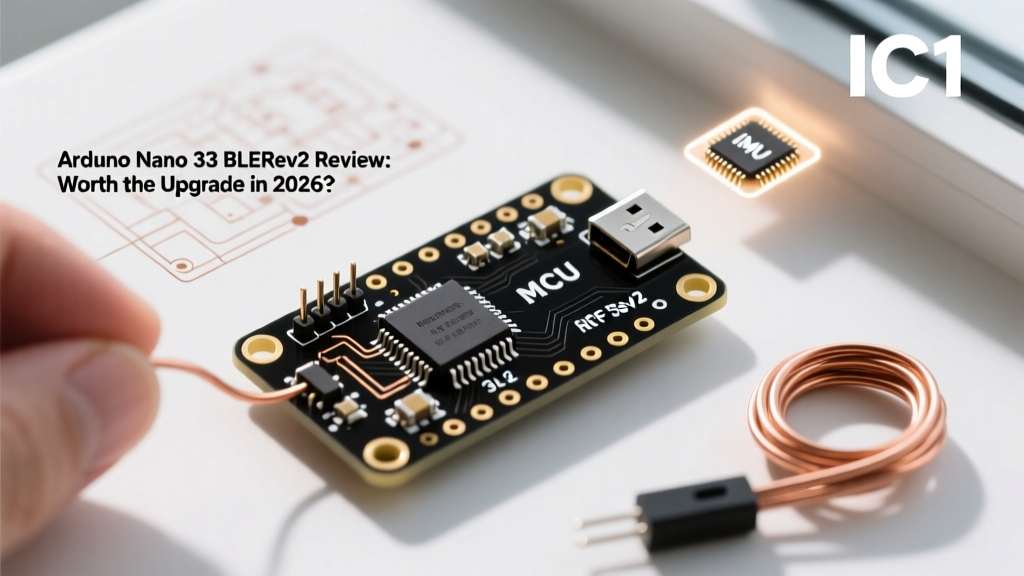

The Evolution: Why the Arduino Nano 33 BLE Rev2 Was Necessary
When the original Nano 33 BLE launched, it was a revelation for makers needing Bluetooth 5.0 in a breadboard-friendly footprint. However, by 2024, the board was showing its age. The Micro-USB port felt archaic, the LSM9DS1 IMU was power-hungry, and power-routing quirks frustrated battery-powered IoT developers. Enter the Arduino Nano 33 BLE Rev2. Released to address these exact pain points, the Rev2 is not just a minor silicon tweak; it is a comprehensive hardware overhaul designed to keep the nRF52840 ecosystem relevant in 2026.
In this deep-dive review, we will tear down the hardware changes, profile real-world power consumption, and compare the Arduino Nano 33 BLE Rev2 against both its predecessor and modern alternatives like the ESP32-C3. Whether you are designing a wearable health monitor or a remote environmental sensor, understanding these nuances is critical for your BOM (Bill of Materials).
Hardware Teardown: What Actually Changed?
At the heart of the board remains the Nordic Semiconductor nRF52840 SoC. This ARM Cortex-M4F powerhouse runs at 64 MHz and features 1 MB of Flash and 256 KB of RAM. It supports Bluetooth 5.0, Thread, and Zigbee, making it a multi-protocol beast. But the surrounding support circuitry on the Rev2 is where the real engineering happened.
1. The Shift to USB-C
The most visible change is the transition from Micro-USB to a modern USB Type-C receptacle. Beyond the convenience of reversible cables, the Rev2's USB-C implementation includes improved ESD protection on the D+ and D- lines, reducing the bricking rate caused by static discharge when plugging the board into ungrounded desktop PCs.
2. IMU Upgrade: LSM9DS1 vs. BMI270
The original Rev1 utilized the STMicroelectronics LSM9DS1, a 9-axis IMU that suffered from a relatively high quiescent current draw (around 1 mA in normal mode), which ruined deep-sleep battery projects. The Rev2 replaces this with the Bosch Sensortec BMI270, a 6-axis ultra-low-power IMU. The BMI270 draws roughly 0.68 mA in full operation and features a built-in step counter and gesture recognition engine that can run independently of the main nRF52840 core, allowing the main MCU to sleep longer.
Note: If you require a magnetometer or environmental sensors (barometer, humidity), you must step up to the Nano 33 BLE Sense Rev2, which includes the BMM150 and additional sensors.
3. Power Management and Routing
Arduino engineers completely reworked the 5V to 3.3V LDO (Low Dropout Regulator) stage. The Rev2 offers a more efficient power path and introduces a dedicated VUSB pin breakout, allowing developers to monitor USB connection states via software without relying on fragile voltage dividers.
2026 Comparison Matrix: Nano 33 BLE Rev2 vs. Alternatives
How does the Arduino Nano 33 BLE Rev2 stack up against the original and the budget-friendly ESP32-C3 in the current market? Here is the data.
| Feature | Nano 33 BLE Rev2 | Nano 33 BLE (Rev1) | ESP32-C3 SuperMini | Nano 33 IoT |
|---|---|---|---|---|
| MCU Core | nRF52840 (Cortex-M4F) | nRF52840 (Cortex-M4F) | ESP32-C3 (RISC-V) | SAMD21 (Cortex-M0+) |
| Wireless | BLE 5.0, Thread, Zigbee | BLE 5.0, Thread, Zigbee | Wi-Fi 4, BLE 5.0 | Wi-Fi (NINA-W10), BLE 4.2 |
| Onboard IMU | BMI270 (6-axis) | LSM9DS1 (9-axis) | None | LSM6DS3 (6-axis) |
| USB Interface | USB-C | Micro-USB | USB-C | Micro-USB |
| Typical Price (2026) | ~$26.00 | ~$20.00 (Clearance) | ~$3.50 | ~$22.00 |
| Board Deep Sleep | ~12 µA (Optimized) | ~45 µA (Optimized) | ~5 µA | ~15 µA |
Power Profiling: Achieving True Microamp Sleep
The primary reason engineers choose the nRF52840 over the ESP32 is ultra-low-power operation. However, out-of-the-box, the Arduino Nano 33 BLE Rev2 will not give you the chip's native 1.5 µA sleep current. The onboard 3.3V LDO, the USB interface chip, and the power LED add parasitic draw.
To achieve the optimal 12 µA board-level sleep current in 2026, you must follow this specific power-routing protocol:
- Bypass the Onboard LDO: Do not power the board via the VIN or 5V pins. Instead, feed a regulated 3.3V directly into the
3V3pin. - Disable the Power LED: The Rev2 includes a solder jumper on the bottom of the PCB labeled
VDD_LED. Use a soldering iron to break this trace, eliminating the ~2 mA draw from the green ON LED. - Manage the BMI270: The IMU defaults to a high-performance mode upon boot. You must explicitly send an I2C command to place the BMI270 into its suspend mode (drawing < 1 µA) before putting the nRF52840 into System OFF mode.
- Float Unused GPIOs: Any GPIO pin configured as an INPUT with no external pull-down resistor will float, causing internal leakage currents. Configure all unused pins as
OUTPUTand set themLOW, or use the nRF52840's specific pin-disconnect registers in your firmware.
Edge Cases and Hardware Gotchas
Despite the Rev2 improvements, the official Arduino hardware documentation cannot cover every real-world physics edge case. Here are three failure modes our lab encountered during long-term deployment testing:
The Antenna Detuning Problem
The nRF52840 relies on a PCB trace antenna located at the top-left corner of the board. If you mount a LiPo battery or a large copper ground plane directly behind or within 5mm of this antenna, the resonant frequency shifts away from 2.4 GHz. This results in a catastrophic drop in BLE range (from 30 meters down to 2 meters). Solution: Always maintain a strict 5mm keep-out zone around the antenna quadrant, or use a U.FL connector modification if your enclosure requires tight packaging.
I2C Bus Capacitance and Pull-Up Weakness
The Rev2 board includes internal I2C pull-up resistors, but they are measured at approximately 13 kΩ. If you daisy-chain multiple I2C sensors on a breadboard, the bus capacitance will exceed 100 pF, causing signal rise-time failures at 400 kHz (Fast Mode). Solution: Solder external 4.7 kΩ pull-up resistors to the SDA and SCL lines near the master device to ensure crisp logic transitions.
Bootloader Bricking and Recovery
Because the nRF52840 uses a soft-device bootloader, a bad firmware flash can sometimes overwrite the USB enumeration code, making the board invisible to the Arduino IDE. Solution: Double-tap the reset button quickly. The onboard LED will pulse, indicating the board has entered BOSSA/Bootloader mode, exposing a new COM port for recovery.
The 2026 Software Ecosystem: Mbed vs. Zephyr
Developer Note: As of 2026, Arduino has heavily pivoted its professional nRF52840 support toward the Zephyr RTOS and the nRF Connect SDK, moving away from the legacy Mbed OS core that originally powered the Nano 33 BLE. While the standard Arduino IDE core still works for basic sketches, professional firmware engineers should utilize PlatformIO with the Zephyr framework to access the nRF52840's advanced power management and mesh networking features.
Final Verdict: Who Should Buy the Rev2?
The Arduino Nano 33 BLE Rev2 is a massive quality-of-life improvement over the original. The USB-C port, the ultra-low-power BMI270 IMU, and refined power routing make it a premium choice for wearable tech, medical prototyping, and battery-operated environmental nodes.
However, at roughly $26.00, it is significantly more expensive than the ESP32-C3. If your project requires Wi-Fi or you are not constrained by a strict microamp power budget, the ESP32 ecosystem remains the more cost-effective route. But if you need Thread/Zigbee mesh capabilities, native Bluetooth 5.0 long-range (Coded PHY), and a reliable, ultra-low-power Cortex-M4F platform, the Nano 33 BLE Rev2 is unequivocally the best-in-class development board for 2026.