
Quick Reference: NEO-6M GPS Module Specifications
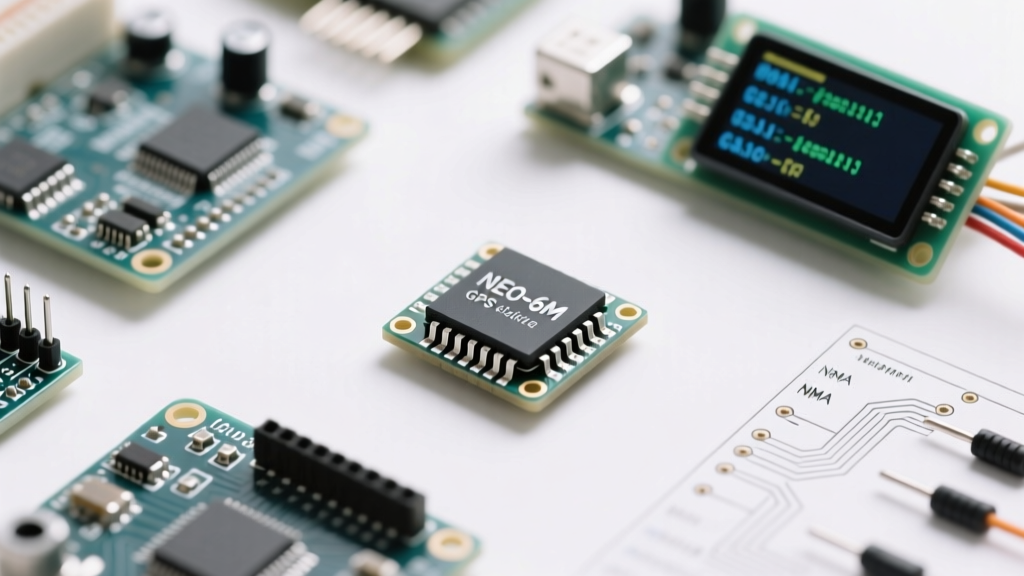
The u-blox NEO-6M remains the undisputed workhorse for DIY electronics, Arduino tracking projects, and Raspberry Pi navigation setups. Despite newer generations (like the M8N or M10), the NEO-6M offers an unbeatable balance of cost, availability, and sufficient accuracy for most non-surveying applications. This cheat sheet provides the exact hardware parameters, communication protocols, and failure-mode diagnostics you need on the bench.
| Parameter | Specification | Practical Notes |
|---|---|---|
| GNSS Receiver | u-blox NEO-6M (GPS L1 C/A) | GPS only. No GLONASS, Galileo, or BeiDou support. |
| Tracking Channels | 50 parallel channels | Searches 16 channels simultaneously. |
| Sensitivity (Tracking) | -161 dBm | Requires clear sky view; fails under heavy canopy/indoors. |
| Cold Start Time | 27 seconds (typical) | Time to first fix (TTFF) without ephemeris data. |
| Hot Start Time | 1 second | Requires valid RTC backup battery and saved ephemeris. |
| Default Baud Rate | 9600 bps (8N1) | Configurable up to 230400 via UBX protocol. |
| Update Rate | 1 Hz (Default) / 5 Hz (Max) | 5Hz reduces channel allocation; stick to 1Hz for standard use. |
| Operating Voltage | 2.7V to 3.6V (Chip) / 3.3V-5V (Module) | Generic blue modules include an onboard LDO for 5V input. |
Hardware Pinout & Wiring Matrix
Generic NEO-6M breakout boards (often recognized by their blue PCB and large square ceramic patch antenna) expose standard UART pins, but they also hide an I2C EEPROM for datalogging. Below is the definitive wiring matrix for connecting the module to a 3.3V or 5V microcontroller.
| Module Pin | Signal Type | Arduino (5V Logic) Wiring | ESP32/RPi (3.3V Logic) Wiring |
|---|---|---|---|
| VCC | Power In | 5V Pin | 3.3V Pin |
| GND | Ground | GND | GND |
| TXD | UART Data Out | Via Logic Level Converter to RX | Direct to RX Pin |
| RXD | UART Data In | Via Logic Level Converter to TX | Direct to TX Pin |
| PPS | Pulse Per Second | Interrupt Pin (via divider if needed) | GPIO / Interrupt Pin |
| SCL / SDA | I2C (EEPROM) | A5 / A4 (with pull-ups) | Standard I2C Pins |
Voltage & Logic Level Warnings
While the module accepts 5V via its onboard MIC5205 LDO regulator, the raw TXD and RXD pins operate at 3.3V logic. Feeding 5V logic from an Arduino Uno directly into the NEO-6M RXD pin will eventually degrade the silicon or cause erratic NMEA parsing. Always use a bidirectional logic level shifter or a simple voltage divider (e.g., 10kΩ and 20kΩ resistors) on the RXD line when using 5V microcontrollers.
NMEA 0183 Sentence Decoder (Cheat Sheet)
The NEO-6M outputs standard NMEA 0183 ASCII strings over UART at 9600 baud. While libraries like TinyGPS++ handle parsing automatically, understanding the raw data is critical for debugging serial buffer overflows and validating signal integrity.
Anatomy of a $GPGGA Sentence
The $GPGGA (Global Positioning System Fix Data) sentence is the most critical for extracting latitude, longitude, and altitude. Here is a raw output breakdown:
$GPGGA,183245.00,4807.038,N,01131.000,E,1,08,0.9,545.4,M,46.9,M,,*47
- $GPGGA: Sentence identifier.
- 183245.00: UTC Time (18:32:45.00).
- 4807.038,N: Latitude (48 degrees, 07.038 minutes North). Note: You must divide the minutes by 60 to get decimal degrees.
- 01131.000,E: Longitude (11 degrees, 31.000 minutes East).
- 1: Fix Quality (0=Invalid, 1=GPS fix, 2=DGPS fix).
- 08: Number of satellites currently being tracked.
- 0.9: Horizontal Dilution of Precision (HDOP). Lower is better (<1.0 is excellent).
- 545.4,M: Altitude above mean sea level in meters.
- 46.9,M: Geoidal separation.
- *47: XOR Checksum for data validation.
Other Essential NMEA Sentences
| Sentence | Purpose | When to Parse |
|---|---|---|
$GPRMC |
Recommended Minimum (Speed, Course, Date) | When building a vehicle tracker or marine display. |
$GPVTG |
Track Made Good and Ground Speed | Useful for calculating knots/kmph without full RMC parsing. |
$GPGSV |
Satellites in View (SNR, Elevation, Azimuth) | Essential for building a 'Skyplot' or signal strength UI. |
UBX Protocol & Configuration Matrix
While NMEA is for reading data, the proprietary u-blox UBX binary protocol is required to change the NEO-6M's internal configuration. You can interact with UBX using the u-center software via a USB-to-Serial adapter.
Saving Configurations to EEPROM
A common frustration is changing the baud rate to 115200 via code, only to find it resets to 9600 on the next power cycle. The NEO-6M module features an onboard AT24C32 I2C EEPROM. To make settings permanent, you must explicitly send the UBX-CFG-CFG message to save the current configuration to the flash memory. If your module lacks the backup battery, it will also lose its orbital ephemeris data, resulting in a 27-second cold start every time you power it on.
Troubleshooting Common Failure Modes
When your serial monitor is flooded with garbage characters or empty NMEA strings, use this diagnostic framework to isolate the fault.
1. The 'No Fix' Blinking LED Diagnostics
The onboard PPS LED is your best hardware diagnostic tool:
- LED is OFF: No power, or the module is in a low-power backup mode.
- LED is SOLID ON: The module has power but is searching for satellites (No 3D Fix).
- LED is BLINKING (1Hz): Valid 3D Fix achieved. The module is outputting accurate coordinate data.
2. Active vs. Passive Antenna Mismatches
The standard ceramic patch antenna included with the NEO-6M module is an active antenna. It contains a Low Noise Amplifier (LNA) that requires 3.3V power delivered over the coaxial feed line. If you attempt to replace it with a passive external antenna without providing DC bias, or if you short the antenna line to ground, the LNA will fail to amplify the -130 dBm satellite signals, resulting in a permanent 'Solid LED' state. Always verify the LNA and SAW filter circuitry on the PCB if swapping antennas.
3. Serial Buffer Overflows & Garbage Data
If you see fragmented NMEA sentences (e.g., $GPGGA,183...[GARBAGE]), your microcontroller is not reading the UART buffer fast enough. At 9600 baud, the NEO-6M pushes roughly 500 bytes per second. If your loop() function contains blocking delays (like delay(1000)), the 64-byte hardware serial buffer will overflow.
Solution: Use hardware serial (Serial1 on Mega/ESP32) instead of SoftwareSerial, which is highly prone to interrupt-timing errors at baud rates above 4800. For deeper hardware validation, consult the official u-blox NEO-6 DataSheet for precise timing diagrams and power sequencing requirements.