
The AI Bottleneck in Modern Smart Homes
As smart home ecosystems evolve from simple automation routines to predictive, context-aware environments, the computational demands on local hubs have skyrocketed. Relying on cloud-based processing for security camera analytics or voice recognition introduces unacceptable latency and severe privacy vulnerabilities. While the Raspberry Pi 5 has significantly improved general-purpose CPU performance, it fundamentally lacks an integrated Neural Processing Unit (NPU) capable of handling simultaneous, multi-stream AI inference. This is where the Nvidia Jetson Orin Nano changes the paradigm for DIY smart home integrators.
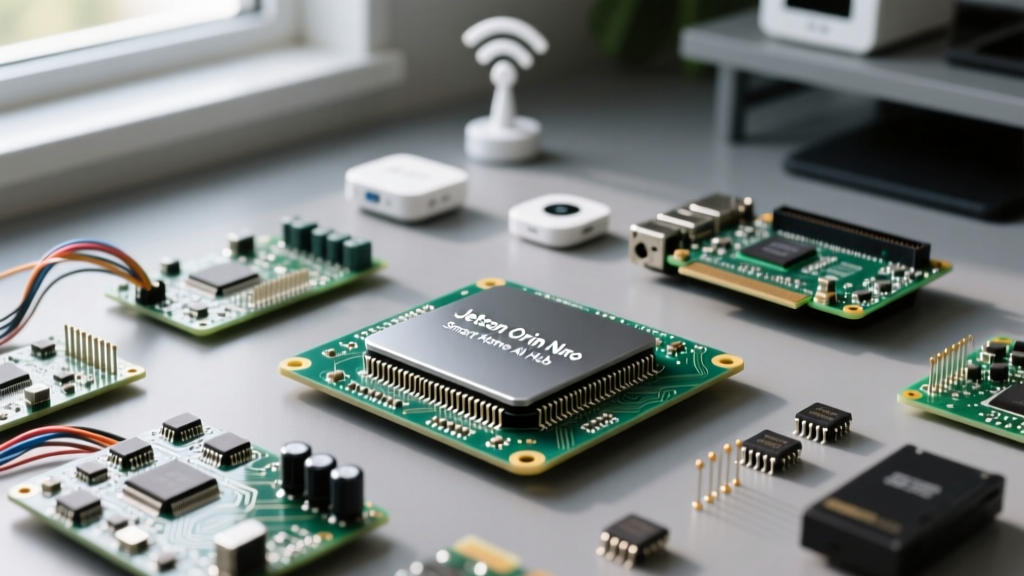
The Jetson Orin Nano is not merely a single-board computer; it is a compact AI supercomputer. By bringing edge-computing capabilities to the smart home, it enables real-time object detection, local speech-to-text processing, and advanced sensor fusion without a single byte of data leaving your local network. In this guide, we will explore how to architect a robust, AI-driven smart home hub using the Jetson Orin Nano, focusing on practical deployments like Frigate NVR and offline voice assistants.
Hardware Architecture and the TOPS Advantage
To understand why the Jetson Orin Nano outperforms traditional ARM-based SBCs in smart home scenarios, we must look at its heterogeneous computing architecture. The Orin Nano 8GB module features an Nvidia Ampere architecture GPU with 1024 CUDA cores and 32 Tensor cores, delivering up to 40 TOPS (Tera Operations Per Second) of INT8 performance. In practical terms, this means the board can process multiple high-resolution video streams for person, vehicle, and pet detection simultaneously, a task that would completely saturate the CPU of a standard Raspberry Pi or Intel N100 mini PC.
The 4GB vs 8GB Dilemma for Smart Home Workloads
Nvidia offers the Orin Nano in both 4GB and 8GB variants. For a dedicated Frigate NVR server running a single TensorRT model, the 4GB variant is technically sufficient. However, for a unified smart home hub running Home Assistant, Frigate, and a local Whisper voice model concurrently, the 8GB Developer Kit (Part #945-13766-0000-000) is mandatory. AI models loaded into VRAM are incredibly memory-hungry, and the unified memory architecture of the Orin Nano means system RAM and GPU VRAM are shared. Starving the OS of memory will result in severe swapping and system instability.
Deploying Frigate NVR with TensorRT Acceleration
Frigate is the gold standard for local AI security camera management. While it runs on almost any hardware, its true potential is unlocked via hardware-accelerated object detection. On the Jetson Orin Nano, we utilize Nvidia TensorRT to optimize the YOLO-based models specifically for the Ampere GPU.
According to the Frigate Hardware Acceleration Docs, passing the GPU to a Docker container on JetPack requires specific runtime configurations. Below is a foundational snippet for your docker-compose.yml file to ensure Frigate accesses the Orin Nano's Tensor cores:
services:
  frigate:
    image: ghcr.io/blakeblackshear/frigate:stable-tensorrt
    runtime: nvidia
    environment:
      - NVIDIA_VISIBLE_DEVICES=all
      - NVIDIA_DRIVER_CAPABILITIES=compute,utility,video
    volumes:
      - ./config:/config
      - /etc/localtime:/etc/localtime:ro
    deploy:
      resources:
        reservations:
          devices:
            - driver: nvidia
              count: 1
              capabilities: [gpu]
Inside your Frigate config.yml, you must explicitly define the detector type as tensorrt. Users frequently report inference times dropping from 120ms on a CPU to under 15ms per frame on the Orin Nano's Tensor cores, allowing for flawless 15 FPS tracking on four 4K RTSP streams simultaneously.
Offline Voice Processing with Whisper and Home Assistant
Local voice control is the holy grail of smart home privacy. Cloud-based assistants are always listening and uploading audio snippets. By integrating OpenAI's Whisper model via the Home Assistant Voice Control pipeline, you can achieve rapid, offline speech-to-text (STT) transcription.
Running the faster-whisper implementation on the Orin Nano leverages the CUDA cores for rapid matrix multiplication. The 'tiny' or 'base' English models load in under two seconds and transcribe local wake-word commands with near-zero latency. Because the Orin Nano handles the heavy lifting of audio spectrogram conversion, the Home Assistant core remains entirely unburdened, ensuring your automations and dashboard UI remain snappy.
Thermal Management and Real-World Failure Modes
Integrating enterprise-grade silicon into a DIY smart home hub introduces specific hardware quirks that the Nvidia Jetson Orin Nano Developer Forums frequently address. Being aware of these failure modes will save you hours of troubleshooting.
The NVMe Boot Quirk
Unlike the Raspberry Pi, the Orin Nano does not feature onboard eMMC storage; it relies entirely on an M.2 NVMe SSD for boot and storage. A widely documented failure mode involves certain Western Digital drives (such as the WD Blue SN570) failing to initialize during the UEFI boot sequence due to aggressive power state transitions. To ensure a stable smart home hub that survives power outages and reboots, stick to proven drives like the Samsung 970 EVO Plus or Crucial P3, which handle the Orin Nano's PCIe Gen3 controller flawlessly.
Power Delivery and Thermal Throttling
The Orin Nano operates at a configurable TDP of 7W to 15W. A critical mistake many DIYers make is attempting to power the Developer Kit via the USB-C port using a standard 5V/3A Raspberry Pi power supply. The USB-C port on the Orin Nano carrier board is strictly for data and low-power flashing; it cannot deliver the wattage required for 15W TDP operation under AI load. You must use the DC barrel jack with a 19V 3A power supply. Furthermore, the passive heatsink included in early dev kits is insufficient for sustained Frigate inference. Upgrading to an active cooler, such as a Noctua NF-A4x10 5V PWM fan wired to the carrier board's fan header, is mandatory to prevent thermal throttling during continuous object detection.
Cost-Benefit Analysis: Is the Orin Nano Worth It?
When designing a smart home hub, budget and power consumption are just as critical as raw performance. Below is a comparison of popular local AI architectures for smart home integrators.
| Hardware Platform | Approx. Cost (USD) | AI Acceleration | Idle Power Draw | Best Use Case |
|---|---|---|---|---|
| Raspberry Pi 5 + Hailo-8L HAT | $110 | 13 TOPS (NPU) | 3.5W | Basic Frigate (1-2 Cameras) |
| Intel N100 Mini PC | $160 | OpenVINO (CPU/iGPU) | 8.0W | Home Assistant + Light AI |
| Jetson Orin Nano 8GB Dev Kit | $499 | 40 TOPS (TensorRT) | 5.5W | Multi-stream NVR + Local Voice |
While the initial capital expenditure for the Jetson Orin Nano is significantly higher than a Raspberry Pi or an Intel N100 mini PC, the ROI is realized in performance density and power efficiency. The ability to run complex, multi-model AI pipelines locally without relying on cloud APIs or suffering from CPU bottlenecks makes the Orin Nano the ultimate endgame board for advanced smart home enthusiasts. By properly addressing the NVMe quirks and thermal requirements, you can build a silent, hyper-intelligent home hub that will remain relevant for years to come.