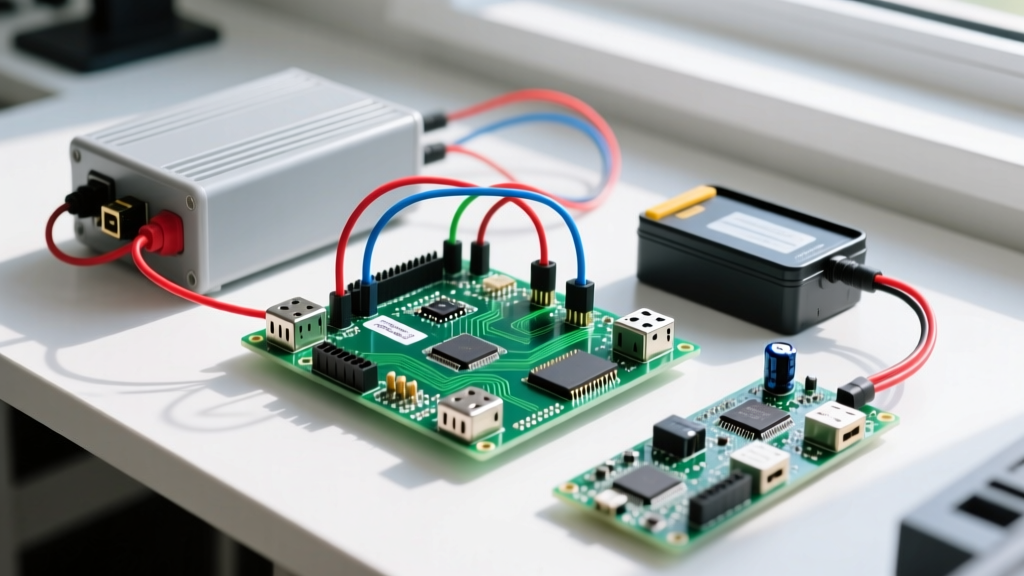
By 2026, the Raspberry Pi 5 dominates the desktop-replacement and AI-edge markets, leaving thousands of Raspberry Pi 3 Model B+ boards sitting in drawers. But a Pi 3B+ drawing 2.5W at idle is still a phenomenal, cost-effective compute module for headless IoT tasks. Instead of letting it gather dust, we are going to build a robust, 24/7 MQTT Environmental & Power Monitor Node.
This guide provides a decision-forward framework to validate your use case, a complete hardware spec sheet, exact I2C pin mappings, and production-ready Python code with raw register reads and MQTT error handling.
The 2026 Decision Path: Which Raspberry Pi 3 Project Should You Build?
Before wiring a single sensor, use this decision matrix to confirm the Pi 3B+ is the right tool. If you hit the wrong row, stop and buy the recommended board instead.
| If your requirement is... | Then choose... | Why? |
|---|---|---|
| Desktop replacement / Local AI | Raspberry Pi 5 (8GB) | Pi 3 lacks the RAM, PCIe lane, and NPU for local LLMs or heavy GUI tasks. |
| 4K Media Center / RetroPie | Raspberry Pi 4 Model B | Pi 3B+ BCM2837B0 SoC maxes out at 1080p60 H.264 decode; no 4K HEVC support. |
| High-speed Camera Vision | Raspberry Pi Zero 2 W | Zero 2 W has identical CPU cores to Pi 3 but draws 40% less power for battery cams. |
| 24/7 Headless Sensor Node | Raspberry Pi 3 Model B+ | Full-size Ethernet, robust 5V/2.5A power path, and perfect for I2C polling/MQTT. |
Hardware Spec Sheet & Pin Mapping
This build targets the Raspberry Pi 3 Model B+ (1GB RAM, ARMv8 BCM2837B0). We are pairing it with two I2C sensors to monitor both the ambient environment and the Pi's own power draw.
Parts List
| Component | Exact Variant / Model | Estimated 2026 Cost |
|---|---|---|
| Compute Board | Raspberry Pi 3 Model B+ (Element14 or RS Components) | $35 (Used/Refurb) |
| Env Sensor | Adafruit BME280 I2C/SPI Breakout (Product ID 2652) | $19.95 |
| Power Monitor | Adafruit INA219 DC Current Breakout (Product ID 904) | $14.95 |
| Storage | SanDisk High Endurance 32GB microSD (Crucial for 24/7 logging) | $8.99 |
I2C Pin Mapping Table
Both sensors share the primary I2C1 bus. Ensure your BME280 breakout has its I2C pull-up resistors enabled (usually default on Adafruit boards) to prevent bus floating.
| Pi 3B+ Physical Pin | BCM GPIO | Function | Sensor Connection |
|---|---|---|---|
| Pin 1 | 3V3 Power | VCC | BME280 VIN & INA219 VCC |
| Pin 3 | GPIO 2 | I2C1 SDA | BME280 SDI & INA219 SDA |
| Pin 5 | GPIO 3 | I2C1 SCL | BME280 SCK & INA219 SCL |
| Pin 6 | GND | Ground | Common Ground Rail (Both Sensors) |
Step-by-Step Build & Compilable Python Code
Flash Raspberry Pi OS Lite (32-bit)
- Enable I2C: SSH into the Pi and run
sudo raspi-config. Navigate to Interface Options > I2C and enable it. Reboot. - Install Dependencies: Run
sudo apt update && sudo apt install python3-pip i2c-tools -y. Then install the Python packages:pip3 install smbus2 RPi.bme280 paho-mqtt. - Verify Hardware: Run
i2cdetect -y 1. You should see40(INA219) and76(BME280) in the grid. - Deploy the Code: Save the following script as
mqtt_node.py.
import smbus2
import bme280
import paho.mqtt.client as mqtt
import time
import json
import sys

# --- PIN & BUS DEFINITIONS ---
# Target: Raspberry Pi 3 Model B+ I2C1 Bus
I2C_BUS_ID = 1
BME280_I2C_ADDR = 0x76  # Adafruit 2652 default
INA219_I2C_ADDR = 0x40  # Adafruit 904 default

# MQTT Configuration
MQTT_BROKER_IP = "192.168.1.50"
MQTT_PORT = 1883
MQTT_TOPIC = "home/sensors/pi3_node_01"

# Initialize I2C Bus
try:
    bus = smbus2.SMBus(I2C_BUS_ID)
except FileNotFoundError:
    print("FATAL: I2C bus not found. Did you enable I2C in raspi-config?")
    sys.exit(1)

# Calibrate BME280
try:
    calibration_params = bme280.load_calibration_params(bus, BME280_I2C_ADDR)
    print("BME280 calibrated successfully.")
except OSError:
    print("FATAL: Cannot communicate with BME280. Check wiring and address.")
    sys.exit(1)

# MQTT Callbacks
def on_connect(client, userdata, flags, rc, properties=None):
    if rc == 0:
        print(f"Connected to MQTT Broker at {MQTT_BROKER_IP}")
    else:
        print(f"MQTT Connection failed with code: {rc}")

client = mqtt.Client(mqtt.CallbackAPIVersion.VERSION2, client_id="Pi3_Node_01")
client.on_connect = on_connect

try:
    client.connect(MQTT_BROKER_IP, MQTT_PORT, 60)
    client.loop_start()
except ConnectionRefusedError:
    print(f"FATAL: Connection refused by {MQTT_BROKER_IP}. Is Mosquitto running?")
    sys.exit(1)

def read_ina219_shunt_mv():
    """Reads INA219 Register 0x01 (Shunt Voltage) via raw I2C."""
    try:
        raw_shunt = bus.read_word_data(INA219_I2C_ADDR, 0x01)
        # INA219 is big-endian; smbus2 read_word_data returns little-endian
        raw_shunt = ((raw_shunt & 0xFF) << 8) | ((raw_shunt >> 8) & 0xFF)
        if raw_shunt > 32767:
            raw_shunt -= 65536
        return raw_shunt * 0.01  # Resolution is 10uV (0.01mV)
    except OSError:
        return None

# Main Telemetry Loop
print("Starting telemetry loop...")
try:
    while True:
        # Read BME280
        bme_data = bme280.sample(bus, BME280_I2C_ADDR, calibration_params)

        # Read INA219
        shunt_mv = read_ina219_shunt_mv()

        payload = {
            "temp_c": round(bme_data.temperature, 2),
            "humidity": round(bme_data.humidity, 2),
            "pressure_hpa": round(bme_data.pressure, 2),
            "shunt_mv": round(shunt_mv, 3) if shunt_mv else "ERROR",
            "timestamp": time.time()
        }

        client.publish(MQTT_TOPIC, json.dumps(payload))
        print(f"Published: {payload}")

        time.sleep(30) # Poll every 30 seconds

except KeyboardInterrupt:
    print("\nStopping node...")
    client.loop_stop()
    client.disconnect()
    bus.close()
Debugging: The First Three Things to Check When It Fails
When working with I2C and headless networking on older boards, failures are highly predictable. If your script crashes, match your terminal output to these exact error strings.
1. The Missing Bus Error
Exact Error String: FileNotFoundError: [Errno 2] No such file or directory: '/dev/i2c-1'
- Ranked Cause 1: I2C is disabled in the OS. Fix: Run
sudo raspi-config, enable I2C, and reboot. - Ranked Cause 2: You are running a custom kernel that stripped I2C modules. Fix: Re-flash standard Raspberry Pi OS Lite.
2. The I2C Bus Collision / Disconnect
Exact Error String: OSError: [Errno 121] Remote I/O error
- Ranked Cause 1: Missing or weak I2C pull-up resistors. The Pi 3B+ has 1.8kΩ onboard pull-ups, but long Dupont wires add capacitance. Fix: Add external 4.7kΩ pull-ups to SDA and SCL, or shorten wires to under 12 inches.
- Ranked Cause 2: Address mismatch. Some BME280 clones ship with the address tied to 0x77 instead of 0x76. Fix: Run
i2cdetect -y 1and update theBME280_I2C_ADDRvariable in the code.
3. The MQTT Broker Rejection
Exact Error String: ConnectionRefusedError: [Errno 111] Connection refused
- Ranked Cause 1: The Mosquitto broker on your server is down or not listening on 1883. Fix: SSH into your broker and run
sudo systemctl status mosquitto. - Ranked Cause 2: Mosquitto 2.0+ security defaults. By default, modern Mosquitto blocks unauthenticated remote connections. Fix: Add
listener 1883andallow_anonymous trueto yourmosquitto.conffile (or configure proper ACLs/passwords).
Extending or Simplifying the Build
Depending on your infrastructure, you may need to scale this project up or down.
How to Simplify (No Network / Local Logging)
If you don't have an MQTT broker running and just want local data logging, strip out the paho-mqtt library entirely. Replace the client.publish() line with a standard Python csv module writer appending to a local file. To prevent SD card wear, mount a tmpfs RAM disk in your /etc/fstab and write the CSV there, using a cron job to flush it to the physical SD card once every 6 hours.
How to Extend (Off-Grid / LoRaWAN)
If this node needs to live in a shed without WiFi, swap the MQTT payload for a LoRaWAN packet. Purchase the Dragino LoRa/GPS HAT (v1.4). It stacks directly onto the Pi 3B+ GPIO header. You will need to disable the serial console in raspi-config to free up /dev/ttyS0 for the HAT's UART communication, and use the pyLoRa library to transmit the BME280 payload to a local TTN (The Things Network) gateway.
Final Verdict: The Default Pi 3B+ Recommendation
Do not buy a Raspberry Pi 5 for a headless sensor node; you will waste money and burn 8W of power for a task that requires 2.5W. The Raspberry Pi 3 Model B+ remains the undisputed champion of the 'junk drawer repurpose' category in 2026.
For the most reliable deployment, pair the Pi 3B+ with a SanDisk High Endurance 32GB microSD card (specifically the High Endurance line, rated for continuous dashcam/security writing), run Raspberry Pi OS Lite 32-bit, and use the exact I2C polling script provided above. This configuration will run for years without thermal throttling or SD card corruption, feeding pristine telemetry directly into your home automation stack.