
The Evolution of the Raspberry Pi as Security Camera in the Maker Community
When hobbyists first began experimenting with a raspberry pi as security camera, the typical setup was a charming but flawed combination of a Pi Zero W, a cheap OV5647 sensor, and basic motion-detection scripts. While these early iterations were excellent for learning Linux basics, they were notoriously unreliable for actual home security. Dropped Wi-Fi connections, corrupted microSD cards, and severe motion-detection lag plagued early adopters.
Fast forward to today, and the single-board computer (SBC) community has completely overhauled the architecture. Modern community showcases reveal enterprise-grade edge AI nodes capable of real-time object detection, local NVR (Network Video Recorder) processing, and seamless smart home integration. By leveraging hardware accelerators, Power over Ethernet (PoE), and advanced software stacks like Frigate NVR, makers are now deploying surveillance nodes that rival commercial systems costing five times as much.
Featured Community Build: The 'Sentinel-5' PoE Edge Node
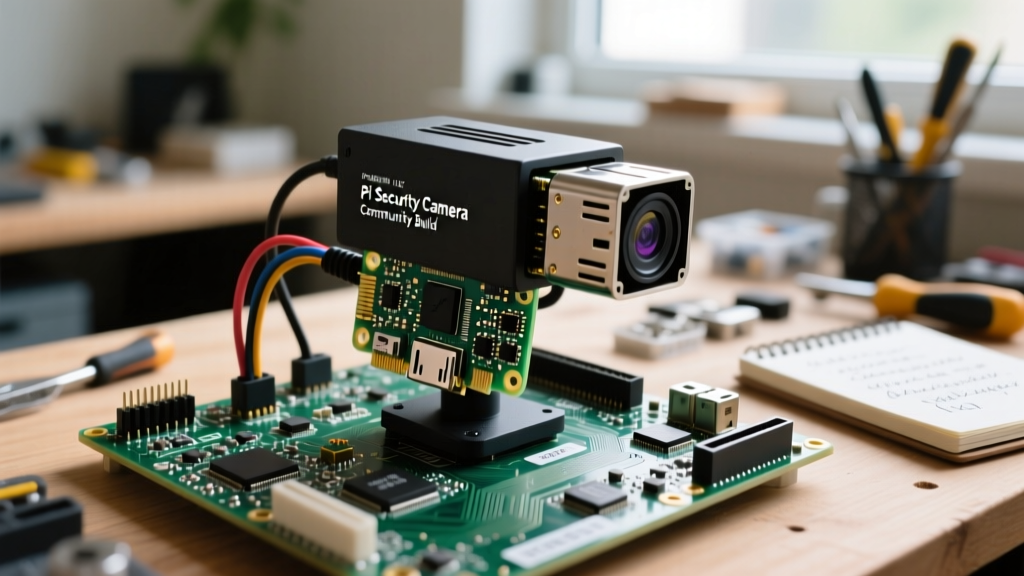
One of the most highly regarded designs circulating through maker forums and Home Assistant Discord servers is the 'Sentinel-5' build. This design prioritizes reliability, weather resistance, and AI-driven inference over raw pixel count. Instead of relying on the cloud, this build processes video locally, ensuring privacy and eliminating monthly subscription fees.
Hardware Bill of Materials (BOM) & Real-World Pricing
The community has standardized around specific components that offer the best balance of thermal performance and power efficiency. Below is the consensus BOM for a high-reliability outdoor node:
| Component | Specific Model | Purpose | Avg. Price |
|---|---|---|---|
| Compute Board | Raspberry Pi 4 Model B (4GB) | Base processing & MQTT handling | $55 |
| Camera Sensor | Pi HQ Camera (IMX477) | High dynamic range imaging | $50 |
| Lens | 6mm CS-Mount (3MP+ rated) | Wide-angle driveway coverage | $18 |
| AI Accelerator | Google Coral USB Accelerator | TensorFlow Lite object detection | $35 |
| Power & Data | Official PoE+ HAT (802.3at) | Single-cable deployment | $20 |
| Enclosure | Argon ONE M.2 Case (Outdoor mod) | Thermal mass & NVMe storage | $55 |
Critical Hardware Selection: Camera Modules & Compute
Choosing the right imaging sensor is where many beginners fail. The community has largely abandoned the older 8MP Sony IMX219 (V2 Camera) in favor of the Raspberry Pi High Quality Camera featuring the Sony IMX477 sensor. The IMX477 offers significantly larger pixels (1.55 µm vs 1.12 µm), which translates to vastly superior low-light performance—a critical requirement for nighttime security footage.
Sensor Showdown: Why the IMX477 Wins for Surveillance
- Dynamic Range: The IMX477 handles high-contrast scenes (like a dark porch with a bright streetlamp) without blowing out the highlights.
- Interchangeable Lenses: Using C/CS mount lenses allows builders to swap a 6mm lens for a wide 120-degree driveway view, or a 16mm lens for a narrow, focused gate view.
- Back-illuminated Architecture: Reduces noise in low-lux environments, making IR (Infrared) illumination arrays far more effective.
The Software Paradigm Shift: Frigate NVR vs. motionEyeOS
For years, motionEyeOS was the default recommendation. However, the community has aggressively pivoted to Frigate NVR. Unlike motionEyeOS, which relies on basic pixel-change detection (triggering false alarms from swaying trees and shadows), Frigate utilizes YOLO (You Only Look Once) machine learning models to identify specific objects like humans, vehicles, and dogs in real-time.
To run Frigate effectively on a Raspberry Pi, the Coral TPU USB Accelerator is practically mandatory. Without the Coral, a Pi 4 will bottleneck at roughly 2-3 frames per second (FPS) of inference, leading to missed detections. With the Coral plugged into a USB 3.0 port, the Pi can process over 100 FPS of object detection, allowing it to monitor multiple camera streams simultaneously while maintaining a sub-10% CPU load.
'The moment I added the Coral TPU and switched to Frigate, my false positive rate dropped from 40+ a day to maybe two a week. It completely changed how I interact with my smart home automations.' — u/EdgeComputeMaker, Home Assistant Community Forum
Real-World Failure Modes & Community Fixes
Building a raspberry pi as security camera isn't without its pitfalls. The community has documented several critical failure modes and engineered robust workarounds.
1. The MicroSD Corruption Epidemic
Frigate constantly writes temporary cache files and event clips to storage. Standard A1 microSD cards will succumb to write-wear and corrupt within 3 to 6 months under this workload. The Fix: The community standard is now booting the Pi via USB 3.0 to an M.2 NVMe SSD (using an enclosure like the Argon ONE M.2). For those constrained to microSD, configuring Frigate to mount its /tmp/cache directory as a tmpfs (RAM disk) in the Docker compose file drastically reduces physical write cycles to the SD card.
2. Thermal Throttling in Outdoor Enclosures
Running a Pi 4, a Coral TPU, and active cooling inside a sealed, sun-baked outdoor enclosure will inevitably lead to thermal throttling, causing video streams to drop. The Fix: Makers are utilizing the PoE+ HAT's built-in PWM-controlled fan, combined with high-quality thermal pads (like Thermal Grizzly) bridging the Pi's SoC and RAM to the aluminum chassis of the enclosure, effectively turning the entire camera housing into a giant heatsink.
3. The PoE Power Budget Trap
Early adopters often bought cheap 802.3af PoE splitters, only to experience random brownouts and reboots. The Pi 4, combined with the Coral TPU and a camera module, can spike past 12W during heavy AI inference. The Fix: Always use an 802.3at (PoE+) compliant HAT and switch, which guarantees up to 25.5W of headroom, ensuring stable voltage delivery even during peak processing loads.
MQTT Broker & Home Assistant Integration
A standalone camera is only half the project. The true power of this community build is realized when integrating it with Home Assistant via an MQTT broker (like Mosquitto). Frigate publishes MQTT payloads the millisecond a 'person' or 'car' is detected on a specific zone (e.g., 'driveway' or 'porch').
This allows for hyper-specific automations that commercial cameras simply cannot match. For example, community members routinely set up automations where the porch lights flash red if Frigate detects a 'person' in the 'yard_zone' between 1:00 AM and 5:00 AM, while simultaneously sending a Telegram notification with the annotated snapshot. By keeping the processing local on the Raspberry Pi, these automations trigger in milliseconds, completely independent of internet connectivity or cloud server latency.
Final Takeaways from the Trenches
Deploying a raspberry pi as security camera has matured from a weekend tinkerer's novelty into a robust, professional-grade surveillance solution. By respecting the hardware limitations—specifically regarding thermal management, storage endurance, and power delivery—and pairing the SBC with modern edge-AI software like Frigate, the maker community has proven that open-source, locally-hosted security is not just viable, but vastly superior to closed-ecosystem alternatives.