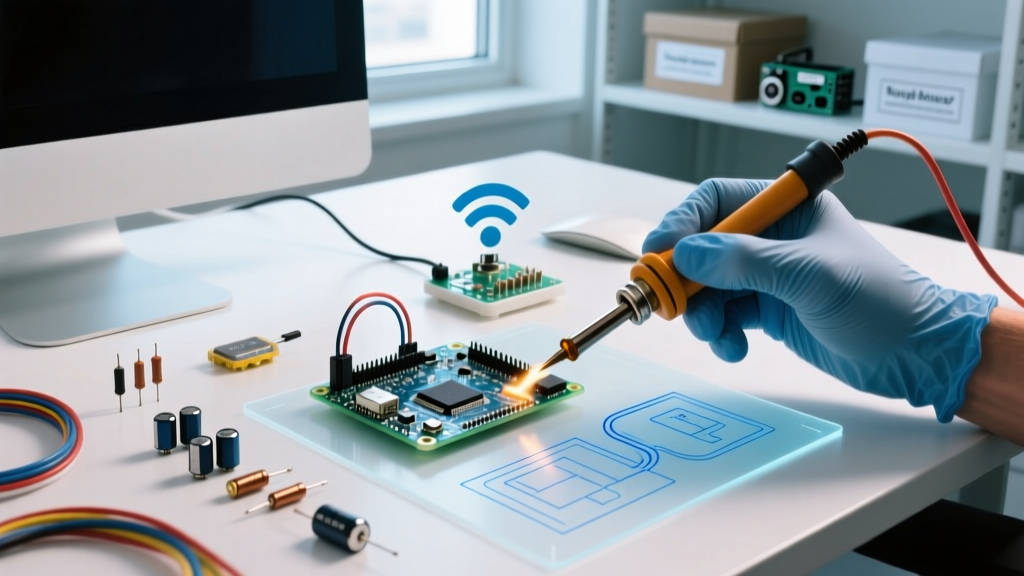
To run a Raspberry Pi with Netflix smoothly in 2026, you need a Raspberry Pi 5 (8GB) running the 64-bit Raspberry Pi OS (Bookworm), using the Chromium browser with Widevine DRM. Because the Pi lacks a hardware Widevine L1 license, you are capped at 1080p (and often 720p depending on the browser profile); 4K playback is impossible. For a dedicated media center, pairing this software stack with a physical GPIO launch button creates a robust, headless kiosk.
The Verdict: Which Board Variant to Pick?
Netflix playback relies heavily on software DRM decoding when hardware L1 is absent. This taxes the CPU. Here is the decision path to select your board:
| If your requirement is... | Then choose... | Why? |
|---|---|---|
| Smooth 1080p UI navigation + background tasks | Raspberry Pi 5 (8GB) | Cortex-A76 cores handle Widevine L3 software decryption without dropping frames. |
| Budget build, 720p playback acceptable | Raspberry Pi 4 (4GB or 8GB) | Cortex-A72 struggles at 1080p60 DRM, but handles 720p. Runs hot; needs active cooling. |
| Ultra-compact, low power | Raspberry Pi Zero 2 W | Reject. 512MB RAM and weak CPU will stutter heavily during Netflix DRM handshake and playback. |
Parts List & Hardware Spec Sheet
Do not substitute the power supply. The Pi 5 requires a 27W USB-C PD profile to unlock the 1.6A USB current limit and prevent brownouts during video decode spikes.
- Compute: Raspberry Pi 5 (8GB RAM) - ~$80
- Cooling: Raspberry Pi Active Cooler (5V PWM fan + heatsink) - ~$5
- Power: Official Raspberry Pi 27W USB-C PD Power Supply (White/Black) - ~$12
- Storage: SanDisk Extreme 64GB microSD (A2 rating required for browser cache I/O) - ~$14
- Control: Momentary Arcade Push Button (Normally Open) + 220Ω Resistor + 5mm LED
Wiring the Physical Kiosk Controller
Headless kiosks need physical controls. We are wiring a momentary button to launch Chromium directly to Netflix, and an LED to indicate kiosk status.
| Component | Pi 5 / Pi 4 Pin (Physical) | GPIO (BCM) | Notes |
|---|---|---|---|
| Button Leg 1 | Pin 11 | GPIO 17 | Internal pull-up enabled in code |
| Button Leg 2 | Pin 9 | GND | Ground reference |
| LED Anode (+) | Pin 13 | GPIO 27 | Use 220Ω inline resistor |
| LED Cathode (-) | Pin 14 | GND | Ground reference |
- Flash Raspberry Pi OS (64-bit, Bookworm) using Raspberry Pi Imager. Enable SSH and set your locale in the advanced settings.
- Solder the 220Ω resistor to the LED anode and connect jumper wires to the GPIO header as mapped above.
- Boot the Pi, connect to WiFi, and install dependencies:
sudo apt update && sudo apt install python3-gpiozero chromium-browser libwidevinecdm0. - Ensure hardware video decoding is enabled by verifying
dtoverlay=vc4-kms-v3dis present in/boot/firmware/config.txt(Note: Bookworm moved this from/boot/config.txt).
The Python Kiosk Launcher Code
This script targets the Raspberry Pi 5 (8GB) and Pi 4 running 64-bit Bookworm. It uses gpiozero for debounced button reading and subprocess to launch Chromium with DRM-enabling flags.
import subprocess
import sys
from gpiozero import Button, LED
from signal import pause

# Pin definitions targeting Raspberry Pi 5 (8GB) & Pi 4
LAUNCH_BUTTON_PIN = 17
STATUS_LED_PIN = 27

def main():
    try:
        button = Button(LAUNCH_BUTTON_PIN, pull_up=True, bounce_time=0.2)
        led = LED(STATUS_LED_PIN)
    except Exception as e:
        print(f"GPIO Init Error: {e}. Check pin mappings and permissions.")
        sys.exit(1)

    def launch_netflix():
        led.on()
        url = "https://www.netflix.com/browse"
        # Chromium flags optimized for Pi OS Bookworm DRM and Kiosk mode
        cmd = [
            "chromium-browser",
            "--kiosk",
            "--incognito",
            "--disable-features=TranslateUI",
            "--disable-session-crashed-bubble",
            "--autoplay-policy=no-user-gesture-required",
            url
        ]
        try:
            subprocess.Popen(cmd, stdout=subprocess.DEVNULL, stderr=subprocess.DEVNULL)
            print("Netflix Kiosk Launched.")
        except FileNotFoundError:
            print("Error: chromium-browser not found. Run: sudo apt install chromium-browser")
            led.blink(0.2, 0.2)
        except Exception as e:
            print(f"Subprocess Error: {e}")
            led.off()

    button.when_pressed = launch_netflix
    print("Kiosk controller active. Press GPIO 17 to launch.")
    pause()

if __name__ == "__main__":
    main()
Debugging: Exact Errors and the First Three Checks
When Netflix fails to play or the browser crashes, check these three things first:
- Power Supply Wattage: Run
vcgencmd get_throttled. If it returns0x50000or similar, your Pi is undervolted. You must use the official 27W PD supply. - Widevine Package: Ensure
libwidevinecdm0is installed. Netflix will silently fail to load video streams without it. - Thermal Throttling: Ensure the Active Cooler is seated flat on the SoC. DRM decoding pushes the Pi 5 to 75°C+ without active airflow.
Ranked Cause List for Exact Error Strings
If you are debugging via the terminal (chromium-browser --kiosk https://www.netflix.com), look for these exact strings:
Error 1: [ERROR:widevine_cdm_component_installer.cc(145)] WidevineCDM component is missing or outdated.
- Cause: The browser cannot locate the DRM shared object file.
- Fix: Run
sudo apt install --reinstall libwidevinecdm0and restart Chromium.
Error 2: libva error: va_getDriverName() failed
- Cause: Chromium is failing to initialize the V4L2 stateless hardware video decoder, falling back to CPU decode (which will stutter).
- Fix: Open
/boot/firmware/config.txtand ensuredtoverlay=vc4-kms-v3dis not commented out. Reboot.
Error 3: Out of memory. Program aborted. (Often accompanied by kernel OOM killer logs in dmesg)
- Cause: You are using a 4GB Pi 5 or Pi 4, and the GPU memory split is starving Chromium's DOM renderer.
- Fix: Add
gpu_mem=256to/boot/firmware/config.txt, or upgrade to the 8GB board.
Extending or Simplifying the Build
Depending on your deployment environment, you may want to adjust the complexity of this project.
How to Extend: Add HDMI-CEC TV Control
To make the Pi turn on your TV and switch to the correct HDMI input when you press the arcade button, install libcec (sudo apt install cec-utils). Modify the Python script to execute echo 'on 0' | cec-client -s -d 1 via subprocess immediately before launching Chromium. This sends the CEC power-on command to the TV (Device 0).
How to Simplify: Ditch the Python Script
If you don't need a physical GPIO button and just want the Pi to boot directly into Netflix, delete the Python script entirely. Raspberry Pi OS Bookworm uses Wayland by default. Add the following line to ~/.config/wayfire.ini under the [autostart] block:
chromium-browser --kiosk --incognito https://www.netflix.com/browseThis removes the hardware wiring requirement and relies purely on the OS window manager to launch the DRM-protected kiosk on boot.
For deeper reading on ARM media frameworks, consult the Raspberry Pi OS Documentation and the Chromium Audio/Video DRM guidelines.