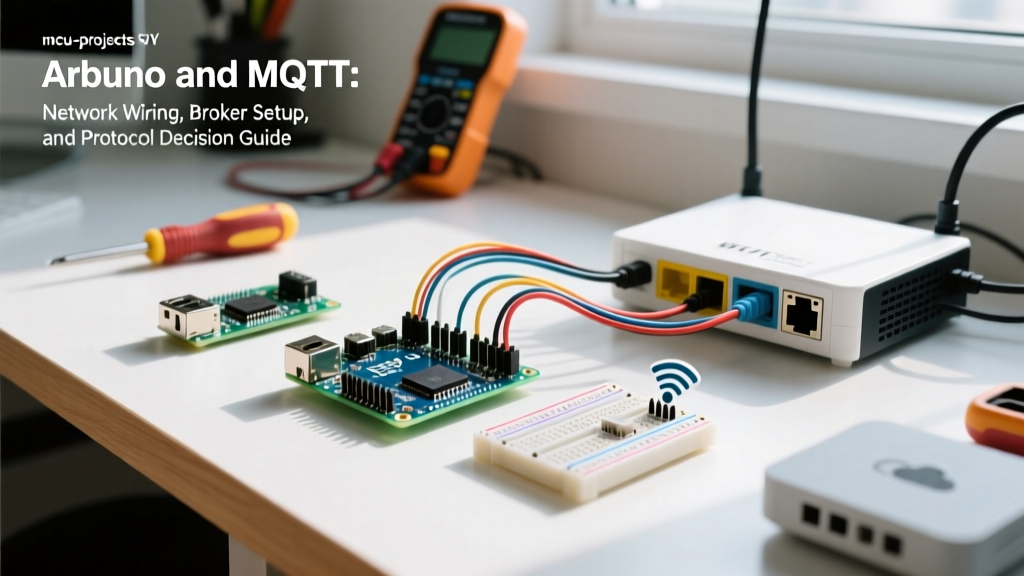

If you need to send sensor data over 100 meters, across a campus, or over the internet, use MQTT over Wi-Fi or Ethernet. If you are moving data 10cm between two microcontrollers on a single breadboard, use I2C, SPI, or UART.
A common misconception among hobbyists is treating MQTT like a hardware bus. MQTT is an ISO/IEC 20922 application-layer protocol that runs over TCP/IP. It does not have physical data lines, pull-up resistors, or baud rates. However, the physical network layer (Wi-Fi RF or Ethernet copper) dictates your reliability, and the symptoms of network failures perfectly mimic classic serial bus errors. This guide translates physical bus concepts into TCP/IP realities, provides the exact hardware wiring for ESP32 and Arduino Ethernet shields, and gives you a concrete decision framework for your next embedded project.
The Physical Reality: Hardware and Wiring for MQTT
Because MQTT relies on a network stack, your physical wiring must support the current demands of the network interface. The most common point of failure in Arduino and MQTT projects is not the code, but the power delivery to the physical radio or Ethernet controller.
Wi-Fi Physical Layer (ESP32-WROOM-32 / ESP32-C3)
When an ESP32 transmits an MQTT PUBLISH packet over Wi-Fi, the RF frontend draws a current spike of up to 250mA for a few milliseconds. If you are powering the ESP32 from a standard AMS1117-3.3 LDO on a cheap breadboard power supply without adequate bulk capacitance, the voltage will droop below 2.8V. The ESP32 will brownout and reset.
Ethernet Physical Layer (Arduino Uno/Mega + W5500 Shield)
For industrial or high-reliability nodes where Wi-Fi is unacceptable, use a W5500 Ethernet controller. The W5500 handles the TCP/IP stack in hardware, freeing the Arduino's 8-bit ATmega328P from heavy network processing. It connects via SPI:
- MOSI: Pin 11 (Uno) / Pin 51 (Mega)
- MISO: Pin 12 (Uno) / Pin 50 (Mega)
- SCK: Pin 13 (Uno) / Pin 52 (Mega)
- CS (Chip Select): Pin 10 (Must be set as OUTPUT in code, even if using a different CS pin)
- RESET: Pin 9 (Optional, but recommended for hard-resetting the W5500 on boot)
Safety Note: When using Ethernet to control mains-voltage relays, ensure your relay board is opto-isolated. Ethernet grounds tied to long Cat5e runs can create ground loops with mains earth, potentially frying the W5500 PHY chip.
Network Mechanics: The 'Bus' Parameters
To satisfy the mental model of a hardware bus, here is how MQTT maps to network transport mechanics. This table defines the boundaries of your OASIS MQTT 5.0 implementation.
| Parameter | I2C / UART (Hardware Bus) | MQTT over TCP/IP (Network Layer) |
|---|---|---|
| Wires / Medium | SDA/SCL traces, TX/RX pairs | Cat5e/Cat6 (Ethernet) or 2.4GHz/5GHz RF (Wi-Fi) |
| Max Distance | 30cm (I2C) to 15m (RS-485/UART) | 100m (Ethernet LAN) to Global (WAN/Internet) |
| Speed / Throughput | 100kHz to 3.4MHz (I2C) | ~72Mbps (802.11n). Broker limited (Mosquitto on Pi 4 handles ~10k msgs/sec) |
| Addressing | 7-bit Hex (e.g., 0x3C) | IP Address + Port (1883) + Client ID + Topic String |
| Topology | Multi-drop bus / Point-to-Point | Star (Clients to central Broker) |
Debugging the Bus: Sniffing MQTT and Classic Failures
When your node fails to report data, do not reach for a logic analyzer. You need network-level debugging tools. Here is how the classic serial bus failures translate to MQTT, and how to fix them.
1. The 'Address Clash' (Client ID Collision)
The Symptom: Your ESP32 connects to the broker, stays online for 2 seconds, disconnects, and reconnects in an endless loop.
The Cause: In I2C, two devices with address 0x27 will corrupt the bus. In MQTT, if two devices connect with the exact same Client ID, the broker enforces the protocol rule that only one session can exist per ID. It kicks the older connection off.
The Fix: Never hardcode clientID = "sensor_node". Generate the Client ID dynamically using the chip's MAC address:
String clientId = "ESP32_" + String(WiFi.macAddress());2. The 'Baud Mismatch' (Port and Protocol Version Errors)
The Symptom: Serial monitor shows rc=-2 (network failed) or rc=5 (not authorized).
The Cause: You are trying to connect to port 1883 (plaintext) when the broker requires 8883 (TLS), or your client library defaults to MQTT 3.1.1 while the broker strictly enforces MQTT 5.0 features like Shared Subscriptions.
The Fix: Verify the port and TLS requirements. If using HiveMQ Cloud or AWS IoT, you must use port 8883 and load the root CA certificate into the ESP32's filesystem.
3. How to Sniff the Traffic
Stop guessing what the broker is receiving. Use these tools:
- MQTT Explorer: A free, cross-platform GUI tool. Connect it to your broker alongside your Arduino. It visualizes the topic tree in real-time and shows exact JSON payloads.
- Wireshark: If you are debugging local Ethernet traffic, capture packets on your PC's Ethernet interface and apply the display filter:
mqtt. You will see the rawCONNECT,CONNACK, andPUBLISHhex frames. - Serial State Codes: In your Arduino code, always print
client.state()whenclient.connect()fails. A return of-4means connection lost (broker down), while4means bad credentials.
Minimal Working Exchange: ESP32 to Local Broker
Below is a production-ready ESP32 sketch using the PubSubClient library. It includes the critical setBufferSize fix (default is 256 bytes, which silently drops MQTT 5.0 packets or large JSON strings) and non-blocking reconnection logic to prevent the ESP32 watchdog from resetting the chip during Wi-Fi outages.
#include <WiFi.h>
#include <PubSubClient.h>

// --- Hardware & Network Config ---
const char* ssid = "YourNetworkSSID";
const char* password = "YourNetworkPassword";
const char* mqtt_server = "192.168.1.50"; // Local Mosquitto Broker IP
const int mqtt_port = 1883;

// --- Pin Definitions ---
const int SENSOR_PIN = 34; // ADC1_CH6 on ESP32

WiFiClient espClient;
PubSubClient client(espClient);

unsigned long lastMsg = 0;
const long MSG_INTERVAL = 5000; // 5 seconds

void setup_wifi() {
  delay(10);
  WiFi.mode(WIFI_STA); // Explicitly set Station mode to disable AP
  WiFi.begin(ssid, password);
  while (WiFi.status() != WL_CONNECTED) {
    delay(500);
    Serial.print(".");
  }
  Serial.println("\nWiFi connected. IP: " + WiFi.localIP().toString());
}

void reconnect() {
  // Generate unique Client ID to prevent Address Clash
  String clientId = "ESP32_" + String(WiFi.macAddress());

  if (client.connect(clientId.c_str())) {
    client.subscribe("home/lights/cmd");
  } else {
    Serial.print("MQTT failed, rc=");
    Serial.print(client.state());
    Serial.println(" Retrying in 5s...");
  }
}

void callback(char* topic, byte* payload, unsigned int length) {
  // Handle incoming commands here
}

void setup() {
  Serial.begin(115200);
  setup_wifi();

  client.setServer(mqtt_server, mqtt_port);
  client.setCallback(callback);

  // CRITICAL E-E-A-T FIX: Increase buffer for MQTT 5.0 / JSON payloads
  client.setBufferSize(1024);
}

void loop() {
  if (!client.connected()) {
    reconnect();
  }
  client.loop(); // Must be called frequently to process TCP keep-alives

  unsigned long now = millis();
  if (now - lastMsg > MSG_INTERVAL) {
    lastMsg = now;

    int raw_adc = analogRead(SENSOR_PIN);
    String payload = "{\"adc\":" + String(raw_adc) + "}";

    // Publish with QoS 1 (At least once delivery)
    client.publish("home/sensors/node1", payload.c_str(), true);
  }
}
Protocol Decision Tree: MQTT vs. Local Buses
Do not default to MQTT just because it is popular. Use this decision matrix to select the correct protocol and hardware for your specific physical constraints.
| Scenario Constraint | Choose This Protocol | Required Hardware / Module |
|---|---|---|
| Distance > 100m or cross-internet routing required. | MQTT over TCP/IP | ESP32-WROOM-32 (Wi-Fi) or W5500 (Ethernet) |
| Distance < 1 meter, connecting 2-3 sensors to one MCU on a single PCB. | I2C | Standard 4.7kΩ pull-up resistors on SDA/SCL |
| High Speed / Bulk Data (e.g., streaming raw audio or camera frames locally). | SPI | Direct MCU SPI pins (MOSI/MISO/SCK/CS) |
| Distance 10m - 1000m, industrial noise environment, no IP network available. | RS-485 / Modbus RTU | MAX485 transceiver module + twisted pair cable |
| Ultra-Low Power battery node (needs to sleep for months, send 1 byte a day). | LoRaWAN / MQTT-SN | RFM95W LoRa module + MQTT-SN Gateway |


