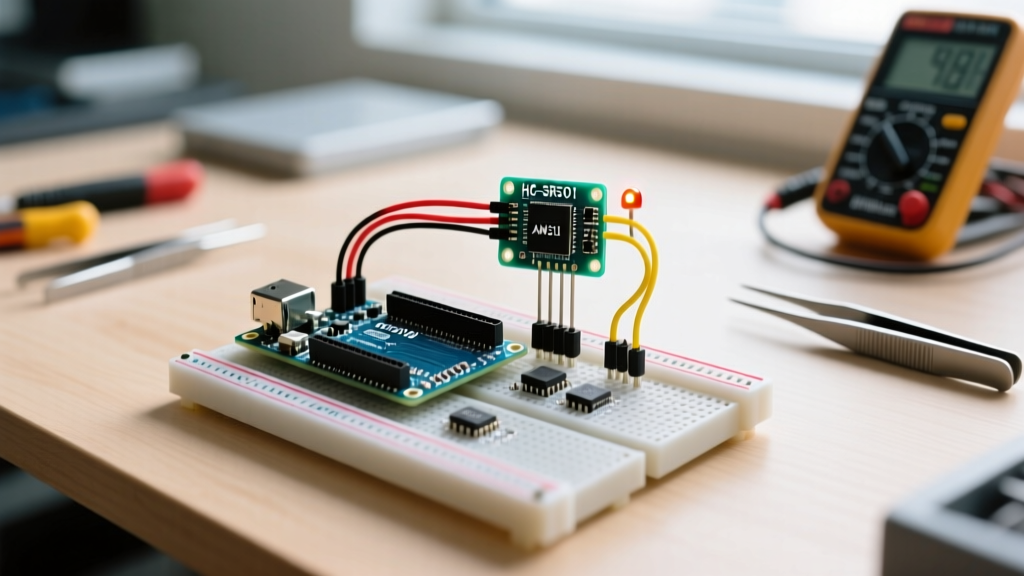
The fundamental difference is silicon integration: a microcontroller (MCU) embeds the CPU, RAM, flash memory, and I/O peripherals on a single chip, while a microprocessor (MPU) contains only the CPU and relies on external discrete chips for memory and I/O. The verdict? Choose an MCU (like the STM32G4 or ESP32-S3) for dedicated, real-time hardware control, low-power battery operation, and BOM costs under $5. Choose an MPU (like the Broadcom BCM2712 or NXP i.MX8) when your project demands a full multitasking operating system, gigabytes of RAM, and heavy multimedia or database processing.
The Single Physical Difference That Drives Everything
If you strip away the marketing jargon, the entire divergence between these two components comes down to the Memory Management Unit (MMU) and on-die integration.
A microcontroller is a self-contained System-on-Chip (SoC). When you buy an ATmega328P or an ESP32, the silicon die inside the package contains the processor cores, the SRAM, the flash storage, and the hardware registers for GPIO, I2C, SPI, and ADCs. Because everything is on one die, the MCU can fetch instructions and toggle pins in nanoseconds with deterministic, predictable timing. However, this physical constraint limits them to kilobytes or low megabytes of memory.
A microprocessor, conversely, is built purely for raw computational throughput. The silicon die focuses almost entirely on the CPU cores, cache, and high-speed memory controllers. It lacks on-board flash or extensive GPIO. Instead, it uses an MMU to map external DDR4/LPDDR5 RAM and external storage (like an eMMC or SD card) into virtual memory spaces. This physical separation allows MPUs to address gigabytes of memory and run complex, virtualized operating systems like Linux or Android, but it introduces latency and requires a complex printed circuit board (PCB) with high-speed impedance-controlled traces just to boot up.
Head-to-Head Specs: ESP32-S3 vs Broadcom BCM2712
To understand how this physical difference translates to the workbench, let us compare a modern, high-end microcontroller (the dual-core Espressif ESP32-S3) against a modern embedded microprocessor (the quad-core Broadcom BCM2712 found in the Raspberry Pi 5). Notice how the metrics reflect their distinct architectural goals.
| Criteria | Microcontroller (ESP32-S3) | Microprocessor (BCM2712 / Pi 5) |
|---|---|---|
| Clock Speed & Cores | 240 MHz, Dual-Core Xtensa LX7 | 2.4 GHz, Quad-Core Cortex-A76 |
| Memory & Storage | 512 KB SRAM / 8 MB External Flash | 4 GB - 8 GB LPDDR4X / MicroSD or NVMe |
| Power Draw (Active) | ~80 mA (at 240 MHz with WiFi) | ~5W to 12W (under mixed compute load) |
| Boot Time to Code | < 800 milliseconds (Bare-metal/RTOS) | 15 to 30 seconds (Full Linux kernel load) |
| OS & MMU Support | No MMU; runs FreeRTOS or bare-metal | Has MMU; runs full Debian Linux / Android |
| Typical Unit Cost | ~$3.00 (for the WROOM-1 module) | ~$60.00 - $80.00 (for the compute board) |
For deeper architectural comparisons across embedded systems, the STMicroelectronics STM32MP1 series documentation provides an excellent look at how manufacturers bridge this gap by putting an MCU and an MPU on the same package.
Where They Are Absolutely NOT Interchangeable
A common beginner mistake is assuming an MPU is just a 'better, faster MCU' and attempting to use a Raspberry Pi for hard real-time hardware control, or trying to force a desktop OS onto an Arduino. Here is where those substitutions fail catastrophically.
Failure Mode 1: OS Jitter in Real-Time Control (MPU Fail)
If you try to bit-bang a WS2812B addressable LED strip or run a 20 kHz PID control loop for a BLDC motor using Python or C++ on a Raspberry Pi (MPU), your project will fail. Linux is a time-sharing operating system. The kernel's thread scheduler will inevitably pause your user-space program to handle a network interrupt, garbage collection, or a background cron job. This introduces 'jitter'—microsecond or millisecond delays that will cause your LED colors to scramble or your motor to violently oscillate. MCUs do not have an underlying OS scheduler interrupting them; when you write a loop on an ESP32, it executes with nanosecond precision.
Failure Mode 2: The Memory Wall (MCU Fail)
If you attempt to run a local MQTT broker, a SQLite database, and a React-based web dashboard on an ESP32 (MCU), you will immediately hit the memory wall. Without an MMU to handle virtual memory paging to a swap file, the moment your application requests more than the physical 512 KB of SRAM, the system will throw a hardware exception and instantly reboot. MCUs are strictly bound by their physical silicon limits.
The Decision Matrix: Choose A When / Choose B When
Use this framework to select the right silicon for your next build.
Choose a Microcontroller (MCU) when:
- You need deterministic, microsecond-level timing for motor control, PWM generation, or sensor polling.
- Your device must run on a battery (e.g., a CR2032 coin cell) and requires deep-sleep currents in the microamp (µA) range.
- The hardware needs to boot and react to an interrupt in under one second (like a car's airbag deployment sensor or a microwave door switch).
- Your target Bill of Materials (BOM) cost for the compute module must stay under $5.00.
Choose a Microprocessor (MPU) when:
- Your application requires computer vision (OpenCV), machine learning inference on large models, or heavy video transcoding.
- You need to run a full relational database, a Docker container, or a complex web server with SSL/TLS termination.
- The user interface requires a desktop-class GUI, hardware-accelerated 3D rendering, or a multi-window environment.
- You have access to mains power or a high-capacity lithium-ion pack (e.g., 18650 cells) and can accommodate a 5W+ thermal envelope with a heatsink.
For projects that sit on the fence, look into crossover MCUs like the NXP i.MX RT series, which offer MPU-level clock speeds (up to 600 MHz+) while retaining the on-die integration and lack of an MMU typical of an MCU.
FAQ: Microcontroller vs Microprocessor Questions
Is the ESP32 a microprocessor or a microcontroller?
The ESP32 is strictly a microcontroller. While it features a relatively high clock speed (240 MHz) and integrated WiFi/Bluetooth radios, it lacks a Memory Management Unit (MMU) and relies on embedded SRAM and external SPI flash. You cannot run a standard desktop Linux distribution on it; it operates on bare-metal firmware or a Real-Time Operating System (RTOS) like FreeRTOS. For full Linux capabilities with similar wireless features, you would need an MPU-based board like the Raspberry Pi Zero 2 W or the BeagleBone AI.
Can a microprocessor run without a microcontroller?
In a desktop PC, the microprocessor (CPU) runs alongside a chipset (PCH) that handles I/O, effectively replacing the need for a dedicated MCU. However, in complex embedded systems, MPUs almost always require a companion microcontroller. Because MPUs take several seconds to boot and draw significant power, a low-power MCU (often called a Power Management IC or PMIC controller) is used to sequence the voltage rails, monitor battery levels, and wake the main MPU from a deep hardware sleep state only when needed. The Raspberry Pi architecture documentation details how onboard microcontrollers manage power sequencing before the main Broadcom SoC even begins to boot.
Why do some embedded boards feature both an MPU and an MCU?
Hybrid boards exist to solve the interchangeability problem mentioned earlier. A prime example is the BeagleBone Black, which uses an AM335x MPU running Linux for high-level networking and UI tasks, but also includes two Programmable Real-Time Units (PRUs)—essentially tiny, bare-metal microcontrollers built directly into the silicon. The Linux MPU handles the heavy lifting and passes real-time, microsecond-critical GPIO tasks down to the PRU MCUs. This gives developers the best of both worlds: a full OS for cloud connectivity and deterministic hardware for precise motor or sensor control.