
What is a Virtual Arduino Environment?
A virtual Arduino is not merely a digital drawing tool; it is a sophisticated combination of an Instruction Set Simulator (ISS) and a SPICE-based circuit simulator. When you compile code for a physical ATmega328P or ESP32, the compiler generates an ELF binary containing machine code. A virtual Arduino environment intercepts this binary, extracts the .text (instructions) and .data (variables) segments, and loads them into a simulated memory space. The simulator then executes the fetch-decode-execute cycle in software, mapping register changes to virtual peripherals like UART, SPI, and I2C buses.
For embedded engineers and makers, virtual prototyping eliminates the friction of physical hardware iteration. You can test logic, debug memory leaks, and verify peripheral timing without risking component damage from wiring errors or waiting for physical parts to ship.
The Core Architecture: How MCU Simulation Works
To understand the limitations and capabilities of a virtual Arduino, you must understand the underlying simulation architecture. Most platforms rely on one of two approaches:
- Interpretive Simulation: The simulator reads the machine code instruction by instruction and updates the virtual CPU state. This is highly accurate for logic but computationally heavy. Autodesk Tinkercad uses a variant of this for its AVR8 simulation.
- JIT (Just-In-Time) Compilation: Advanced simulators translate the target MCU's machine code into host-native code (like x86_64 or ARM64) on the fly. This allows for real-time simulation of high-speed MCUs like the ESP32-S3 or Raspberry Pi RP2040. Wokwi utilizes a custom Rust-based engine that leverages this approach to maintain cycle-accurate timing even at 240 MHz.
Top Virtual Arduino Platforms Compared
The landscape of MCU simulation has matured significantly. Below is a comparison matrix of the four dominant platforms used by professionals and educators.
| Platform | Target MCUs | Environment | Pricing (Approx.) | Best Use Case |
|---|---|---|---|---|
| Wokwi | AVR, ESP32, RP2040, STM32 | Browser-based | Free / $9/mo (Pro) | IoT, WiFi/BLE, Modern MCUs |
| Tinkercad Circuits | AVR (ATmega328P/ATTiny85) | Browser-based | 100% Free | Education, Basic Logic, Beginners |
| Proteus VSM | AVR, ARM, PIC, MSP430 | Desktop (Windows) | $315 - $750+ | Professional PCB & Mixed-Signal |
| SimulIDE | AVR, PIC, ARM | Desktop (Cross-platform) | Free (Open Source) | Offline debugging, Custom components |
Deep Dive: Wokwi for Modern IoT Prototyping
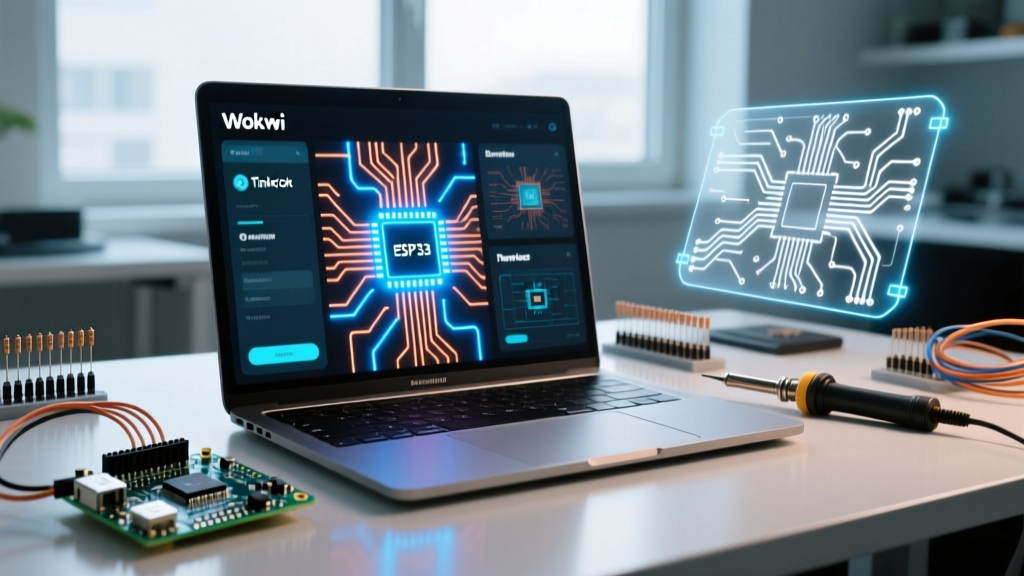
Wokwi has become the de facto standard for virtual Arduino development involving networked devices. Unlike older simulators that treat the MCU in isolation, Wokwi simulates the entire network stack. You can configure a wokwi.toml file to route virtual WiFi traffic through a simulated gateway, allowing you to test MQTT payloads and HTTP GET requests against real-world APIs without touching physical hardware.
However, Wokwi's ESP32 simulation requires you to explicitly define partition tables and handle NVS (Non-Volatile Storage) limitations exactly as you would on silicon. Failing to allocate enough space for the SPIFFS/LittleFS partition in your virtual boards.txt equivalent will result in identical filesystem crash loops as physical hardware.
Deep Dive: Proteus VSM for Mixed-Signal Analysis
For professional engineers designing custom PCBs, Labcenter's Proteus VSM remains unmatched. It doesn't just simulate the Arduino bootloader; it runs full SPICE analysis on the surrounding analog circuitry. If you are designing an op-amp filter for an analog sensor feeding into the Arduino's ADC, Proteus will calculate the exact voltage drop, thermal noise, and ADC quantization error. The trade-off is the steep learning curve and the high licensing cost, which prices out most hobbyists.
Edge Cases and Simulation Limitations (The 'Gotchas')
While a virtual Arduino is incredibly powerful, blind trust in simulation leads to hardware failures. You must account for the following edge cases where the virtual environment diverges from physical silicon:
- Clock Drift and UART Baud Rates: In a simulation, the clock source is mathematically perfect. A physical Arduino Uno uses a ceramic resonator that can drift by up to 0.5%. If you write a custom software UART (bit-banging) without using the hardware U2X0 (Double Speed) bit, your code might work flawlessly in Wokwi but fail on physical hardware due to timing accumulation errors over long payloads.
- I2C Pull-Up Resistors: Many beginner simulators (and occasionally users) forget to add 4.7kΩ pull-up resistors to the SDA and SCL lines. Some simulators 'fake' the I2C protocol and will successfully transmit data without pull-ups. Physical hardware will lock up or return
0xFFbecause the lines cannot float high. - Analog Noise and ADC Jitter: A virtual
analogRead()on a simulated potentiometer will return a perfectly stable integer (e.g., exactly 512). A physical ADC reading a physical potentiometer will fluctuate between 509 and 515 due to thermal noise and VCC ripple. If your code doesn't implement a moving average or Kalman filter, your physical project will behave erratically, even though the simulation was 'perfect'. - Interrupt Latency: Simulators execute ISRs (Interrupt Service Routines) instantly upon the trigger event. Real silicon experiences bus contention, cache misses (on ARM cores), and pipeline flushing, introducing variable jitter (usually 2 to 12 clock cycles). This matters deeply in high-speed rotary encoder decoding.
Step-by-Step: Setting Up a Virtual Arduino Project in Wokwi
To get started with a modern virtual Arduino workflow using Wokwi and VS Code, follow this precise sequence:
- Install the Extension: Open VS Code and install the 'Wokwi Simulator' extension. Ensure you have PlatformIO installed for robust toolchain management.
- Initialize the Project: Create a new PlatformIO project selecting the
esp32devboard and theArduinoframework. - Generate the Diagram: Run the command palette (
Ctrl+Shift+P) and select 'Wokwi: Create Diagram File'. This generates adiagram.jsonfile. - Add Components: Edit the JSON to include a BME280 sensor and an SSD1306 OLED display. Ensure you define the I2C addresses (
0x76and0x3C) explicitly in the JSON configuration. - Wire the Virtual Breadboard: Map the SDA/SCL pins to GPIO 21 and GPIO 22. Add the required 4.7kΩ pull-up resistors in the JSON wiring array to ensure physical parity.
- Compile and Simulate: Hit the build button. The Wokwi sidebar will launch the virtual environment, compiling the ELF and injecting it into the virtual ESP32 flash memory.
When to Transition from Virtual to Physical Hardware
A virtual Arduino is a verification tool, not a replacement for physical validation. You should transition to physical hardware under the following conditions:
- Power Consumption Profiling: Simulators cannot accurately model the micro-amp current draw of deep sleep states or the current spikes during WiFi radio transmission (which can exceed 350mA on an ESP32). You must use a physical multimeter or a dedicated current tracer (like the Nordic Power Profiler Kit II) to size your battery and voltage regulators.
- EMI and RF Antenna Tuning: If your project involves custom PCB traces acting as antennas (e.g., ESP32-C3 RF matching networks), simulation software cannot account for the physical enclosure's dielectric properties or nearby ground plane interference.
- Mechanical Sensor Integration: Simulating a physical limit switch or a reed switch cannot account for contact bounce (which typically lasts 1ms to 5ms). You must implement hardware debouncing (RC circuits) or software debouncing on the physical rig.
'The mark of an expert embedded engineer is knowing exactly where the simulation ends and the physics begin. Use the virtual Arduino to perfect your logic and state machines, but trust the oscilloscope for your physics.' — Senior Firmware Engineering Axiom.
By leveraging tools like Wokwi for logic verification and Proteus for analog design, you can reduce your physical prototyping iterations by up to 70%, saving both time and component costs in your development cycle.