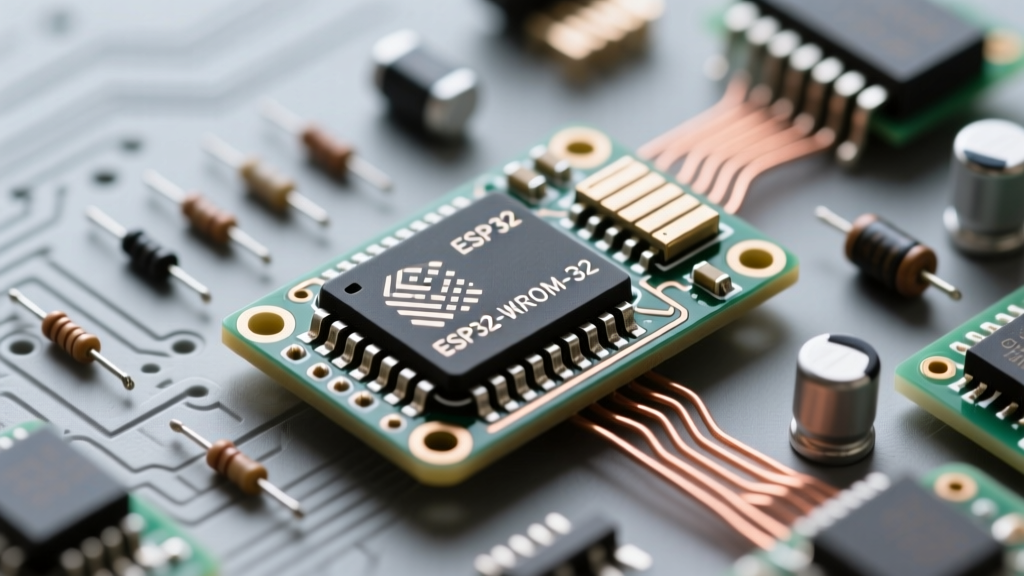

The ESP32-WROOM-32 is the undisputed workhorse of the IoT and maker community. When paired with PlatformIO, it offers a professional-grade development environment that far surpasses the standard Arduino IDE. However, migrating to or debugging within PlatformIO often surfaces specific toolchain, driver, and hardware-strapping issues that can halt your progress.
This comprehensive troubleshooting guide addresses the most frequent PlatformIO ESP32-WROOM-32 compilation, upload, and runtime errors. Whether you are dealing with a bare module on a custom PCB or a development board like the NodeMCU-32S, these fixes will get your toolchain back online.
Diagnosing the "Timed Out Waiting for Packet Header" Error
Nothing is more frustrating than staring at a frozen terminal output ending in A fatal error occurred: Failed to connect to ESP32: Timed out waiting for packet header. This is fundamentally a bootloader synchronization failure.
1. The Strapping Pin Conflict
The ESP32-WROOM-32 relies on specific "strapping pins" to determine boot modes during power-on or reset. If GPIO0, GPIO2, GPIO12, or GPIO15 are pulled to incorrect logic levels by external sensors or relays, the chip will refuse to enter the serial bootloader.
- GPIO0: Must be LOW to enter download mode. If your circuit pulls it HIGH, upload fails.
- GPIO2: Must be LOW or floating. Connecting an onboard LED or pull-up resistor here will block the bootloader.
- GPIO12 (MTDI): Must be LOW. If pulled HIGH, the flash voltage regulator switches to 1.8V, potentially causing a brownout or flash read error on standard 3.3V modules.
Fix: Disconnect external peripherals from these pins during the upload phase, or use a 10kΩ pull-down resistor where appropriate.
2. PlatformIO Baud Rate Degradation
While the ESP32 supports upload speeds up to 921600 baud, cheap USB-to-Serial bridges (like counterfeit CH340G or older CP2102 chips) often drop packets at these speeds.
Fix: Force a lower upload speed in your platformio.ini file:
[env:esp32dev]
platform = espressif32
board = esp32dev
framework = arduino
upload_speed = 115200
monitor_speed = 115200
Board Definition and Variant Mismatches
PlatformIO uses JSON board definitions to map compiler flags, flash sizes, and partition tables. A common mistake is selecting esp32dev when using a board with a different flash layout, PSRAM configuration, or Octal SPI (OPI) memory.
| Hardware Module | PlatformIO board ID | Flash Size | Notes |
|---|---|---|---|
| Generic WROOM-32 DevKit | esp32dev | 4MB | Default 1.2MB App / 1.5MB SPIFFS |
| AZ-Delivery DevKit V4 | az-delivery-devkit-v4 | 4MB | Uses ESP32-WROOM-32, specific pin mapping |
| NodeMCU-32S | nodemcu-32s | 4MB | Wider footprint, different USB-UART routing |
| WROOM-32 (Custom PCB) | esp32dev | 4MB/8MB/16MB | Requires manual partition override |
If you are using a bare ESP32-WROOM-32 module with 8MB or 16MB of flash, the default esp32dev definition will only utilize the first 4MB. Furthermore, if your module includes PSRAM, you must explicitly tell the Espressif Arduino Core to initialize it, otherwise, you will encounter memory allocation faults when using libraries like esp_camera.
Learn more about board definitions in the official PlatformIO Espressif 32 documentation.
Filesystem and Partition Table Compilation Errors
As the Espressif Arduino Core has evolved, the filesystem landscape has shifted dramatically. If you are porting older code to a modern PlatformIO environment, you will likely encounter build failures related to SPIFFS.
The SPIFFS to LittleFS Migration
SPIFFS has been deprecated in newer versions of the ESP32 Arduino Core due to wear-leveling inefficiencies and memory leaks. LittleFS is now the standard. If your code throws fatal error: SPIFFS.h: No such file or directory, you need to update your includes and build flags.
Fix: Replace #include <SPIFFS.h> with #include <LittleFS.h> and update your platformio.ini:
board_build.filesystem = littlefs
board_build.partitions = default_4MB.csv
Custom Partition Table Overflows
When compiling large firmware (e.g., integrating AWS IoT or heavy TLS certificates), you may hit the Error: The sketch is too large or partition overflow errors. The default partition table allocates roughly 1.2MB for the application.
Pro Tip: Always check your
.pio/build/esp32dev/partitions.csvfile to see exactly how PlatformIO is slicing your flash memory. You can create a custompartitions.csvin your root directory and point to it usingboard_build.partitions = partitions.csv.
Serial Port Lockouts and Driver Conflicts
PlatformIO relies on the underlying OS to enumerate serial ports. When the ESP32-WROOM-32 fails to show up in the pio device list command, the issue is almost always at the driver or udev level.
Linux Udev Rule Permissions
On Ubuntu and Debian-based systems, standard users lack permission to access /dev/ttyUSB0. Instead of running PlatformIO with sudo (which corrupts the Python virtual environment), add your user to the dialout group and create a custom udev rule.
sudo usermod -a -G dialout $USER
# Create /etc/udev/rules.d/99-platformio-serial.rules
SUBSYSTEM=="usb", ATTR{idVendor}=="10c4", ATTR{idProduct}=="ea60", MODE="0666"
This specific rule targets the CP2102 USB-UART bridge commonly found on premium WROOM-32 dev boards. For CH340 chips, use idVendor=="1a86".
Windows Port Ghosting and esptool Stub Failures
Windows sometimes assigns "ghost" COM ports to ESP32 modules that were plugged into different USB hubs. If PlatformIO attempts to upload to COM3 but the device is actually on COM5, the build will hang. Explicitly define the port in your INI file. Additionally, if the esptool.py stub fails to execute in RAM, you can force a non-stub upload by adding upload_flags = --no-stub to your environment configuration, though this will significantly slow down the transfer rate.
Hardware-Level Brownouts Masking as Software Faults
Sometimes, the ESP32-WROOM-32 reboots endlessly, outputting rst:0x10 (RTCWDT_RTC_RESET) or brownout detector was triggered in the serial monitor. Makers often blame the PlatformIO toolchain or the Espressif core, but this is a hardware power delivery failure.
The WROOM-32 can draw upwards of 500mA during RF transmission spikes. Standard breadboard power rails and cheap USB cables suffer from voltage drops, causing the internal brownout detector to reset the chip.
- Capacitor Placement: Solder a 100µF tantalum or low-ESR electrolytic capacitor directly across the 3.3V and GND pins of the WROOM-32 module.
- USB Cable Quality: Use a cable rated for data and 2A+ charging. Thin "charge-only" wires will cause massive voltage sag.
- Regulator Limits: If using an AMS1117-3.3 on a custom PCB, ensure it has adequate heatsinking. The AMS1117 will thermally throttle and drop voltage when pushing the ESP32's WiFi transmit current.
For deeper hardware design guidelines, refer to the Espressif Hardware Design Guidelines.
Final Toolchain Verification
When all else fails, your PlatformIO environment cache might be corrupted. Espressif relies on a complex web of Xtensa GCC toolchains and Python-based scripts. To force a clean rebuild of the ESP32 environment:
- Open the PlatformIO Home interface.
- Navigate to Platforms > Espressif 32.
- Click Uninstall, then immediately Install to fetch the latest stable release from the Arduino-ESP32 GitHub repository.
- Delete the hidden
.piodirectory in your project root and recompile.
Mastering the PlatformIO ESP32-WROOM-32 workflow requires understanding the boundary between software configuration and hardware reality. By methodically checking strapping pins, partition tables, and power delivery, you can eliminate 99% of development friction and get back to building robust IoT devices.