
The Anatomy of an Arduino Web Server
When makers first build an Arduino web server, they often assume it operates similarly to a standard desktop server running Apache or Nginx. In reality, a microcontroller-based web server is a highly constrained, bare-metal HTTP daemon that requires a fundamental understanding of embedded networking, memory management, and the TCP/IP stack. Unlike enterprise servers that rely on gigabytes of RAM and multi-threaded operating systems to handle thousands of concurrent connections, an Arduino web server operates in a single-threaded, event-loop environment with kilobytes of memory.
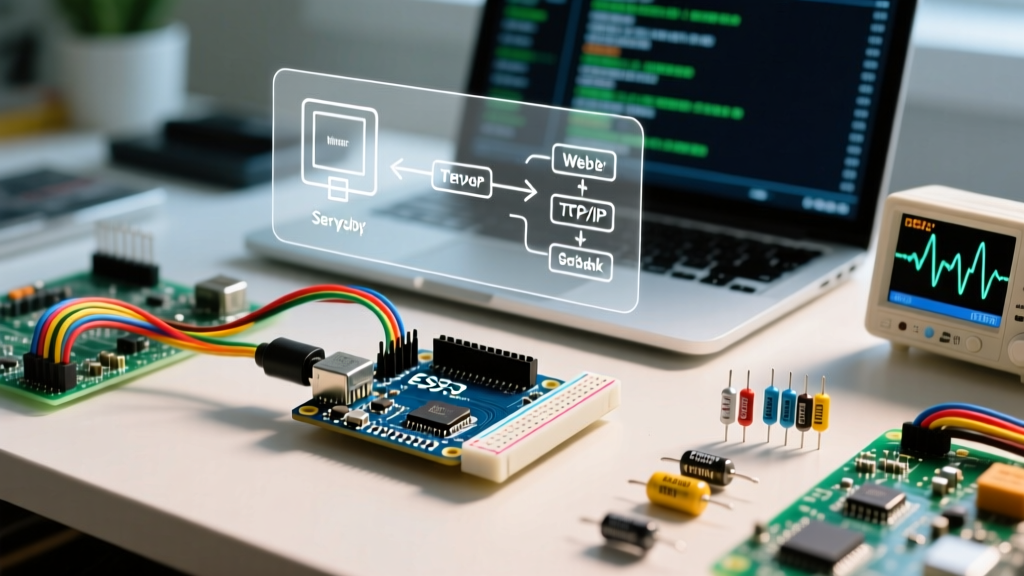
At its core, an Arduino web server listens for incoming TCP connections on a specific port (usually port 80 for HTTP), parses the incoming text-based HTTP GET or POST requests, and responds with HTML, JSON, or raw byte streams. However, how the underlying hardware handles the TCP/IP protocol stack dictates the performance, reliability, and architectural limits of your project.
The TCP/IP Stack: Hardware Offload vs. Software Processing
The most critical concept to grasp is where the TCP/IP processing actually happens. Microcontrollers like the classic ATmega328P (found in the Arduino Uno) lack the processing power and RAM to run a full software-based TCP/IP stack. Therefore, they rely on hardware TCP/IP offload chips. Conversely, modern 32-bit microcontrollers like the ESP32 handle the stack in software using lightweight IP (lwIP) libraries.
| Feature | WizNet W5500 (Hardware Offload) | ESP32 lwIP (Software Stack) |
|---|---|---|
| TCP/IP Processing | Handled entirely by the W5500 silicon | Handled by the MCU's FreeRTOS/lwIP tasks |
| Max Concurrent Sockets | 8 hardware sockets (fixed) | Up to 16+ (configurable via menuconfig) |
| MCU RAM Usage | Minimal (only SPI buffer overhead) | High (requires 50KB+ for TCP buffers) |
| Host Interface | SPI Bus (up to 80MHz) | Internal memory bus / Native Wi-Fi MAC |
When you use an Ethernet shield with a WizNet W5500 chip, the chip itself manages the TCP 3-way handshake (SYN, SYN-ACK, ACK), packet sequencing, and retransmissions. The Arduino merely reads the finalized payload via the SPI bus. If you use an ESP32, the Espressif lwIP stack manages these states in software, consuming CPU cycles and SRAM but offering greater flexibility in socket configuration.
Memory Constraints: SRAM and the Socket Limit
Memory is the primary bottleneck for any Arduino web server. The classic ATmega328P features a mere 2KB of SRAM. If you attempt to load a modern 50KB HTML file into a String variable to serve it to a client, the microcontroller will instantly crash due to stack overflow or heap fragmentation.
Expert Insight: Never use the Arduino
Stringclass for HTTP parsing or payload generation in a web server. The dynamic memory allocation causes severe heap fragmentation, leading to unpredictable reboots after a few hours of uptime. Always use fixed-size character arrays (char[]) or stream data directly from flash memory.
To serve large web pages from a memory-constrained board, you must store the HTML in PROGMEM (Flash memory) and stream it to the client in small chunks using client.print(). Modern boards like the Arduino Uno R4 WiFi or ESP32-S3 alleviate this with 32KB to 512KB of SRAM, but the principle of streaming rather than buffering remains a best practice for maintaining low latency.
Understanding Hardware Socket Exhaustion
When using hardware Ethernet controllers like the W5500, you are limited to exactly 8 simultaneous TCP sockets. Modern web browsers are aggressive; when loading a single webpage, a browser like Chrome or Firefox will open 4 to 6 concurrent TCP connections to fetch HTML, CSS, JavaScript, and favicon files simultaneously.
If your Arduino web server is serving a page with multiple assets, the browser will quickly consume all 8 available sockets. When socket exhaustion occurs, the W5500 cannot accept new connections, and the browser will hang, eventually timing out. To bypass this edge case, embedded engineers use Single Page Application (SPA) architectures, inlining all CSS and JS into a single HTML file, or utilizing WebSockets to maintain a single, persistent connection for bidirectional data transfer.
Processing an HTTP Request: The Non-Blocking Lifecycle
A common trap for beginners is using blocking code in the server loop. The official Arduino Ethernet Library provides a basic polling mechanism, but relying on functions like client.readStringUntil('\r') can freeze your entire sketch if a client disconnects abruptly or sends malformed packets.
A robust Arduino web server must implement a non-blocking state machine. Here is the professional lifecycle of a non-blocking HTTP request:
- Listen & Accept: The server checks
server.available(). If a client object is returned, a TCP connection is established. - Non-Blocking Read: Instead of waiting for a newline character, the server reads available bytes into a fixed buffer only when
client.available() > 0. - State Parsing: The server looks for the end-of-header sequence (
\r\n\r\n). Once found, it parses the HTTP method (GET/POST) and the URI route. - Response Streaming: The server sends the HTTP headers (e.g.,
HTTP/1.1 200 OK), followed by the payload, streaming directly from PROGMEM or sensor registers. - Graceful Teardown: The server calls
client.stop()to send a TCP FIN packet, freeing the socket immediately rather than waiting for the client's timeout.
Real-World Hardware Choices for 2026
Choosing the right microcontroller for your web server depends on your physical layer requirements (Ethernet vs. Wi-Fi) and your edge-computing needs. Here is a breakdown of the top architectures used in 2026:
- Arduino Uno R4 WiFi (~$27.50): Features a Renesas RA4M1 (48MHz Cortex-M4) paired with an ESP32-S3 acting as a Wi-Fi/Bluetooth coprocessor. Ideal for makers who want the classic Uno form factor but need native wireless HTTP serving without complex AT-command firmware bridging.
- ESP32-S3-WROOM-1 (~$4.50 - $6.00): The undisputed king of budget IoT web servers. With dual-core 240MHz processing, native Wi-Fi 4, and 512KB of SRAM (plus external PSRAM support up to 8MB), it can easily handle TLS/SSL encryption (HTTPS) via the BearSSL or mbedTLS libraries, which is impossible on 8-bit AVR boards.
- Arduino Portenta H7 (~$110.00): Powered by the STM32H747 dual-core processor (Cortex-M7 at 480MHz + Cortex-M4 at 240MHz). Used in industrial edge gateways where the web server must serve complex JSON APIs while simultaneously running real-time motor control or machine vision algorithms on the secondary core.
Common Failure Modes and Edge Cases
Even with perfect code, environmental and hardware-level edge cases can crash an Arduino web server. Understanding these failure modes is what separates hobbyists from embedded systems engineers.
1. SPI Bus Contention
If you are using an Ethernet shield alongside a MicroSD card module, both devices share the same SPI bus (MISO, MOSI, SCK). If the Chip Select (CS) pin for the SD card is left floating or incorrectly pulled HIGH while the W5500 is transmitting data, the SPI bus will corrupt. The W5500 will read garbage data, causing the TCP stack to desynchronize and drop connections. Fix: Always explicitly set unused SPI device CS pins to HIGH in the setup() function before initializing the Ethernet server.
2. The Half-Open Connection Vulnerability
Microcontroller web servers are highly susceptible to SYN flood attacks or network anomalies that leave connections in a 'half-open' state. If a client initiates a TCP handshake but never sends the HTTP GET request, the socket remains occupied. On a W5500, this permanently kills one of your 8 sockets. Fix: Implement a software watchdog timer that forcibly calls client.stop() on any connection that has been open for more than 3,000 milliseconds without receiving valid HTTP headers.
3. Watchdog Timer (WDT) Resets
When serving large payloads over slow Wi-Fi connections, the TCP window size may shrink, causing the client.write() function to block while waiting for the network buffer to clear. On ESP32 and ESP8266 boards, if the main loop is blocked for more than 2 to 6 seconds, the hardware Watchdog Timer assumes the CPU has locked up and will trigger a hard reset. Fix: Yield to the RTOS network tasks by inserting yield(); or vTaskDelay(1); inside your payload streaming loops.
Summary
Building a reliable Arduino web server requires looking past the simplified examples provided in basic tutorials. By understanding the distinction between hardware and software TCP/IP stacks, respecting SRAM limitations through PROGMEM streaming, managing socket exhaustion, and protecting against SPI contention, you can deploy robust, always-on IoT endpoints capable of running for years without a manual reset.