
Mastering the Arduino SD Card Module for Reliable Data Logging
When building remote environmental sensors, GPS trackers, or high-speed oscilloscopes, cloud connectivity isn't always an option. Local storage is mandatory, and the Arduino SD card module remains the most cost-effective, high-capacity solution for makers and engineers. However, what looks like a simple plug-and-play peripheral is actually a frequent source of frustration. SPI bus contention, logic level mismatches, and improper FAT32 formatting cause over 70% of SD initialization failures in DIY projects.
In this comprehensive 2026 guide, we bypass the generic advice and dive deep into the electrical realities, wiring schematics, and advanced C++ file-handling techniques required to make your Arduino SD card module log data flawlessly without corruption.
Hardware Selection: Not All Modules Are Created Equal
Before wiring anything, you must understand the hardware you are holding. The market is flooded with variations of the MicroSD breakout board, and choosing the wrong one for your microcontroller's logic level will result in silent failures or fried silicon.
| Module Type | Logic Level Shifting | LDO Regulator Quality | Approx. 2026 Price | Best Use Case |
|---|---|---|---|---|
| Catalex MicroSD Adapter (Red/Blue) | Resistor Divider / None | Poor (Often overheats) | $2.50 - $4.00 | 3.3V MCUs (ESP32, RP2040) |
| Generic MicroSD Breakout (Black) | 74LVC125A IC | Good (MCP1700 or similar) | $4.50 - $6.00 | 5V MCUs (Arduino Uno/Mega) |
| Adafruit MicroSD Breakout (254) | 74LVC125A / CD4050 | Excellent (Ultra-low dropout) | $7.50 | Professional Prototyping |
| Adafruit Data Logging Shield | Integrated 5V/3.3V | Excellent + RTC Included | $15.95 | Time-stamped Uno/Mega Projects |
Expert Warning: If you are using a 5V Arduino Uno with a cheap Catalex module, the onboard AMS1117 LDO will often overheat and drop out when drawing the 100mA+ peak current required during SD write cycles. Always use a module with a dedicated level-shifting IC and a high-quality LDO for 5V systems.
Step 1: The Mandatory Formatting Protocol
The number one reason an Arduino SD card module fails to initialize is improper formatting. Standard Windows or macOS formatting tools do not align the partition boundaries to the flash memory's physical erase blocks, leading to massive write latency and premature wear.
How to Format Correctly
- Download the official SD Memory Card Formatter from the SD Association.
- Select your SD card (ensure you do not select your PC's hard drive).
- Choose Overwrite Format (this clears bad sectors and resets the MBR).
- Ensure the file system is set to FAT32 for cards 32GB and under. (Note: Standard Arduino SD libraries do not support exFAT natively without heavy modification).
Pro Tip: For high-frequency logging (e.g., 100Hz sensor polling), format the card with a 32KB cluster size. This reduces the number of FAT table lookups the microcontroller must perform during write operations.
Step 2: SPI Wiring and Logic Level Translation
SD cards operate strictly at 3.3V logic and 3.3V power. Sending 5V logic from an ATmega328P (Arduino Uno) directly into the SD card's MOSI or CLK pins will degrade the card's internal controller over time.
Wiring Matrix: Arduino Uno vs. ESP32
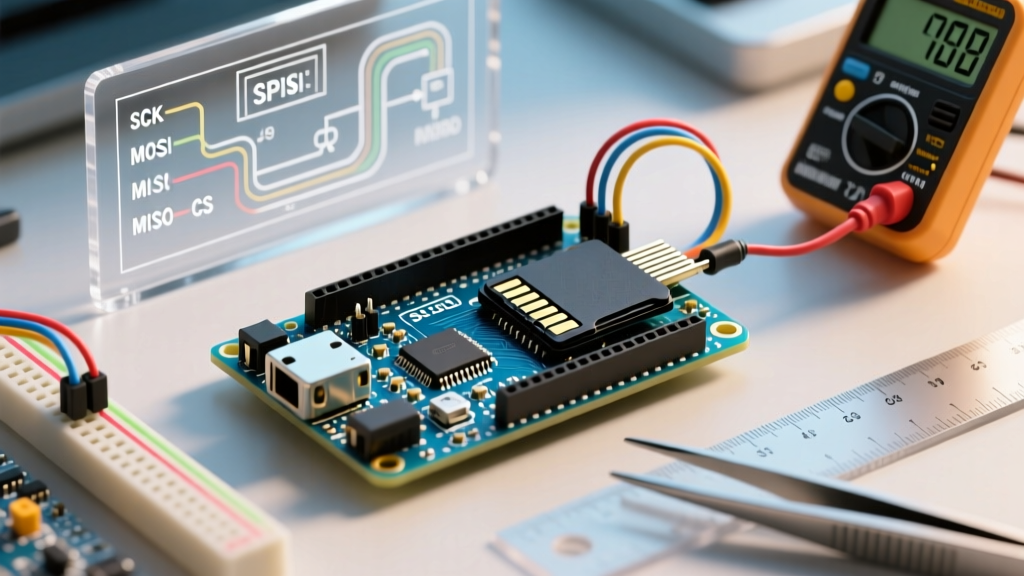
The SPI (Serial Peripheral Interface) bus requires four shared lines. Note that pinouts change depending on your microcontroller architecture.
| SD Module Pin | Arduino Uno / Mega (5V) | ESP32 DevKit (3.3V) | Raspberry Pi Pico (3.3V) |
|---|---|---|---|
| VCC | 5V (If module has LDO) | 3.3V | 3.3V |
| GND | GND | GND | GND |
| MISO | Pin 12 | GPIO 19 | GPIO 16 (SPI0 RX) |
| MOSI | Pin 11 | GPIO 23 | GPIO 19 (SPI0 TX) |
| SCK (CLK) | Pin 13 | GPIO 18 | GPIO 18 (SPI0 SCK) |
| CS (SS) | Pin 10 (or 4) | GPIO 5 | GPIO 17 |
The Chip Select (CS) Caveat
While MISO, MOSI, and SCK are hardware-defined on most AVR boards, the CS pin can be any digital pin. However, Pin 10 on the Arduino Uno must be set as an OUTPUT in your setup() function, even if you are using Pin 4 for the actual SD card CS. If Pin 10 is left as an INPUT, the ATmega328P will automatically revert to SPI Slave mode, causing the initialization to hang indefinitely.
Step 3: Software Implementation with SdFat
While the built-in Arduino SD Library is fine for basic tutorials, it lacks advanced error handling, high-speed SPI support, and proper file caching. For any serious 2026 project, Bill Greiman's SdFat Library is the industry standard. It supports SPI clock speeds up to 50MHz and handles long filenames (LFN) natively.
Robust Data Logging Code Example
Below is a production-ready snippet using SdFat. It includes SPI speed optimization, error checking, and crucial file syncing to prevent data corruption.
#include
#include

// Use SdFat32 for standard FAT32 cards
SdFat32 sd;
File32 logFile;

const int CS_PIN = 10;
const int LED_PIN = 13;

void setup() {
  Serial.begin(115200);
  pinMode(LED_PIN, OUTPUT);

  // Force hardware SPI to 50MHz for maximum write speed
  if (!sd.begin(CS_PIN, SD_SCK_MHZ(50))) {
    Serial.println("SD Initialization Failed!");
    // Blink LED rapidly to indicate hardware failure
    while(1) {
      digitalWrite(LED_PIN, !digitalRead(LED_PIN));
      delay(100);
    }
  }

  // Open file in append mode. Create if it doesn't exist.
  if (!logFile.open("datalog.csv", O_WRONLY | O_CREAT | O_APPEND)) {
    Serial.println("File Open Error!");
    return;
  }

  // Write header if file is empty
  if (logFile.fileSize() == 0) {
    logFile.println("Timestamp,SensorValue,Status");
    logFile.sync(); // Force write to physical media
  }
}

void loop() {
  int sensorData = analogRead(A0);
  unsigned long timeStamp = millis();

  logFile.print(timeStamp);
  logFile.print(",");
  logFile.print(sensorData);
  logFile.println(",OK");

  // CRITICAL: Sync every 10 writes to prevent RAM buffer corruption on power loss
  static int writeCount = 0;
  if (++writeCount >= 10) {
    logFile.sync();
    writeCount = 0;
    digitalWrite(LED_PIN, !digitalRead(LED_PIN)); // Heartbeat blink
  }

  delay(100); // 10Hz logging rate
}
Step 4: Handling Power Loss and File Corruption
A common failure mode in remote Arduino deployments is sudden power loss (e.g., a solar panel dropping offline). The SdFat library buffers data in the MCU's SRAM before writing it to the SD card's flash controller. If power drops while data is in the buffer, the CSV file will truncate, or worse, the FAT32 directory structure will corrupt, rendering the entire card unreadable.
Mitigation Strategies
- The
file.sync()Command: As shown in the code above, callingsync()forces the buffer to flush to the physical NAND flash. Do not call this on every single write, as flash memory has a limited write-cycle lifespan (typically 10,000 to 100,000 cycles per block). Syncing every 10 to 50 rows is the optimal compromise between data safety and hardware longevity. - Hardware Watchdogs: Implement an external watchdog timer (like the TPL5010) to hard-reset the Arduino if the SD write operation hangs for more than 2 seconds, which can happen if the SD card's internal garbage collection stalls.
- Capacitor Buffering: Place a 470µF to 1000µF electrolytic capacitor across the VCC and GND pins of the SD module. This provides enough residual charge for the MCU to execute a final
file.close()command during a brownout event.
Troubleshooting Matrix: Common SD Module Errors
When your serial monitor outputs an error, use this diagnostic matrix to identify the root cause immediately.
| Error Message / Symptom | Probable Cause | Engineer's Fix |
|---|---|---|
sd.begin() returns false |
Wiring fault or dead SD card | Check MOSI/MISO swap. Measure 3.3V pin with multimeter. Try a known-good SanDisk card. |
Can't open file |
8.3 Filename limit / Formatting | Standard SD lib requires 8.3 names (e.g., LOG1.CSV). Reformat with SD Association tool. |
| System hangs on initialization | SPI Bus contention / Pin 10 state | Ensure Pin 10 is OUTPUT on Uno. Disconnect other SPI devices (like NRF24L01) to isolate. |
| Data corruption after 5 minutes | LDO Thermal Shutdown | Cheap module's LDO is overheating. Add a heatsink or switch to a 3.3V native MCU like ESP32. |
Final Thoughts on SD Logging in 2026
While newer technologies like SPI Flash chips (e.g., W25Q128) and eMMC modules are gaining traction for high-end embedded designs, the standard Arduino SD card module remains unbeatable for field-replaceable, high-capacity data logging. By respecting the 3.3V logic requirements, utilizing the official SD Association formatter, and leveraging the advanced caching of the SdFat library, you can build data loggers that run for months in the field without dropping a single packet.