
Introduction to the Arduino Nicla Sense ME for Edge AI
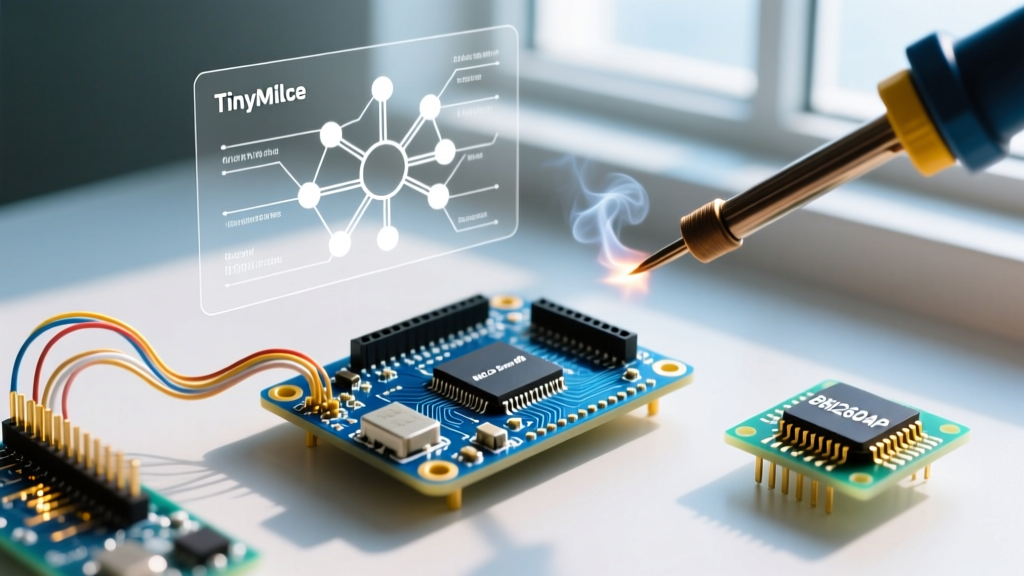
The Arduino Nicla Sense ME represents a paradigm shift in ultra-compact, sensor-rich microcontroller design. Measuring just 22.86 x 22.86 mm, this board packs an nRF52832 SoC alongside a powerhouse suite of Bosch Sensortec environmental and motion sensors. For makers and embedded engineers in 2026, the standout feature is the BHI260AP smart sensor hub, which features a dedicated Fuser Core (ARM Cortex-M0+) capable of running hardware-accelerated sensor fusion and edge AI algorithms natively.
In this comprehensive tutorial, we will bypass basic data logging and dive straight into deploying Edge AI motion tracking. You will learn how to initialize the BHI260AP, extract fused quaternion data, and integrate the board with TinyML pipelines for real-time gesture classification. Whether you are building a wearable industrial safety monitor or a low-power drone flight controller, mastering this sensor hub is critical for minimizing host MCU wake times and maximizing battery life.
Hardware Architecture and Sensor Specifications
Before writing firmware, it is essential to understand the I2C topology and sensor capabilities. The Nicla Sense ME routes its sensors through a high-density internal I2C bus. The BHI260AP acts as the primary sensor hub, aggregating data from the BMM150 magnetometer and its internal accelerometer/gyroscope, while the BME688 handles environmental AI tasks independently.
| Component | Model / Spec | Primary Function | I2C Address (Hex) |
|---|---|---|---|
| Host MCU | nRF52832 (64MHz, 512KB Flash) | Application logic, BLE, TinyML inference | N/A |
| Smart Sensor Hub | Bosch BHI260AP | 6-DoF Sensor Fusion, Edge AI Co-processor | 0x28 |
| Magnetometer | Bosch BMM150 | 3-Axis Geomagnetic Field Sensing | 0x10 (via BHI260AP) |
| Environmental AI | Bosch BME688 | Gas, Humidity, Pressure, Temp (with AI) | 0x76 |
| Power Management | MCP73831 LiPo Charger | Battery charging, 3.3V regulation | N/A |
Prerequisites for Edge AI Deployment
To follow this tutorial, ensure you have the following hardware and software ready:
- Hardware: Arduino Nicla Sense ME (ABX00050, typically retailing around $118 USD in 2026).
- Power: A 3.7V LiPo battery with a 3-pin JST-SH connector (crucial for testing deep sleep and power profiling).
- Software: Arduino IDE 2.3.x or newer.
- Libraries:
Arduino_BHY2(for Bosch Sensor Hub management) andArduinoBLE(for Edge Impulse data forwarding). - Edge AI Platform: An active account on Edge Impulse for model training and C++ library export.
Step 1: Configuring the Arduino IDE and BHY2 Library
The BHI260AP is not a standard plug-and-play I2C sensor. It requires a specific firmware binary to be uploaded to its internal RAM via I2C upon every boot sequence. The Arduino_BHY2 library abstracts this complex handshake, but it must be configured correctly to avoid bus lockups.
- Open the Arduino IDE and navigate to Boards Manager. Search for and install the Arduino Mbed OS Nicla Boards core (ensure you are on version 4.2.x or later for 2026 compatibility).
- Open the Library Manager and install
Arduino_BHY2. This library includes the pre-compiled BHI260AP firmware binaries required for sensor fusion. - Select your board via Tools > Board > Arduino Mbed OS Nicla Boards > Arduino Nicla Sense ME.
Expert Tip: The Nicla Sense ME uses an internal 10kΩ pull-up resistor network on its I2C lines. If you are daisy-chaining external sensors via the 16-pin high-density connector, the added capacitance can degrade the I2C rise times. Keep external I2C traces under 5cm and avoid adding redundant external pull-ups unless you drop the bus speed from 400kHz to 100kHz.
Step 2: BHI260AP Firmware and Sensor Hub Initialization
When the nRF52832 boots, it must act as an I2C master to push the BHI260AP firmware. If this step fails silently, your sensor reads will return zeros. Below is the foundational initialization code that ensures the Fuser Core is active and the 9-DoF sensor fusion algorithm (accelerometer, gyroscope, magnetometer) is running.
#include <Arduino_BHY2.h>

SensorXYZ accel(SENSOR_ID_ACC);
SensorXYZ gyro(SENSOR_ID_GYRO);
SensorQuaternion orientation(SENSOR_ID_ORI);

void setup() {
  Serial.begin(115200);
  while (!Serial);

  // Initialize the BHY2 sensor hub
  // The second parameter 'true' enables the BMM150 magnetometer for 9-DoF fusion
  BHY2.begin(true, true, true);

  accel.begin();
  gyro.begin();
  orientation.begin();

  Serial.println("BHI260AP Fuser Core Initialized Successfully.");
}

void loop() {
  // Must be called frequently to feed the BHI260AP FIFO buffer
  BHY2.update();

  if (orientation.hasValue()) {
    Serial.print("Quaternion [X, Y, Z, W]: ");
    Serial.print(orientation.x()); Serial.print(", ");
    Serial.print(orientation.y()); Serial.print(", ");
    Serial.print(orientation.z()); Serial.print(", ");
    Serial.println(orientation.w());
  }
  delay(20); // 50Hz sampling rate for motion AI
}
Step 3: Integrating Edge Impulse for TinyML Motion Classification
Raw quaternion data is excellent, but for true Edge AI, we need to classify motion patterns (e.g., 'Idle', 'Walking', 'Machinery Vibration'). In 2026, the standard workflow involves capturing data directly from the Nicla Sense ME using the Edge Impulse Data Forwarder over BLE or Serial.
Capturing the Training Dataset
Instead of writing a custom BLE GATT server, use the Edge Impulse CLI. Flash the EdgeImpulse_DataForwarder.ino example provided in the Arduino_BHY2 library. This sketch automatically formats the BHI260AP's 50Hz accelerometer output into the JSON payload expected by the Edge Impulse ingestion API.
Capture at least 15 minutes of continuous data across your target classes. Ensure your LiPo battery is connected during capture; USB power introduces high-frequency switching noise that can corrupt the BMM150 magnetometer readings, leading to skewed orientation data.
Designing the Impulse (Neural Network Architecture)
The nRF52832 has 64KB of SRAM. While this is generous for a Cortex-M4, it is a strict bottleneck for complex Convolutional Neural Networks (CNNs). For the Nicla Sense ME, configure your Edge Impulse Impulse as follows:
- Window Size: 2000ms (captures low-frequency human motion).
- Window Increase: 500ms.
- Processing Block: Spectral Features (extracts frequency and power data, highly efficient for vibration and gesture analysis).
- Learning Block: Neural Network (Keras) with a maximum of 2 dense layers (e.g., 20 and 10 neurons) to keep the compiled C++ library under 40KB of Flash and 15KB of RAM.
Step 4: Deploying the C++ Inference Library
Once your model achieves >85% accuracy on the test set, export it as an Arduino Library (Quantized INT8). Import the resulting .zip file into the Arduino IDE. The inference loop on the Nicla Sense ME should be structured to run on a hardware timer interrupt, ensuring the BHI260AP FIFO never overflows while the nRF52832 is busy executing the neural network matrix multiplications.
#include <your_edge_impulse_library.h>
#include <Arduino_BHY2.h>

// Edge Impulse signal processing callback
int ei_get_data(size_t offset, size_t length, float *out_ptr) {
    // Map BHY2 FIFO buffer to Edge Impulse signal array
    // Implementation depends on your specific ring buffer setup
    return 0;
}

void run_inference() {
    ei::signal_t signal;
    signal.total_length = EI_CLASSIFIER_SLICE_SIZE;
    signal.get_data = &ei_get_data;

    ei_impulse_result_t result;
    EI_IMPULSE_ERROR res = run_classifier(&signal, &result, false);

    if (res == EI_IMPULSE_OK) {
        // Process result.classification[] array
    }
}
Advanced Troubleshooting and Edge Cases
Working with ultra-compact, high-density PCBs introduces unique failure modes. Below is a diagnostic matrix for common issues encountered when pushing the Nicla Sense ME to its limits.
| Symptom | Root Cause | Technical Solution |
|---|---|---|
| BHY2.begin() hangs indefinitely | I2C bus lockup or corrupted BHI260AP firmware upload due to voltage brownout during boot. | Ensure a 10µF decoupling capacitor is placed near the VDD line if powering via external 3.3V. Add a 500ms delay before BHY2.begin(). |
| Magnetometer (BMM150) data drifts wildly | Magnetic interference from the onboard LiPo charger IC or external USB ground loops. | Perform a hard-iron/soft-iron calibration routine in software. Run on battery power for final production deployments. |
| BME688 Gas Sensor reads 0% IAQ | The BME688 gas heater requires a 5-minute burn-in period upon first power-up to stabilize the metal-oxide layer. | Implement a 'warm-up' state in your firmware that discards gas data for the first 300 seconds of operation. |
| Edge Impulse inference returns 'Out of Memory' | nRF52832 SoftDevice (BLE stack) is consuming too much RAM alongside the TinyML model. | Disable BLE during active inference, or use the NRF_SDH_BLE_VS_UUID_COUNT macro to reduce SoftDevice RAM footprint. |
Power Profiling and Battery Life Optimization
The true advantage of the BHI260AP is its ability to offload sensor polling from the host MCU. In a standard setup where the nRF52832 wakes up to poll an I2C accelerometer at 50Hz, the system draws roughly 4.5mA. By configuring the BHI260AP's internal Fuser Core to handle the 50Hz polling and only triggering an interrupt to the nRF52832 when a specific motion threshold (or Edge AI anomaly) is detected, you can drop the nRF52832 into System OFF mode.
In this interrupt-driven architecture, the Nicla Sense ME's average current draw drops to approximately 850µA. When paired with a standard 250mAh LiPo battery, this yields over 12 days of continuous, autonomous edge AI motion monitoring. To achieve this, utilize the SensorThreshold class within the Arduino_BHY2 library to map the BHI260AP's INT1 pin to an nRF52832 GPIO configured for wake-on-interrupt.
Conclusion
The Arduino Nicla Sense ME is far more than a simple data-logging node; it is a sophisticated edge computing platform. By leveraging the BHI260AP's Fuser Core for sensor fusion and pairing it with quantized TinyML models, engineers can deploy highly accurate, ultra-low-power motion classification systems. Pay close attention to I2C bus integrity, magnetometer calibration, and RAM allocation, and the Nicla Sense ME will serve as the perfect foundation for your next wearable or industrial IoT project.